
Are you ready to transform your online presence with a stunning WordPress website? Imagine having the power to design a site that perfectly reflects your vision, without needing a degree in web development.
With Divi Builder, creating a custom WordPress theme becomes not only possible but also incredibly easy and enjoyable. Think about it: a website that stands out from the crowd and captivates your visitors from the moment they land on your page.
Whether you’re a business owner, a blogger, or a creative professional, having a unique and visually appealing website is crucial. And the best part? You can do it all yourself, even if you’re not a tech wizard. You’ll discover step-by-step instructions on how to craft a WordPress theme using Divi Builder. We’ll guide you through each stage, sharing tips and tricks that make the process smooth and straightforward. By the end of it, you’ll have a website that not only looks amazing but also functions perfectly, giving your audience the best possible experience. Ready to dive in and create something extraordinary? Let’s get started!
Getting Started With Divi
Installing Divi Builder is the first step. Download the Divi theme. Go to your WordPress dashboard. Click on “Themes” and then “Add New”. Upload the downloaded Divi file. Activate it. Now, Divi is ready for use.
Exploring Divi Interface is fun. The interface is user-friendly. You will see a visual builder. You can drag and drop elements. There are many modules. Each module has unique features. Try adding a text module. Change colors and fonts. It’s easy. Experiment with layouts. Discover what works best for you.
Design Principles For Your Theme
Colors make a website feel alive. Pick a few main colors. Use them consistently. Don’t use too many colors. It can look messy. Contrast is important. It helps text stand out. Light text on dark background works well. Dark text on light background is good too. Colors should match the mood of your site. Happy sites use bright colors. Serious sites use calm colors.
Fonts are like voices. They speak to the reader. Pick two or three fonts. Use one for titles. Another for body text. Keep it simple. Fancy fonts can be hard to read. Make sure fonts are legible. A font should match your site’s mood. Fun sites use playful fonts. Business sites use clean fonts.
A layout is like a map. It shows where things go. Look at other sites for ideas. Notice what works well. Simple layouts are often best. Start with a grid. Divide the page into sections. This helps keep things organized. Balance is key. Each section should feel equal. Use white space. It makes content easy to read.
Building Your Homepage
Divi offers many modules for your homepage. You can add a text module for words. Use an image module for pictures. There is a video module too. Try using a slider module for showcasing images. Explore the call-to-action module for buttons. Each module has its own settings. You can change these to fit your needs. Drag and drop modules to arrange them.
CSS helps make your site unique. You can change colors and fonts. CSS lets you adjust padding and margins. This can make your site look neat. Add CSS codes in the Divi theme options. Simple codes can make big changes. Use CSS to give your site a personal touch.

Credit: webdesignerdepot.com
Creating Custom Templates
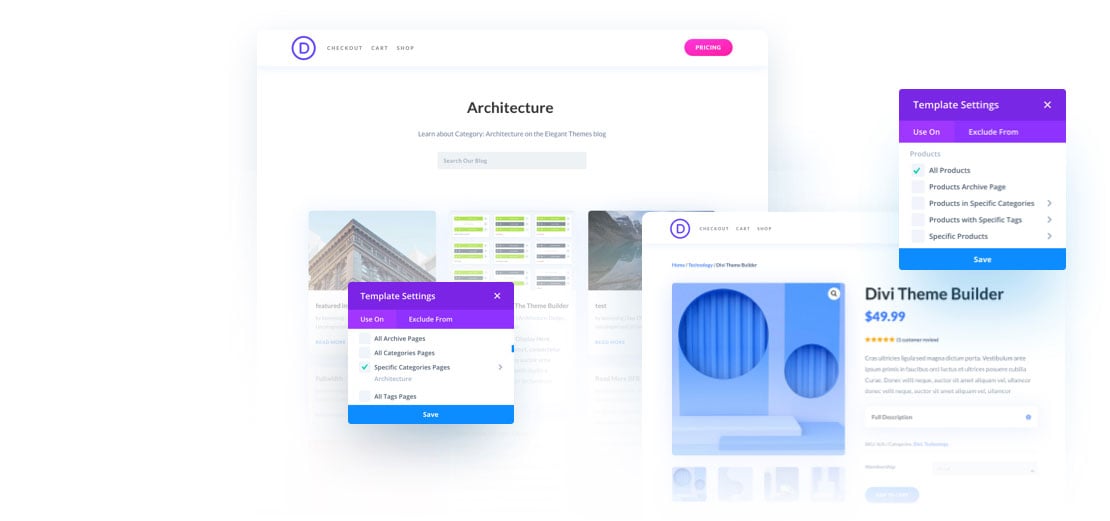
Headers and footers are important. They make your site look neat. With Divi Builder, it’s easy. Choose a layout. Add your logo. Pick colors that match. Use simple fonts. Make sure your site name is clear. Add links to important pages in the header. In the footer, add contact information. Also, include social media links. This keeps visitors connected.
A good blog layout is key. It helps readers find content fast. Start by choosing a clean design. Add a title at the top. Use bold text for titles. This makes them stand out. Next, add categories. This helps organize the posts. Include a sidebar. Add recent posts or popular posts there. Use images. They make the blog more interesting. Keep the design simple and neat.
Product pages need to look nice. This helps sell products. Use large, clear images. They show the product well. Write short, simple descriptions. Include key features. Use bullet points for easy reading. Add a price that is clear. Also, include a buy button. Make it easy to find. Customers should not search for it. Provide reviews. This builds trust. Keep the page tidy.
Enhancing Functionality
Creating a WordPress theme with Divi Builder enhances site functionality and design. Customize layouts using its intuitive drag-and-drop interface. Boost user experience with responsive features.
Adding Plugins For Extra Features
Plugins add power to your website. They give extra features. Divi Builder works well with plugins. Install plugins to improve your site’s functions. You can add contact forms easily. SEO plugins help your site rank better. Plugins for social sharing are also useful. Choose the right ones. Only keep what you need. Too many plugins can slow your site. Update them regularly. This keeps your site safe. Always check plugin reviews before installing.
Optimizing For Speed
Website speed matters a lot. It affects user experience. Slow sites lose visitors fast. Use caching plugins for speed. This stores site data. It loads faster next time. Optimize images too. Smaller images load quicker. Keep your theme simple. Complex themes can slow sites. Test your site’s speed often. Tools like GTmetrix help you. Remove unnecessary plugins. They make sites slow. Regularly check and update everything. Speed keeps users happy.
Credit: www.elegantthemes.com
Responsive Design Techniques
Every website needs to fit small screens. This is important for phones and tablets. Use Divi Builder to adjust columns and rows. Make images smaller. Text should be easy to read. Keep buttons big enough for fingers. This helps users click easily.
Test your site on many devices. Check phones, tablets, and computers. Look for any design issues. Fix any problems you find. Use tools like Google’s Mobile-Friendly Test. This helps you see how your site looks. Make sure it works well everywhere. Happy users stay longer on your site.
Seo And Performance Optimization
Good SEO is important for your website. Use keywords in titles and headings. This helps search engines find your site. Also, add meta descriptions for each page. These descriptions tell search engines about your content. Check that your URLs are clean and short. Avoid strange symbols or numbers. Use alt text for images. This helps if images do not load. It also helps people with disabilities. Lastly, create a site map. This shows search engines how your site is organized.
Images and scripts can slow a website. First, use small image files. Large files take longer to load. Compress images to save space. Tools like TinyPNG can help. For scripts, only load what you need. Use async or defer attributes. These help scripts load faster. Remove any scripts you do not use. This keeps your site fast and smooth. Test your site speed often. Tools like Google PageSpeed Insights can help.
Publishing And Maintaining Your Theme
Creating a WordPress theme with Divi Builder is straightforward. Publish and maintain your theme with ease using Divi’s intuitive tools. Effortlessly update designs and keep content fresh to ensure a seamless user experience.
Final Checks Before Launch
Check every part of your theme. Look at colors and fonts. Test each button. Fix any broken links. Make sure images load fast. User experience is very important. If things don’t work, users get mad. Check speed with tools like Google PageSpeed. Faster sites make users happy. Look at the design. Does it look nice on phones and tablets? A good site works everywhere. Ask friends to test the site. They can find hidden problems. Check every page twice before launch.
Updates And Maintenance
Keep the theme updated. New updates fix bugs and add features. Regular updates make the site safe. Without updates, hackers can break your site. Test updates in a safe area first. Backup your site often. If something breaks, backups save you. Check plugins and make sure they work. Broken plugins can ruin your site. Check links regularly. Dead links make users leave. Answer user feedback. They can help improve your site. Always care for your website.
Credit: colorlib.com
Frequently Asked Questions
What Is Divi Builder In WordPress?
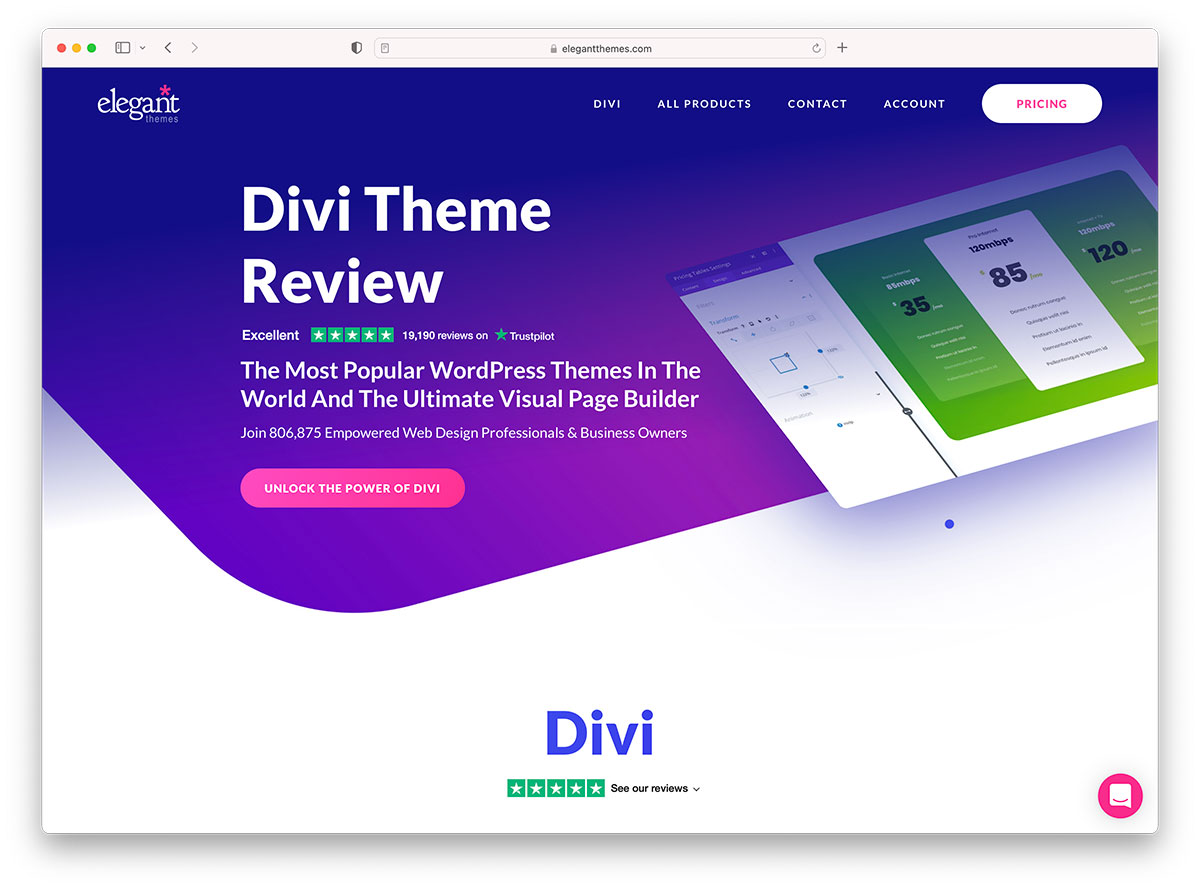
Divi Builder is a powerful WordPress page builder plugin. It allows users to design websites with a drag-and-drop interface. You can create custom layouts without needing coding skills. Divi Builder offers pre-made templates and modules for easier website creation. It’s suitable for beginners and experienced developers alike.
How Do I Install Divi Builder?
To install Divi Builder, purchase it from Elegant Themes. Download the plugin file from your account. Go to your WordPress dashboard, then Plugins > Add New. Upload the Divi Builder plugin file and activate it. Now, you can start creating pages using Divi’s intuitive interface.
Can I Create Themes With Divi Builder?
Yes, you can create custom themes with Divi Builder. It offers a Theme Builder feature for this purpose. Use the drag-and-drop interface to design headers, footers, and templates. Customize every aspect of your WordPress website with ease. Divi makes theme creation accessible without needing coding knowledge.
Is Divi Builder Beginner-friendly?
Divi Builder is very beginner-friendly and intuitive. Its drag-and-drop interface simplifies the design process. Users can start with pre-made layouts and modules. It offers a visual editor to see changes in real-time. This ease of use makes it ideal for those new to web design.
Conclusion
Creating a WordPress theme with Divi Builder simplifies web design. It offers a user-friendly interface. Perfect for beginners. The drag-and-drop feature makes customization easy. No coding skills needed. You can craft unique designs. Experiment with modules and layouts. Enhance your site’s look effortlessly.
Divi Builder empowers creativity. It supports responsive design. Your site will look great on any device. Start designing today. Enjoy the flexibility Divi provides. Build your dream website now. Dive into the world of web design. Make your online presence stand out.
Explore possibilities with Divi Builder.



