
If you want your WordPress blogpost to stand out in search results and attract more visitors, adding schema markup is a game-changer. But you might be wondering, how exactly do you insert schema into your blogpost without getting lost in complicated code?
This guide will walk you through simple, step-by-step methods to add schema to your WordPress posts. By the end, you’ll have the tools to boost your site’s visibility and make your content more appealing to both search engines and readers.
Ready to make your blogposts work harder for you? Let’s dive in.
Why Schema Matters For Seo
Schema helps search engines understand your content better. It adds special tags to your blog posts. These tags explain what your content is about. Using schema can make your site stand out in search results.
Search engines use schema to show rich snippets. Rich snippets catch the eye of users. They provide extra information right on the search page. This can lead to more visitors clicking your links.
Enhancing Search Visibility
Schema makes your content clearer to search engines. Clear content ranks higher in search results. This means more people can find your blog. It helps your pages appear in special search features like knowledge panels or carousels.
Improving Click-through Rates
Rich snippets created by schema attract more clicks. Users see ratings, images, or event dates directly in search results. This extra info builds trust and interest. As a result, more visitors click your links instead of others.
Types Of Schema Markup
There are many schema types for different content. Common ones include Article, Product, Event, and Review. Choose the right schema for your blog post. This makes your content relevant and easy to find. Proper schema increases your blog’s chances to rank better.

Credit: wpcode.com
Choosing The Right Schema For Your Blog
Choosing the right schema for your blog helps search engines understand your content better. It improves how your posts show up in search results. Using the correct schema can make your blog more visible and attract more readers.
Common Schema Types For Blogs
Blogs often use several schema types. Article schema is the most common. It tells search engines that your content is a blog post or news article. Person schema can be used to show author details. Organization schema works well for blogs representing a brand. Breadcrumb schema helps create easy navigation paths in search results.
Matching Schema To Content
Each blog post has a main topic. Choose schema that fits this topic. For example, use recipe schema for cooking posts. Use event schema if your post talks about an event. Always pick the schema that matches your post’s purpose. This ensures search engines display your content correctly.
Methods To Add Schema In WordPress
Adding schema to your WordPress blog helps search engines understand your content better. This can improve your site’s appearance in search results. There are several ways to insert schema in WordPress. Choose the method that fits your skills and needs.
Using Plugins For Easy Integration
Plugins make adding schema simple and fast. They often offer a user-friendly interface. You don’t need to know any code. Popular plugins include Schema Pro, Yoast SEO, and All in One SEO. Install and activate the plugin. Then, follow the plugin’s steps to add schema to posts or pages. Plugins also update schema automatically. This keeps your site’s data accurate.
Manual Schema Insertion With Code
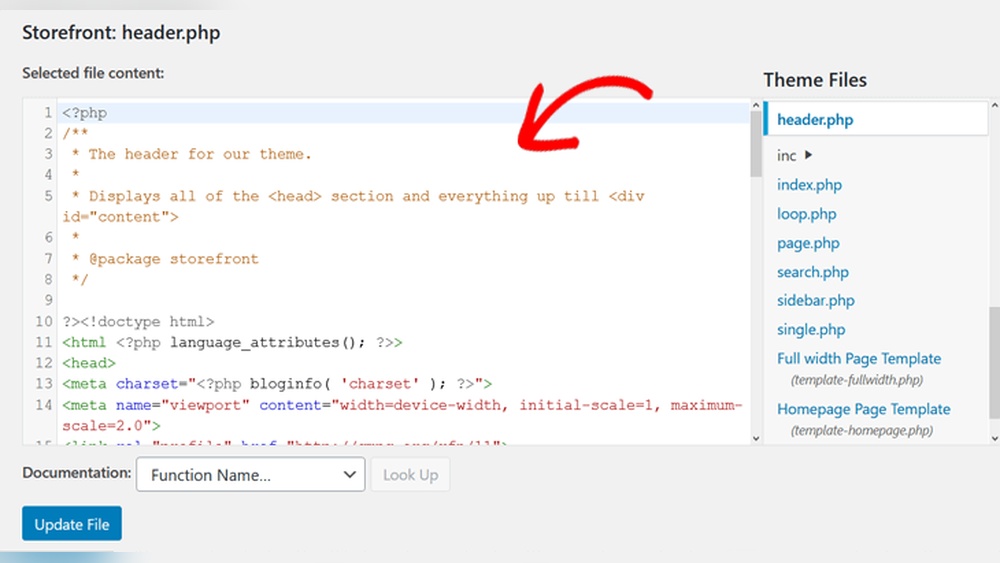
Manual insertion involves adding schema code directly to your site. Use JSON-LD format for best results. You can add this code in the header or footer, or inside individual posts. This method requires basic knowledge of HTML and schema.org vocabulary. It offers full control over the data you provide. You can customize schema to fit unique content. Always test your code using Google’s Rich Results Test tool.
Leveraging Themes With Built-in Schema
Some WordPress themes come with built-in schema support. This means schema is added automatically to your posts and pages. Using such a theme reduces setup time. Check the theme’s documentation to see what schema types it supports. Themes with built-in schema often cover common types like articles, events, and products. This method is useful if you want a simple, hands-off approach.
Step-by-step Guide To Add Schema With Plugins
Adding schema markup to your WordPress blog improves search engine results. It helps search engines understand your content better. Using plugins makes this task easier and faster. Follow this step-by-step guide to add schema with plugins to your blog posts.
Installing A Schema Plugin
First, go to your WordPress dashboard. Click on “Plugins” and then “Add New.” In the search bar, type “schema.” Choose a plugin with good ratings and many installs. Click “Install Now” and then “Activate.” The plugin is ready to use.
Configuring Schema Settings
Find the plugin’s settings in your dashboard menu. Open the settings page to start configuration. Select the schema types you need, such as Article, Blog Post, or FAQ. Fill in basic details about your website if required. Save changes to apply your settings.
Applying Schema To Blog Posts
Edit a blog post or create a new one. Scroll down or find the schema box provided by the plugin. Choose the schema type for your post. Fill in all required fields like headline, author, and date. Update or publish your post to add schema markup.
Manual Schema Markup Insertion
Manual schema markup insertion lets you control your blog’s structured data. It helps search engines understand your content better. This method uses code that you add directly to your WordPress posts. You can create and insert schema without extra plugins.
This approach suits those who want precise control over the data. It requires basic knowledge of JSON-LD and WordPress editing. Adding schema manually improves your chances of rich results in search.
Creating Json-ld Schema Code
JSON-LD is a simple way to add schema markup. It uses JavaScript to describe your content. First, decide which type of schema fits your post. Common types include Article, BlogPosting, and Recipe.
Use online tools or schema generators to create the code. Fill in details like headline, author, date, and description. Keep the code clean and accurate for best results.
Adding Schema To WordPress Editor
Open your WordPress post editor. Switch to the “Text” or “Code” view, not the visual editor. Paste the JSON-LD code between and tags.
Place the code near the top or bottom of your post content. Save or update your post to apply the changes. Avoid placing the code inside other HTML tags.
Validating Schema Markup
Use Google’s Rich Results Test to check your markup. Paste your post URL or the JSON-LD code directly. The tool shows errors and warnings to fix.
Fix any issues before publishing. Correct schema helps search engines display rich snippets. Validation ensures your markup works as intended.
Testing And Validating Schema Markup
Testing and validating schema markup is vital for your WordPress blog post. Schema helps search engines understand your content better. Incorrect schema can cause errors or no rich results. Proper testing ensures your markup works well. It also improves your post’s visibility in search results.
Using Google’s Rich Results Test
Google’s Rich Results Test checks if your schema markup is valid. Enter your blog post URL or code snippet. The tool scans for errors and warnings. It shows which rich results your page can get. Use this test after adding schema to your post. It confirms your markup meets Google’s standards.
Fixing Common Schema Errors
Errors like missing fields or wrong types are common. The test tool points out these issues clearly. Fix missing required properties first. Check for correct data types, like dates or URLs. Make sure your schema matches your content. Updating the markup improves search engine understanding.
Best Practices For Schema Implementation
Implementing schema on your WordPress blog helps search engines understand your content better. Proper use of schema can improve your visibility in search results. Follow best practices to ensure your schema is effective and error-free. This section covers keeping schema updated, avoiding spam, and tracking SEO performance.
Keeping Schema Up To Date
Regularly update your schema to reflect any content changes. Old or incorrect schema can confuse search engines. Check your schema after editing blog posts. Use tools like Google’s Rich Results Test to verify accuracy. Staying current helps maintain your search ranking and user trust.
Avoiding Overuse And Spam
Use only relevant schema types for your content. Adding too many schema tags can appear spammy to search engines. Avoid marking up invisible or unrelated content. Focus on quality, not quantity. This keeps your blog trustworthy and compliant with search engine guidelines.
Monitoring Seo Performance
Track how schema affects your search rankings and click rates. Use Google Search Console to monitor your blog’s performance. Look for improvements in rich snippets and traffic. Adjust schema based on data to optimize results. Constant monitoring helps you learn what works best.

Credit: jespernissen.com

Credit: wpcode.com
Frequently Asked Questions
What Is Schema And Why Use It In WordPress?
Schema is structured data that helps search engines understand your content. It improves SEO by enhancing search results with rich snippets. Using schema in WordPress boosts visibility and click-through rates for your blog posts.
How Do I Add Schema To A WordPress Blog Post?
You can add schema using plugins like Yoast SEO or Schema Pro. Alternatively, insert JSON-LD code manually in the post’s HTML. Plugins simplify the process without coding knowledge.
Which Schema Types Suit WordPress Blog Posts Best?
Article, BlogPosting, and NewsArticle schema types fit most WordPress blog posts. These types help categorize content clearly for search engines, improving indexing and rich result appearance.
Can Schema Improve My Blog’s Search Ranking?
Yes, schema enhances search listings with rich snippets. This increases user engagement and click rates, indirectly boosting your blog’s ranking on Google and other search engines.
Conclusion
Adding schema to your WordPress blogpost helps search engines understand your content better. It can improve your site’s visibility and attract more visitors. The process is simple and does not need advanced coding skills. Use plugins or manual methods to insert schema easily.
Check your work with testing tools to avoid errors. Small steps like this can make a big difference over time. Keep your blog updated and organized to stay ahead online.


