
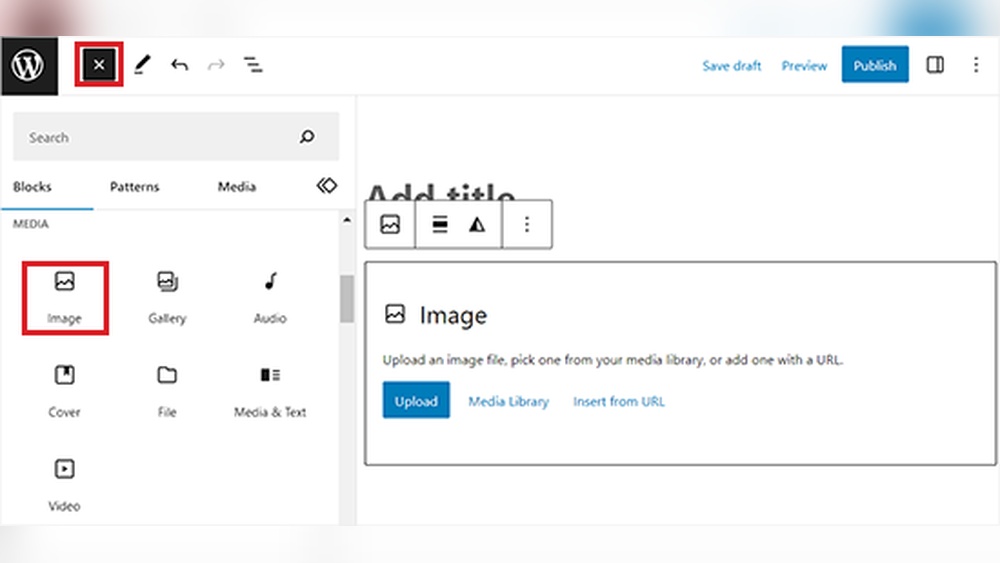
Are you struggling to give proper credit to photographers or image sources on your WordPress site? Adding photo credits isn’t just about being fair—it also protects you from copyright issues and builds trust with your audience.
You’ll learn simple, clear steps to add photo credits in WordPress quickly and effectively. By the end, your images will be properly credited, making your site look professional and respectful. Let’s dive in and make sure your photos get the recognition they deserve!

Credit: www.wpbeginner.com
Why Photo Credit Matters
Giving photo credit is important for many reasons. It shows respect for the creator’s work. It helps your website look trustworthy. It also makes the site easier and nicer to use. Below are some key reasons why photo credit matters.
Respecting Copyright Laws
Photos are often protected by copyright. Using images without credit can break the law. Giving credit follows legal rules. It respects the photographer’s rights. This avoids legal problems for your website.
Building Credibility
Photo credit shows honesty. It tells visitors you respect others’ work. This builds trust with your audience. Credible sites attract more visitors. People prefer sites that give proper credit.
Enhancing User Experience
Photo credit helps users learn about the image. It gives context and background. Users can find more from the original source. This makes your site more helpful. A better experience keeps visitors longer.

Credit: ezseonews.com
Methods To Add Photo Credit In WordPress
Giving credit to the photo source is important. WordPress offers different ways to do this. Some methods are simple and quick. Others use tools to automate the process. Choose the method that fits your style and website needs.
Using Image Captions
Image captions appear below photos. They are visible to all visitors. Captions provide space to name the photographer or source. To add a caption, select the image in your editor. Then type the credit in the caption field. This method is clear and straightforward.
Adding Credits In Alt Text
Alt text describes images for search engines and screen readers. It also helps with SEO. You can include photo credits here for extra visibility. Open the image settings and find the alt text box. Write the credit clearly but keep it short. This method improves accessibility and crediting.
Inserting Credits In Post Content
Credits can be part of your post text. Place them right after the image or at the end of your article. Use simple phrases like “Photo by” or “Image source.” This method works well for storytelling or detailed posts. It also keeps credits noticeable.
Utilizing Plugins For Photo Credit
Plugins can automate photo crediting. They add credits automatically based on image data. Some plugins show credits on hover or below images. Search for photo credit plugins in the WordPress directory. Install and configure them to fit your site style. Plugins save time and keep credits consistent.

Credit: qodeinteractive.com
Frequently Asked Questions
How Do I Add Photo Credit In WordPress Posts?
To add photo credit in WordPress, simply include the photographer’s name and source below the image. Use the caption box or add credit in the post content. This ensures proper attribution and avoids copyright issues.
Can I Use Plugins To Add Photo Credits In WordPress?
Yes, plugins like “Image Credits” or “WP Photo Credit” can automate photo credits. They allow easy insertion of photographer details and links for every image uploaded.
Where Should Photo Credit Appear In WordPress Images?
Photo credit typically appears below the image or in the caption area. It should be visible but not distract from the content. Consistency in placement improves professionalism.
Is Photo Credit Mandatory For All Images In WordPress?
Photo credit is required when using copyrighted images or Creative Commons photos. It respects the creator’s rights and avoids legal problems.
Conclusion
Adding photo credit in WordPress helps respect creators’ work. It also keeps your site trustworthy and legal. You can easily add credits using captions, plugins, or custom code. Always check the image’s license before posting. Clear photo credit shows you care about content rights.
This small step improves your blog’s quality and professionalism. Start adding photo credits today to keep your site fair and honest. Simple actions can make a big difference.



