
You want your website to stand out and connect with your visitors, right? One of the best ways to do that is by adding a clear and engaging About page.
This page tells your story, builds trust, and helps people understand who you are and what you offer. But if you’re new to WordPress, creating this page might feel confusing or overwhelming. Don’t worry — you’ll discover simple, step-by-step instructions to add an About page to your WordPress site quickly and easily.
By the end, you’ll have a page that makes visitors want to stay longer and learn more about you. Let’s get started!
Why Add An About Page
Creating an About page on your WordPress site helps visitors know who you are. It builds trust and shows your story. This page makes your website feel personal and real. People like to connect with a face or story behind a site.
An About page also explains what your site or business does. It sets clear expectations for visitors. When visitors understand your purpose, they stay longer. This can lead to more followers, customers, or readers.
Enhances Credibility And Trust
An About page tells visitors about your background and skills. It shows you are real and reliable. People prefer to deal with trustworthy sources. Clear information builds confidence in your website.
Improves User Experience
Visitors want to learn about the people behind a site. An About page answers common questions. It creates a friendly, welcoming feeling. Good user experience keeps people coming back.
Supports Seo And Website Ranking
Search engines like pages that explain your site clearly. An About page adds useful content with keywords. This helps improve your site’s search ranking. More visitors find your site through search engines.
Encourages Connection And Engagement
Sharing your story invites visitors to connect with you. People relate to personal stories and values. This connection can turn visitors into loyal fans. Engaged users often share your site with others.
Choosing The Right Format
Choosing the right format for your About page is important. It shapes how visitors see your story. The format affects design, ease of editing, and visitor engagement. Picking a simple or complex format depends on your skills and needs.
Static Page Vs Custom Layout
A static page is the simplest choice. It uses the default WordPress editor. You add text, images, and links easily. It suits beginners and small sites. The layout stays the same unless you edit it.
Custom layouts offer more design options. You can create unique sections and styles. This needs some skills or a theme that supports custom layouts. It helps your About page stand out. But it may take more time to build and maintain.
Using Page Builders
Page builders are tools that simplify custom layouts. They use drag-and-drop features. No coding needed. Popular builders include Elementor, Beaver Builder, and Divi.
With a page builder, you can add columns, buttons, and images easily. It gives more control over look and feel. Great for users who want creativity without coding.
Page builders can slow down your site if not used well. Choose one that fits your skill and website speed needs.
Creating The About Page
Creating the About Page is an important step in building your WordPress site. This page tells visitors who you are and what your site offers. A clear About Page builds trust and helps visitors connect with your content.
Follow these simple steps to create your About Page quickly and easily.
Accessing WordPress Dashboard
First, log in to your WordPress dashboard. Use your username and password on the login screen. The dashboard is the control center for your website. Here, you can manage pages, posts, and settings.
Adding A New Page
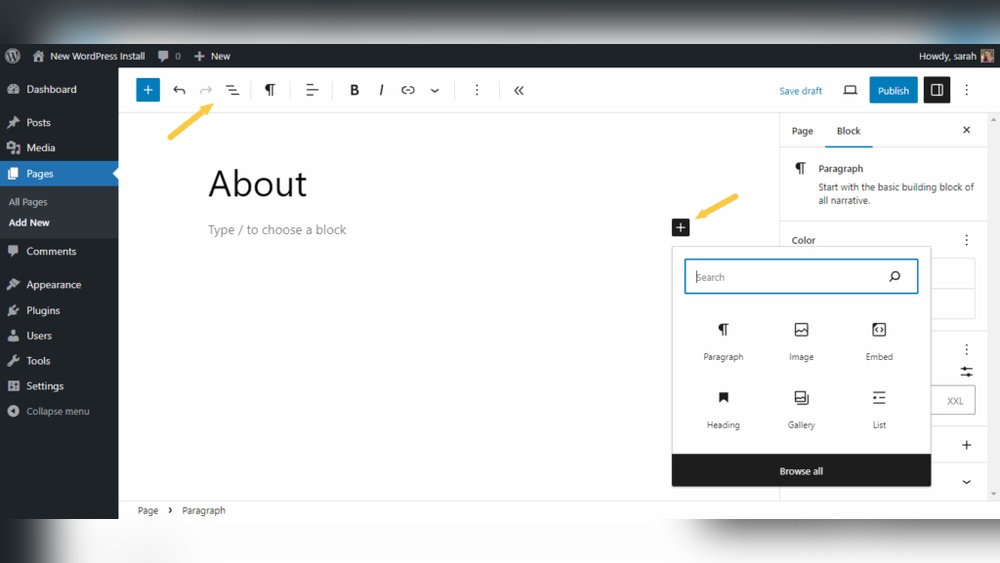
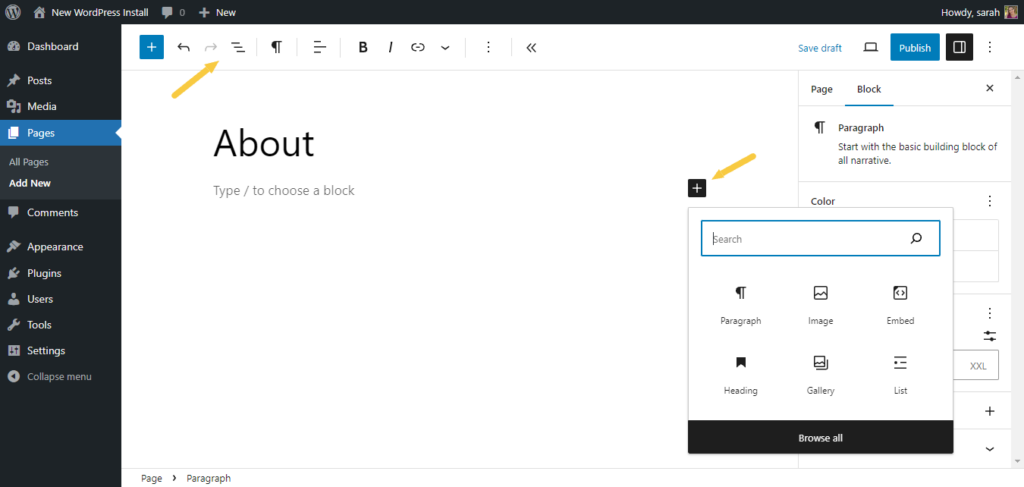
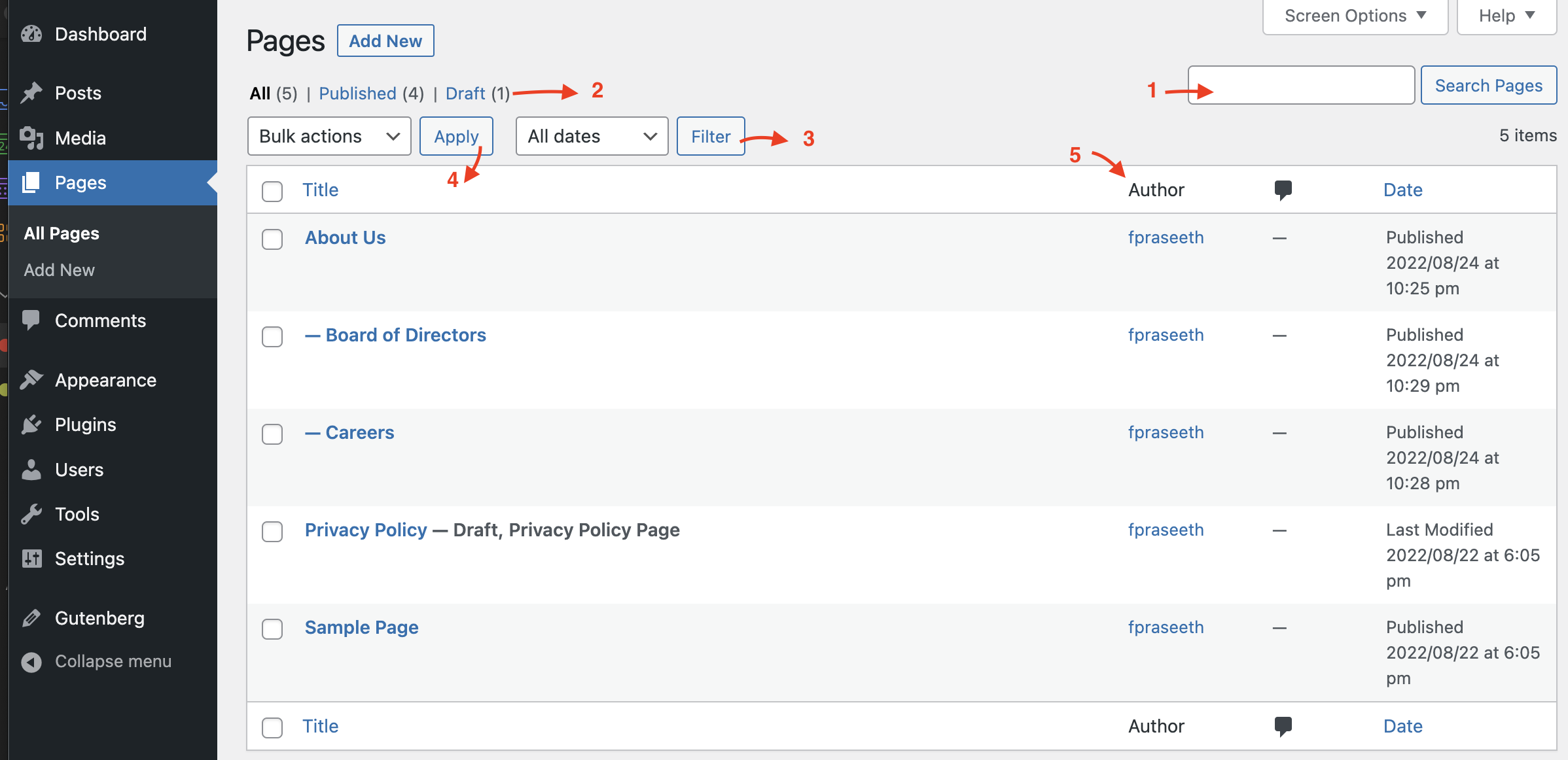
In the dashboard menu, find and click “Pages.” Then, select “Add New.” This opens a blank page editor. You can create a new page from here. This page will become your About Page.
Setting The Title And Content
Start by typing “About” in the title box. This makes it clear what the page is about. Next, write a simple introduction about yourself or your site. Keep sentences short and easy to read. Add key details like your mission, background, or goals.
Use paragraphs to organize your text. Avoid long blocks of words. This helps visitors read without effort. You can also add images or links to make the page more interesting.

Credit: wordpress.org
Customizing The About Page
Customizing the About page helps you share your story clearly. It makes your site feel more personal and trustworthy. Small changes can create a big impact. You can show who you are and what you do with simple tools. Each element on the page should invite visitors to learn more about you.
Adding Images And Media
Images catch attention quickly. Use pictures that show your team, office, or products. Upload images directly in the WordPress editor. You can also add videos to explain your mission or show behind-the-scenes moments. Media helps visitors connect with your story visually. Make sure your images load fast by resizing them before uploading.
Inserting Contact Details
Contact details build trust and invite communication. Add your email, phone number, or business address clearly. Place this information where visitors can find it easily. Use simple text or link your email and phone for quick access. This step helps visitors reach you without confusion.
Using Widgets And Shortcodes
Widgets add extra features to your About page without coding. You can include recent posts, social media feeds, or testimonials using widgets. Shortcodes work like shortcuts to add complex content easily. Use shortcodes for buttons, forms, or galleries. These tools keep your page organized and interactive.
Publishing And Linking The Page
Publishing your About page in WordPress is the final step before visitors see it. After creating your page, you must make it live and easy to find. This process helps users learn about your site or business quickly.
Linking the About page properly guides visitors through your website. A well-placed link in your menu improves site navigation. It also boosts your site’s SEO by showing search engines the page’s importance.
Setting Page Visibility
First, check the page visibility settings. In the WordPress editor, find the “Publish” box. Choose “Public” so everyone can see the page. You can also set a password or make the page private for special cases.
Click “Publish” or “Update” to save your settings. The About page is now live and ready for visitors.
Adding About Page To Menu
Next, add the About page to your site’s menu. Go to “Appearance” and select “Menus.” Find your About page in the list of pages. Tick the checkbox next to it and click “Add to Menu.”
Drag the page to the position you want in the menu. Save the menu to make the About page appear on your site navigation.
Testing The Page
Finally, test the About page on your site. Open your website in a new tab. Click the About link in the menu. Check if the page loads correctly and the content displays well.
Verify the page looks good on phones and tablets too. Fix any issues you find to ensure a smooth visitor experience.
Credit: www.omnisend.com
Tips For A Compelling About Page
A well-crafted About page helps visitors understand your story and mission. It builds trust and connects your audience to your brand. Use simple language and focus on key points. Keep your message clear and inviting to hold attention.
Writing A Clear Message
Start with a strong introduction about who you are. Explain what you do and why it matters. Use short sentences to make your message easy to read. Avoid jargon or complex terms that confuse readers. Be honest and direct to build trust quickly.
Including Personal Stories
Share a brief story that shows your passion or background. Stories make your page relatable and memorable. Talk about challenges you faced or moments that inspired you. Personal details help readers connect with you on a human level.
Adding Social Proof
Show evidence that others trust your work. Include testimonials, reviews, or client logos. Social proof builds credibility and encourages visitors to stay. Use real quotes or results to make your claims believable. Keep this section simple and straightforward.
Credit: wordpress.org
Frequently Asked Questions
How Do I Create An About Page In WordPress?
To create an About page, go to your WordPress dashboard, click “Pages” > “Add New. ” Title it “About,” add your content, then click “Publish. “
Can I Customize My WordPress About Page Design?
Yes, you can customize your About page using WordPress themes or page builders like Elementor for a unique look.
Should My About Page Include Images Or Videos?
Including images or videos makes your About page engaging and helps visitors connect with your story visually.
How To Add About Page Link To WordPress Menu?
Go to “Appearance” > “Menus,” select your About page, then click “Add to Menu” and save changes.
Conclusion
Adding an About Page in WordPress helps visitors know you better. It builds trust and makes your site more personal. The process is simple and quick to follow. Use clear text and images to share your story. Keep updating the page to stay fresh and relevant.
A good About Page improves user experience and site credibility. Start creating yours today to connect with your audience.



