
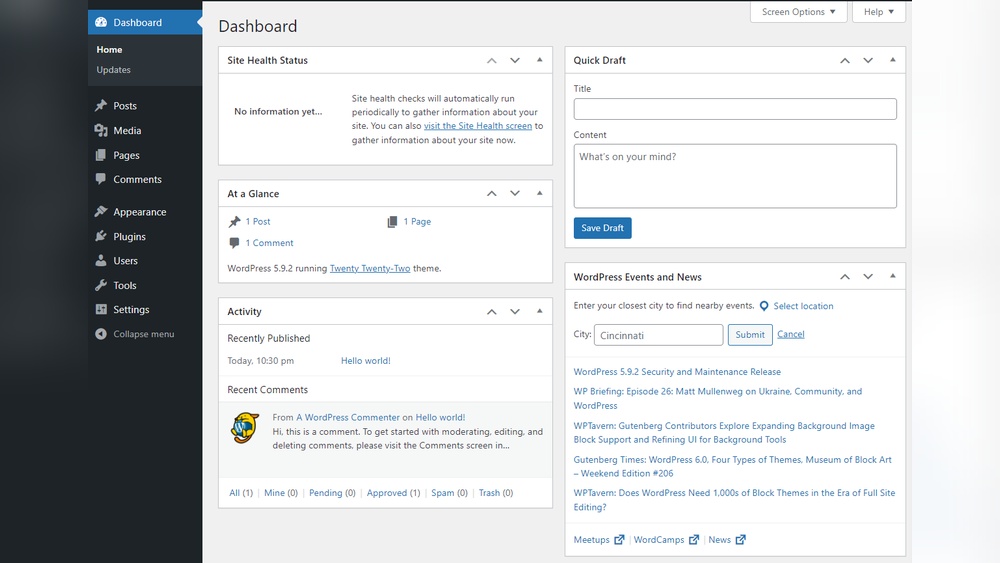
Are you struggling to find your way into your WordPress backend? Getting access to your website’s control panel is the first step to managing content, customizing design, and boosting your site’s performance.
But if you’re unsure how to log in or where to start, it can feel confusing and frustrating. Don’t worry—this guide will walk you through every step clearly and simply. By the end, you’ll have full control of your WordPress site and be ready to make it truly yours.
Keep reading to unlock your website’s potential right now!

Credit: stackoverflow.com
Locate Your Login Url
Finding your WordPress login URL is the first step to access your website’s backend. This URL directs you to the login page where you enter your username and password. Knowing this link saves time and helps keep your site secure.
Default WordPress Login Paths
WordPress has standard login URLs used by most websites. The most common is yourwebsite.com/wp-admin. Typing this in your browser takes you to the login page. Another option is yourwebsite.com/wp-login.php. Both work the same way.
These URLs are simple and easy to remember. But they are also well-known by hackers. That is why some site owners change these paths to keep safe.
Custom Login Urls
Changing the login URL helps protect your site from attacks. Some WordPress plugins let you create custom URLs. For example, yourwebsite.com/my-login or yourwebsite.com/secure-access.
Custom URLs make it harder for hackers to find the login page. You must remember the new link or save it somewhere safe. After changing, always check the new URL works properly.
Credit: www.greengeeks.com
Use Correct Username And Password
Accessing the WordPress backend requires the correct username and password. These details keep your site secure. Without them, you cannot log in. Always use the exact username and password you set during installation or account creation.
Entering wrong details multiple times may lock you out temporarily. Keep your credentials safe and avoid sharing them with others. Let’s see how to find or reset your login details if you forget them.
Finding Your Credentials
Your WordPress username is often your email or a custom name you chose. Check your email inbox for the welcome message from WordPress. It usually contains your username and a link to set your password.
If you installed WordPress yourself, your username might be “admin” by default. This is common but not secure. You can also find your username in your hosting control panel or database if needed.
Resetting Your Password
To reset your password, go to the WordPress login page. Click the “Lost your password?” link below the login form. Enter your username or email address. WordPress will send a reset link to your registered email.
Follow the link in your email to create a new password. Choose a strong password with letters, numbers, and symbols. Save it safely to avoid future issues logging in.
Accessing The Login Page
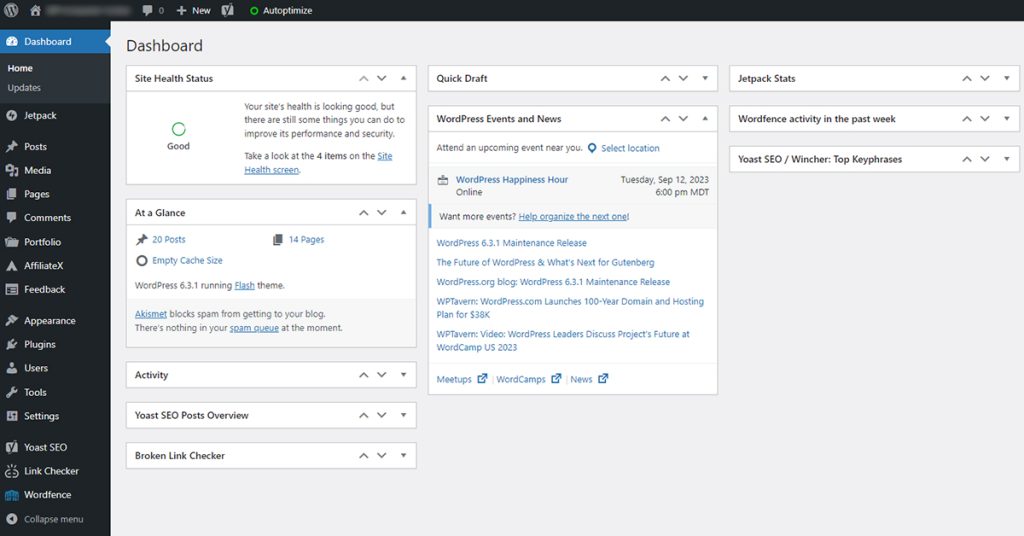
Accessing the WordPress login page is the first step to managing your website. This page is where you enter your username and password. After logging in, you reach the backend dashboard. From there, you can add posts, change settings, and customize your site.
There are simple ways to reach the login page. Two common methods include using browser bookmarks and typing the direct URL.
Using Browser Bookmarks
Bookmarks save your login page address for quick access. You can create a bookmark the first time you visit the page. Later, just click the bookmark to open the login screen. This method saves time and avoids typing errors.
Bookmarks work well if you access your site often. They keep your site’s login page ready in your browser.
Direct Url Entry
You can type the login page address into your browser’s address bar. Usually, the URL looks like this: yoursite.com/wp-login.php or yoursite.com/wp-admin. Replace “yoursite.com” with your website’s domain.
This method works anywhere, even on new devices. Just remember the correct URL to reach the WordPress login page fast.

Credit: www.interserver.net
Troubleshooting Login Issues
Login problems can stop you from accessing your WordPress backend. These issues often happen due to browser or plugin conflicts. Fixing them is usually simple and quick. Follow these steps to solve common login troubles and get back to your site.
Clearing Browser Cache
Old browser cache can block WordPress login pages. The browser may load outdated files. This causes errors during login attempts.
Clear your browser cache to fix this. Open your browser settings and find the cache or history section. Remove cached files and cookies related to your site. Restart the browser and try logging in again.
Disabling Plugins Temporarily
Sometimes, plugins cause login issues. A plugin may conflict with WordPress or other plugins. This can prevent the login page from working correctly.
Disable all plugins to check if this is the problem. Use FTP or your hosting control panel. Rename the “plugins” folder to “plugins_backup”. Try logging in again. If it works, rename the folder back and activate plugins one by one. This helps find the faulty plugin.
Enhancing Login Security
Securing your WordPress backend login is very important. It protects your website from hackers and unwanted access. Simple steps can make a big difference in keeping your site safe.
Two key methods improve your login security. These are enabling two-factor authentication and using strong passwords. Both add layers of protection to your site.
Enabling Two-factor Authentication
Two-factor authentication (2FA) adds a second step to login. After typing your password, you enter a code sent to your phone. This makes it hard for hackers to get in.
Many WordPress plugins offer easy 2FA setup. Choose a trusted plugin and follow its instructions. This small step greatly increases your site’s security.
Using Strong Passwords
Strong passwords are the first line of defense. Use a mix of letters, numbers, and symbols. Avoid common words or easy-to-guess phrases.
Change passwords regularly and never reuse them on other sites. Tools like password managers help create and store strong passwords safely.
Alternative Login Methods
There are several ways to log into your WordPress backend beyond the usual wp-admin page. These alternative methods can save time and help if you face login issues. Explore these options to find what suits you best.
Logging In Via Hosting Provider
Many hosting providers offer direct access to your WordPress dashboard. This option lets you skip the usual login page. You can log in through your hosting control panel.
Providers like Bluehost, SiteGround, and GoDaddy have one-click WordPress login features. After signing into your hosting account, find the WordPress section. Click the login button to access your site backend immediately.
This method is secure and fast. It also helps if you forget your WordPress password. No need to reset it. Hosting login access is a reliable backup plan.
Using WordPress Mobile App
The WordPress mobile app offers another simple login method. Download the app on your smartphone or tablet. Enter your website URL, username, and password.
The app connects directly to your site and opens the backend dashboard. Manage posts, pages, and comments from your mobile device. It works on both iOS and Android.
This option is handy for quick updates and monitoring your site on the go. The app keeps you connected without needing a desktop computer.
Frequently Asked Questions
How Do I Log In To WordPress Backend?
To log in, go to yoursite. com/wp-admin or yoursite. com/wp-login. php. Enter your username and password to access the dashboard.
What If I Forget My WordPress Backend Password?
Click the “Lost your password? ” link on the login page. Follow instructions to reset your password via email.
Can I Access WordPress Backend On Mobile Devices?
Yes, WordPress backend is mobile-friendly. Use your mobile browser or the WordPress app for easy access and management.
How To Secure My WordPress Backend Login?
Use strong passwords, enable two-factor authentication, and limit login attempts to protect your WordPress backend from unauthorized access.
Conclusion
Accessing the WordPress backend is simple and quick. Just know your login URL, username, and password. Remember to keep your details safe and private. Use the backend to manage posts, pages, and settings easily. Regularly updating your password helps keep your site secure.
Practice these steps to feel confident managing your site. Start exploring the backend today and control your website with ease.



