
If you’re thinking about building a website, you’ve probably heard a lot about WordPress. But how reliable is WordPress really?
You want a platform that won’t let you down, that keeps your site running smoothly, and protects your hard work. You’ll discover the truth about WordPress reliability. By the end, you’ll know if it’s the right choice for your website and how to make it even stronger.
Keep reading—your website’s success depends on it.

Credit: jetpack.com
WordPress Popularity And Usage
WordPress stands as one of the most popular platforms for building websites worldwide. Its ease of use and flexibility attract millions of users. People from various backgrounds trust WordPress for their online presence.
This section explores how widely WordPress is used and what types of websites rely on it. Understanding its popularity helps gauge its reliability and strength.
Market Share Insights
WordPress powers over 40% of all websites on the internet. This includes small blogs to large business sites. Its market share shows strong growth year after year.
Many websites prefer WordPress due to its open-source nature. It offers constant updates and a large support community. These factors keep it relevant and secure.
Types Of Websites Using WordPress
WordPress supports a wide variety of websites. Blogs, portfolios, e-commerce stores, and news sites often use it. Even big companies and well-known brands choose WordPress.
This platform adapts easily to different needs. From simple personal blogs to complex online shops, WordPress handles it well. Its versatility makes it a reliable choice for many users.
Core WordPress Stability
Core WordPress stability is a key reason many users trust this platform. It offers a solid foundation for websites of all sizes. The system is designed to run smoothly and handle many tasks without crashing. Stability means fewer disruptions and a better experience for site owners and visitors.
The WordPress core is built with reliable code that is tested often. This helps avoid major errors and keeps the platform secure. Users can update their sites knowing the core system will stay strong. This stability supports a wide range of themes and plugins without conflicts.
Release Cycle And Updates
WordPress follows a regular release cycle to improve stability. Updates arrive every few months with new features and fixes. These updates are carefully tested before release. This process reduces bugs and keeps the platform running well.
Minor updates focus on security and small improvements. Major releases bring new tools but keep the core stable. Users get clear instructions on updating safely. This helps prevent problems during upgrades.
Error Handling And Bug Fixes
WordPress has strong error handling to catch problems early. The system logs errors to help developers find causes fast. This makes fixing bugs quicker and easier.
Community feedback plays a big role in spotting bugs. Developers respond quickly with patches and fixes. This ongoing process keeps WordPress stable and reliable for users worldwide.
Plugin And Theme Reliability
Plugins and themes are the heart of WordPress customization. They add features and style to your site. Their reliability affects your website’s security and performance. Choosing the right ones matters a lot.
Quality And Security Concerns
Not all plugins and themes are made equally. Poor quality ones can cause errors or crashes. Some may have security holes that hackers exploit. Always pick plugins and themes from trusted sources. Check for regular updates and good reviews. Avoid outdated or unsupported options. This reduces risks and keeps your site safe.
Impact On Site Performance
Plugins and themes affect how fast your site loads. Heavy or badly coded ones slow down pages. Visitors leave slow sites quickly. Use only necessary plugins and keep them updated. Choose lightweight themes designed for speed. Testing your site speed after installing new plugins helps find issues early. Fast sites keep visitors happy and improve rankings.
Credit: roconpaas.com
Security Measures In WordPress
Security is a key part of WordPress. It protects websites from hackers and threats. WordPress uses many ways to keep sites safe. These security measures help users focus on their content without worry.
Security in WordPress is built into the system. It also depends on user actions and good practices. Understanding these features helps site owners keep their data safe.
Built-in Security Features
WordPress has automatic updates for core software. This fixes bugs and adds security patches fast. Passwords are stored using strong encryption methods.
Login attempts are limited to block hackers. User roles control who can do what on the site. WordPress uses secure coding standards to reduce risks.
Regular backups and SSL support are easy to add. These tools protect data and secure connections. The WordPress team works hard to improve security every day.
Common Vulnerabilities And Prevention
Plugins and themes can cause security problems. Outdated or poorly coded add-ons open doors for attacks. Using trusted and updated plugins lowers risks.
Weak passwords and default usernames invite hackers. Strong passwords and changing “admin” usernames help a lot. Users should remove unused plugins and themes.
Cross-site scripting and SQL injection attacks are common threats. WordPress uses filters and prepared statements to stop them. Regular site scans and security plugins add extra protection.
Performance And Speed Factors
Performance and speed are key to a reliable WordPress site. Fast loading pages keep visitors happy and improve search rankings. Many factors affect how quickly a WordPress site runs. Understanding these helps create a smoother user experience. Let’s explore the main elements that impact WordPress performance and speed.
Optimization Techniques
Optimizing a WordPress site improves load times and responsiveness. Using caching plugins stores static versions of pages. This reduces server work and speeds up delivery to users. Compressing images lowers file size without losing quality. Smaller images load faster and save bandwidth.
Minifying CSS and JavaScript files removes extra spaces and comments. This cuts down file size and speeds up loading. Lazy loading delays images and videos until the user scrolls to them. This reduces initial page load and saves resources. Regularly updating themes and plugins keeps code efficient and secure.
Hosting Environment Influence
The hosting environment greatly affects WordPress speed. Shared hosting can slow down sites during high traffic times. Dedicated servers offer more resources and better performance. Managed WordPress hosting is optimized for WordPress sites. It often includes built-in caching and security features.
Using a Content Delivery Network (CDN) stores site files on servers worldwide. This delivers content faster by serving users from the nearest location. Server location also matters. Hosting closer to your audience reduces latency and load times. Choosing the right hosting improves your site’s overall reliability.

Credit: blogvault.net
Community Support And Resources
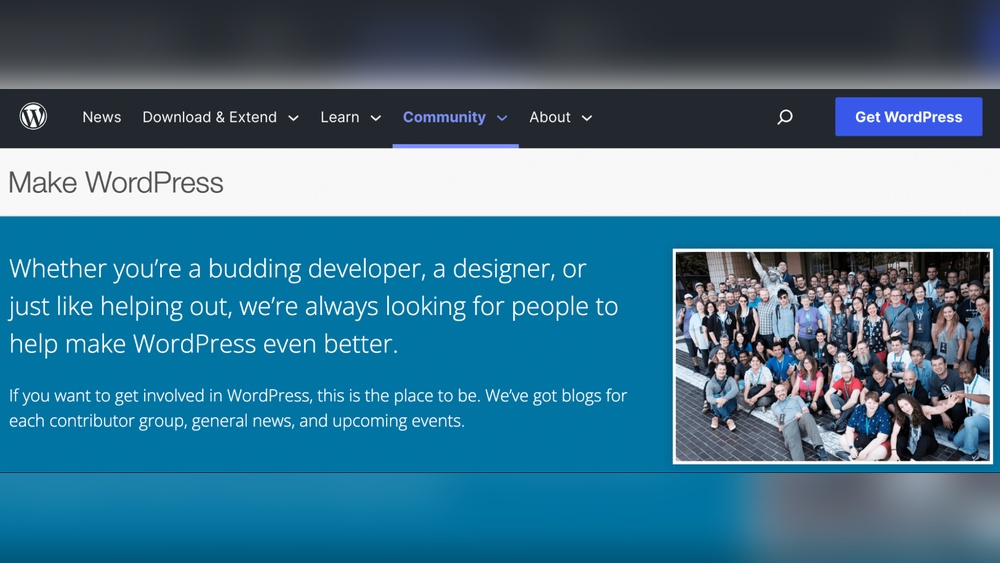
WordPress stands out for its strong community support and rich resources. Many users and developers contribute to its growth. This community helps solve problems and shares knowledge. It makes WordPress reliable for beginners and experts alike.
Developer And User Communities
WordPress has large groups of developers and users worldwide. These communities discuss issues and share solutions. Many forums and social media groups exist for support. Regular meetups and WordCamps happen in many cities. This means help is often nearby, fast, and free.
Availability Of Documentation And Tutorials
WordPress offers detailed guides for all skill levels. Official documentation covers setup, themes, plugins, and more. Many websites publish tutorials and video lessons too. Users can follow step-by-step instructions easily. This vast pool of learning materials boosts confidence and success.
Scalability For Growing Websites
Scalability is key for websites that expect growth. WordPress offers many tools to help sites grow without losing speed or stability. This makes it a popular choice for businesses and bloggers planning to expand. Understanding how WordPress handles growth can help you decide if it suits your needs.
Handling High Traffic
WordPress can manage large numbers of visitors well. Using caching plugins and content delivery networks (CDNs) reduces server load. This keeps pages loading quickly even during traffic spikes. Hosting on powerful servers also improves performance. Regular updates and optimization help maintain fast speeds.
Custom Development Flexibility
WordPress supports custom themes and plugins to fit any need. Developers can build features tailored to your site’s goals. This flexibility allows you to add tools without slowing down your site. It also makes it easier to scale functions as your site grows. The open-source nature means constant improvements from a large community.
Comparing WordPress To Other Cms
Comparing WordPress to other content management systems (CMS) helps understand its strengths and weaknesses. Different CMS platforms offer varied features, ease of use, and flexibility. WordPress remains popular but faces competition from platforms like Joomla, Drupal, and Shopify.
Each CMS suits specific needs and user skills. Evaluating advantages and limitations clarifies which system fits best. This comparison guides users to make informed decisions about website building.
Advantages And Limitations
WordPress offers a user-friendly interface. It supports many plugins and themes, making customization easy. Regular updates keep it secure and current. The large community provides vast support and resources.
Limitations include slower speed on heavy sites. Security risks arise if plugins are outdated or poorly coded. Managing complex websites may require technical knowledge. Some other CMS platforms provide stronger built-in security or faster performance.
Use Case Suitability
WordPress suits blogs, small businesses, and portfolios well. Its flexibility adapts to many website types. Joomla and Drupal are better for complex, large sites needing advanced control. Shopify excels in e-commerce with built-in payment and shipping features.
Choosing a CMS depends on project size, budget, and technical skills. WordPress balances ease of use with powerful features. It fits most users needing a reliable, flexible website platform.
Frequently Asked Questions
How Secure Is WordPress For Website Use?
WordPress is secure when regularly updated and properly maintained. Using strong passwords, security plugins, and reliable hosting enhances safety. Vulnerabilities arise mainly from outdated themes or plugins, so staying current is crucial for protection against threats and hacks.
Can WordPress Handle High Website Traffic Reliably?
Yes, WordPress can handle high traffic with optimized hosting, caching, and a content delivery network (CDN). Proper server resources and performance tuning ensure smooth operation. Many high-traffic sites successfully use WordPress by implementing scalability best practices.
How Often Does WordPress Release Security Updates?
WordPress releases security updates frequently, often monthly or as needed. These updates fix vulnerabilities and improve stability. Staying updated with the latest version is vital to maintain a secure and reliable website environment.
Is WordPress Reliable For Ecommerce Websites?
WordPress, combined with WooCommerce, is reliable for eCommerce. It supports secure transactions, inventory management, and scalability. Regular updates and security measures are essential to protect customer data and ensure smooth store operations.
Conclusion
WordPress stands as a solid choice for many website needs. It offers good tools, easy updates, and strong support. Many users trust it for blogs, shops, and business sites. Like any platform, it needs care and smart use. Choosing reliable plugins and themes helps avoid problems.
Regular backups keep your site safe. WordPress’s wide community shares tips and solutions. This platform stays reliable when managed well. Consider your needs and how much effort you can give. Then decide if WordPress fits your project best.



