
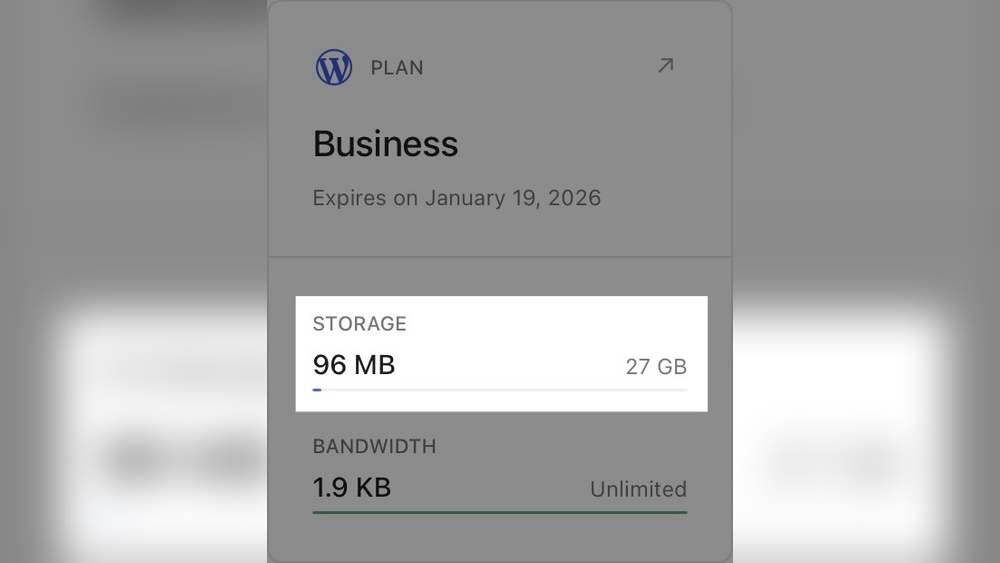
Are you wondering how much storage space you really need for your WordPress site? It’s a question that can feel confusing, especially when you want your website to run smoothly without wasting money.
The right amount of storage keeps your site fast, secure, and ready to grow. You’ll discover exactly what factors affect your storage needs and how to choose the perfect plan for your goals. Keep reading to avoid common mistakes and make smart decisions that save you time and hassle.
Your website’s future depends on it!
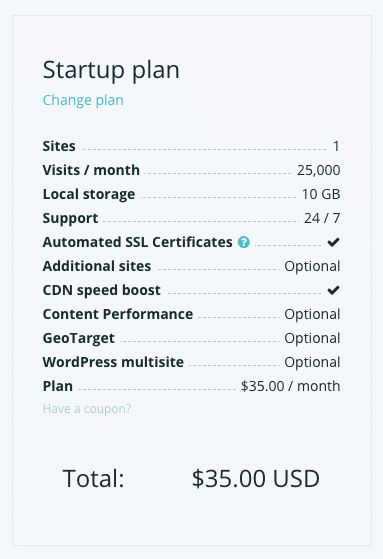
Credit: wp-rocket.me
Factors Affecting Storage Needs
Several factors influence how much storage space your WordPress site will need. Understanding these helps you choose the right hosting plan. Storage needs vary widely based on what your website contains and how it functions.
Website Type And Purpose
The kind of website affects storage needs. A simple blog uses less space than an online store. Business websites with many products require more storage. Portfolio sites with images need more room than text-only sites.
Number Of Pages And Posts
More pages and posts mean more storage. Each post and page stores content and data. Small sites with few pages need less space. Large sites with hundreds of posts need more storage.
Media Content Usage
Images, videos, and audio take up the most space. High-quality photos use more storage than compressed ones. Videos can quickly fill storage limits. Sites with frequent media uploads need more room.
Plugins And Themes Impact
Plugins add features but also use storage. Some plugins require large files and databases. Themes with many design elements can increase size. Choosing lightweight plugins and themes saves space.
Credit: rocketpowerwp.com
Storage Requirements By Website Type
Different types of WordPress websites need different amounts of storage space. This depends on the content you add and the size of your files. Understanding your website type helps plan the right storage size. It saves money and avoids running out of space later.
Here are common website types and their typical storage needs.
Personal Blogs
Personal blogs usually have simple content. Mostly text and some images or videos. A starting space of 1 to 3 GB often works well. This covers many blog posts and pictures. If you add many videos, increase storage accordingly.
Business Websites
Business sites often have more pages and files. They show products, services, and customer info. Storage needs range from 5 to 10 GB. This supports images, PDFs, and other files. Larger businesses with many files need more space.
E-commerce Stores
E-commerce sites store many product images and data. They also save customer orders and payment info. Storage needs can start at 10 GB and grow fast. High product counts and user activity require more space. Plan for growth to avoid space issues.
Portfolio Sites
Portfolio sites focus on showcasing work through images or videos. High-quality visuals take up more storage. 3 to 5 GB is a good starting point. If you add many large files, plan for extra space. Fast loading matters for visitor experience.
Estimating Storage For Media Files
Estimating storage for media files is important for your WordPress site. Media files take up most of your storage space. Knowing how much space they need helps you avoid running out. It also helps you choose the right hosting plan. Different types of media use different amounts of space. Let’s look at images, videos, audio, and documents.
Images And Graphics
Images are the most common media on WordPress sites. A single image can be a few hundred kilobytes or several megabytes. High-resolution images use more space. Optimize images to reduce file size without losing quality. Consider how many images you upload each month. Galleries and product photos add up fast. Plan for 1 to 5 MB per image on average.
Videos And Audio
Videos and audio files use much more space than images. A short video can be tens or hundreds of megabytes. Audio files are smaller but still add up. Hosting videos on your site consumes large storage quickly. Use external services like YouTube to save space. If you upload videos, expect to need gigabytes of storage. Estimate based on file length and quality.
Document Uploads
Documents include PDFs, Word files, and spreadsheets. These files vary in size but are usually smaller than videos. A typical PDF might be 1 to 10 MB. Documents add value to your site but use storage too. Track how many documents you upload regularly. Plan storage space based on the average file size and quantity.

Credit: wordpress.com
Optimizing Storage Usage
Optimizing storage usage is key to keeping your WordPress site fast and efficient. Storage space can fill up quickly with images, plugins, and database files. Managing these elements well helps your site run smoothly. It also saves you money on hosting plans.
Image Compression Techniques
Images take up a lot of space on WordPress sites. Compressing images reduces their file size without losing quality. Use tools like TinyPNG or WP Smush to compress images before uploading. Smaller images load faster and use less storage.
Using Content Delivery Networks
Content Delivery Networks (CDNs) store your site’s files on multiple servers worldwide. This reduces the load on your hosting server. CDNs also speed up content delivery to visitors. Offloading files to a CDN saves your WordPress storage space.
Managing Plugin Data
Plugins add features but can create extra data and files. Delete plugins you don’t use. Regularly check plugin data stored in your database. Remove old settings and logs to free up space and improve performance.
Regular Database Cleanup
The WordPress database holds posts, comments, and settings. Over time, it collects unnecessary data. Clean your database often using plugins like WP-Optimize. Removing spam comments, post revisions, and transient options clears storage.
Choosing The Right Hosting Plan
Choosing the right hosting plan is important for your WordPress site. Storage space affects your website’s speed and performance. You need a plan that fits your current needs and future growth. Understanding different hosting types helps you pick the best option.
Shared Hosting Limits
Shared hosting is the cheapest option. You share storage space with other websites on the same server. Storage limits are usually low, around 1 to 10 GB. This suits small blogs or simple websites. Large files or many images can fill up space quickly. Extra storage often costs more.
Vps And Dedicated Servers
VPS (Virtual Private Server) offers more storage and control. You get a portion of a server just for your site. Storage ranges from 20 GB to 100 GB or more. Dedicated servers give full server access and even more storage. Both options suit bigger websites or online stores. These plans cost more but provide better performance.
Cloud Hosting Flexibility
Cloud hosting stores your data on multiple servers. Storage can grow with your needs. You pay only for the space you use. This is good for websites with changing traffic. It offers high reliability and fast loading. Cloud plans can start small and expand easily.
Scalability Considerations
Scalability means your hosting can grow with your site. Start with enough storage for your content. Choose a plan that allows easy upgrades. This avoids downtime and data loss. Check if your host offers flexible storage increases. Planning ahead saves time and money.
Monitoring And Adjusting Storage Over Time
Monitoring your WordPress storage is important to keep your site running smoothly. Storage needs change as your site grows. Tracking usage helps avoid unexpected problems. Adjusting space prevents slowdowns and errors.
Tools For Tracking Storage Use
Many hosting providers offer storage tracking tools in their control panel. These tools show how much space your files, databases, and emails use. Plugins like WP-Optimize also help monitor storage inside WordPress. Regular checks help catch growing storage before it becomes an issue.
Signs You Need More Space
Slow site loading can signal storage limits. Errors when uploading files or images also warn about low space. If backups fail or your dashboard shows warnings, storage might be full. Watch out for these signs to keep your site healthy.
Backup Storage Needs
Backups take extra space and need careful planning. Store backups on separate locations like cloud storage or external drives. Keep several backup copies to avoid data loss. Regularly delete old backups to save space. This keeps your WordPress site safe and storage balanced.
Frequently Asked Questions
How Much Storage Does A Basic WordPress Site Need?
A basic WordPress site typically requires 1 to 5 GB of storage. This includes WordPress files, plugins, themes, and media. Starting with 5 GB ensures enough space for growth and regular backups. It is ideal for small blogs or simple business websites.
How Much Space Do WordPress Images Usually Take?
Images can take 50% or more of your WordPress storage. Optimized images usually range from 100 KB to 1 MB each. Proper compression and resizing can reduce storage use and improve site speed. Consider using image optimization plugins for best results.
Does WordPress Database Affect Storage Space?
Yes, the WordPress database stores all your content and settings. Its size depends on posts, pages, comments, and plugin data. Typically, it ranges from 50 MB to a few hundred MB. Regular database cleanup can keep storage usage efficient.
How Much Storage Is Needed For WordPress Backups?
WordPress backups usually require 2 to 3 times your site’s size in storage. Full backups include files and databases, which can be large. Ensure your hosting plan provides enough space for multiple backup copies.
Conclusion
Choosing the right storage space keeps your WordPress site running smooth. Start small if your site is simple and grow as needed. Images, videos, and plugins take up space fast. Regularly check your storage to avoid surprises. Backup your files to stay safe.
Good storage management saves time and stress later. Keep your site fast and easy to use. Plan storage wisely to support your website’s growth. Simple steps lead to better site performance.



