

Are you thinking about building a WordPress website but wondering how much it will actually cost? You’re not alone.
Many people start with the same question because understanding the price can feel confusing. The truth is, the cost of a WordPress website isn’t one fixed number—it depends on what you want and need. You’ll discover the real factors that affect your budget, so you can make smart choices without overspending.
Keep reading, and you’ll get clear answers that help you plan your perfect website with confidence.
Factors Influencing WordPress Costs
Several factors influence the cost of building a WordPress website. Understanding these helps plan a realistic budget. Costs vary widely based on choices and needs. Some expenses are one-time, while others recur regularly. Knowing what affects price guides better decision-making for your site.
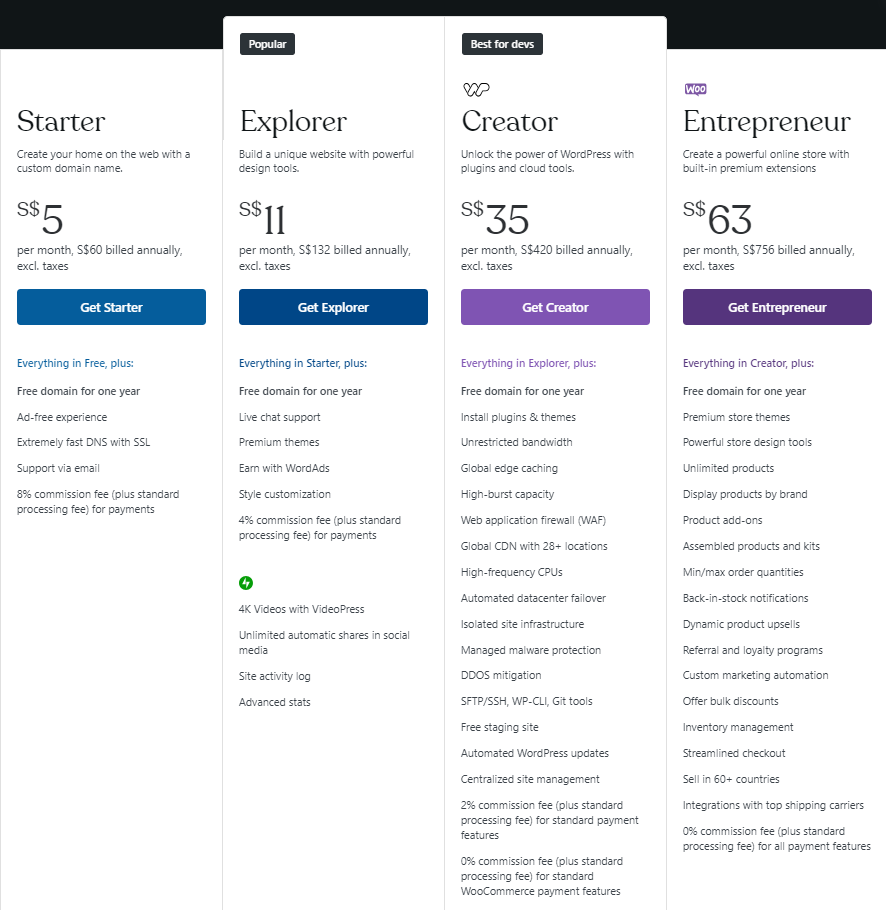
Domain And Hosting Expenses
Every WordPress site needs a domain name and hosting. Domains usually cost $10 to $20 per year. Hosting prices depend on the type and provider. Shared hosting is cheaper but slower. Managed hosting offers better speed and support but costs more. Choosing the right hosting affects site performance and budget.
Themes And Design Choices
The website’s look depends on the theme selected. Free themes work for simple sites with basic needs. Premium themes offer more features and better design. Prices range from $20 to $100 or more. Custom designs cost extra but make the site unique. Design choices impact the initial and sometimes ongoing costs.
Essential Plugins And Add-ons
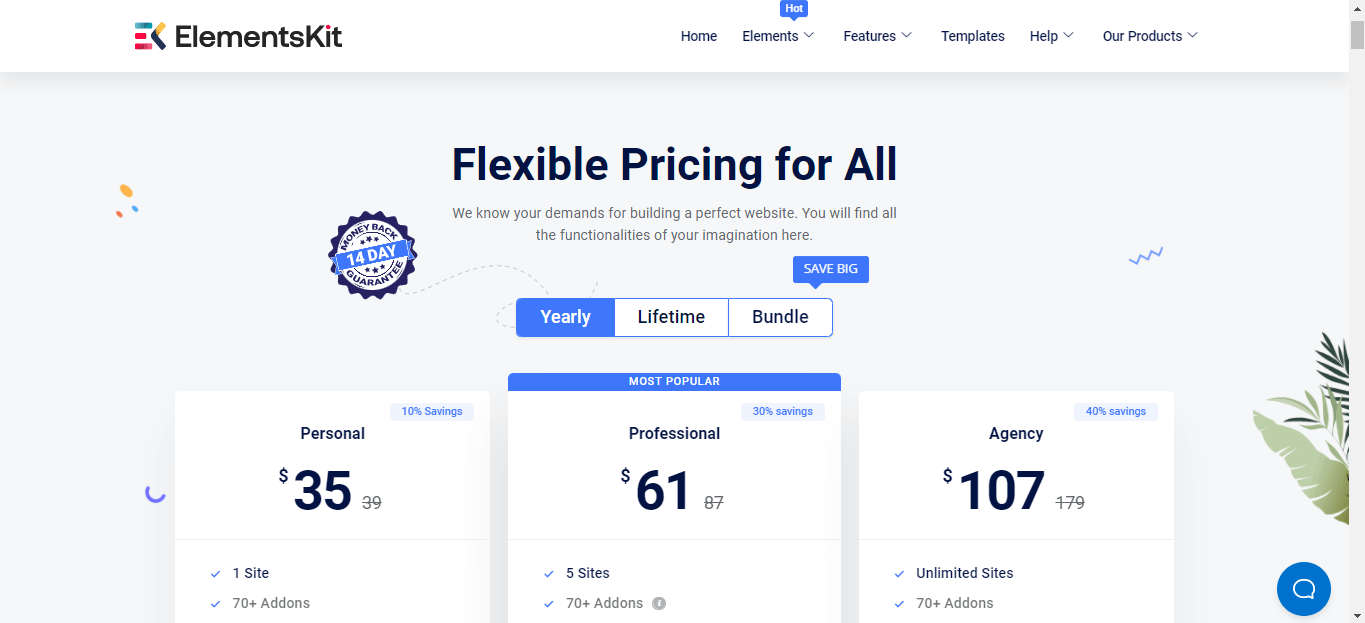
Plugins add functions to a WordPress site. Many free plugins exist but may lack features. Premium plugins often require a one-time fee or subscription. Popular plugins include SEO, security, and contact forms. More plugins can increase cost and affect site speed. Selecting needed plugins helps control expenses.
Customization And Development
Custom work changes site appearance or functions. Hiring a developer adds to the cost. Simple tweaks cost less than full custom builds. Complex features or integrations increase prices. DIY customization saves money but needs skill and time. Customization level greatly affects total website cost.
Maintenance And Updates
WordPress sites need regular updates and care. Maintenance includes backups, security checks, and plugin updates. Some owners do this themselves to save money. Professional services charge monthly or yearly fees. Ongoing maintenance ensures the site stays secure and runs well. Ignoring it risks higher costs later.
Credit: www.hostinger.com
Cost Breakdown By Website Type
Understanding the cost of a WordPress website depends on its type. Different websites need different features. These needs affect the price. This section breaks down costs by website type. It helps you see where your money goes.
Personal Blogs And Portfolios
Personal blogs and portfolios are the simplest websites. They need fewer plugins and basic themes. Costs usually include domain and hosting fees. A premium theme may add a small price. Most personal sites cost between $50 and $300 yearly.
Small Business Sites
Small business sites need more features. They often require contact forms and SEO tools. Custom designs or premium plugins increase costs. Hosting should be reliable and secure. Expect to pay between $300 and $1,000 yearly.
E-commerce Platforms
E-commerce sites need many special features. These include payment gateways and product management. Security is very important here. Hosting costs are higher for e-commerce. The total cost can range from $1,000 to $5,000 or more yearly.
Membership And Subscription Sites
Membership sites require user management and subscription tools. These add complexity and cost. Plugins for membership control are often premium. Hosting must handle many users at once. Costs typically start around $1,000 and rise with features.
Diy Vs Professional Development
Choosing between DIY and professional development affects your WordPress website cost. Each method suits different needs and budgets. DIY saves money but needs time and effort. Professionals offer expertise but cost more. Understanding these options helps plan your spending wisely.
Budgeting For Diy Setup
DIY WordPress setup often costs less upfront. You pay for hosting, domain, and themes. Some plugins are free, but premium ones add cost. Expect to spend hours learning and fixing issues. This method suits those with time and patience. You control every part of the site.
Hiring Freelancers
Freelancers offer flexible prices and skills. You pay for specific tasks like design or coding. Costs vary based on experience and project size. Communication is key to avoid misunderstandings. Freelancers can deliver faster than DIY but need clear instructions. This option fits small to medium projects.
Working With Agencies
Agencies provide full-service website development. They handle design, coding, and support. Prices are higher due to team effort and quality checks. Agencies follow a clear process and timeline. They offer ongoing help and maintenance. Ideal for complex sites or businesses needing reliability.
Credit: wpmet.com
Hidden And Ongoing Expenses
Building a WordPress website often involves more than just the initial setup cost. Many expenses are hidden or ongoing. These costs can add up over time and affect your budget. Understanding these helps you plan better and avoid surprises.
Security And Backup Solutions
Keeping your website safe is important. Security plugins and services often require monthly fees. Backups protect your data from loss or hacking. Some backup tools offer free versions but charge for advanced features. Regular updates and monitoring also have costs. Ignoring security can lead to bigger expenses later.
Seo And Marketing Tools
SEO helps your site get found on search engines. Many SEO tools come with subscription fees. Marketing tools like email services or social media schedulers often cost extra. Using these tools boosts your website’s visibility and traffic. Skipping them can slow down your growth.
Content Creation Costs
Good content attracts visitors and keeps them engaged. Writing, editing, and designing content can require hiring professionals. High-quality images and videos may need buying or producing. Regular content updates are necessary for relevance. These ongoing costs should be part of your plan.
Tips For Saving On WordPress Costs
Saving money on a WordPress website is possible with smart choices. Small changes can lower costs without losing quality. Focus on key areas to keep your budget in check. This helps build a great site without overspending.
Choosing The Right Hosting Plan
Select hosting that fits your website’s size and traffic. Shared hosting is cheaper and good for small sites. Avoid expensive plans if your site is new. Look for reliable hosts with good support. Check for plans that offer easy upgrades. This keeps costs low now and allows growth later.
Utilizing Free And Premium Resources
Use free themes and plugins from the WordPress library. Many free tools offer excellent features for simple sites. Choose premium options only when needed for special functions. Premium items can add value but watch your budget. Mix free and paid resources wisely to save money. Always check user reviews before downloading anything.
Planning For Scalability
Plan your website for future growth. Start with basic features and add more over time. Avoid paying for tools or hosting you don’t need now. Scaling step-by-step saves money and effort. It also helps keep your site fast and easy to manage. Think about your site’s goals and grow with them.
2025 Trends Impacting WordPress Pricing
WordPress pricing in 2025 is changing due to new trends. These trends affect the cost of building and maintaining websites. Knowing these changes helps plan your budget better.
Prices will shift based on technology, hosting, and plugins. Each factor plays a key role in website expenses. Understanding these can guide your decisions.
Emerging Technologies
New tools and tech impact WordPress costs. AI features and automation add value but increase expenses. Voice search and mobile optimization also affect pricing. These technologies need extra plugins or custom code.
Changes In Hosting Services
Hosting prices are evolving with demand for speed and security. Managed WordPress hosting is more popular but costs more. Cloud hosting options offer scalability at varying prices. Choosing the right host affects long-term costs.
Evolving Plugin Market
Plugins now offer more advanced features. Premium plugins come with higher fees. Some free plugins require paid add-ons for full use. The market shifts toward subscription models, changing how you pay.
Credit: elementor.com
Frequently Asked Questions
How Much Does A Basic WordPress Website Cost?
A basic WordPress site typically costs between $100 and $500. This includes domain, hosting, and a premium theme. Additional plugins or custom designs can increase the price. DIY options reduce costs but require time and effort.
What Factors Influence WordPress Website Pricing?
Costs depend on design complexity, hosting type, plugins, and custom features. Professional development and ongoing maintenance also add to expenses. More advanced websites with e-commerce or membership features generally cost more.
Can I Build A WordPress Site For Free?
Yes, WordPress. org software is free, but you must pay for hosting and domain. Free themes and plugins exist, but premium options offer better features and support. Completely free sites often lack professionalism and scalability.
Is Hiring A Developer Worth The WordPress Cost?
Hiring a developer ensures a tailored, professional site with ongoing support. It costs more but saves time and delivers better results. DIY may reduce upfront costs but requires technical skills and time investment.
Conclusion
WordPress website costs vary based on your needs and choices. Basic sites cost less but offer fewer features. Adding custom designs or plugins raises the price. Hosting and domain fees also affect the total cost. Plan your budget carefully to avoid surprises later.
Understanding these costs helps you make smart decisions. Building a website is an investment in your online presence. Choose options that fit your goals and wallet. Start simple, then grow your site as needed.



