
Thinking about creating your own WordPress website but worried it might be too complicated? You’re not alone.
Many people wonder just how hard it really is to build a site that looks professional and works smoothly. The good news is, you don’t need to be a tech expert or spend weeks figuring things out. You’ll discover exactly what it takes to create a WordPress website, step by step.
By the end, you’ll see how achievable it is—and you might even feel excited to get started right away. Keep reading to find out how simple building your online presence can be.
Credit: www.websitebuilderexpert.com
Choosing The Right Hosting
Choosing the right hosting is a key step in creating a WordPress website. It affects your site’s speed, security, and how easy it is to manage. Picking the right host can make building your site much simpler and smoother.
Shared Vs Dedicated Hosting
Shared hosting means many websites share one server. It is cheaper and good for small sites. But, it can be slower if many sites use the server at once.
Dedicated hosting gives you one server all to yourself. It is faster and more secure. It costs more but is best for bigger or busy websites.
Managed WordPress Hosting
Managed WordPress hosting is made for WordPress sites. The host takes care of updates and security. It saves time and makes your site run well. This hosting is easy for beginners.
Domain Name Selection
Your domain name is your website’s address on the internet. Choose a simple and easy-to-remember name. Keep it short and avoid hard spellings. A good domain helps visitors find and trust your site.
Credit: neilpatel.com
Installing WordPress
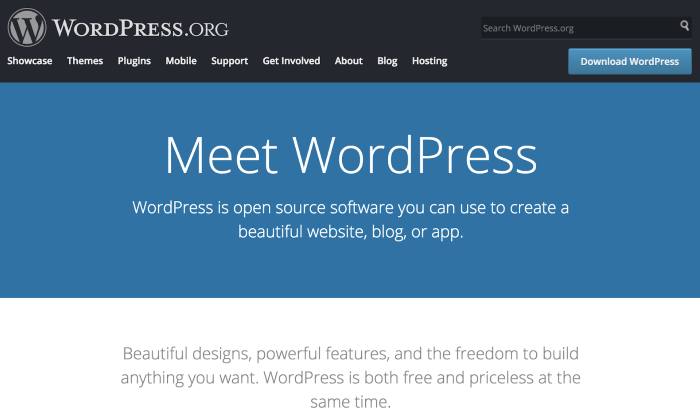
Installing WordPress is the first step to creating your website. It sets up the basic system to build and manage content. The process is simple and user-friendly. Many hosts offer easy options to install WordPress quickly. For those who want more control, manual installation is also possible. Both methods lead to a fully functional WordPress site.
One-click Installation
One-click installation is the fastest way to set up WordPress. Many hosting services provide this feature. It automatically downloads and installs WordPress on your server. You just need to log into your hosting account. Then, find the WordPress installer and follow simple prompts. No technical skills are necessary for this method. It saves time and avoids complex steps.
Manual Installation Steps
Manual installation gives you more control over WordPress setup. Start by downloading the WordPress package from the official website. Upload the files to your web server using FTP. Next, create a database on your hosting control panel. Open your website in a browser to run the installation script. Fill in your database details and site information. This method may take longer but is good for learning.
Selecting Themes And Plugins
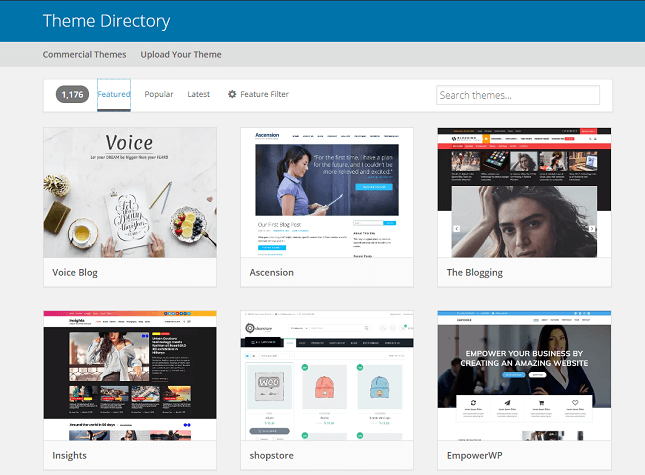
Selecting themes and plugins is a key step in building a WordPress website. Themes control how your site looks. Plugins add extra features and functions. Choosing the right ones can make your site better and easier to use.
Many options exist, which can feel overwhelming. Focus on what fits your needs and style. This section explains the basics to help you decide.
Free Vs Premium Themes
Free themes cost nothing and offer basic designs. They are easy to install and good for beginners. Premium themes come with more features and better support. They often include more customization choices. Premium themes usually cost money but can make your site look more professional. Choose a theme that matches your brand and goals.
Essential Plugins To Start
Plugins add important functions to your website. Start with plugins for SEO, security, and backups. SEO plugins help your site get found on Google. Security plugins protect your site from hackers. Backup plugins save your data in case of problems. You can add more plugins later as your site grows.
Customization Options
Themes and plugins let you change colors, fonts, and layouts. Some themes have built-in options to make this easy. Customization helps your website stand out. Don’t change too much at once. Test small changes to see how they look. Keep your site simple and easy to use.
Credit: www.seedprod.com
Designing Your Website
Designing your WordPress website shapes how visitors see your brand. It sets the tone and helps users find what they want quickly. This part of website creation can be simple or detailed, based on your goals. Understanding key design steps makes the process easier and more enjoyable.
Using Page Builders
Page builders let you design pages without coding. Drag and drop features create layouts fast. Many builders offer templates to start with. These tools work well for beginners. They also give control to change content anytime. No need to hire a designer or developer.
Customizing Layout And Colors
Layouts organize your content clearly. Choose sections that match your style. Use grids or full-width pages for structure. Colors influence mood and brand identity. Pick a simple palette with two or three colors. Consistent colors keep your site professional and neat. Avoid too many bright or clashing colors.
Optimizing For Mobile
More visitors use phones to browse websites. Mobile-friendly design improves user experience. Make sure text is easy to read on small screens. Buttons should be large enough to tap easily. Check that images load quickly and fit mobile displays. Responsive themes adjust layouts for all devices automatically.
Creating Content
Creating content is a key part of building a WordPress website. It shapes what visitors see and learn on your site. Content helps you share your ideas, products, or services clearly. WordPress offers simple tools to create and organize content. This section explains how to add pages and posts, use categories and tags, and include media.
Adding Pages And Posts
Pages are static and show information like About or Contact. Posts are for regular updates, like news or blog entries. Adding pages or posts is easy. Use the WordPress dashboard to create new ones. Fill in the title and the main content area. Click publish to make it live. You can edit and update anytime.
Using Categories And Tags
Categories group your posts by topic. Tags describe specific details of a post. Both help visitors find content quickly. Add categories and tags while creating a post. They improve site navigation and SEO. Keep categories broad and tags specific. This structure helps organize your content well.
Incorporating Media
Media includes images, videos, and audio files. These make your content more engaging. Upload media through the WordPress media library. Insert images or videos into posts and pages easily. Use clear, relevant media to support your text. Proper media use keeps visitors interested and improves user experience.
Configuring Settings
Configuring settings in WordPress is a key step after installation. It shapes how your website works and looks. These settings help improve your site’s performance and user experience. Careful setup makes managing your website easier.
Permalinks Setup
Permalinks are the web addresses for your pages and posts. Setting clear and simple permalinks helps visitors and search engines. Choose a structure that shows the post name or category. This makes links easy to read and remember. Avoid default settings with numbers and symbols.
Seo Basics
SEO means making your site easy to find on search engines. Start by adding a good site title and tagline. Use plugins to add meta descriptions and keywords. These help search engines understand your content. Keep URLs short and relevant. Regularly update content to stay visible.
Security Measures
Protect your site from hackers and spam. Use strong passwords for all accounts. Enable two-factor authentication if possible. Limit login attempts to stop repeated tries. Keep WordPress and plugins updated for security fixes. Install a security plugin to monitor threats.
Testing And Launching
Testing and launching a WordPress website are key steps in the creation process. These steps ensure your site works well for all users. Testing catches problems early. Launching makes your site live and ready for visitors. Both require careful attention to detail.
Cross-browser Testing
Websites can look different on various browsers. Chrome, Firefox, Safari, and Edge display sites uniquely. Testing across browsers ensures your site appears correctly everywhere. It helps fix layout problems and broken features. Use tools or test manually on multiple browsers. This step improves user experience and site reliability.
Speed Optimization
Visitors expect fast websites. Slow sites cause frustration and lost visitors. Speed optimization reduces load times. Compress images, use caching, and minimize code. These actions help your site load quickly. Fast sites rank better in search engines. Speed affects both user satisfaction and SEO.
Backup Solutions
Backups protect your site from data loss. Mistakes or hacks can damage your site. Regular backups save a copy of your website. Use plugins or hosting services with backup options. Store backups safely and test restoring them. Backup solutions give peace of mind and security.
Common Challenges
Creating a WordPress website can be simple at first. Yet, some common challenges often slow down beginners. These challenges can cause frustration and delay your progress. Knowing what to expect helps you prepare better.
Troubleshooting Errors
Errors happen often while building a WordPress site. They may appear as blank pages or error messages. These issues can result from coding mistakes or server problems. Fixing errors needs patience and some technical knowledge. Many tutorials online can guide you step-by-step.
Dealing With Plugin Conflicts
Plugins add features to your site but can clash with each other. Conflicts cause parts of your website to break or load slowly. Finding the conflicting plugin takes testing each one separately. Choosing reliable plugins reduces this risk. Always keep backups before installing new plugins.
Maintaining Website Updates
WordPress and its plugins require regular updates. Updates improve security and add new features. Ignoring updates can make your site vulnerable to attacks. Updating might also cause temporary issues on your site. Test updates on a staging site first, if possible.
Time And Skill Expectations
Creating a WordPress website involves different time and skill levels. It depends on your experience and the website’s complexity. Understanding these expectations helps in planning your project wisely.
Beginner Vs Advanced Users
Beginners may find WordPress a bit challenging at first. Learning to use themes, plugins, and settings takes time. Advanced users handle these tasks faster. They can customize websites with code and tools easily. Skill level affects how quickly you build your site.
Learning Resources
Many resources support learning WordPress. Official guides and forums provide clear instructions. Video tutorials show step-by-step processes. Online courses offer structured lessons for all levels. Using these tools helps reduce frustration and speeds up learning.
Estimated Timeframes
A simple WordPress website can take a few hours to days. Beginners might spend several days learning and building. Advanced users often finish in a few hours. Complex sites with custom features take weeks or more. Time depends on your goals and skills.
Frequently Asked Questions
How Much Technical Skill Is Needed For WordPress?
Basic technical skills help, but WordPress is user-friendly. Many themes and plugins simplify website creation. Beginners can build sites with little coding knowledge. Tutorials and forums provide extra guidance when needed.
How Long Does It Take To Create A WordPress Website?
Creating a basic WordPress website can take a few hours. Complex sites with custom features may take weeks. Time depends on your experience and project scope. Planning and content preparation speed up the process.
What Are Common Challenges In Building A WordPress Site?
Common challenges include theme customization, plugin conflicts, and security setup. Beginners may struggle with design consistency and SEO basics. Choosing reliable hosting and regular updates reduce issues. Support communities help solve most problems quickly.
Is WordPress Suitable For Ecommerce Websites?
Yes, WordPress is ideal for eCommerce with plugins like WooCommerce. It offers flexibility, payment options, and inventory management. Beginners can start small and scale up easily. Many successful online stores use WordPress as their platform.
Conclusion
Creating a WordPress website is easier than many think. With basic steps, anyone can start building. Tools and tutorials help beginners a lot. It takes some patience and practice to improve. Challenges will come, but they are manageable. The key is to keep trying and learning.
Soon, your website will look just how you want. WordPress offers many options for growth and change. Starting small and growing slowly works best. Your online presence is closer than it seems.



