
Thinking about building your own website but worried it might be too hard? What if you could create a professional WordPress site without any tech headaches?
You don’t need to be a web expert or spend hours learning complicated tools. In fact, making a WordPress website can be surprisingly simple—and you’re closer to having your own online space than you think. Keep reading, and you’ll discover just how easy it is to bring your ideas to life with WordPress.
Your website is waiting.
Credit: wedevs.com
Choosing The Right Hosting
Choosing the right hosting is an important step in making a WordPress website. Hosting is where your website lives on the internet. It affects your website speed, security, and how many visitors you can have.
The right hosting makes your website run smoothly. It also helps your site stay online all the time. This part of building a WordPress site needs some careful thought.
Shared Vs Dedicated Hosting
Shared hosting means many websites share one server. This option is cheaper and good for small sites. It offers basic resources and less control.
Dedicated hosting gives you a whole server just for your site. It costs more but is faster and more secure. Good for bigger sites with lots of visitors.
Top Hosting Providers
Some hosting providers are popular for WordPress sites. They offer easy setup and good support. Examples include Bluehost, SiteGround, and HostGator.
These providers often include one-click WordPress installs. They also offer strong security and good uptime. Choosing a known provider helps avoid problems later.
Setting Up Your Hosting Account
Start by choosing a hosting plan that fits your needs. Next, create an account with your chosen provider. Follow the provider’s guide to set up your hosting.
Most providers have simple steps and clear instructions. After setup, you can install WordPress with a single click. Your site is ready to build and customize.
Installing WordPress
Installing WordPress is the first step to creating a website. The process is simple and fast. You can use different methods to install WordPress. This section explains two popular ways to install WordPress. Both methods are easy to follow.
One-click Installation
Many web hosts offer one-click WordPress installation. This tool sets up WordPress automatically. No technical skills are needed. You just log in to your hosting account. Find the WordPress installer in the control panel. Click the install button. Fill in basic details like site name and admin info. The installer does the rest. It creates the database and uploads files. The whole process takes only a few minutes.
One-click installation saves time and effort. It is perfect for beginners. You get a ready-to-use WordPress site quickly. No need to worry about server settings or coding.
Manual Installation Steps
Manual installation gives you full control over your setup. It requires a few more steps but is still easy. First, download the latest WordPress package from the official website. Next, upload the files to your web server using FTP. Then, create a MySQL database and user through your hosting control panel. Open your website in a browser to start the installation script. Enter your database details and site information. Finish the setup by creating your admin account.
This method helps you understand how WordPress works. It is useful if your host does not support one-click installs. Manual installation takes about 10-15 minutes. Follow the instructions carefully for a smooth setup.
Picking A Theme
Picking a theme is one of the first steps in making a WordPress website. The theme sets the look and feel of your site. It controls colors, fonts, and layout. Choosing the right theme helps your website stand out and feel professional. WordPress offers many themes, both free and paid. Understanding the difference between free and premium themes can guide your choice.
Free Vs Premium Themes
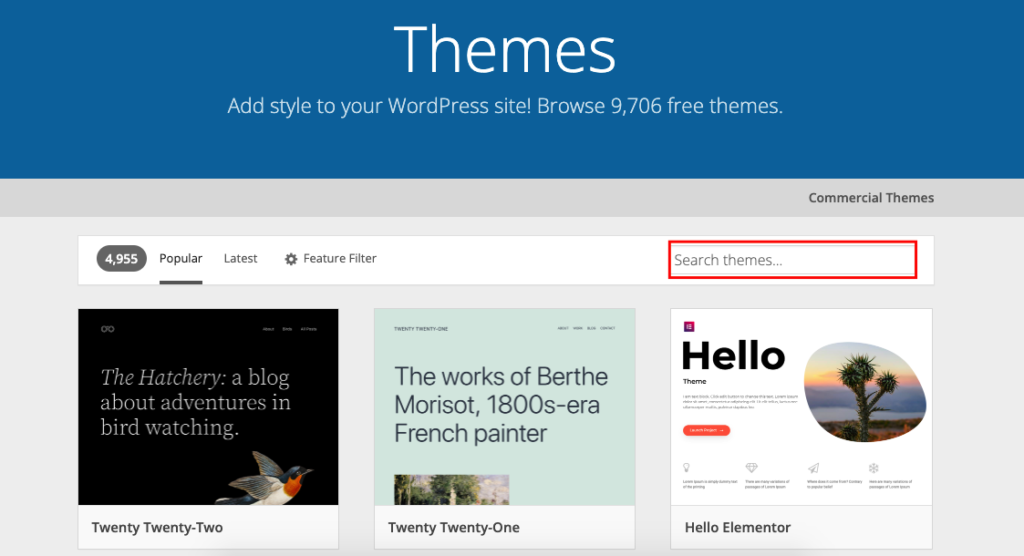
Free themes are easy to find in the WordPress theme directory. They cost nothing and are simple to install. These themes work well for basic websites. They often have fewer features and less support. Premium themes come with a price but offer more options. They include extra tools, better designs, and regular updates. Premium themes also offer customer support for help. The right choice depends on your needs and budget.
Customizing Your Theme
Customizing your theme makes your website unique. WordPress allows easy changes without coding. You can change colors, fonts, and layout using the customizer tool. Some themes offer built-in options for extra control. Adding your logo and images helps brand your site. Customization helps match your website to your style. It also improves user experience and engagement.
Adding Essential Plugins
Adding essential plugins makes your WordPress website more powerful. Plugins add features without needing to code. They help your site run smoothly and safely. Choosing the right plugins saves time and improves user experience.
Must-have Plugins For Beginners
Start with easy plugins that add basic features. Contact form plugins let visitors send messages quickly. Image optimization plugins help your site load faster. Backup plugins keep your data safe from loss. These plugins are simple to install and use.
Security And Seo Plugins
Security plugins protect your site from hackers and malware. They monitor suspicious activities and block threats. SEO plugins help your site show up in search results. They guide you to use keywords and improve content. Both types keep your site safe and easy to find.
Creating Pages And Posts
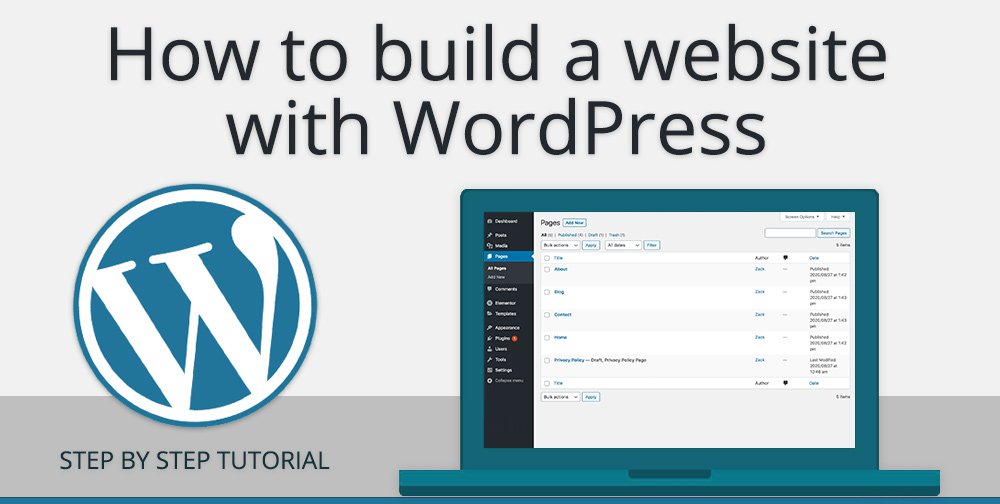
Creating pages and posts is a core part of building a WordPress website. These elements hold your content and let visitors learn about your site. Pages are best for static information like About or Contact details. Posts work well for blog updates or news.
The WordPress interface makes it easy to add and edit pages and posts. You do not need coding skills. The tools are designed for simplicity and speed.
Using The Gutenberg Editor
The Gutenberg editor uses blocks to build content. Each block can be text, image, video, or other media. You can move blocks up or down to change the layout quickly. This visual way helps you see how your page will appear live.
Adding a new block is simple. Click the “+” icon and choose the type. Edit text directly on the block. Drag and drop images or files into place. The editor also allows you to add buttons, lists, quotes, and more.
Managing Content Effectively
Organize pages and posts using categories and tags. Categories group your posts by topic. Tags highlight specific keywords in your content. This helps visitors find related articles easily.
Use clear titles and short paragraphs for better reading. Preview your pages before publishing to check layout and spelling. Update content regularly to keep your website fresh and relevant.
Design Tips For Beginners
Designing a WordPress website is simple for beginners. A clean design helps visitors stay longer. Good design also makes your site easy to use. Focus on basic tips to make your site look great and work well.
Start with colors and fonts. Then, make sure your site works on phones. These steps improve user experience and keep visitors happy.
Choosing Colors And Fonts
Pick colors that match your brand or topic. Use two or three colors for a neat look. Avoid bright or clashing colors that hurt the eyes.
Fonts should be easy to read. Use simple fonts like Arial or Verdana. Limit your site to two fonts: one for titles and one for text.
Optimizing For Mobile Devices
Many people use phones to browse websites. Your site must look good on small screens. Use WordPress themes that are mobile-friendly by default.
Test your site on different devices. Check if buttons and text are easy to tap and read. Mobile optimization helps keep visitors and improves search ranking.
Setting Up Navigation
Setting up navigation is a key step in making a WordPress website. It helps visitors find pages and content easily. Good navigation improves the overall look and feel of your site. Clear menus guide users through your website smoothly. This makes visitors stay longer and explore more.
Creating Menus
WordPress offers a simple way to create menus. Go to the Appearance menu and click on Menus. You can add pages, posts, and custom links to your menu. Drag and drop items to arrange them in the right order. Menus can have multiple levels to organize content better. Save your menu and assign it to a location on your site. This allows visitors to see the menu in the header or footer.
Improving User Experience
Navigation should be easy and clear for all users. Use simple words for menu items so everyone understands. Avoid too many menu items; keep it short and focused. Group similar pages under one menu item with dropdowns. Make sure the menu works well on phones and tablets. Test the navigation to find and fix any problems quickly.
Credit: www.wpbeginner.com
Launching Your Website
Launching your WordPress website is the exciting final step. It means your site is ready for visitors. Before going live, check everything carefully. Small mistakes can affect user experience. A smooth launch builds trust and keeps visitors coming back.
Testing Functionality
Test all buttons and links on your site. Make sure forms send messages correctly. Check if images load fast and look good. Test your site on mobile phones and tablets. Confirm your site works on different web browsers. Speed and ease of use matter most.
Going Live Successfully
Choose a reliable hosting provider to avoid downtime. Set your website status to “public” in WordPress. Submit your site to search engines like Google. Use plugins to improve security and backups. Announce your launch on social media or email. Celebrate your new online presence with confidence.
Maintaining Your Site
Maintaining your WordPress site is important to keep it running smoothly. Regular care helps prevent problems and improves user experience. Simple tasks can protect your site from errors and attacks. Staying consistent with maintenance saves time and effort later.
Regular Updates
WordPress updates happen often. These updates fix bugs and add new features. Themes and plugins also need updates. Running the latest versions keeps your site safe. Updates improve speed and compatibility. Set a schedule to check for updates weekly. Apply updates carefully to avoid issues.
Backup And Security
Backups save your site data in case of problems. Use plugins to create automatic backups. Store backups in a safe place, like cloud storage. Security plugins protect from hackers and malware. Strong passwords and limited login attempts help too. Regularly scan your site for vulnerabilities. Stay alert to keep your website secure.
Credit: kairaweb.com
Common Challenges And Fixes
Creating a WordPress website is simple but not without challenges. Many beginners face common issues that can slow progress. Understanding these problems and their fixes helps build a smooth website.
WordPress is user-friendly but errors happen. Knowing how to troubleshoot saves time and frustration. Support is available through many channels. Using these resources guides users through difficulties.
Troubleshooting Errors
Errors may appear as broken pages or missing content. Often, these happen due to plugin conflicts or theme issues. Deactivate all plugins to check if one causes the problem. Switch to a default theme to test theme conflicts.
Clear your browser cache and refresh the page. Update WordPress, themes, and plugins to the latest versions. Many errors fix themselves after updates. Check error messages carefully for clues.
Getting Help And Support
WordPress has a large community ready to help. Forums are a good place to ask questions. Many tutorials and guides are available online. Official WordPress support pages offer detailed advice.
Contact your hosting provider for server-related problems. Professional help is an option for complex issues. Learning to use support resources makes website building easier.
Frequently Asked Questions
How Simple Is Creating A WordPress Website For Beginners?
Creating a WordPress website is very simple for beginners. The platform offers user-friendly tools and templates. No coding skills are needed. You can build and customize your site quickly with drag-and-drop features and plugins.
What Are The Essential Steps To Make A WordPress Website?
First, choose a domain and hosting. Then, install WordPress. Select a theme, customize it, and add plugins. Finally, create content and publish your site. These steps are straightforward and well-guided.
Can I Make A Professional Website Using WordPress Easily?
Yes, WordPress allows easy creation of professional websites. It offers customizable themes and powerful plugins. You can create a unique, responsive design. No advanced technical knowledge is required.
How Much Time Does It Take To Build A WordPress Website?
Building a basic WordPress website can take a few hours to a day. Time varies depending on customization and content. Beginners may take longer but can still launch quickly with available tools.
Conclusion
Creating a WordPress website is simpler than many think. You can build pages, add content, and customize designs with ease. Basic tools and clear instructions help beginners get started fast. No need for deep coding skills or tech knowledge. Just follow steps, stay patient, and learn as you go.
Anyone can create a site that looks good and works well. WordPress makes website building a smooth and friendly process for all users. Give it a try and see how easy it can be.



