
Have you ever wondered what really happens when you type your username and password to log into WordPress? Understanding how WordPress login works can save you from common security risks and help you manage your site more confidently.
Whether you’re a beginner or looking to strengthen your website’s protection, knowing the login process gives you control and peace of mind. Keep reading, and you’ll discover the simple steps behind the scenes and learn how to make your login experience safer and smoother.
WordPress Login Basics
Understanding the basics of WordPress login helps you manage your website better. The login system protects your site from unauthorized access. It ensures only registered users can access the dashboard. Knowing how it works makes your site safer and easier to use.
Login Page Structure
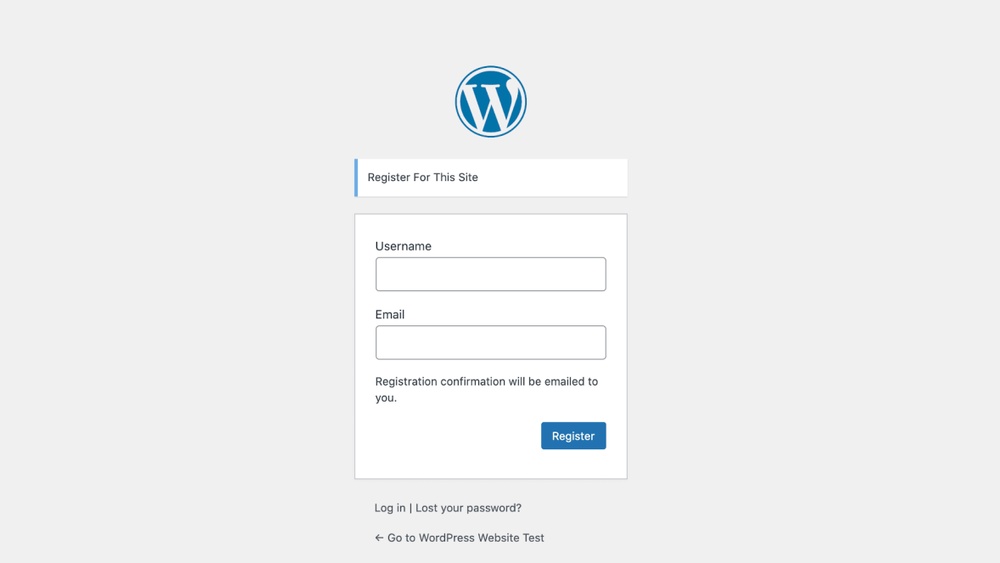
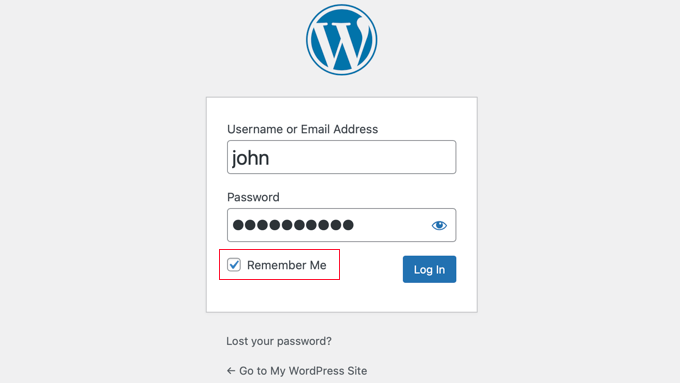
The WordPress login page has a simple design. It includes fields for username and password. A “Remember Me” checkbox lets you stay logged in longer. Below, there is a link for password recovery. The page also shows the WordPress logo at the top. This layout helps users log in quickly and easily.
User Authentication Process
User authentication starts after submitting the login form. WordPress checks the username against its database. Then, it compares the password with stored data securely. If both match, the user gains access to the dashboard. If not, an error message appears. This process protects your site from unauthorized users.
Credit: www.wpbeginner.com
Role Of Cookies And Sessions
Cookies and sessions play a key role in how WordPress login works. They help the website remember who you are. Without them, you would have to log in every time you visit a new page. These tools keep your login active and secure while you use the site.
Cookies are small files stored on your computer. Sessions are data stored on the server. Together, they keep track of your login status and preferences. This makes using WordPress smooth and easy.
How Cookies Manage User Sessions
Cookies store a unique ID for each logged-in user. This ID links your browser to your session on the server. When you visit a page, WordPress reads this cookie. It checks if you are logged in or not.
Cookies help WordPress know your user role and permissions. They keep your login active across multiple pages. Without cookies, the site would treat each page visit as a new user.
Session Expiry And Renewal
Sessions have a time limit for security reasons. After some time, the session expires. This stops unauthorized access if you leave your computer.
WordPress can renew sessions automatically when you stay active. It resets the session timer with each new action. If you are inactive for too long, you must log in again.
Security Features In Login
WordPress login has strong security features to protect your site. These features keep your account safe from hackers and unauthorized users. They work quietly in the background to secure your login details and prevent attacks. Understanding these features helps you see how WordPress defends your site every time you log in.
Password Encryption Methods
WordPress uses password encryption to keep your password safe. It changes your password into a secret code that hackers cannot read. This process is called hashing. Even if someone steals the data, they see only the scrambled code. WordPress uses strong algorithms to make this code hard to break.
Two-factor Authentication
Two-factor authentication adds an extra step to login. After entering your password, you must also enter a code sent to your phone or email. This code changes every time you log in. It stops hackers from getting in, even if they know your password. This method greatly improves your account’s security.
Login Limits And Captchas
Login limits prevent too many login attempts in a short time. This stops hackers from guessing passwords by trying many combinations quickly. Captchas ask users to prove they are human by solving a simple puzzle. This blocks automated bots from accessing your login page. These tools reduce the risk of forced entry.
Common Login Issues
Many users face problems during the WordPress login process. These problems can stop you from accessing your site. Knowing common login issues helps fix them quickly. It saves time and reduces frustration. Two main problems are forgotten passwords and locked accounts. Understanding these can guide you through easy solutions.
Forgotten Password Recovery
Forgetting a password is common. WordPress has a simple way to recover it. Click the “Lost your password?” link on the login page. Enter your username or email address. WordPress sends a reset link to your email. Follow the link to create a new password. Choose a strong and easy-to-remember password. This process keeps your site secure and accessible.
Dealing With Locked Accounts
Too many wrong login attempts can lock your account. This stops hackers but can block you too. Wait a few minutes; the lock usually lifts automatically. You can ask your site admin to unlock it. Using security plugins may also help manage locks. Always keep your login details safe to avoid locks.
Enhancing Login Security
Enhancing login security is crucial for protecting your WordPress site. Strong security stops hackers from breaking in. It also keeps your data safe. Simple steps can make your login process much safer.
Using Ssl Certificates
SSL certificates create a secure connection between your site and visitors. This stops hackers from stealing information during login. The URL changes from “http” to “https” with SSL. This small change adds strong protection.
Many hosting providers offer free SSL certificates. Installing one is quick and easy. It builds trust with your visitors and protects login details.
Implementing Strong Password Policies
Weak passwords are easy targets for hackers. Use long passwords with letters, numbers, and symbols. Avoid common words or simple sequences. Change passwords regularly for better safety.
Encourage users to create strong passwords. Use tools to check password strength. Enforcing strong passwords reduces the risk of hacking.
Installing Security Plugins
Security plugins add layers of protection to your login page. They can limit login attempts and block suspicious activity. Some plugins add two-factor authentication for extra security.
Choose plugins with good reviews and regular updates. They help protect your site without complex setups. Security plugins are a simple way to improve login safety.

Credit: help.getshieldsecurity.com
Customizing The Login Experience
Customizing the WordPress login experience makes your site unique and user-friendly. It improves the look and feel of the login page. Visitors see a branded and welcoming interface.
Custom login pages help your website stand out. They also offer better security options. Adding social login options makes logging in faster and easier.
Custom Login Pages
Custom login pages allow you to change the default WordPress login screen. You can add logos, colors, and backgrounds that match your brand. This creates a consistent look for your visitors.
Plugins can help design these pages without coding. Some let you add custom text or links. You can even control the layout and style of the form.
A clean, simple design improves user experience. It helps users trust your website. Custom pages also reduce confusion and make login smooth.
Adding Social Login Options
Social login lets users sign in using Facebook, Google, or Twitter. This saves time because users do not need to remember another password. It also reduces login errors.
Adding social login can increase user registrations. It makes the process quick and simple. Users appreciate easy access without extra steps.
Many WordPress plugins support social login features. You can choose which platforms to include. This flexibility fits different audiences and needs.

Credit: seahawkmedia.com
Frequently Asked Questions
How Does WordPress Login Process Work?
WordPress login authenticates users by verifying their username and password. It uses cookies to maintain session security and grant access to the dashboard. The system checks credentials against the database before allowing entry, ensuring only authorized users can manage the site.
What Happens After Successful WordPress Login?
After logging in, WordPress sets a secure cookie to identify the user. It redirects them to the dashboard or a specified page. The user can then access admin features, manage content, and customize settings based on their role and permissions.
How Can I Improve WordPress Login Security?
Enhance login security by enabling two-factor authentication and using strong passwords. Limit login attempts to prevent brute-force attacks. Also, keep WordPress and plugins updated to patch vulnerabilities and consider using SSL to encrypt login data.
Why Is WordPress Login Redirect Important?
Login redirect improves user experience by directing users to relevant pages after login. It ensures users land on the dashboard or a custom page, streamlining workflow and reducing confusion. Redirects can be customized based on user roles or login context.
Conclusion
WordPress login lets you access your website quickly and securely. It checks your username and password to keep your site safe. You can customize the login page to fit your needs. Remember to use strong passwords and update them often.
This helps protect your site from hackers. Understanding how login works makes managing your site easier. Keep your login details private and watch your website run smoothly. Simple steps can improve your site’s security and user experience. Stay safe and enjoy working with WordPress every day.



