
Are you thinking about starting a website with WordPress but unsure if hosting is part of the package? It’s a common question that can save you time, money, and headaches if you get it right from the start.
Knowing whether WordPress includes hosting helps you make smarter decisions and avoid hidden costs. Keep reading, and you’ll discover the clear answer and what it means for your website plans. This simple insight could change the way you build your online presence.
WordPress.com Hosting Basics
WordPress.com offers hosting services that let you create and run a website without buying separate hosting. It is a platform that handles your site’s storage, security, and speed. This makes it easier for beginners to get started quickly.
There are different plans to choose from. Each plan offers various features and limits. Understanding these helps you pick the best fit for your needs.
Free Hosting Features
The free plan includes basic hosting with WordPress.com subdomain. You get 3 GB of storage for your files and images. WordPress.com takes care of backups and security. You also receive free themes to design your site.
Free hosting shows WordPress.com ads on your site. You cannot remove these ads. Also, you have limited control over plugins and customizations.
Paid Plans And Upgrades
Paid plans remove WordPress.com ads from your site. You get more storage, from 6 GB up to 200 GB. These plans allow custom domain names without “wordpress.com” in the URL. You can install plugins and use advanced themes.
Higher-tier plans provide access to support and monetization options. Some plans include SEO tools to help your site rank better in search engines.
Limitations Of WordPress.com Hosting
WordPress.com hosting limits backend access and file uploads. You cannot use custom server-side code. The free plan restricts monetization and advanced design options.
Switching to a self-hosted WordPress.org site offers full control. WordPress.com hosting suits beginners and small websites best. For complex needs, consider other hosting solutions.
WordPress.org And Self-hosting
WordPress.org is a popular platform for building websites. Unlike WordPress.com, it does not include hosting services. This means you must find your own web host to store your website files online. Self-hosting gives you full control over your site and its features.
What Self-hosting Means
Self-hosting means you rent space on a server from a web hosting company. You upload your WordPress files to that server. Your website becomes available on the internet through this hosting. You manage the site, install plugins, and choose themes freely. Self-hosting offers flexibility and customization that hosted platforms lack.
Choosing A Web Host
Select a web host based on your website needs and budget. Look for good uptime, fast loading speeds, and strong security. Many hosts offer one-click WordPress installation. Check if the host provides customer support and easy backups. Popular hosts include Bluehost, SiteGround, and HostGator. Pick a host that matches your technical skills and growth plans.
Benefits Of Self-hosting
Self-hosting gives full control over your website design and content. You can use any theme or plugin without restrictions. It allows better SEO optimization and monetization options. Your site can handle more traffic with the right hosting plan. You own your data and can move hosts anytime. This freedom helps grow your website on your terms.
Comparing Hosting Options
Choosing the right hosting option affects your website’s speed, security, and cost. WordPress offers its own hosting, but many use other services. Comparing hosting options helps you find what fits your needs best. Understanding key differences lets you make smart choices.
Cost Differences
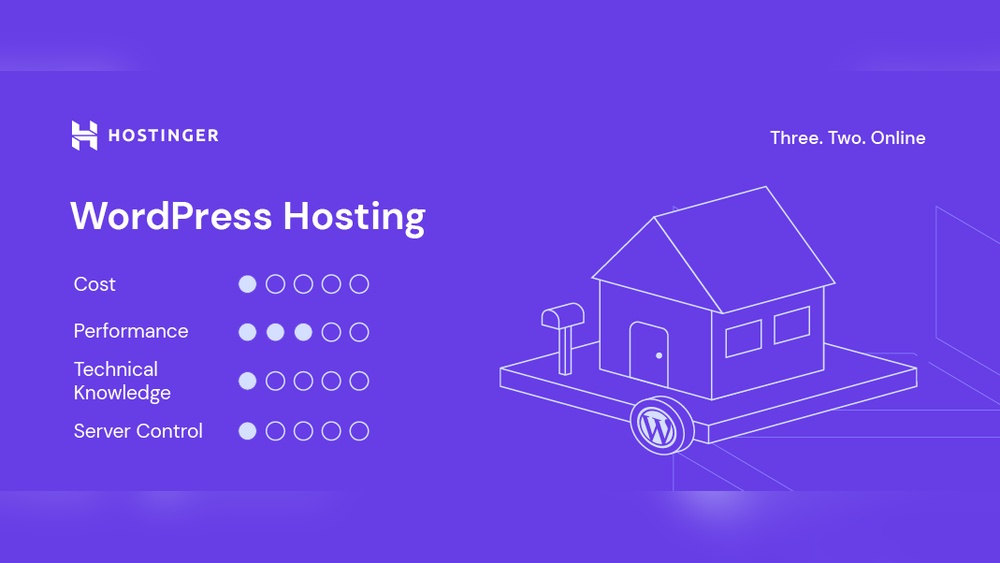
WordPress hosting often includes a monthly fee. Prices vary based on features and support. Other hosts offer plans from budget to premium. Shared hosting is cheaper but slower. Dedicated hosting costs more but gives full control. Knowing costs helps you plan your budget well.
Control And Customization
WordPress hosting usually limits server settings. It focuses on ease and updates. Other hosts give more control over software and settings. You can install custom plugins or scripts. This suits users who want to tailor their sites. Control affects how much you can change your site.
Performance And Security
WordPress hosting optimizes speed for its platform. It handles updates and backups automatically. Other hosts may offer stronger firewalls or faster servers. Security depends on your hosting provider’s tools. Performance impacts user experience and search rankings. Choose hosting that keeps your site safe and fast.
Credit: creativeq.co.nz
How To Choose Hosting For Your Site
Choosing the right hosting for your WordPress site is important. Good hosting affects your site’s speed, security, and uptime. Picking the right plan means your website runs smoothly and stays online for visitors.
Focus on what your site needs. Consider your budget and think about future growth. Also, check the support options provided by the host.
Assessing Your Website Needs
Start by thinking about the type of site you want. A simple blog needs less power than an online store. Check how many visitors you expect each month. Consider if your site needs special features like SSL or backups. Choose hosting that fits these needs without extra costs.
Budget Considerations
Hosting prices vary widely. Set a budget before you start. Remember, cheaper plans might have limits on speed or storage. Avoid very low-cost hosts that lack important features. Pay for what you really need to keep your site stable and fast.
Scalability And Support
Your site may grow over time. Choose hosting that can grow with you. Easy upgrades prevent downtime or data loss. Good support is key. Pick a host with 24/7 help and quick response times. Reliable support solves problems fast.
Setting Up Hosting With WordPress
Setting up hosting with WordPress is an important step for your website. Hosting stores your website files and makes your site visible online. You must choose the right hosting to keep your site fast and secure.
This section explains how to register a domain, install WordPress, and manage your hosting account. These steps help you get your website running smoothly.
Registering A Domain
A domain is your website’s address on the internet. Choose a name that is short and easy to remember. Use domain registrars like GoDaddy or Namecheap to register your domain.
Make sure the domain matches your brand or topic. After registration, connect the domain to your hosting provider. This step ensures visitors can find your website easily.
Installing WordPress
Most hosting providers offer one-click WordPress installation. This option saves time and avoids technical issues. Simply log in to your hosting control panel and find the WordPress installer.
Follow the prompts to set your site title, username, and password. After installation, you can access your WordPress dashboard to start creating content. WordPress is user-friendly and works well for beginners.
Managing Your Hosting Account
Managing your hosting account includes monitoring site performance and security. Use your hosting control panel to check bandwidth and storage usage. Keep your hosting plan updated as your website grows.
Regularly back up your website to avoid data loss. Most hosts provide automatic backup options. Also, update your WordPress and plugins to keep your site safe from threats.
Credit: www.hostinger.com

Credit: www.hostgator.com
Frequently Asked Questions
Does WordPress Come With Free Hosting Included?
No, the WordPress software itself does not include free hosting. You need to buy hosting separately or use WordPress. com’s paid plans for hosting.
What Is The Difference Between WordPress.org And WordPress.com Hosting?
WordPress. org requires separate hosting from providers. WordPress. com offers hosting bundled with the website service, including free and paid options.
Can I Host A WordPress Site For Free?
Yes, free hosting options exist, like WordPress. com’s free plan, but they have limitations such as ads and less control.
How Do I Choose Hosting For A WordPress Website?
Look for reliable providers with good speed, uptime, security, and customer support tailored for WordPress sites. Compare pricing and features.
Conclusion
WordPress itself does not include hosting. You must choose a hosting provider to make your site live. Many hosts offer easy WordPress installation and support. Some plans even include WordPress pre-installed. This helps beginners start quickly without technical hassle. Remember, hosting affects your site’s speed and security.
So, pick a reliable host that fits your needs. WordPress makes building a site simple, but hosting is a separate step. Keep this in mind to avoid surprises. Your website’s success depends on both WordPress and good hosting.



