
Are you wondering if WordPress actually hosts your website? It’s a common question, and the answer might surprise you.
Understanding where your site lives online is key to managing it well and keeping it secure. You’ll discover the truth about WordPress hosting and what it means for your website. By the end, you’ll know exactly where your site is stored and how to make the best choices for your online presence.
Keep reading to clear up the confusion and take control of your website’s home.
Credit: www.boldgrid.com
WordPress Platform Basics
WordPress is one of the most popular tools to create websites. Many people ask if WordPress hosts their site. To answer this, you need to know the basics of the WordPress platform. This includes understanding the difference between WordPress.org and WordPress.com, and the role of WordPress software in building your website.
WordPress.org Vs WordPress.com
WordPress.org is a place to download free WordPress software. You must find your own hosting to put your site online. This option gives full control over your site and its design.
WordPress.com is a service that hosts your website for you. It uses the WordPress software but manages the server and updates. It is easier to start but limits some features and customization.
Choosing between them depends on your needs. WordPress.org suits those wanting full control. WordPress.com fits beginners who want simple setup and hosting.
Role Of WordPress Software
WordPress software is the tool that builds your website’s structure. It controls how content looks and works on your pages. You can add themes and plugins to change design and add features.
The software itself does not host your site. You need a web host to store your files and show your site online. Hosting keeps your website live and accessible to visitors.
WordPress software works with hosting services to create a full website. It handles content management while hosting handles site availability.
How Website Hosting Works
Understanding how website hosting works is important for anyone building a website. Hosting is the service that makes your website accessible on the internet. Without hosting, your site cannot be seen by visitors.
Hosting involves storing your website files on a server. This server is a powerful computer that runs 24/7. It delivers your website content to users who type your web address in their browser.
What Is Web Hosting?
Web hosting is a service that stores your website’s data. It keeps files like text, images, and videos on a server. When someone visits your site, the server sends these files to their device. This process makes your website visible online.
Hosting also manages the internet connection for your site. It helps your website load quickly and stay online all the time. Without hosting, your website is just a set of files on your computer.
Types Of Hosting Services
There are different types of hosting services. Each type offers different features and prices. The right choice depends on your website’s needs and budget.
Shared hosting is the most common and affordable option. Many websites share the same server and resources. It works well for small websites with low traffic.
VPS hosting gives more control and power. It divides a server into virtual spaces for each user. This means better performance and more security than shared hosting.
Dedicated hosting means you rent an entire server. This option is for large websites with high traffic. It provides the best speed and full control over the server.
Cloud hosting uses multiple servers to host your site. It offers flexibility and can handle traffic spikes easily. This type is good for growing websites and businesses.
Does WordPress Host Your Site?
Many people wonder if WordPress hosts their website. The answer depends on how you use WordPress. WordPress offers two main options. Each one handles hosting differently. Understanding these options helps you choose the right path for your site.
Hosting On WordPress.com
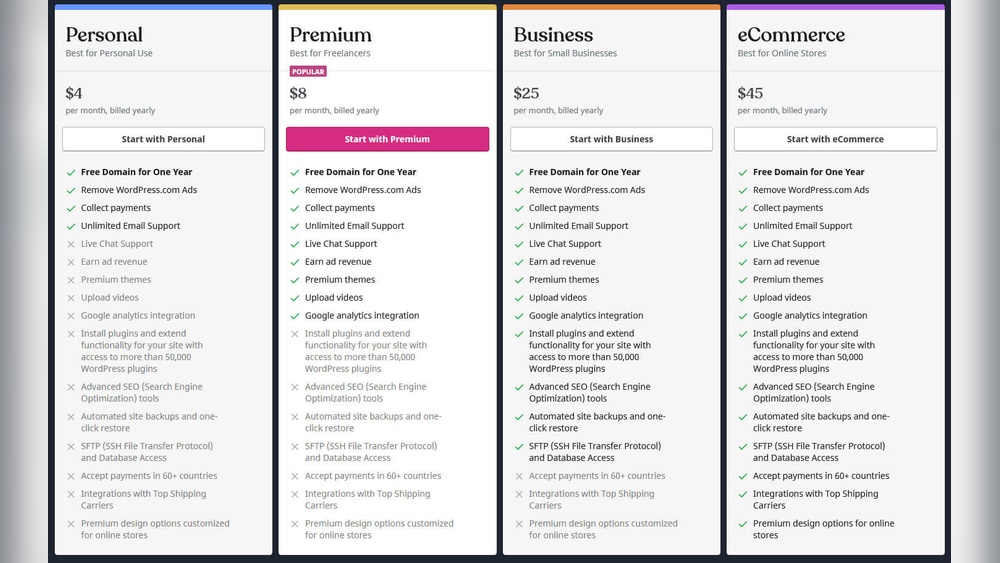
WordPress.com provides hosting for your site. This means your website files are stored on their servers. You don’t need to buy a separate hosting plan. WordPress.com manages security, backups, and updates for you. It is easier for beginners who want a simple setup. However, it has limits on customization and plugins. Free plans show WordPress ads on your site. Paid plans remove ads and add more features.
Self-hosting With WordPress.org
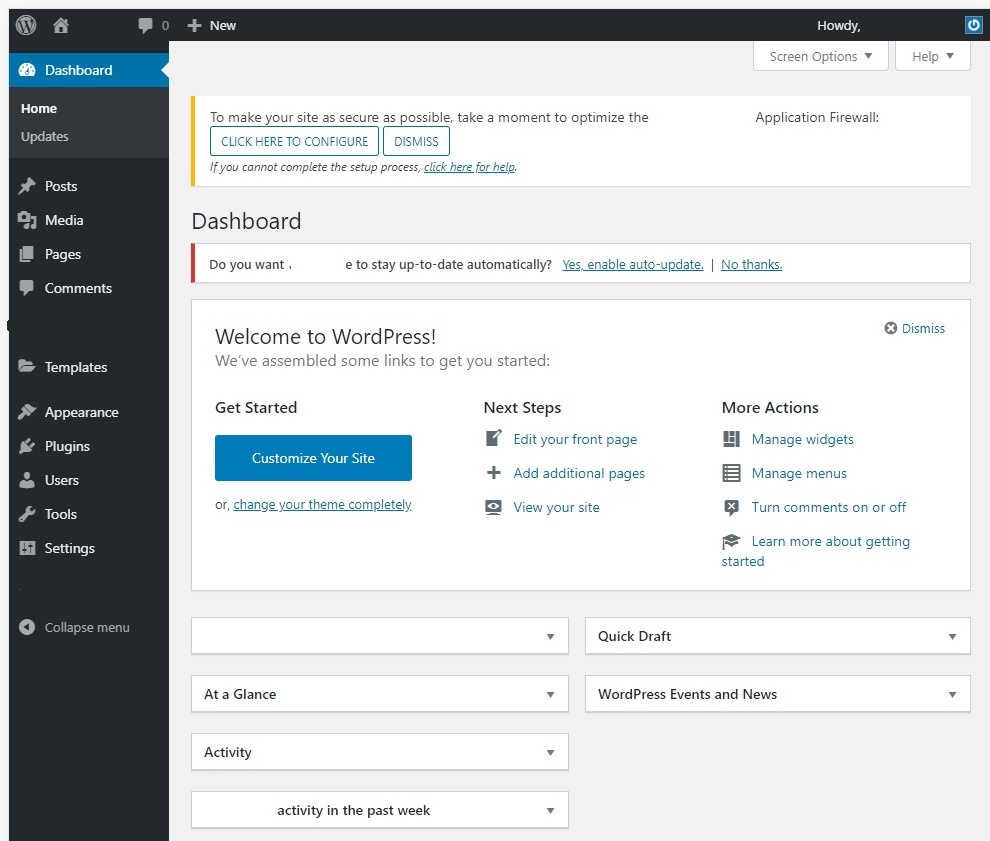
WordPress.org offers free software to build your site. You must buy hosting from other providers. This means you control where your site lives online. Self-hosting gives full freedom to customize your site. You can install any theme or plugin you want. You are responsible for security, backups, and updates. It requires more technical knowledge but offers more control. This option suits users who want full ownership of their website.
Credit: www.copahost.com
Benefits Of WordPress Hosting Options
Choosing the right WordPress hosting affects your website’s performance. Hosting options offer different benefits. These benefits suit various needs and skill levels. Understanding these helps pick the best fit for your site.
Advantages Of WordPress.com Hosting
WordPress.com hosting is simple to start. It handles all the technical work for you. No need to worry about updates or security. The platform offers built-in tools for easy site management. Hosting is reliable with automatic backups. It also includes free SSL certificates for safety. This option suits beginners or small sites best. It allows quick site creation without extra costs. Support is available for common issues and questions. The hosting environment is optimized for WordPress sites. This ensures fast loading and smooth performance.
Advantages Of Self-hosting
Self-hosting offers full control over your website. You can choose any hosting provider or plan. This lets you pick features that match your needs. It supports custom themes and plugins without limits. You can optimize your site’s speed and security. Self-hosting allows better SEO tools and practices. It offers more storage and bandwidth options. You manage backups and updates on your own schedule. This option fits growing sites or businesses. It requires some technical knowledge but provides flexibility. Self-hosting makes your site truly your own.
Choosing The Right Hosting For You
Choosing the right hosting for your website is very important. Your hosting affects your site’s speed, security, and uptime. It can also impact your site’s growth and user experience. This section helps you understand what to look for in hosting and introduces some common hosting providers.
Factors To Consider
Speed matters. Visitors leave slow sites quickly. Choose hosting with fast servers and good uptime. Look for security features like SSL and backups. These keep your site safe from hackers and data loss. Think about customer support. Good support helps solve problems fast. Consider your budget. Hosting costs vary, so pick one that fits your needs and price range.
Common Hosting Providers
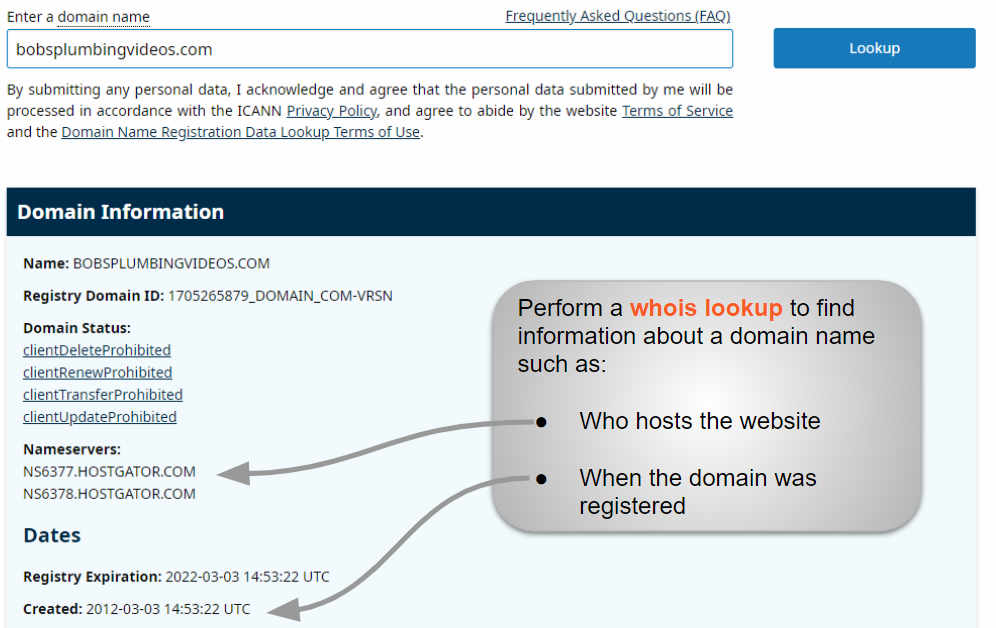
WordPress.com offers simple hosting with easy setup but less control. Bluehost is popular for WordPress sites and offers good speed and support. SiteGround provides strong security and fast performance. HostGator is budget-friendly and good for beginners. Each provider has pros and cons. Match their features with your site’s needs for the best fit.

Credit: rocket.net
Frequently Asked Questions
Does WordPress Host My Website Automatically?
WordPress. com offers hosting, but WordPress. org requires separate hosting. Your site is hosted by a third-party provider if using WordPress. org. Choose a hosting service for full control and customization.
What Is The Difference Between WordPress.com And WordPress.org Hosting?
WordPress. com provides managed hosting with limited customization. WordPress. org lets you self-host for full control but needs a hosting provider. Your choice depends on your technical skills and website needs.
Can I Switch My WordPress Site To Another Host?
Yes, you can migrate your WordPress site anytime. Export your website files and database, then import them to the new host. Many hosts offer free migration services to simplify this process.
Do I Need Hosting For WordPress Plugins And Themes?
Yes, hosting stores your plugins and themes files. They run on your web server, enabling website functionality and design. Choose reliable hosting to ensure smooth plugin and theme operation.
Conclusion
WordPress. com hosts websites on its own servers. You don’t need separate hosting there. But WordPress. org lets you choose your own host. This gives more control and options for your site. Hosting affects speed, security, and uptime. So, pick a host that fits your needs.
Knowing the difference helps you decide the best path. Your website’s future depends on this choice. Keep it simple and clear for a smooth start.



