
Are you looking to build a stunning website without spending a dime? You might be wondering, does WordPress have free templates that can make your site look professional and unique?
The answer is yes—and it’s easier than you think. Imagine having access to hundreds of stylish designs ready to use right now. You’ll discover exactly where to find these free WordPress templates, how to choose the best one for your needs, and tips to customize it effortlessly.
Keep reading, and you’ll be one step closer to creating a website that truly stands out.
Credit: catchthemes.com
Free WordPress Templates
Free WordPress templates offer a simple way to build a website without extra cost. These templates come with design and layout options. They make your site look good and work well. Many users start with free templates to save money and test ideas.
Free templates also support customization. You can change colors, fonts, and images. This helps your site match your style. They work for blogs, businesses, portfolios, and shops. Using free templates is a smart choice for beginners and small projects.
Where To Find Them
WordPress has a large directory of free templates. You can access it from your WordPress dashboard. Just click on “Appearance” then “Themes.” Here, you can browse, preview, and install templates easily. No need to download files or use other sites.
Other places also offer free WordPress templates. Some websites share themes designed by developers. These templates may need manual installation. Always check for updates and support before choosing.
Types Of Free Themes
Free WordPress themes come in many styles. Some focus on blogs with clean, readable layouts. Others suit business sites with professional looks. Portfolio themes highlight images and projects well. E-commerce themes support online stores with product pages.
Each theme has different features and options. Some are simple and light for fast loading. Others include sliders, custom widgets, or page builders. Choose a theme that fits your website’s purpose and audience.
Popular Free Template Sources
The official WordPress theme directory is the best place to start. It has thousands of free templates checked for quality and security. Theme developers often offer free versions on their own sites too. These may have extra options in paid versions.
Sites like TemplateMonster, ThemeIsle, and a few others provide free WordPress themes. Many are easy to install and use. Always download from trusted sources to avoid security risks. Reading user reviews helps find reliable themes.
Features Of Free Templates
Free WordPress templates come with many useful features. These features help you build a website without spending money on design. They offer tools that make your site look good and work well. Understanding these features helps you pick the right template for your needs.
Customization Options
Free templates allow you to change colors, fonts, and layouts easily. You can add your logo and adjust the header style. Many templates support widgets and menus to organize content. These options help make your site unique and fit your brand. Simple controls let beginners make changes without coding.
Responsiveness And Mobile Friendliness
Most free templates are built to work on phones and tablets. They adjust the layout to fit small screens perfectly. This means visitors have a good experience on any device. Mobile-friendly design is important for keeping visitors and reducing bounce rates. Your site will look clean and readable everywhere.
Seo Compatibility
Free WordPress templates follow basic SEO rules to help your site rank. They use clean code that search engines can read easily. Templates often support popular SEO plugins for extra tools. Fast loading times and proper heading structures improve SEO. This helps your site show up in search results better.
Top Stunning Free Designs
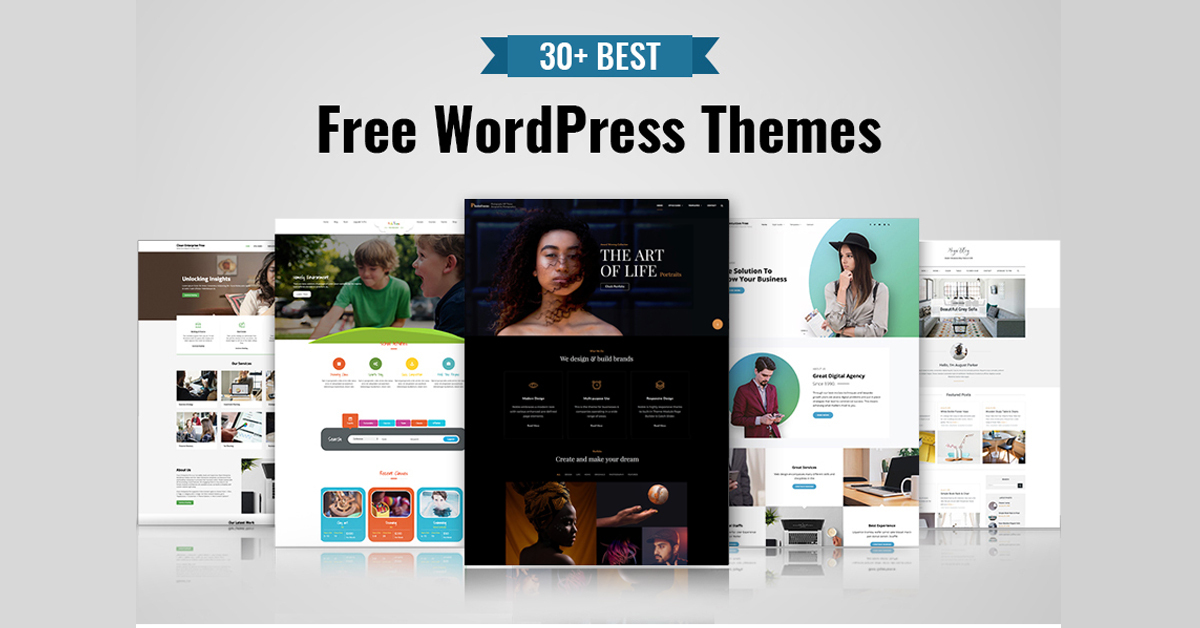
WordPress offers many free templates with beautiful designs. These templates fit different needs and styles. They help create a website that looks professional without spending money. You can find designs for blogs, portfolios, businesses, and more.
Here are some top stunning free designs you can use on WordPress. Each type offers a unique style and function to suit your website goals.
Minimalist Themes
Minimalist themes focus on simplicity and clean layouts. They use plenty of white space and few colors. This helps your content stand out clearly. These themes load fast and work well on all devices. Great for blogs, personal sites, and small shops.
Creative Portfolio Templates
Creative portfolio templates show off your work beautifully. Perfect for artists, designers, and photographers. They include galleries, slideshows, and stylish grids. These templates highlight your projects and skills. Easy to customize with your images and text.
Business And Corporate Designs
Business templates suit companies and professional websites. They often have sections for services, team members, and contact info. These designs look polished and build trust with visitors. Many include call-to-action buttons and client testimonials. Perfect for startups and established firms.

Credit: www.domains.co.za
Comparing Free And Premium Templates
Choosing between free and premium WordPress templates can affect your website’s look and performance. Both options have pros and cons. Understanding these helps you pick the best fit for your site.
Design Quality
Free templates often have simple designs. They may lack unique features or styles. Premium templates usually offer polished, modern looks. They include more layout choices and customization options. This helps make your site stand out and look professional.
Support And Updates
Free templates rarely come with dedicated support. You might rely on community forums or basic documentation. Premium templates often include direct support from developers. They also get regular updates. These updates improve security and fix bugs, keeping your site safe and smooth.
Functionality Differences
Free templates cover basic needs like blogs or portfolios. Premium ones add advanced features such as e-commerce tools or SEO enhancements. They often integrate with popular plugins easily. This lets you build complex sites without extra coding.
Tips For Choosing The Right Template
Choosing the right WordPress template can shape your website’s success. A good template fits your needs and looks great on all devices. It must be easy to use and allow changes without stress. Picking the wrong one may cause problems later. Here are some tips to find the best free template for your site.
Matching Your Website Goals
Think about what your website needs. Is it a blog, an online store, or a portfolio? Each goal needs different features. Choose a template that supports your site’s purpose. Templates made for blogs may lack store functions. Select one that fits your content and style.
Checking User Reviews
Read what other users say about a template. Reviews show real experiences and problems. Focus on templates with many positive ratings. Avoid those with many complaints or bugs. User feedback helps you avoid bad choices and find reliable templates.
Evaluating Customization Needs
Consider how much you want to change the template. Some templates allow easy color and font changes. Others need coding skills for big adjustments. Pick a template that matches your skill level. This saves time and keeps your site looking good.

Credit: www.templatemonster.com
Installing And Activating Free Themes
Installing and activating free themes on WordPress is simple and quick. Themes change the look of your website. They also add useful features. WordPress offers many free themes that fit different styles. This guide helps you install and set up free themes without trouble.
Step-by-step Installation
Start by logging into your WordPress dashboard. Go to the “Appearance” menu on the left. Click “Themes” and then “Add New.” Use the search box to find free themes. Preview themes to see how they look. Click “Install” when you find a theme you like. Wait a few seconds for installation to finish. Then, click “Activate” to make the theme live on your site.
Common Setup Issues
Some themes need extra steps after activation. You might see missing images or broken layouts. This happens if demo content is not imported. Also, plugins required by the theme might not be active. Check for update notifications in the dashboard. Clear your browser cache if the site looks old. If problems continue, switch to the default theme and try again.
Best Practices After Activation
Customize your theme using the WordPress Customizer. Change colors, fonts, and logo to match your brand. Check how your site looks on phones and tablets. Install recommended plugins for extra features. Keep your theme updated for security and performance. Back up your site regularly to avoid data loss.
Frequently Asked Questions
Does WordPress Offer Free Templates For Beginners?
Yes, WordPress provides many free templates suitable for beginners. These templates are easy to install and customize without coding knowledge.
Where Can I Find Free WordPress Templates?
You can find free WordPress templates in the official WordPress Theme Directory. Many third-party websites also offer free themes with various features.
Are Free WordPress Templates Safe To Use?
Most free WordPress templates from official sources are safe. Always check reviews, update frequency, and support to avoid security risks.
Can Free WordPress Templates Be Customized Easily?
Yes, free WordPress templates often support customization through the WordPress Customizer. You can change colors, fonts, layouts, and add widgets easily.
Conclusion
WordPress offers many free templates for different website needs. These templates are easy to install and customize. You can find designs for blogs, businesses, portfolios, and more. Using free templates saves money and time. They also work well on phones and computers.
Explore the WordPress theme library to find the right one. Choose a template that matches your style and goals. Start building your website today with no extra cost. Free WordPress templates make website creation simple and accessible for everyone.



