
Are you wondering if WordPress comes with cPanel? If you’re new to building websites, this question can be confusing.
You want to manage your site easily, but you might not know what tools you need. Understanding whether WordPress includes cPanel can save you time and frustration. Keep reading to discover how WordPress and cPanel work together—or don’t—and what that means for your website’s control and management.
This knowledge will help you make smarter choices for your online presence.

Credit: www.interserver.net
WordPress And Cpanel Basics
Understanding WordPress and cPanel is important for managing websites. Both tools help people build and control their sites. Knowing what each does can make website work easier.
Many beginners ask how WordPress and cPanel work together. This section explains the basics clearly and simply.
What Is WordPress?
WordPress is a popular tool to create websites. It lets users build blogs, shops, and business sites. You do not need coding skills to use it. WordPress has many themes and plugins to change site look and add features. It runs on a web server, which stores your site files. WordPress is free and open-source software. Millions use it because it is easy and flexible.
What Is Cpanel?
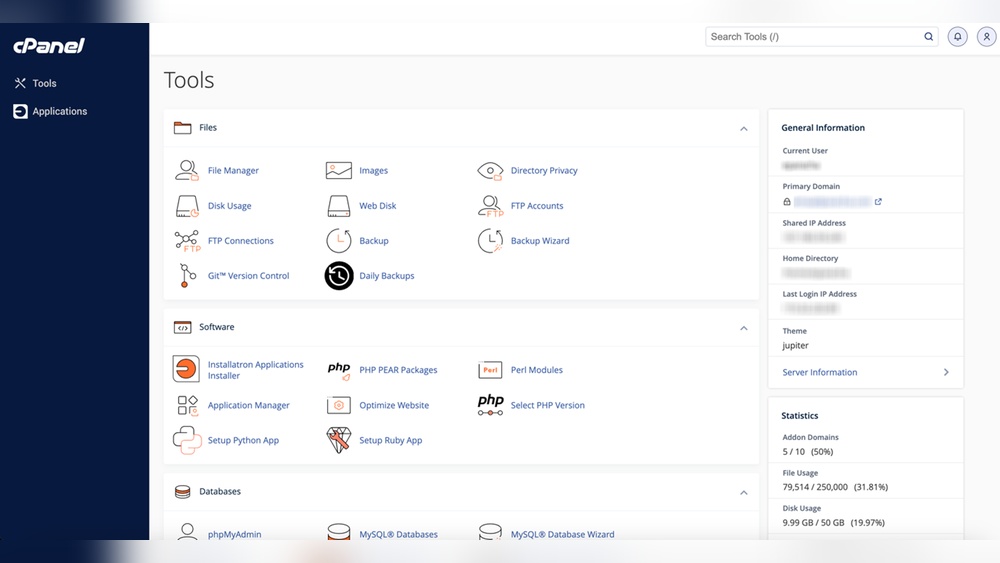
cPanel is a control panel for web hosting. It helps manage your website files, emails, and databases. You use cPanel through a web browser. It has simple tools to upload files and set up email accounts. cPanel also helps install software like WordPress with a few clicks. It organizes all hosting tasks in one place. Many hosting companies provide cPanel to their users. It makes website management faster and less technical.
Relationship Between WordPress And Cpanel
WordPress and cPanel often work together to create and manage websites. WordPress is a popular tool for building websites. cPanel is a control panel that helps manage web hosting services. These two tools serve different purposes but complement each other well.
cPanel provides an easy way to handle website files, databases, and emails. WordPress needs hosting to run, and cPanel helps manage that hosting. Many web hosts offer cPanel as part of their hosting packages for WordPress users. This combination makes managing websites easier and more efficient.
Does WordPress Include Cpanel?
WordPress does not come with cPanel built-in. It is just software for creating websites. cPanel is a separate tool provided by your web hosting company. Some hosts include cPanel with WordPress hosting plans. But WordPress itself does not have cPanel inside it.
If you use WordPress on a host without cPanel, you may manage your site differently. Some hosts use other control panels or custom tools. Always check with your hosting provider about what control panel they offer.
How WordPress Uses Cpanel
WordPress users rely on cPanel to manage key parts of their website. cPanel helps upload WordPress files to the server. It also makes it easy to create and manage databases WordPress needs.
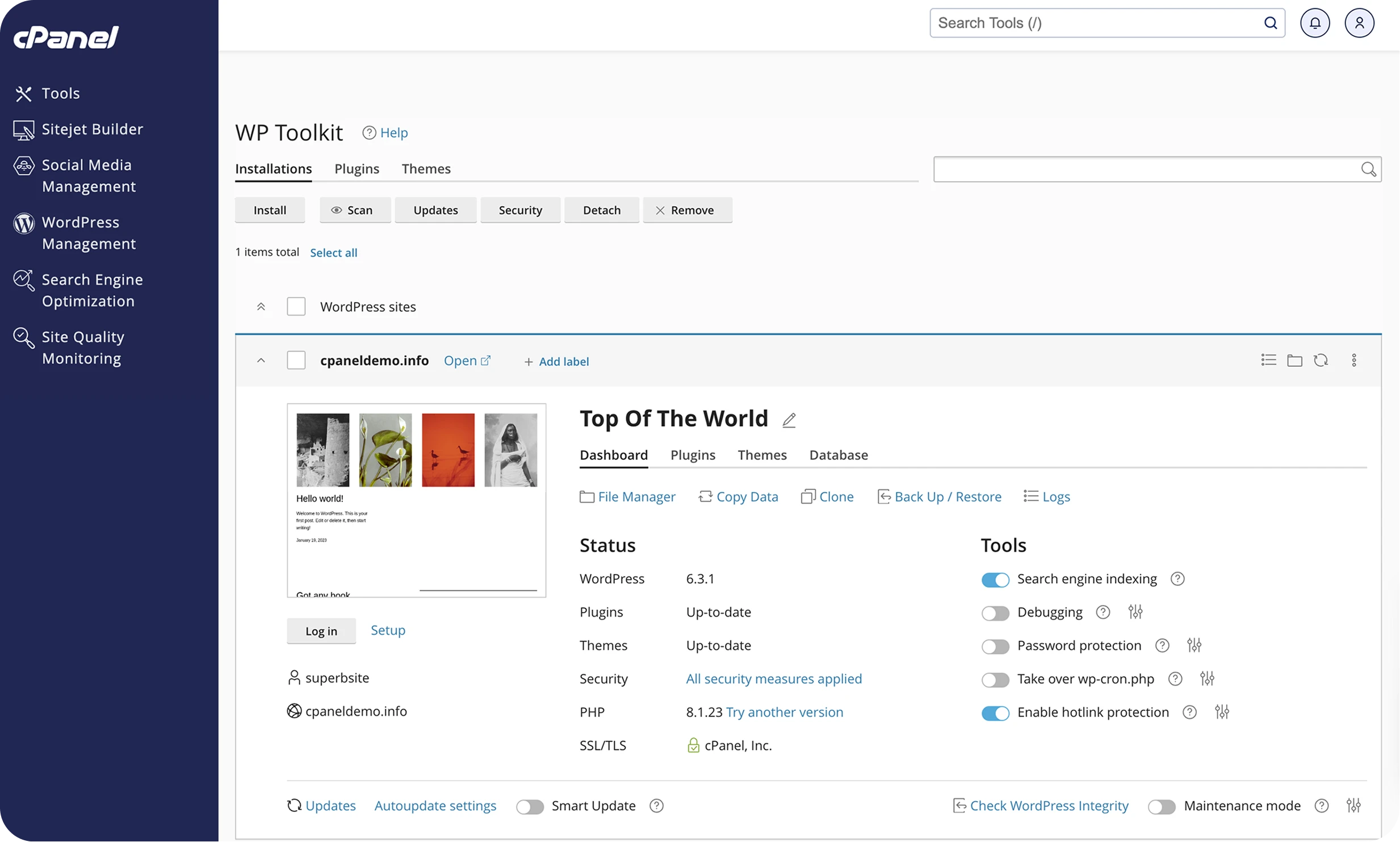
Users can install WordPress with one-click installers inside cPanel. This saves time and avoids manual setup. cPanel also offers tools for managing backups, emails, and security settings. These features help keep WordPress sites safe and running smoothly.
Accessing Cpanel For WordPress Hosting
Accessing cPanel for WordPress hosting is a key step in managing your website effectively. cPanel is a popular control panel that many web hosts use. It offers a simple way to control your hosting settings and WordPress files. Using cPanel, you can handle tasks like installing WordPress, managing databases, and setting up email accounts. This makes website management easier, especially for beginners.
Finding Cpanel In Your Hosting Account
Most hosting providers give you access to cPanel through your account dashboard. After logging in to your hosting account, look for a section called “Control Panel” or “cPanel.” Sometimes, hosts provide a direct link or button to open cPanel. The URL often looks like your domain name followed by “:2083” or “/cpanel”. If you cannot find it, check the welcome email from your host. It usually contains the cPanel login details and link.
Common Features For WordPress In Cpanel
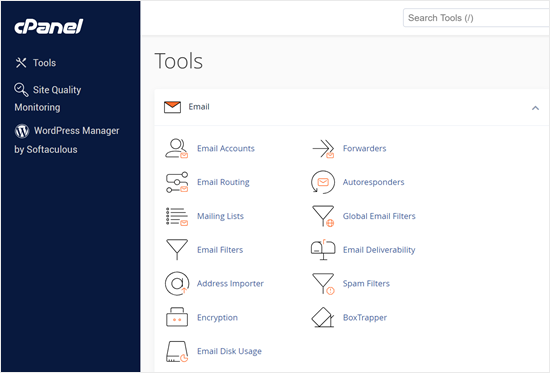
cPanel offers many features that help manage WordPress sites. The “File Manager” lets you upload and edit WordPress files easily. You can use “MySQL Databases” to create and manage your WordPress database. The “Softaculous Apps Installer” often appears in cPanel. It simplifies installing WordPress with just a few clicks. Email management tools allow you to create custom email addresses for your site. Backups and security settings are also available to keep your site safe and updated.
Benefits Of Using Cpanel With WordPress
Using cPanel with WordPress brings many benefits. It makes managing your website easier and safer. cPanel offers tools that help you control your site without stress. These features suit beginners and experienced users alike.
Easy Site Management
cPanel provides a simple dashboard to manage your WordPress site. You can install WordPress quickly with a few clicks. It helps you update plugins, themes, and WordPress itself easily. Managing files and databases becomes less confusing. You can also create email accounts tied to your domain fast.
Backup And Security Tools
cPanel offers built-in backup options to protect your website data. You can schedule automatic backups to avoid data loss. Security features like SSL installation and password protection keep your site safe. It helps block unwanted access and malware threats. These tools give peace of mind for your website’s safety.
Alternatives To Cpanel For WordPress
Many WordPress users wonder about cPanel alternatives. These options help manage websites easily without using cPanel. They often fit better with WordPress needs and offer unique features.
Choosing the right control panel can make website management smoother. Some panels focus on WordPress tools. Others provide simple, custom interfaces for quick site handling.
Managed WordPress Hosting Panels
Managed WordPress hosts use special panels designed for WordPress. These panels include one-click updates and backups. They simplify tasks like plugin management and performance checks. Users do not need technical skills to manage their sites. These panels keep the focus on website growth, not server settings.
Custom Control Panels
Some hosts build their own control panels for WordPress users. These panels offer simple layouts with essential tools. They reduce clutter and speed up daily tasks. Custom panels often include security features and site analytics. They provide easy access to WordPress support and help.
Credit: www.cpanel.net
Choosing The Right Hosting For WordPress
Choosing the right hosting for WordPress is key to your website’s success. The hosting affects your site’s speed, security, and ease of management. Many hosting types work with WordPress. Your choice depends on your needs, budget, and tech skills.
Some hosting plans come with cPanel, a popular control panel. It helps you manage your website easily. Other hosting options offer different tools and support for WordPress sites.
Shared Hosting With Cpanel
Shared hosting is a budget-friendly choice for beginners. Many shared hosts include cPanel. It lets you install WordPress with a few clicks. You can manage files, databases, and emails in one place.
cPanel’s user-friendly design suits those new to website management. It simplifies backups, security, and software updates. Shared hosting is best for small sites with low traffic.
Managed Hosting Options
Managed WordPress hosting offers specialized support. The host handles technical tasks like updates and backups. This type often does not use cPanel. Instead, it has its own dashboard made for WordPress.
Managed hosting improves site speed and security. It suits users who want hassle-free management. This option can be pricier but saves time and stress.
Credit: www.wpbeginner.com
Frequently Asked Questions
Does WordPress Come With Cpanel By Default?
No, WordPress itself does not include cPanel. CPanel is a separate web hosting control panel. Hosting providers often offer cPanel alongside WordPress for easier site management.
How Can I Access Cpanel For My WordPress Site?
You access cPanel through your web hosting provider’s dashboard. Most hosts provide a direct link to cPanel after login. This lets you manage files, databases, and emails for your WordPress site.
Is Cpanel Necessary To Manage A WordPress Website?
CPanel is not mandatory but highly useful. It simplifies tasks like backups, file management, and database access. Many beginners find cPanel helps manage WordPress sites more efficiently.
Can I Install WordPress Using Cpanel?
Yes, many hosting providers offer one-click WordPress installation via cPanel. This makes setup quick and easy without needing technical knowledge. It’s a common way to start a WordPress site.
Conclusion
WordPress itself does not include cPanel. Web hosting providers usually offer cPanel to manage your site. It helps control files, emails, and databases easily. You can use cPanel to install WordPress quickly. Many hosts bundle cPanel with WordPress hosting plans.
Knowing this makes managing your site simpler. Choose a host that offers cPanel if you want easy control. This way, you get the best of both worlds. Your WordPress site stays easy to manage and grow. Simple tools make your website journey smoother.



