
Are you wondering if Klaviyo can be the perfect fit for your WordPress website? You’re not alone.
Many website owners want to know if they can easily connect powerful email marketing tools with their WordPress sites to boost sales and engage visitors. Imagine having a tool that helps you send personalized emails, track customer behavior, and grow your business—all without complicated setups.
You’ll discover exactly how Klaviyo works with WordPress, what benefits you can expect, and how to get started quickly. Keep reading to unlock the full potential of your website and take your marketing to the next level.
Klaviyo And WordPress Basics
Klaviyo is a popular email marketing tool. WordPress is a widely used website platform. Both tools serve different purposes but work well together. Understanding how Klaviyo fits with WordPress helps you improve your marketing efforts. This section explains what Klaviyo is, why to use it with WordPress, and its key features.
What Is Klaviyo?
Klaviyo is a software for email marketing and automation. It helps businesses send targeted emails to customers. It collects data from websites to create personalized campaigns. Klaviyo tracks user behavior to send timely messages. This improves customer engagement and boosts sales.
Why Use Klaviyo With WordPress?
WordPress manages website content easily. Klaviyo adds powerful marketing tools to WordPress sites. Combining both allows you to collect visitor information. This data builds strong email lists for marketing. It saves time by automating emails based on user actions. The integration helps grow your audience and sales.
Key Features Of Klaviyo For WordPress
Klaviyo offers easy integration with WordPress plugins. It tracks website visitors and collects emails. You can create signup forms directly on your WordPress site. The tool segments users by behavior and preferences. It supports automated email flows like welcome series and cart reminders. Reporting tools show how well your campaigns perform.
Preparing WordPress For Klaviyo
Preparing WordPress for Klaviyo ensures smooth integration and better email marketing. This step helps your website handle Klaviyo features efficiently. It improves user experience and boosts campaign success.
System Requirements
Check that your WordPress version is 5.0 or higher. Klaviyo needs PHP 7.2 or newer to run well. Make sure your server supports HTTPS for secure data transfer. A reliable SSL certificate is important for trust and safety. Also, enable REST API access on your WordPress site. This allows Klaviyo to communicate with your website easily.
Choosing The Right WordPress Hosting
Select hosting that offers good speed and uptime. Slow sites hurt email sign-up rates and user experience. Managed WordPress hosting often includes security and backups. These features protect your site and data. Choose a host with strong customer support. It helps solve issues quickly if integration problems appear.
Essential Plugins To Install
Install the official Klaviyo plugin for WordPress. It connects your site with Klaviyo’s services. Use a plugin like WooCommerce if you sell products online. This adds eCommerce tracking to Klaviyo campaigns. Consider a caching plugin to improve page load times. Also, a security plugin helps protect your site from attacks. These plugins work together to support Klaviyo’s functions well.
Step-by-step Klaviyo Integration
Integrating Klaviyo with WordPress helps improve your email marketing. The process is simple and quick. Follow these steps to set up Klaviyo on your WordPress site. Each step ensures your connection is secure and ready to use.
Creating A Klaviyo Account
Start by visiting Klaviyo’s website. Click the sign-up button and enter your details. Provide your email, name, and company information. Verify your email to activate the account. This account will manage your email campaigns and lists.
Installing Klaviyo Plugin On WordPress
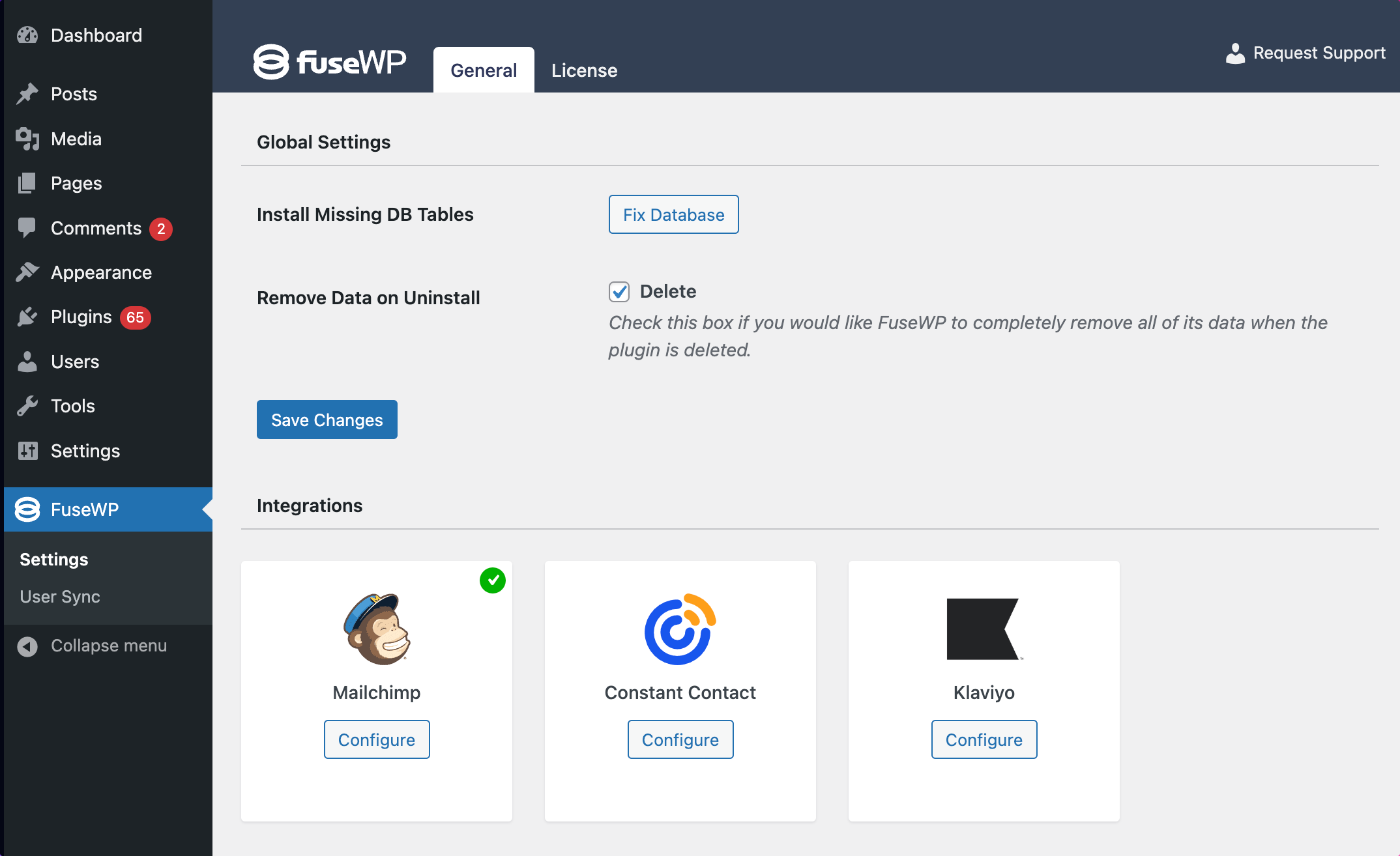
Log in to your WordPress dashboard. Go to Plugins and click Add New. Search for the Klaviyo plugin in the search bar. Click Install Now, then Activate the plugin. This plugin links your WordPress site with Klaviyo services.
Connecting Klaviyo To WordPress
After plugin activation, go to the Klaviyo settings in WordPress. Enter your Klaviyo account email to start the connection. The plugin will sync your website data with Klaviyo. This step helps you collect subscriber information easily.
Setting Up Api Keys
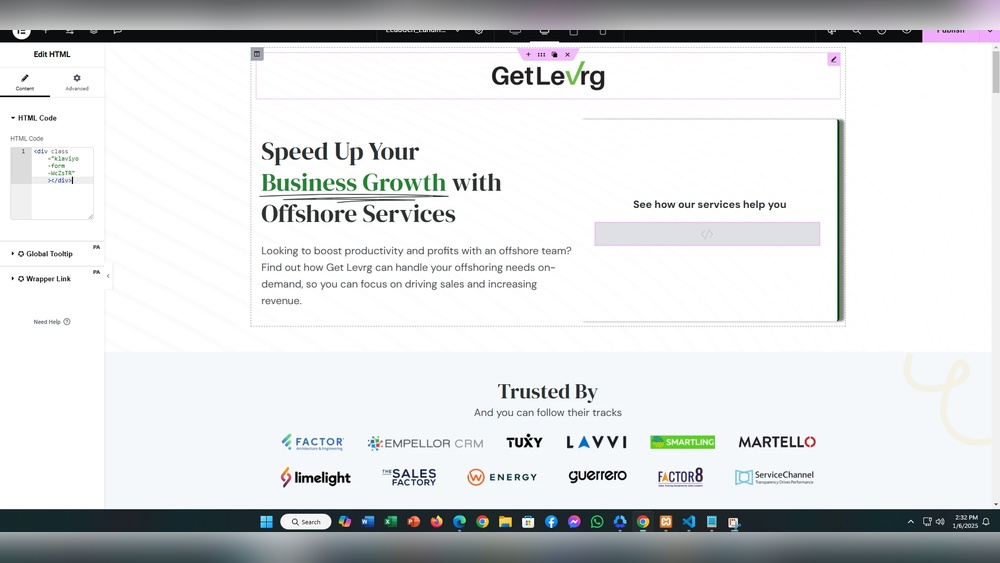
Log in to your Klaviyo dashboard. Navigate to Account, then Settings, and find API Keys. Click Create API Key to generate a new key. Copy the key and paste it into the plugin’s API key field in WordPress. Save the settings to complete the integration.
Configuring Klaviyo Features In WordPress
Klaviyo works smoothly with WordPress. It lets you add powerful marketing tools directly to your website. Configuring Klaviyo features in WordPress helps you grow your email list and engage your visitors.
Setting up these features is simple. Each step helps you connect better with your audience. Below are key ways to configure Klaviyo within WordPress.
Building Signup Forms
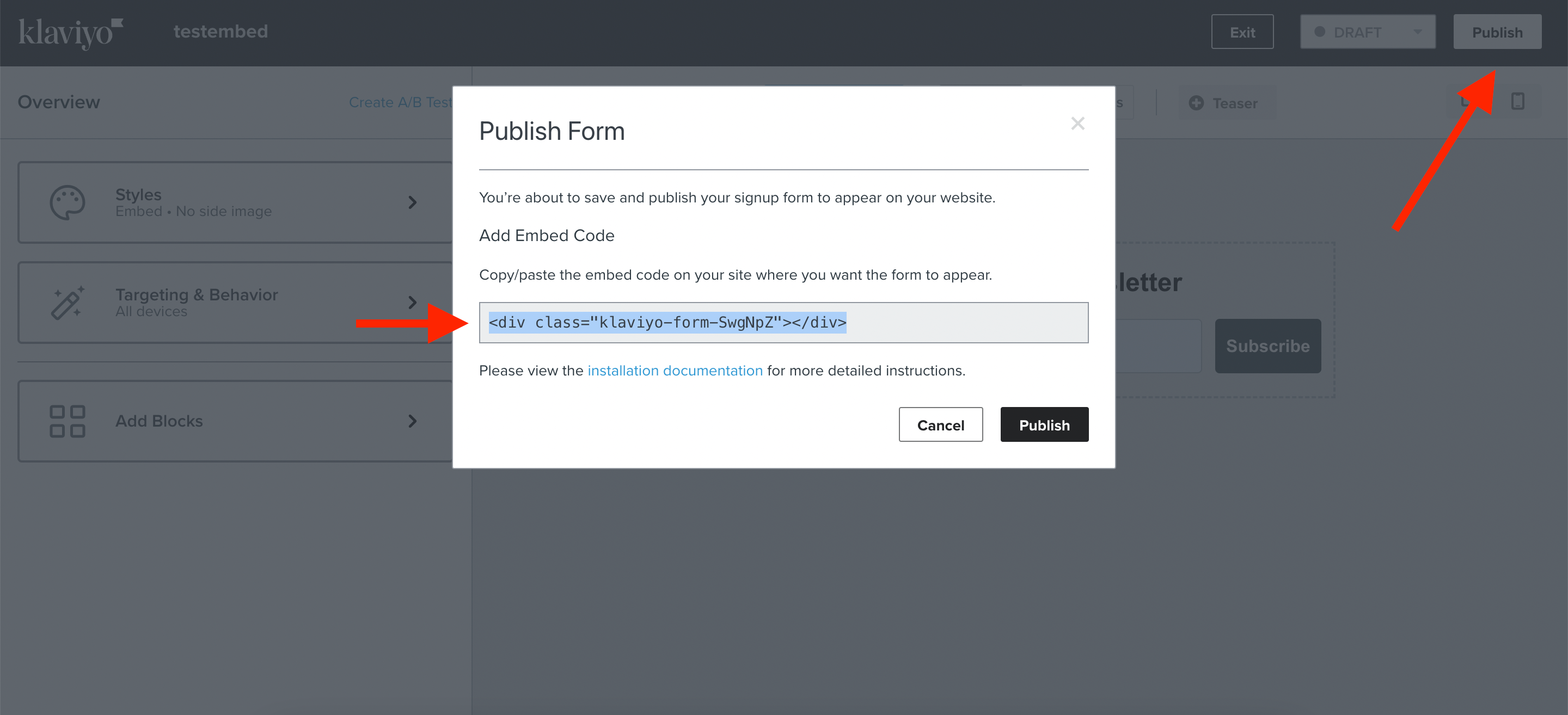
Create signup forms easily using Klaviyo’s drag-and-drop editor. Place forms anywhere on your WordPress site, like sidebars or pages. Customize the look to match your brand. Collect emails from visitors fast and simple. These forms help grow your contact list without extra plugins.
Syncing Woocommerce Data
Klaviyo connects directly with WooCommerce stores. It syncs customer data and purchase history automatically. Use this data to understand buying habits and preferences. This syncing allows better targeting in your email campaigns. It also tracks abandoned carts to recover lost sales.
Segmenting Your Audience
Divide your contacts into groups based on behavior and interests. Klaviyo lets you create segments inside WordPress easily. Send tailored messages to each group for better engagement. This segmentation improves open rates and clicks. It makes your marketing more personal and effective.
Automating Email Campaigns
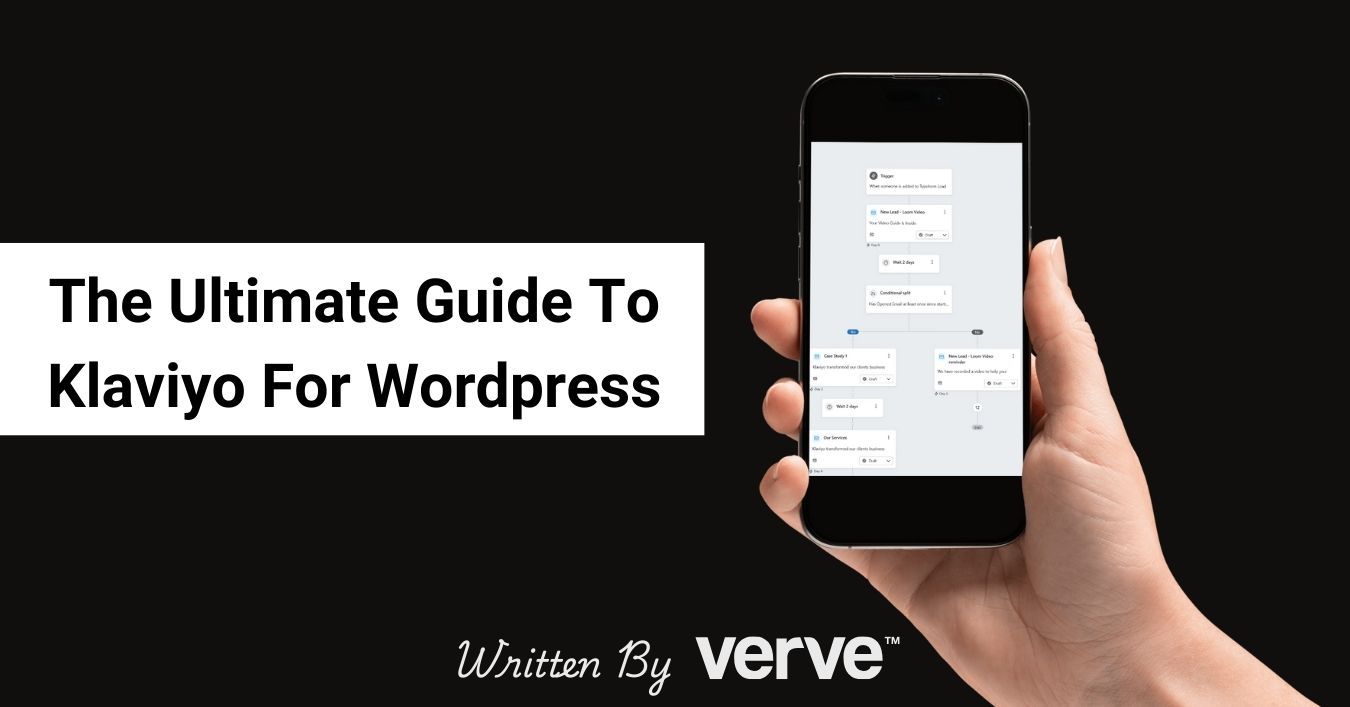
Set up automated email flows using Klaviyo inside WordPress. Send welcome emails, birthday wishes, or product recommendations automatically. Automation saves time and keeps your audience connected. It helps maintain consistent communication without manual work. Your emails reach the right people at the right time.
Troubleshooting Common Issues
Troubleshooting common issues with Klaviyo and WordPress helps keep your email marketing smooth. Some problems may stop data from syncing. Others may cause plugin clashes or email delivery troubles. Fixing these quickly saves time and stress.
Sync Errors And Fixes
Sync errors often happen when Klaviyo and WordPress cannot exchange data. Check your API key first. Make sure it is correct and active. Clear your site cache to avoid outdated info. Also, verify your Klaviyo lists match your WordPress forms. Fixing these steps usually restores syncing fast.
Plugin Conflicts
Sometimes other plugins clash with Klaviyo. This causes slow loading or broken features. Disable other plugins one by one to spot the issue. Update all plugins to their latest versions. Use a staging site to test safely. Resolving conflicts improves site speed and Klaviyo’s function.
Email Deliverability Problems
Emails not reaching inboxes can hurt your campaign. Check if your domain’s SPF and DKIM records are set up correctly. These records help prove your email is safe. Avoid spammy words in your messages. Also, clean your email list often to remove inactive addresses. These steps boost email delivery rates.
Credit: fusewp.com
Optimizing Klaviyo Performance
Optimizing Klaviyo performance is key for smooth integration with WordPress. Good performance means faster load times and better user experience. It also helps your emails look great and reach the right audience effectively.
Focus on improving how fast Klaviyo loads on your site. Design emails that are clear and easy to read. Track your campaign results to know what works best.
Improving Load Times
Speed is important for both your website and emails. Use lightweight plugins to connect Klaviyo with WordPress. Avoid adding too many scripts that slow down your site. Compress images and use caching to reduce load time. A fast site keeps visitors engaged and lowers bounce rates.
Best Practices For Email Design
Keep your email layout simple and clean. Use clear fonts and readable sizes. Avoid clutter by limiting images and text blocks. Use a single call-to-action to guide your readers. Test emails on different devices for better display. Simple designs improve user engagement and click rates.
Analyzing Campaign Results
Track key metrics like open rates, clicks, and conversions. Use Klaviyo’s reports to understand audience behavior. Identify which emails perform best and which need changes. Adjust your strategy based on real data. Regular analysis helps improve future campaigns and grow your email list.
Alternatives And Complementary Tools
Exploring alternatives and tools that work well with Klaviyo can improve your email marketing on WordPress. Combining different plugins and systems helps create a smooth workflow. These tools add features that Klaviyo alone might not offer.
Other Email Marketing Plugins For WordPress
Several plugins offer email marketing features for WordPress sites. MailPoet is popular for easy newsletter creation inside WordPress. Sendinblue allows email campaigns and SMS marketing with automation. Constant Contact provides simple templates and list management. These plugins can work alongside or instead of Klaviyo, depending on your needs.
Integrating Klaviyo With Crm Systems
Customer Relationship Management (CRM) tools help track and manage contacts. Connecting Klaviyo with a CRM like HubSpot or Salesforce syncs customer data. This improves email targeting and personalization. Many CRM platforms offer built-in integrations or third-party connectors for Klaviyo. This link helps keep all customer info updated across systems.
Using Analytics Tools With Klaviyo
Analyzing email campaign performance is key to success. Tools like Google Analytics can track user behavior after clicks. Klaviyo also offers reports on open rates, clicks, and sales. Combining these insights helps refine marketing strategies. Using analytics tools alongside Klaviyo provides a fuller picture of your campaigns.
Credit: verve-design.co.uk
Credit: community.klaviyo.com
Frequently Asked Questions
Does Klaviyo Integrate Easily With WordPress?
Yes, Klaviyo integrates smoothly with WordPress. You can use plugins or embed forms to capture email leads efficiently. This helps in building targeted email lists and automating marketing campaigns directly from your WordPress site.
Can Klaviyo Sync WordPress Customer Data?
Klaviyo can sync customer data from WordPress through integrations or plugins. This enables personalized email marketing by using purchase history, browsing behavior, and signup data collected on your WordPress site.
Is Klaviyo Suitable For WordPress Ecommerce Sites?
Klaviyo works well for WordPress eCommerce sites, especially WooCommerce. It automates email campaigns like cart abandonment, order follow-ups, and product recommendations, boosting sales and customer engagement.
What Are The Benefits Of Using Klaviyo With WordPress?
Using Klaviyo with WordPress improves email marketing automation, segmentation, and tracking. It helps increase conversions by delivering personalized messages based on user behavior and site activity.
Conclusion
Klaviyo works well with WordPress for email marketing needs. It connects easily and helps manage contacts effectively. You can create campaigns that reach your audience quickly. The setup is simple, even for beginners. Tracking results helps improve your marketing efforts.
Many users find it reliable and useful. Using Klaviyo with WordPress saves time and effort. It supports growing your online presence steadily. Try it to see if it fits your business goals.



