
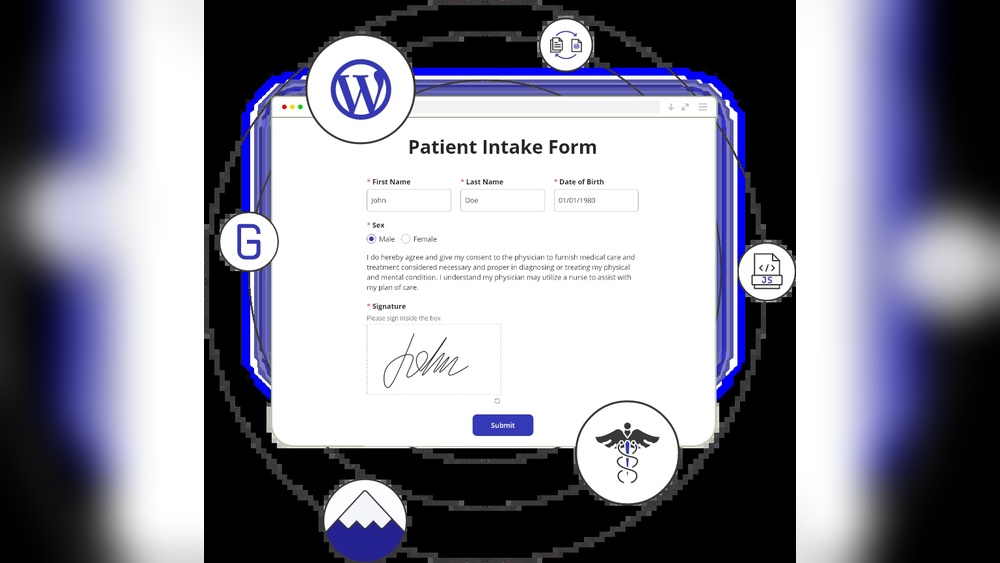
Are you using WordPress forms to collect sensitive health information? If so, you might be wondering: do these forms need to be HIPAA compliant?
This question is crucial because mishandling patient data can lead to serious legal trouble and damage your reputation. You’ll learn exactly what HIPAA compliance means for your WordPress forms, why it matters, and the simple steps you can take to protect your patients—and yourself.
Keep reading to make sure your website stays safe and trustworthy.
Hipaa Basics
Understanding HIPAA basics is key for anyone handling health information online. This law protects patient privacy and health data. It sets rules for how personal health information should be stored, shared, and secured.
Many businesses and websites must follow these rules to keep patient data safe. Knowing who must comply helps you decide if your WordPress forms need HIPAA compliance.
What Is Hipaa?
HIPAA stands for the Health Insurance Portability and Accountability Act. It was created to protect patient health information. The law sets standards for privacy and security of health data. HIPAA applies to electronic, paper, and oral information.
It ensures that patient information is kept confidential. It also limits who can access or share this data. HIPAA aims to prevent data breaches and misuse of personal health details.
Who Must Comply?
HIPAA rules apply to covered entities and their business associates. Covered entities include healthcare providers, health plans, and healthcare clearinghouses. These groups must protect patient health information.
Business associates work with covered entities and handle health data. They must also follow HIPAA rules. If your website collects or stores health information for these groups, compliance is necessary.

Credit: www.hipaavault.com
WordPress Forms Overview
WordPress forms are tools to collect information from visitors. They help websites gather data for many uses. Forms are easy to create and customize on WordPress sites.
Many businesses use forms to connect with customers. Some collect simple contact details. Others handle more sensitive data. Understanding the types of forms and data is key for compliance.
Common Form Types
Contact forms are the most common on WordPress sites. They ask for name, email, and message. Registration forms collect user details for accounts. Survey forms gather opinions and feedback. Booking forms let users schedule appointments. Payment forms process transactions securely.
Data Collected By Forms
Forms collect various data points. Basic info includes names, emails, and phone numbers. Some forms ask for addresses or dates of birth. Medical or health details may also be collected. Sensitive data requires careful handling to protect privacy. Knowing what data your form collects is important.
When Hipaa Applies To WordPress Forms
WordPress forms may need to follow HIPAA rules in certain situations. Understanding when these rules apply helps protect sensitive health information. Many websites collect health data, so knowing the legal side is key.
This section explains when HIPAA applies to WordPress forms. It focuses on handling protected health information and identifies who must follow these rules.
Handling Protected Health Information
Protected Health Information (PHI) means any data about a person’s health. This includes medical history, test results, and treatment details. If a WordPress form collects PHI, it must follow HIPAA regulations. Protecting this data prevents identity theft and privacy breaches. Encryption and secure storage are important steps.
Covered Entities And Business Associates
HIPAA applies to covered entities like doctors, hospitals, and clinics. It also covers business associates who handle PHI for these entities. If your WordPress form processes health information for these groups, it needs to be HIPAA compliant. This ensures all parties protect patient privacy and avoid legal problems.
Key Hipaa Requirements For Forms
Forms used in healthcare must follow strict rules under HIPAA. These rules protect patient information. They ensure data stays private and secure. Understanding key HIPAA requirements helps keep forms compliant.
Three main points matter most: data encryption, access controls, and audit trails. Each plays a vital role in protecting sensitive information.
Data Encryption
Data encryption changes information into code. This keeps data safe during storage and transfer. Encrypted forms prevent outsiders from reading patient details. It is a must for any form handling health data.
Access Controls
Access controls limit who can see or edit form data. Only authorized staff get permission. This prevents unauthorized users from viewing sensitive information. Strong access controls help keep patient data private and secure.
Audit Trails
Audit trails record who accessed or changed data. They track all form activity. This helps detect any improper use or breaches. Maintaining audit trails supports accountability and transparency in healthcare forms.
Choosing Hipaa-compliant WordPress Plugins
Choosing HIPAA-compliant WordPress plugins is key for websites handling health information. These plugins protect patient data and follow strict privacy rules. Using the right plugin helps keep data safe and avoids legal problems.
Features To Look For
Start with encryption. Data must be encrypted during transfer and storage. Check for secure login options like two-factor authentication. The plugin should offer access controls, so only authorized users see sensitive data. Audit logs are important to track who accesses or changes information. Automatic backups help recover data if lost. Make sure the plugin signs a Business Associate Agreement (BAA), a legal document required by HIPAA.
Popular Compliant Plugins
Gravity Forms is known for its HIPAA compliance features. It supports encryption and secure data storage. WPForms offers an add-on for HIPAA compliance, including user access controls. Formidable Forms also provides secure data handling and BAA agreements. These plugins have good reviews from healthcare providers. They work well with popular hosting services that meet HIPAA standards. Choose plugins updated regularly to keep security strong.
Credit: www.hipaavault.com
Steps To Make WordPress Forms Compliant
Making WordPress forms HIPAA compliant protects sensitive health information. This process involves key steps to secure data and meet legal standards. Following these steps reduces risks and builds trust with users.
Securing Data Transmission
Use SSL certificates to encrypt data sent through forms. Encryption stops hackers from reading information during transfer. Ensure your website uses HTTPS for all form pages. Avoid sending data over unsecured networks or email.
Storing Data Safely
Store form data in secure, encrypted databases. Limit access to only authorized personnel. Regularly back up data and use strong passwords for storage systems. Delete data when it is no longer needed to reduce risk.
User Authentication
Require users to log in before submitting sensitive information. Use strong password rules and two-factor authentication. This step confirms user identity and prevents unauthorized access. Track login attempts and lock accounts after multiple failures.
Risks Of Non-compliance
Not following HIPAA rules for WordPress forms can lead to serious problems. These forms often collect sensitive health data. Protecting this data is crucial to avoid risks. Ignoring HIPAA can harm your site, your business, and the people you serve.
Legal Consequences
Breaking HIPAA rules can result in big fines. Penalties range from thousands to millions of dollars. Lawsuits can also happen, costing time and money. Government audits may increase after a breach. Non-compliance can damage your business reputation deeply.
Impact On Patient Trust
Patients expect their information to stay private. A data breach can break this trust fast. Losing trust means fewer patients will use your services. It can take years to rebuild a damaged reputation. Protecting data shows you care about patient privacy.

Credit: seahawkmedia.com
Best Practices For Healthcare Websites
Healthcare websites handle sensitive patient information daily. Protecting this data is not just important—it is required. Following best practices helps keep websites safe and compliant. These steps reduce risks and build patient trust.
Regular Audits
Regular audits check website security and privacy controls. They identify weak spots before hackers find them. Audits include reviewing forms, servers, and data storage. Fixing issues quickly keeps patient data safe.
Employee Training
Staff must know how to protect patient information. Training teaches them about privacy rules and security risks. Well-informed employees avoid mistakes that cause data leaks. Ongoing education keeps security knowledge fresh.
Updating Security Measures
Security tools and software need regular updates. Updates fix bugs and close security gaps. Using strong encryption protects data during transmission. Staying current stops many cyber threats.
Frequently Asked Questions
Do WordPress Forms Require Hipaa Compliance?
WordPress forms need HIPAA compliance if they collect, store, or transmit protected health information. Healthcare providers must ensure forms meet HIPAA security and privacy rules to protect patient data and avoid penalties.
How To Make WordPress Forms Hipaa Compliant?
Use secure hosting, SSL certificates, and encrypted form plugins. Enable access controls, audit logs, and sign a Business Associate Agreement with service providers to ensure HIPAA compliance.
Are Standard WordPress Form Plugins Hipaa Compliant?
Most standard WordPress form plugins are not HIPAA compliant by default. Choose plugins specifically designed for HIPAA compliance or customize with added security measures to protect sensitive health data.
What Are Risks Of Non-hipaa Compliant WordPress Forms?
Non-compliant forms risk data breaches, legal penalties, and loss of patient trust. Failing to secure health information can lead to costly fines and damage to your healthcare practice reputation.
Conclusion
WordPress forms that collect health data must follow HIPAA rules. This keeps patient information safe and private. Not all forms need this level of security. Check what data your form collects before choosing a solution. Use secure plugins and hosting to protect sensitive details.
Staying compliant avoids legal trouble and builds trust. Remember, protecting health information is a serious responsibility. Choose wisely and keep your site safe.



