
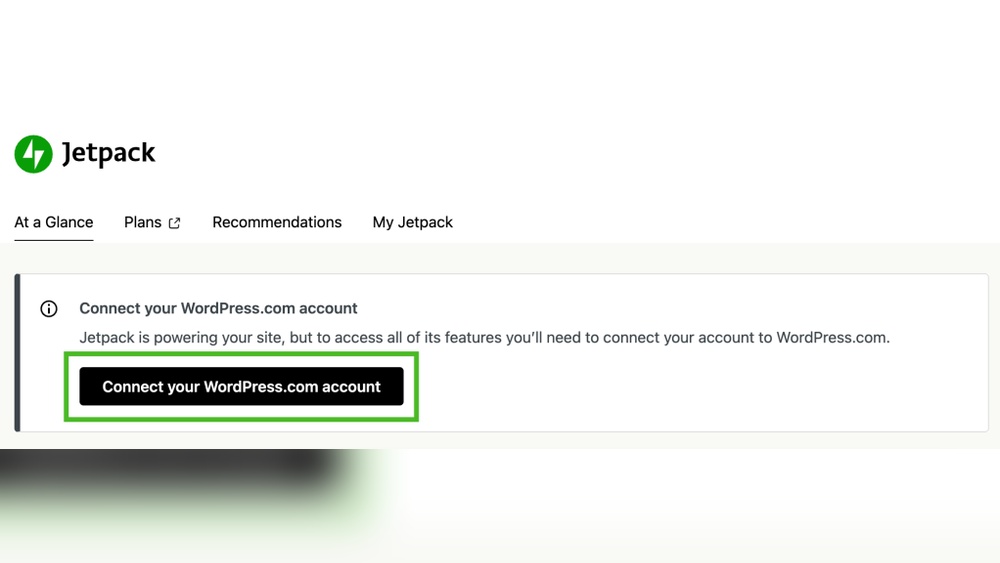
Are you wondering if Jetpack is really necessary for your WordPress site? You’ve probably heard a lot about it, but is it worth the time and effort to install?
Choosing the right tools can make or break your website’s performance, security, and growth. This article will help you understand exactly what Jetpack offers and whether it fits your needs. By the end, you’ll feel confident about making the best choice for your site—no guesswork, just clear answers.
Keep reading to find out if Jetpack is the game-changer your WordPress site needs.
Jetpack Features At A Glance
Jetpack offers a wide range of features for WordPress sites. These features help improve security, speed, design, and marketing. Knowing what Jetpack provides can help decide if it fits your needs. Here is a quick look at its main features.
Security Tools
Jetpack protects your site from attacks and spam. It includes automatic backups and malware scanning. You get login protection to stop unauthorized access. These tools keep your website safe and secure.
Performance Enhancements
Jetpack boosts your site speed with a content delivery network (CDN). It optimizes images to load faster on all devices. Lazy loading helps by delaying off-screen images. These features improve user experience and reduce loading times.
Design And Customization
Jetpack offers many themes and customization options. You can change colors, fonts, and layouts easily. It also provides widgets and galleries to enhance your pages. These tools help create a unique and attractive website.
Marketing And Analytics
Jetpack includes tools to track your site’s visitors and activity. It shows detailed stats and reports to understand traffic. Social sharing buttons help spread your content on networks. Email subscriptions let visitors follow your updates.

Credit: jetpack.com
Benefits Of Using Jetpack
Jetpack offers many features that help improve your WordPress site. It combines tools for managing, securing, and promoting your website. Using Jetpack means fewer plugins to install and less hassle. It simplifies many tasks and keeps your site running smoothly.
Simplified Site Management
Jetpack gives you one dashboard to control your site. You can manage posts, comments, and settings easily. It saves time by reducing the need to switch between tools. Site updates and backups happen automatically. This helps keep your site safe and current without extra work.
Improved Site Speed
Jetpack uses a content delivery network to load images faster. This reduces the load time for your visitors. Fast sites rank better in search engines. Visitors stay longer and have a better experience. Speed matters for both users and SEO success.
Enhanced Security Measures
Jetpack protects your site from attacks and spam. It monitors your site for downtime and alerts you quickly. Automatic backups ensure your data is safe. You can restore your site easily if something goes wrong. Security tools work quietly in the background.
Integrated Social Sharing
Jetpack adds social sharing buttons to your posts. Visitors can share your content on Facebook, Twitter, and more. This increases your content’s reach without extra effort. Social sharing helps attract new visitors to your site. It’s a simple way to promote your work online.
Potential Drawbacks Of Jetpack
Jetpack offers many features for WordPress sites, but it is not without its drawbacks. Understanding these issues can help you decide if Jetpack fits your site’s needs. Some users face challenges that affect site speed, plugin conflicts, costs, and privacy.
Impact On Site Performance
Jetpack can slow down your website. It loads many scripts and styles on every page. This increases the page load time. Visitors might leave if your site feels slow. Performance issues are more noticeable on shared hosting or slower servers.
You can disable some features, but the base plugin still adds weight. If speed is a priority, test your site with and without Jetpack.
Overlapping Functionality With Other Plugins
Many Jetpack features duplicate functions of other plugins. For example, caching, backups, and security can be done by specialized plugins. Using Jetpack with similar plugins can cause conflicts and errors. This overlap might complicate site management and troubleshooting.
Choosing one solution per function often works better. It reduces plugin bloat and improves stability.
Costs And Premium Features
Jetpack offers free and paid plans. The free plan has limited features. Many useful tools require a premium subscription. These include backups, malware scans, and advanced security. Costs can add up if you want full protection and services.
Some users find the pricing high compared to alternatives. Checking your budget helps decide if Jetpack’s premium features are worth it.
Privacy And Data Concerns
Jetpack collects data about your site and visitors. This data helps provide features but raises privacy questions. Some users worry about sharing information with Automattic, Jetpack’s owner. Compliance with privacy laws may require clear disclosures.
Review Jetpack’s privacy policy carefully. Make sure it aligns with your site’s privacy needs and regulations.
Credit: woocommerce.com
Alternatives To Jetpack
Jetpack offers many features for WordPress sites, but it is not the only option. Many site owners want specific tools for security, speed, analytics, or design. Splitting these functions into separate plugins can sometimes work better. Here are some alternatives to Jetpack to consider.
Dedicated Security Plugins
Security is key for any website. Plugins like Wordfence and Sucuri focus only on protecting your site. They scan for malware, block attacks, and monitor activity. These tools often provide more detailed security options than Jetpack’s built-in features. They keep your site safe without extra extras.
Performance Optimization Tools
Speed matters for user experience and SEO. Plugins such as WP Rocket and Autoptimize help by caching pages and minimizing code. They improve load times and reduce server stress. These tools often offer more fine-tuned control over performance than Jetpack’s general approach.
Standalone Analytics Services
Tracking visitors is important for growth. Google Analytics and Matomo offer detailed reports on site traffic and behavior. They provide in-depth data beyond Jetpack’s basic stats. These services help you understand your audience and improve your content.
Custom Design Plugins
Design sets your site apart. Elementor and Beaver Builder are popular page builders that offer drag-and-drop interfaces. They make creating layouts easy without coding. These plugins provide more design freedom than Jetpack’s simple customization tools.
When Jetpack Makes Sense
Jetpack can be a useful tool for many WordPress users. It offers a bundle of features that cover several needs. Knowing when Jetpack makes sense helps you decide if it fits your site.
Beginners Seeking All-in-one Solutions
New WordPress users benefit from Jetpack’s simplicity. It provides many tools in one plugin. No need to find and install many plugins. This saves time and avoids confusion. Beginners get features like site stats, image optimization, and social sharing easily.
Sites Needing Basic Security And Backup
Jetpack offers basic security features like brute force attack protection. It also includes simple site backups. These features keep your site safer without extra costs or setups. Small sites or personal blogs gain peace of mind. They get protection and backup without technical hassle.
Users Who Prefer Simplified Plugin Management
Managing multiple plugins can be hard. Jetpack combines many tools in one place. Updates and settings are easier to handle. Users save time by managing fewer plugins. It reduces conflicts and makes site maintenance smoother.

Credit: woocommerce.com
When To Skip Jetpack
Jetpack offers many features for WordPress sites, but it is not always the right choice. Some users might find it unnecessary or even limiting. Knowing when to skip Jetpack can save time, money, and site performance. Below are key situations where avoiding Jetpack makes sense.
Advanced Users With Specific Plugin Needs
Advanced users often need custom plugins for unique functions. Jetpack’s tools might overlap or conflict with those plugins. Custom setups require more control over features. Using Jetpack can add unwanted code and slow down the site. Experts prefer lightweight plugins tailored to their specific needs.
Sites Focused On Minimal Plugin Usage
Minimalist sites avoid extra plugins to keep things fast and simple. Jetpack includes many features, some not needed by all sites. Installing Jetpack can increase server load and page size. Users who want only essential tools might skip Jetpack. This helps maintain a clean, fast website environment.
Budget-conscious Site Owners
Jetpack offers free and paid plans with extra features. Some advanced tools require a subscription, which may increase costs. Owners on tight budgets should evaluate if paid Jetpack features are worth it. Free alternatives or single-purpose plugins might suit better. Saving money without losing essential functions is key.
Tips For Using Jetpack Efficiently
Using Jetpack on your WordPress site can improve many features. To get the best results, use it smartly. Follow these tips for efficient Jetpack use. They help keep your site fast, safe, and easy to manage.
Simple steps make a big difference. Keep your site running smoothly and avoid common issues by using Jetpack wisely.
Selective Module Activation
Jetpack has many modules that add features to your site. Turn on only the ones you need. This reduces site load and improves speed. Check your site’s goals and activate modules that match them. Disable unused modules to save resources.
Regular Updates And Maintenance
Keep Jetpack and WordPress updated. Updates fix bugs and improve security. Schedule regular checks to update plugins. Also, review your Jetpack settings often. Remove outdated features to keep your site clean.
Monitoring Site Performance
Use Jetpack’s tools to track your site’s speed and uptime. Watch for slow loading times or errors. Fix issues quickly to keep visitors happy. Good performance helps with search rankings too.
Backup And Security Best Practices
Jetpack offers backup and security features. Set up automatic backups to save your data. Enable security scans to detect threats early. Use strong passwords and two-factor authentication. Protect your site from hackers and data loss.
Frequently Asked Questions
What Is Jetpack And Why Use It On WordPress?
Jetpack is a plugin offering security, performance, and marketing tools. It simplifies site management and enhances functionality without multiple plugins.
Does Jetpack Improve WordPress Site Security?
Yes, Jetpack provides essential security features like malware scanning, brute force attack protection, and downtime monitoring to keep your site safe.
Can Jetpack Boost My Website’s Speed And Performance?
Jetpack includes a content delivery network (CDN) and image optimization tools that help your site load faster and perform better globally.
Is Jetpack Necessary For All WordPress Websites?
Not always. Jetpack suits users wanting an all-in-one plugin, but advanced users may prefer specialized plugins for specific needs.
Conclusion
Jetpack offers many useful features for WordPress sites. It helps with security, backups, and site speed. Small sites may not need all its tools. Larger sites or those wanting extra support might benefit more. Choose based on your site’s needs and budget.
You can always add Jetpack later if needed. Keep your site safe and running smoothly. Simple and clear decisions work best for your website.



