
Are you thinking about building a website but worried about the cost? You might have heard that WordPress is a popular choice, but can you actually use WordPress for free?
The answer could save you time and money while giving you the tools to create a site that fits your needs. Keep reading to discover how you can get started without spending a dime—and what to watch out for so your website looks professional and works smoothly.
This could be the simple solution you’ve been searching for.
Credit: www.hostinger.com
WordPress Free Options
WordPress offers free options for those who want to start a website without cost. These options are good for small projects or personal blogs. You can create a website without paying anything. But knowing the differences between the free choices is important.
WordPress.com Vs WordPress.org
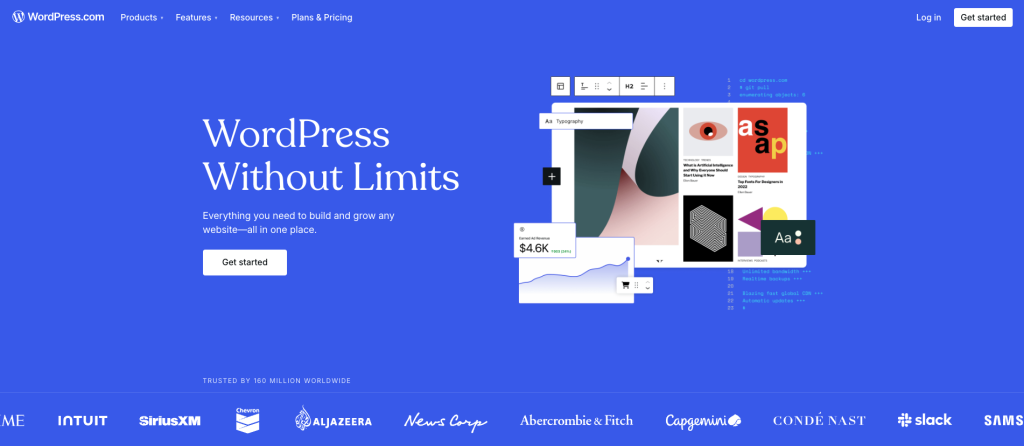
WordPress.com is a hosted service. It means your site is stored on WordPress servers. You get a free plan with limited features.
WordPress.org is software you download and install on your own server. It is free to use but needs hosting and a domain name. This gives you full control but costs money for hosting.
Free Plans On WordPress.com
WordPress.com offers a free plan that includes a WordPress subdomain. You get basic themes and 3 GB of storage. The plan also includes basic design tools and community support.
This plan is simple to use and requires no setup. You can publish posts and pages easily. It’s suitable for blogs or small personal sites.
Limitations Of Free Versions
Free versions have limits on storage and customization. You cannot upload custom themes or plugins on WordPress.com free plan. Ads from WordPress.com may appear on your site.
With WordPress.org, costs come from hosting and domain fees. Managing your own server needs some technical skill. Free options work well for beginners but come with trade-offs.

Credit: www.youtube.com
Setting Up A Free WordPress Site
Setting up a free WordPress site is simple and fast. It lets you create a blog or website without spending money. This guide covers the first steps to get your site online. Each step is easy to follow and requires no special skills.
Creating An Account
Start by visiting WordPress.com. Click on the sign-up button. Enter your email address, username, and a strong password. Confirm your email to activate the account. This process takes just a few minutes. Your new account is the key to managing your site.
Choosing A Free Domain
After account creation, pick a domain name for your site. Free WordPress domains end with “.wordpress.com.” Type your desired name in the search box. WordPress shows available options instantly. Choose a name that matches your blog or business. This domain is your site’s address on the web.
Selecting A Theme
WordPress offers many free themes to style your site. Browse the theme library and preview designs. Select a theme that fits your content and style. Themes control colors, fonts, and layout. Changing themes is easy and does not affect your content.
Essential Features Available For Free
WordPress offers many useful features at no cost. These features help you create a website without spending money. You get tools to customize, add functions, and manage content easily. The free plan is a good start for beginners and small projects.
Basic Customization Tools
WordPress lets you change how your site looks. You can pick from free themes. These themes control colors, fonts, and layouts. You can upload a logo and adjust your site’s title. The customization panel is simple and user-friendly. It helps make your website unique without coding.
Free Plugins And Widgets
Plugins add extra features to your site. WordPress offers many free plugins in its library. You can add contact forms, galleries, and social sharing buttons. Widgets help place content in sidebars or footers. These tools improve your site’s functionality and user experience. Installing plugins is quick and requires no technical skills.
Content Management Basics
WordPress makes content creation easy. You can write posts and pages with a simple editor. It supports text, images, and videos. The editor allows basic formatting like bold, italics, and lists. You can organize content with categories and tags. Publishing and editing your work takes only a few clicks.

Credit: kinsta.com
When To Upgrade From Free
Starting with WordPress for free is great to test ideas. But free plans have limits. Knowing when to upgrade helps grow your site. Upgrading brings more control and better features. It supports your site’s growth and professionalism.
Adding Custom Domains
Free WordPress sites have a WordPress.com subdomain. It looks like yoursite.wordpress.com. Custom domains, such as yoursite.com, look more professional. They build trust with visitors and improve branding. Upgrading lets you connect your own domain name. This step is key for serious websites and businesses.
Access To Premium Themes And Plugins
Free plans offer basic themes and limited plugins. Premium themes give your site a unique, polished look. They offer more design options and better layouts. Premium plugins add important functions like SEO tools and contact forms. Upgrading lets you use these premium resources. This enhances user experience and site performance.
Removing Ads And Branding
Free WordPress sites show WordPress ads and branding. These ads can distract visitors and reduce credibility. Removing ads gives your site a cleaner appearance. It also makes your brand stand out without competition. Upgrading removes WordPress ads and shows only your content. This makes your site look more professional and trustworthy.
Tips For Maximizing Free WordPress
Using WordPress for free is a great way to start a website without spending money. You can still create a good site, but it needs care. Simple steps help make your free WordPress site better. These tips focus on speed, search rankings, and visitor interest.
Following them can improve your site’s look and reach. Small changes make a big difference. Keep reading for easy tips to make your free WordPress site work well.
Optimizing Site Performance
Speed matters. Visitors leave slow sites quickly. Choose a simple theme. Avoid heavy images or many widgets. Use free tools like caching plugins to help load pages faster. Keep your site clean and updated. Delete unused plugins and themes. A fast site keeps visitors happy and boosts your rank in search results.
Improving Seo On Free Plans
SEO means making your site easy to find on Google. Use clear, short titles and descriptions for pages. Write content with common words your visitors use. Add keywords naturally in your text. Use headings to organize content. Free WordPress plans offer basic SEO tools—use them well. Submit your site to search engines to get noticed.
Building Audience Engagement
Keep visitors interested by adding comments and contact forms. Answer questions quickly to build trust. Share stories or tips that help your visitors. Use images and videos to make content lively. Post regularly to keep your site fresh. Engaged visitors return and tell others about your site.
Common Challenges And Solutions
Using WordPress for free is a smart choice for many beginners. It allows you to create a website without cost. But free WordPress has some common challenges. Understanding these issues helps you find easy solutions. This section covers the main challenges and how to handle them.
Dealing With Storage Limits
Free WordPress accounts come with limited storage space. Usually, you get only a few hundred megabytes. This space fills up quickly with images, videos, and files. To save space, compress images before uploading. Use simple designs that do not need many files. Delete unused media and old posts to free storage.
Managing Plugin Restrictions
Plugins add features to your site, but free WordPress limits them. You cannot install custom plugins on free plans. This limits your website’s functionality. Use the built-in features and themes WordPress offers. Choose themes with built-in tools you need. Plan upgrades if you need advanced plugins later.
Handling Support And Resources
Support options are limited for free WordPress users. You rely mostly on community forums and online guides. Official support is usually reserved for paid plans. Search forums for answers to common problems. Use tutorials and videos to learn how to manage your site. Patience helps when solving issues by yourself.
Frequently Asked Questions
Can You Use WordPress For Free Forever?
Yes, WordPress. com offers a free plan with basic features and limited storage, ideal for simple blogs and personal sites.
What Are The Limitations Of Free WordPress Plans?
Free plans limit themes, plugins, storage, and include WordPress ads and branding on your site.
Can I Monetize A Free WordPress Website?
Monetization options are restricted on free plans; upgrading is needed to use ads or e-commerce features.
How To Upgrade From Free To Paid WordPress Plans?
You can upgrade anytime via your WordPress dashboard to access premium themes, plugins, and more storage.
Conclusion
WordPress offers a free option that suits many users well. It lets you create a website without cost. You get basic themes and plugins to start. But some features need payment for full use. Free WordPress is good for small blogs or personal sites.
It’s simple to use and quick to set up. Think about your needs before choosing free or paid. This helps you avoid surprises later on. WordPress can be a great choice for beginners and hobbyists alike.



