
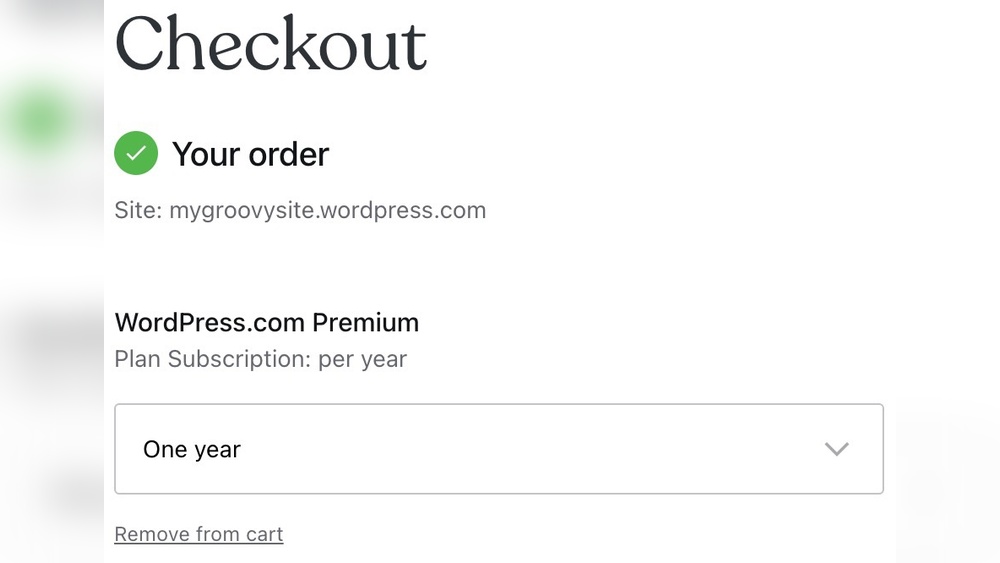
Are you wondering if you can upgrade your WordPress plan to get more features or better performance? Maybe your website is growing, and you need extra tools to keep it running smoothly.
The good news is, yes—you can upgrade your WordPress plan, and doing so might be easier than you think. But before you make a move, it’s important to understand what options are available and how upgrading can benefit your site.
Keep reading, and you’ll discover everything you need to know to make the best choice for your WordPress website.
WordPress Plans Overview
Understanding WordPress plans helps you choose the right option for your website. Each plan offers different tools and limits. Knowing these details makes upgrading easier and smarter.
Types Of WordPress Plans
WordPress offers several plans designed for various needs. The Free plan is basic and good for beginners. Personal plan suits small blogs or simple sites. Premium plan adds more design and customization options. Business plan supports advanced tools and plugins. Ecommerce plan focuses on online stores and sales features.
Features Of Each Plan
The Free plan includes basic themes and limited storage. Personal plan adds a custom domain and email support. Premium plan gives more storage and access to advanced design tools. Business plan allows plugin installation and Google Analytics integration. Ecommerce plan provides payment options and shipping tools for online selling.
Reasons To Upgrade Your Plan
Upgrading your WordPress plan can bring many benefits. It supports your website as it grows and changes. Different needs arise over time. A better plan can provide the right tools and features for these needs. It can also improve your site’s speed and user experience. Below are key reasons to consider an upgrade.
Website Growth Needs
As your website gains visitors, simple plans may not be enough. More storage space helps keep your content safe. Higher traffic demands better bandwidth to avoid slow pages. Upgrading ensures your site runs smoothly during busy times. It prepares your website for future expansion and success.
Enhanced Functionality
Advanced features come with higher plans. You get more plugins and themes to customize your site. Extra tools help improve design and user engagement. Some plans include better security options to protect your data. These upgrades make your website more professional and trustworthy.
Improved Performance
Faster loading speeds keep visitors happy and reduce bounce rates. Upgraded plans offer better server resources and caching. This means your pages load quickly even with many users. Good performance also helps your site rank better on search engines. It creates a smoother experience for everyone.
How To Upgrade Your WordPress Plan
Upgrading your WordPress plan can improve your website’s performance and features. The process is simple and fast. It lets you access more tools and services that help your site grow. Understanding how to upgrade helps you make the right choice for your needs.
Step-by-step Upgrade Process
Log into your WordPress account first. Go to the dashboard and find the “Plans” section. Choose the plan that fits your needs best. Click on the “Upgrade” button. Enter your payment details. Confirm your purchase and wait for the update. Your new features will be ready to use immediately.
Common Upgrade Options
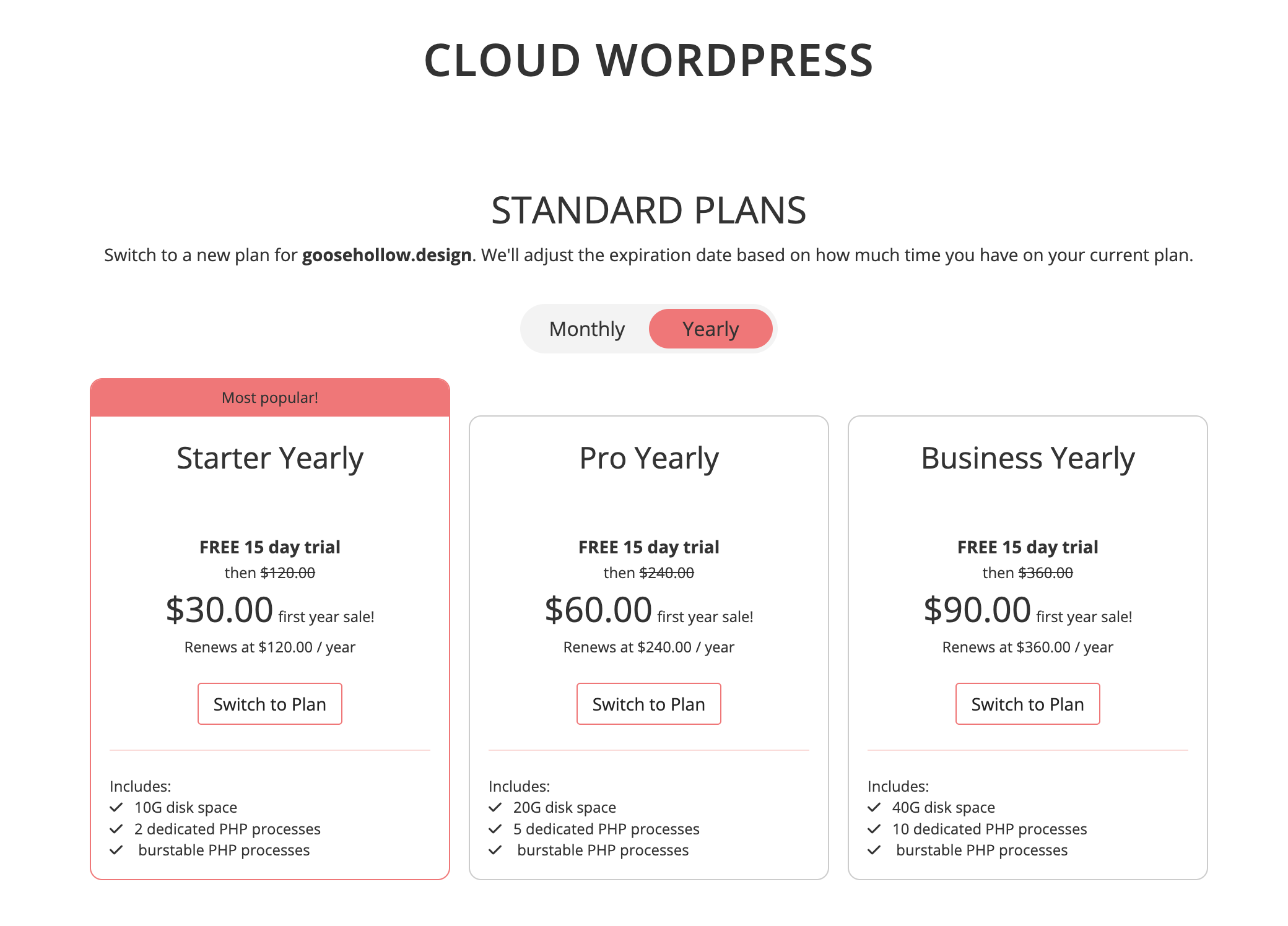
Many users select plans with more storage space. Others want access to premium themes and plugins. Some plans offer advanced security features. E-commerce tools are also popular upgrades. You can switch plans anytime to get the right features for your site.
Credit: kb.porkbun.com
Costs And Billing Changes
Upgrading your WordPress plan affects your costs and billing. Understanding these changes helps you manage your budget well. This section explains the pricing differences and billing cycle adjustments when upgrading.
Pricing Differences
Each WordPress plan has a different price. Upgrading means paying more for extra features. The cost depends on the plan level you choose next. Basic plans are cheaper but have fewer tools. Premium plans cost more but offer better options.
Prices may also vary by region and currency. Check the official WordPress pricing page for exact rates. Keep in mind the new price applies right after upgrade.
Billing Cycle Adjustments
Upgrading can change your billing cycle. If you switch plans mid-cycle, WordPress adjusts your payment. You might pay a prorated amount for the remaining days. This means paying only for the extra time on the new plan.
Billing resets at the start of the new plan period. You can choose monthly or yearly billing options. Yearly plans often save money compared to monthly payments. Review your billing preferences to avoid surprises.
Potential Challenges When Upgrading
Upgrading your WordPress plan seems simple but comes with challenges. These issues can affect your site’s performance and user experience. Knowing potential problems helps you plan better and avoid surprises. Careful preparation makes the upgrade smoother and safer.
Compatibility Issues
Not all plugins or themes work well with new WordPress plans. Some may break or stop functioning. Check plugin and theme support before upgrading. Outdated tools can cause errors or slow your site. Testing in a staging environment helps find problems early. Keep backups to restore your site if needed.
Downtime Risks
Upgrading can cause your site to go offline temporarily. Visitors might see error messages or broken pages. Downtime can hurt your traffic and reputation. Schedule upgrades during low-traffic hours. Inform users about possible interruptions. Use reliable hosting to minimize downtime risks.

Credit: wordpress.com
Tips For A Smooth Upgrade
Upgrading your WordPress plan can bring new features and better performance. To avoid problems, follow some simple tips. These tips help keep your site safe and running well during the upgrade.
Preparing well makes the process easier and faster. Small steps now save big trouble later.
Backup Before Upgrading
Always create a full backup of your site before upgrading. This includes your database, files, and media. A backup protects your data if something goes wrong. Use plugins or hosting tools for easy backup. Store the backup in a safe place. You can restore your site quickly if needed.
Check Plugin And Theme Compatibility
Some plugins or themes may not work after the upgrade. Check each one for compatibility with the new plan or WordPress version. Update all plugins and themes before upgrading. Look for any conflicts or errors on a test site. Fix issues before upgrading your live site. This prevents downtime or broken features.
Contacting Support
Reach out to your hosting or WordPress support if you need help. They can guide you through the upgrade process. Ask questions about any concerns or special steps. Support teams can assist with technical issues fast. Having support ready reduces stress during the upgrade.
Alternatives To Upgrading Your Plan
Upgrading your WordPress plan is not the only way to get more features or better performance. There are other options that can help you improve your site without changing your current plan. These alternatives often save money and offer flexibility. You can enhance your website with simple tools and smart choices.
Using Plugins For Extra Features
Plugins add new functions to your WordPress site. Many plugins are free or low cost. They can help with SEO, security, design, and speed. Installing the right plugins can improve your site without needing a plan upgrade. Choose plugins that fit your site’s needs. Avoid installing too many, as they may slow down your site.
Third-party Hosting Solutions
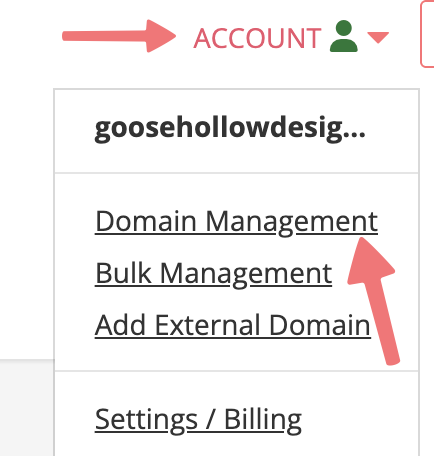
Third-party hosting means using a service outside of WordPress.com. These hosts often give more control and options. They can offer faster speed, more storage, and better support. Moving your site to a third-party host can be cheaper than upgrading your plan. It requires some setup but offers room to grow. Pick a host that fits your budget and needs.
Credit: kb.porkbun.com
Frequently Asked Questions
Can You Upgrade Your WordPress Plan Anytime?
Yes, you can upgrade your WordPress plan anytime without hassle. Upgrading adds more features and resources instantly. It’s a seamless process designed to improve your website’s capabilities.
What Are The Benefits Of Upgrading WordPress Plans?
Upgrading offers better storage, advanced design tools, and premium support. It also enables access to plugins and monetization options. These benefits enhance your website’s performance and user experience.
Will Upgrading Affect My Current Website Content?
No, upgrading your WordPress plan does not affect your existing content. All your posts, pages, and media remain intact and accessible. The upgrade only enhances your site’s features and resources.
How To Upgrade WordPress Plan Step-by-step?
Log in to your WordPress account, go to Plans, and select Upgrade. Choose the desired plan, review the features, and confirm payment. Your plan will upgrade immediately with added benefits.
Conclusion
Upgrading your WordPress plan can help your website grow. It gives you more tools and space to work with. You can choose a plan that fits your needs and budget. Changing plans is easy and quick. Take time to compare features before deciding.
The right plan supports your website’s success. Keep your goals in mind when upgrading. Your site can run smoother and look better. Small changes can make a big difference. Choose wisely and watch your site improve.



