
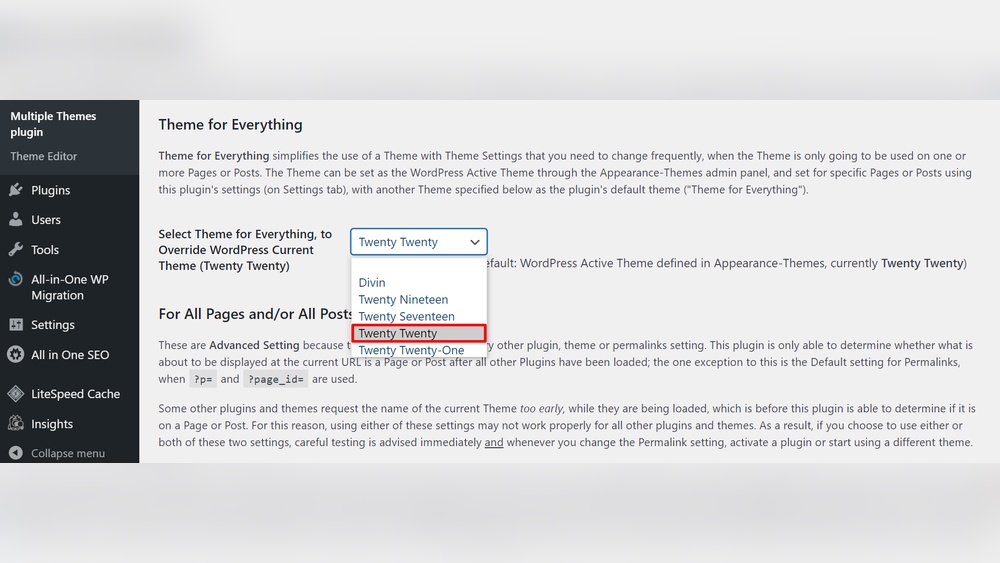
Have you ever wondered if you can use two themes at the same time on your WordPress site? Maybe you want to test a new look without losing your current design, or perhaps you want different styles on different parts of your site.
It sounds convenient, right? But is it really possible? You’ll discover the truth about having two active themes in WordPress and learn the best ways to manage your site’s appearance without risking its performance. Keep reading to find out what you need to know before making any changes.
WordPress Theme Basics
WordPress themes control how your website looks and feels. They manage colors, fonts, and layouts. Themes help create a unique style for your site. Understanding themes is key to managing your WordPress site well.
Each theme has files that work together to display content. These files include templates, stylesheets, and scripts. Themes can be simple or complex, depending on your needs.
How Themes Work
The theme tells WordPress how to show your posts and pages. It changes the design but not the content. Themes use template files to display different parts of your site. For example, a homepage template shows the front page layout. A single post template shows individual blog posts.
Stylesheets control colors, fonts, and spacing. Scripts add extra features like sliders or animations. Themes can be customized through the WordPress Customizer or code.
Role Of Active Theme
Only one theme can be active at a time on your site. The active theme controls the site’s appearance for visitors. It loads all design files and styles needed to display pages. Changing the active theme changes the whole look instantly.
Inactive themes remain installed but do not affect your site. You can switch themes anytime without losing content. The active theme works with plugins and WordPress to create your website’s final look.
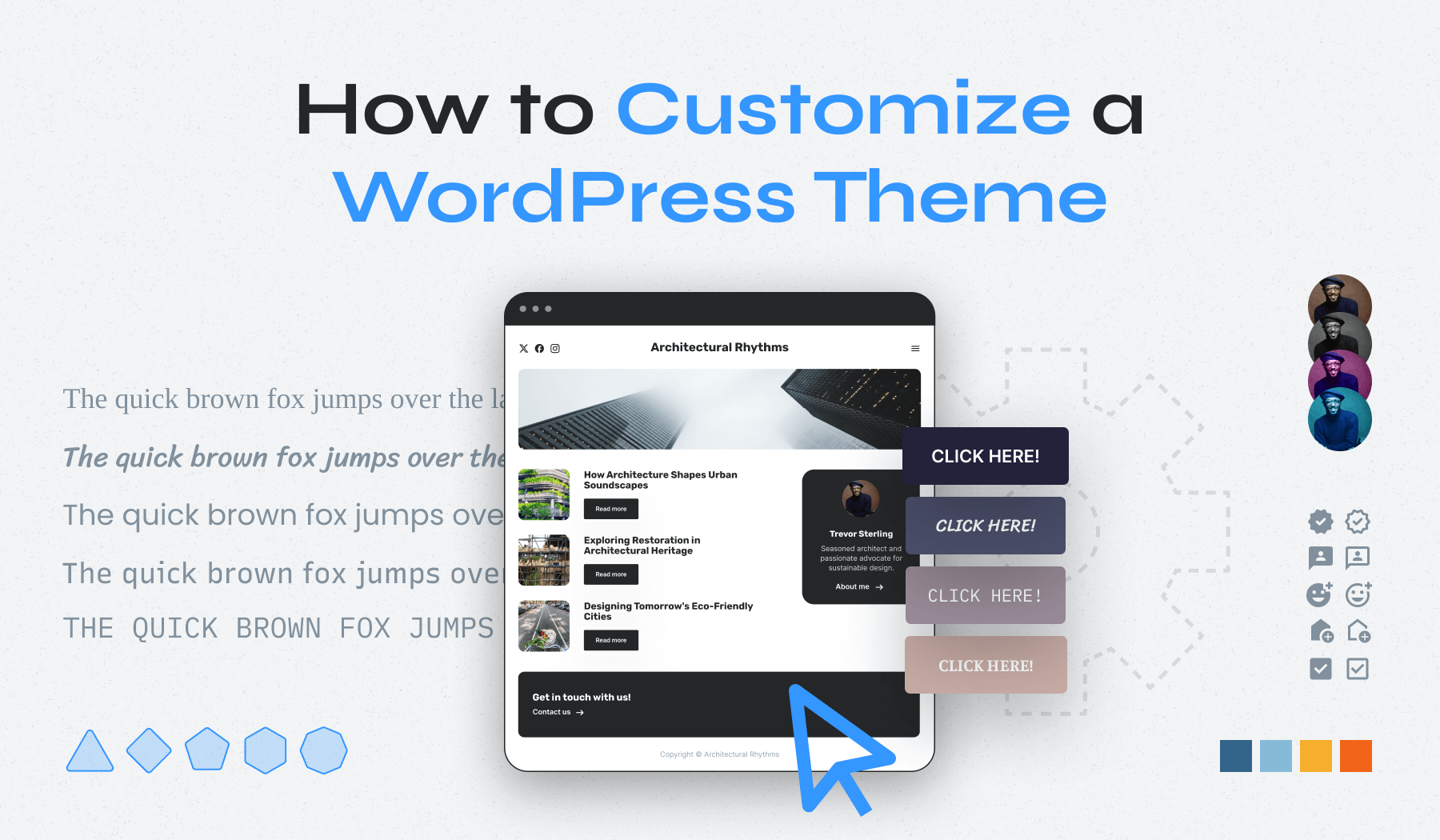
Credit: www.wpzoom.com
Single Theme Activation
WordPress allows only one theme to be active at a time. This rule helps keep your website stable and easy to manage. Activating a single theme means all parts of your site use the same style and layout. It creates a smooth experience for visitors and site owners.
Why Only One Theme
WordPress uses one theme to avoid conflicts. Multiple themes can cause code clashes and errors. The system might not know which style to use. This can break your site or make it look messy. One theme keeps everything clear and organized.
Impact On Website Design
Using a single theme shapes the entire website design. All pages share the same colors, fonts, and layout. This creates a consistent look that visitors trust. Changing themes changes the whole site’s appearance. Designers focus on one theme to keep the website clean and simple.
Using Multiple Themes
Using multiple themes in WordPress lets you change your site’s look in different ways. It is useful for testing designs or showing different styles on parts of your site. WordPress does not allow two themes active at once by default. But there are ways to work with more than one theme.
Theme Switcher Plugins
Theme switcher plugins let visitors pick a theme. These plugins load different themes based on user choice or device type. They keep your site fast and simple. You install one theme normally and add a switcher plugin. Then visitors can switch themes without admin help. This method works well for showing multiple styles.
Child And Parent Themes
Child themes are copies of parent themes with small changes. They let you customize a theme without losing updates. You use one main theme and create a child theme to change parts. It is not the same as two active themes, but it helps mix styles safely. Child themes keep your site organized and easy to update.
Multisite Setup
WordPress multisite lets you run many sites from one install. Each site can have its own theme active. This setup is perfect for networks or businesses with many sites. Each site looks different but shares the same WordPress core. It is a strong way to use multiple themes fully active.
Pros And Cons Of Dual Themes
Using two WordPress themes at the same time can seem useful. It allows variety and flexibility in site design. Yet, this setup has both good and bad sides. Understanding these pros and cons helps decide if dual themes suit your needs.
Benefits
Dual themes let you show different styles on parts of your site. You can use one theme for the blog and another for the shop. This separation helps keep the look fresh and relevant. It also allows testing new designs without changing the whole site. You can customize each theme to fit specific content types. This improves user experience by matching design to content needs.
Challenges
Running two themes can cause technical issues. Themes may conflict with each other’s code or plugins. This can slow down your site or cause errors. Managing updates is harder because both themes need care. It can confuse visitors if the styles clash too much. Also, SEO may suffer if the site lacks a consistent structure. Support is limited since WordPress does not fully support dual themes.
Expert Tips For Theme Management
Managing WordPress themes well improves your website’s look and performance. Choosing the right theme and handling it carefully keeps your site running smoothly. These expert tips help you avoid common problems and get the best results.
Best Practices
Always use one active theme at a time for WordPress. Switch themes only through the dashboard settings. Test new themes on a staging site before going live. Keep themes updated to get security patches and new features. Use child themes to customize without losing changes after updates. Back up your site before making theme changes.
Avoiding Conflicts
Multiple active themes cause code clashes and layout errors. Plugins may not work well with two themes active. Custom CSS or scripts might break if two themes run together. Clear caches after theme changes to show updates correctly. Check your site on different devices and browsers to spot problems fast. Use trusted themes from reliable sources to reduce bugs.
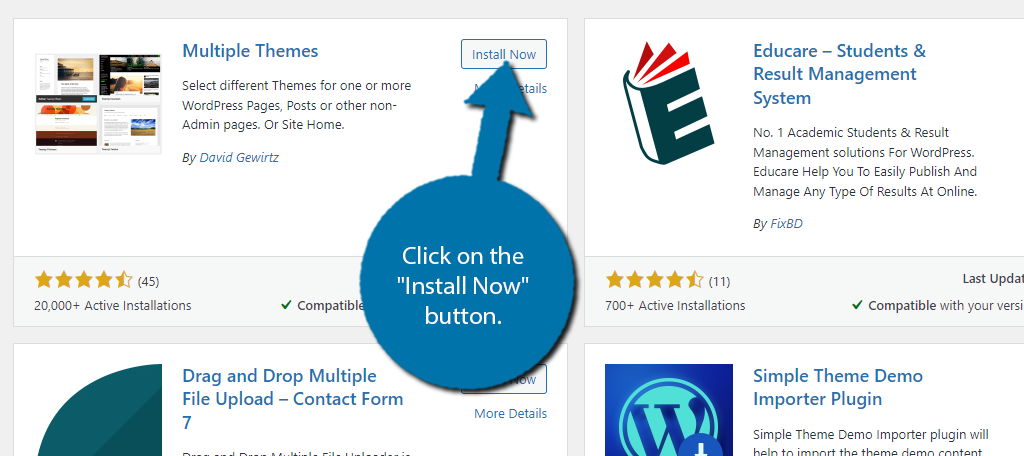
Credit: www.greengeeks.com
Alternative Solutions
Running two themes at once in WordPress is not possible. But there are other ways to get different looks on your site. These options help you customize parts of your site without switching themes all the time.
Page Builders
Page builders let you create unique layouts for different pages. They work inside your theme and offer drag-and-drop tools. This means you can design pages with different styles easily. You can change colors, fonts, and blocks on a page. This gives your site variety while keeping one main theme active.
Custom Css
Custom CSS allows you to change how parts of your site look. You write small code snippets to adjust colors, fonts, and spacing. You can apply these changes to specific pages or sections. This method helps you add unique styles without switching themes. It keeps your site fast and neat.

Credit: learn.wordpress.org
Frequently Asked Questions
Can You Activate Two WordPress Themes Simultaneously?
No, WordPress allows only one active theme at a time. You can switch themes but cannot run two simultaneously.
How To Switch Between Themes In WordPress?
Go to Appearance > Themes in your dashboard. Activate the desired theme to switch instantly.
Can Two Themes Affect Website Performance?
Running multiple themes is not possible, so no performance impact occurs. Only one theme controls your site.
Is It Possible To Use Features From Two Themes?
You can use child themes or plugins to combine features, but not activate two themes directly.
Conclusion
WordPress only allows one theme to be active at a time. Switching themes changes your site’s look instantly. You can use child themes or plugins to add extra features. Running two full themes together can cause conflicts and errors. Testing new themes on a staging site is safer.
Choose the theme that fits your needs best. Keep your site simple and easy to manage. This helps your website run smoothly and stay secure.



