
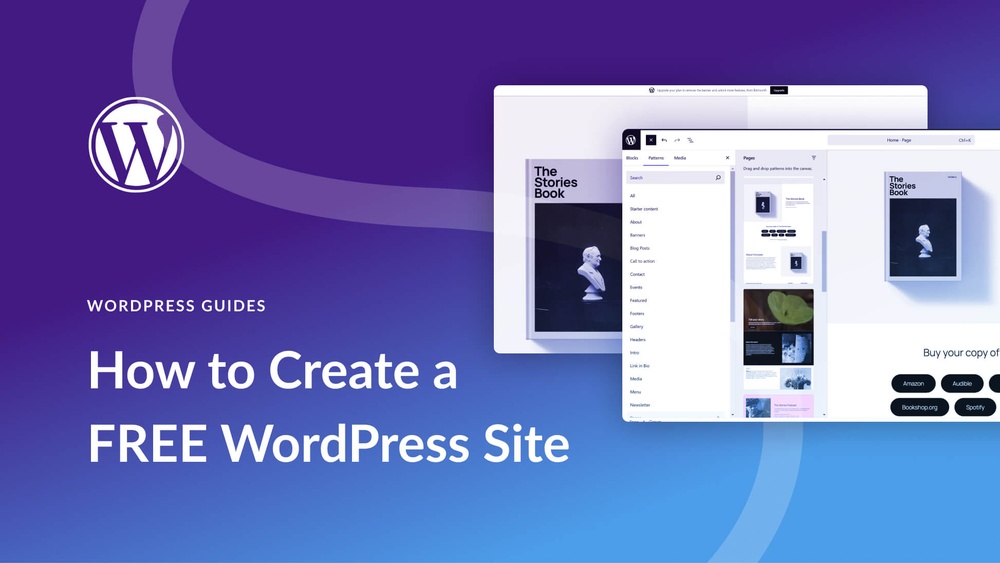
Are you thinking about starting your own blog but worried about the cost? You might be wondering, “Can I create a free blog on WordPress?” The good news is, yes—you absolutely can!
Imagine having your own space online to share your ideas, stories, or business without spending a dime. You’ll discover exactly how to set up a free WordPress blog quickly and easily. Keep reading to unlock the simple steps that will get your blog up and running today!
:max_bytes(150000):strip_icc()/wordpress-free-url-5c5b597146e0fb0001587351.png)
Credit: www.thoughtco.com
Getting Started With WordPress
Starting a blog on WordPress is simple and free. You can create a blog without any cost. The platform offers tools to help you build your site step by step. This section explains how to begin your WordPress journey.
Choosing Between WordPress.com And WordPress.org
WordPress.com is a hosted service. It takes care of hosting and maintenance. Perfect for beginners who want an easy setup. WordPress.org lets you download software to use on your own server. It offers more control and customization but needs technical skills.
For a free blog, WordPress.com is the easiest choice. It provides free plans with basic features. WordPress.org requires buying hosting and domain separately. Choose based on your comfort with technology and future goals.
Signing Up For A Free Account
Visit WordPress.com to create your free account. Click the “Get Started” button. Enter your email, username, and password. Then, choose a blog name or domain. You can use a free WordPress subdomain like yourblog.wordpress.com. No credit card needed for the free plan.
Follow the prompts to complete your profile. This process takes just a few minutes. After signing up, you will see your new blog dashboard.
Navigating The WordPress Dashboard
The dashboard is your blog’s control center. It shows menus on the left side. You can add posts, pages, and media here. The “Posts” section lets you write and publish blog articles.
The “Appearance” menu helps customize your blog’s look. Choose themes and change colors easily. The “Settings” area lets you manage basic options like site title and privacy. Spend some time exploring the dashboard to get familiar with its tools.
Credit: www.ionos.com
Setting Up Your Free Blog
Starting a free blog on WordPress is simple and quick. Setting it up right makes your blog look good and easy to use. This section guides you through the first steps. You will learn how to pick a theme, change how your blog looks, and create important pages.
Selecting A Free Theme
The theme controls how your blog looks. WordPress offers many free themes. Choose one that fits your blog’s topic and style. Some themes are simple, others have more features. Preview themes before deciding. Pick a theme that works well on phones and computers.
Customizing Your Blog’s Appearance
After selecting a theme, make it your own. Change colors, fonts, and layout easily. Add a logo or header image if you have one. Customize the background and menu to match your style. Keep the design clean and easy to read. This helps visitors enjoy your blog.
Creating Essential Pages
Every blog needs some basic pages. Start with an About page to tell visitors who you are. Add a Contact page so readers can reach you. You can also create a Privacy Policy page for trust. These pages help your blog look professional and complete.
Writing And Publishing Posts
Writing and publishing posts on WordPress is simple and user-friendly. The platform offers tools that help you create content fast. You can write, add pictures, and set times to publish your posts. This makes managing a blog easy, even for beginners.
Using The WordPress Editor
The WordPress editor lets you write and format text easily. It works like a simple word processor. You can add headings, lists, and links with a few clicks. The editor also allows you to switch between visual and code modes. This way, you control how your post looks and works.
Adding Images And Media
You can upload images, videos, and audio files to your posts. Adding media helps make your content more interesting. WordPress allows you to drag and drop files into the editor. You can also resize and align images to fit your layout. Each image can have a caption and alt text for accessibility.
Scheduling And Publishing Content
WordPress lets you publish posts right away or later. Scheduling posts helps you plan content ahead of time. You just pick a date and time for the post to go live. This feature keeps your blog active, even when you are busy. Publishing is just one click away, making it quick and easy.
Managing Your Blog
Managing your blog is important to keep it active and interesting. Good management helps you build a strong connection with readers. It also keeps your blog organized and easy to use. WordPress offers tools to help you handle your blog well, even on the free plan.
Handling Comments And Engagement
Comments let readers share thoughts and ask questions. WordPress allows you to approve or delete comments easily. You can reply to comments to keep conversations going. Managing comments helps create a friendly space for your audience. It also shows you care about their opinions.
Installing Plugins On Free WordPress
The free WordPress plan has limits on installing plugins. You cannot add plugins directly on a free blog. Plugins add extra features and tools to your site. To use plugins, upgrading to a paid plan is necessary. Still, WordPress provides useful built-in tools for basic needs.
Tracking Your Blog’s Performance
Knowing how your blog performs helps improve it. WordPress offers simple stats for free users. You can see visitor numbers and popular posts. This information guides you to write better content. Using these tools keeps your blog growing steadily.
Upgrading From Free To Paid Plans
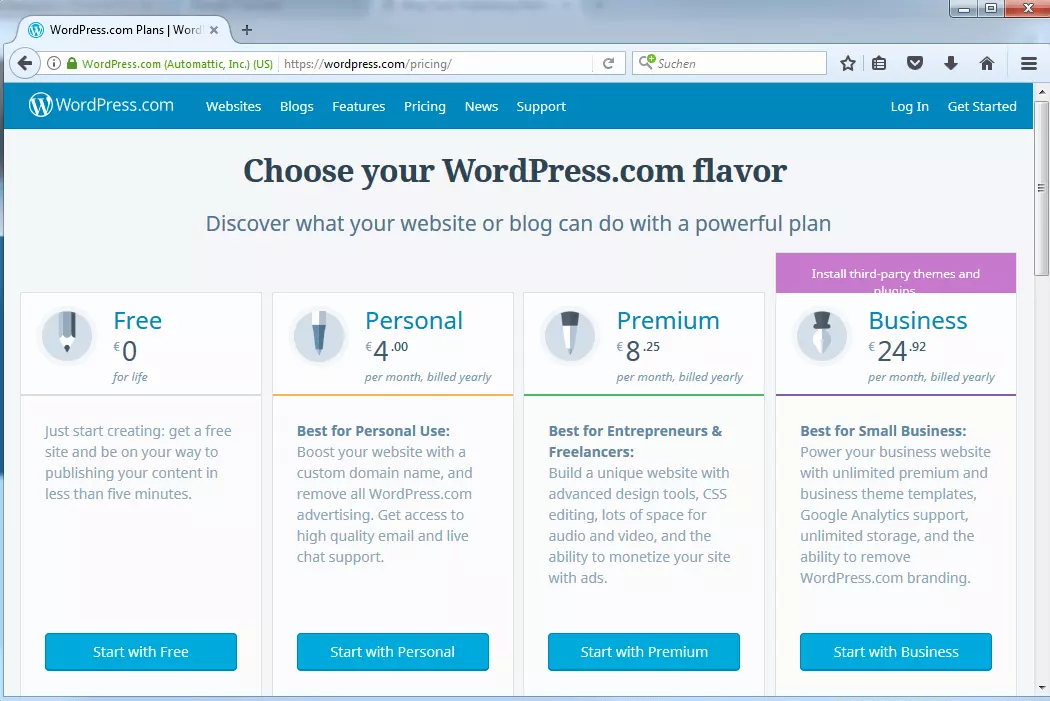
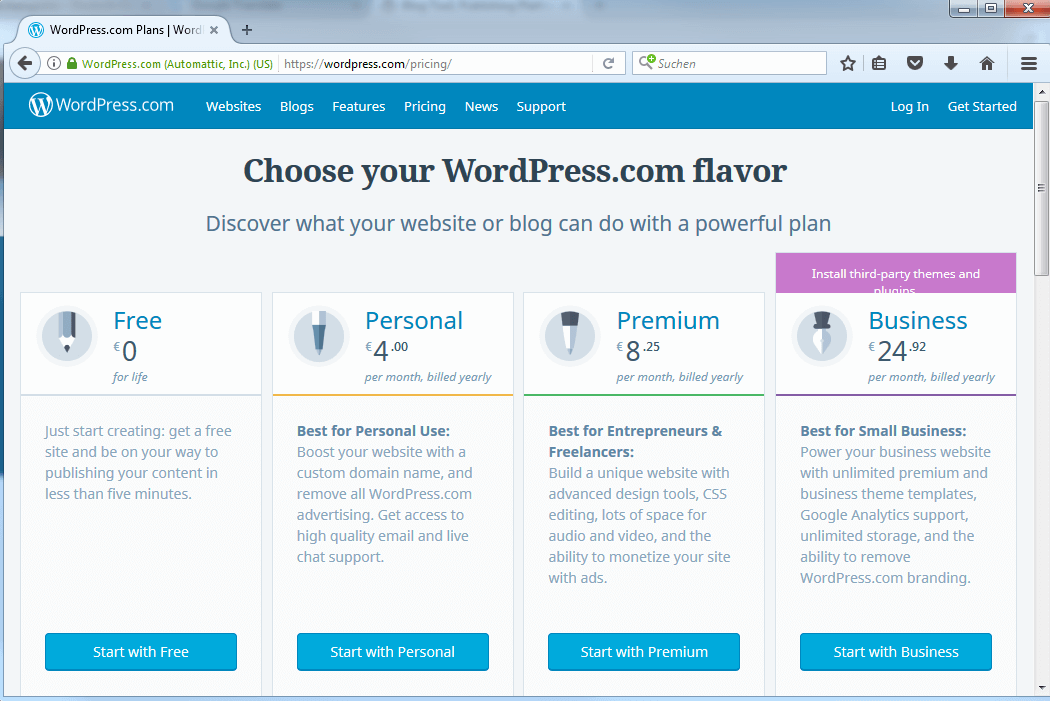
Starting with a free WordPress blog is easy and cost-free. But as your blog grows, you might want more features. Upgrading to a paid plan offers more tools to help your blog succeed. Paid plans give you better control, more space, and extra options for design and marketing.
Benefits Of Paid Plans
Paid plans provide extra storage for your files and images. You can use a custom domain name without WordPress branding. More themes and plugins become available for better design and function. Paid plans allow you to remove ads from your blog. You get access to advanced tools for SEO and social media sharing. Customer support is faster and more helpful with paid plans.
How To Upgrade Your Blog
Log in to your WordPress dashboard. Find the “Plans” or “Upgrade” section. Choose the plan that fits your needs and budget. Enter your payment details and confirm the purchase. Your blog upgrades immediately, and new features become available. You can always change your plan later if needed.
When To Consider Upgrading
Upgrade when your blog grows and needs more space. Choose paid plans if you want a custom domain. Consider upgrading to remove WordPress ads. If you want advanced design options, paid plans help. Upgrade for better support when you face technical problems. Paid plans suit blogs that start earning money or getting many visitors.
Credit: www.ionos.com
Tips For Growing Your Free Blog
Growing a free blog on WordPress takes effort and smart strategies. Simple steps can help increase your blog’s reach. Focus on sharing your content, making it easy to find, and connecting with readers. These tips help build a loyal audience over time.
Promoting Your Blog On Social Media
Share your blog posts on popular social media platforms. Use Facebook, Twitter, and Instagram to reach more people. Post regularly but avoid spamming. Join groups related to your blog’s topic. Engage by commenting and replying to others. Social media helps attract new visitors to your blog.
Optimizing For Search Engines
Use clear and simple keywords in your blog posts. Write short, easy sentences that readers understand quickly. Add descriptive titles and meta descriptions for each post. Use headings to organize your content well. Upload images with descriptive alt text. SEO makes your blog easier to find on Google.
Building A Community
Encourage readers to leave comments and share ideas. Respond to comments to show you care. Create a newsletter to keep readers updated. Offer helpful content that solves problems. Building trust turns visitors into loyal readers. A strong community grows your blog naturally.
Frequently Asked Questions
Can I Create A Free Blog On WordPress?
Yes, WordPress. com offers a free plan to create a blog. It includes basic themes and a WordPress subdomain for your blog.
What Are The Limitations Of A Free WordPress Blog?
Free WordPress blogs have limited storage, restricted customization, and display WordPress ads. You cannot use custom plugins or a custom domain.
Can I Monetize A Free WordPress Blog?
Monetization options are limited on free plans. You cannot run ads directly but can use affiliate marketing with restrictions.
How Do I Upgrade From A Free WordPress Blog?
You can upgrade anytime to paid plans for more features, such as custom domains, extra storage, and advanced design tools.
Conclusion
Creating a free blog on WordPress is simple and quick. You get basic tools to start sharing your ideas. It helps beginners learn how blogging works. Though some features require payment, the free plan covers many needs. You can customize your blog and publish posts easily.
WordPress offers a good place to practice writing online. Try it out and see how your blog grows step by step. No cost, no hassle, just your words and creativity.



