
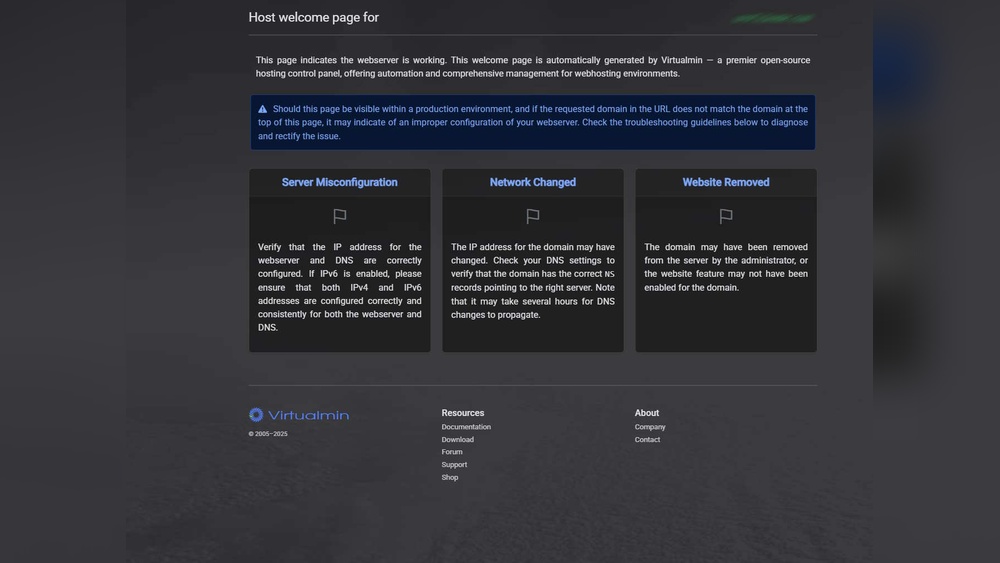
Have you ever wondered what the hostname and domain of your host really mean? Knowing these details can unlock a clearer understanding of how your website or server connects to the internet.
If you’ve ever felt confused by technical terms or unsure about where to find this information, you’re not alone. You’ll discover exactly what a hostname and domain are, why they matter, and how you can easily identify them for your own host.
By the end, you’ll feel confident navigating these essential web concepts—and that knowledge can make managing your online presence much simpler. Keep reading to uncover the answers you’ve been searching for.
Hostname Basics
Understanding the basics of hostnames is important for managing your website or server. Hostnames help identify devices on a network. They make it easier to find and access computers or servers. This section breaks down the key points about hostnames.
Definition And Purpose
A hostname is a unique name given to a device on a network. It acts like an address to find that device. Hostnames help users and systems locate computers without using complex numbers. They make communication within networks simpler and clearer.
Types Of Hostnames
Hostnames can be simple or fully qualified. A simple hostname is just a single word. A fully qualified domain name (FQDN) includes both the hostname and the domain. For example, “server1” is simple, while “server1.example.com” is FQDN. Each type serves different roles in networks.
How Hostnames Are Assigned
Hostnames are assigned by network administrators or internet service providers. They follow rules to avoid duplicates and confusion. In small networks, users can set hostnames themselves. Larger networks use centralized systems to manage names automatically.
Domain Fundamentals
Understanding domain fundamentals is key to knowing how websites work. Domains help users find websites easily. They act like addresses on the internet. Without domains, we would need to remember long numbers for each site.
This section explains what domains are and how they function. You will learn about the structure and role of domains in internet navigation. Let’s start with the basics of what makes a domain.
What Makes A Domain
A domain is a name that points to a website’s location online. It is made up of words separated by dots. The domain name is easy to remember and type. For example, “example.com” is a domain name.
Domains consist of different parts that tell the browser where to go. Each part has a specific meaning and helps organize the internet.
Domain Name System (dns)
The Domain Name System, or DNS, is like a phone book for the internet. It converts domain names into IP addresses. Computers use IP addresses to find each other.
When you type a domain name in your browser, DNS finds the exact server to connect. Without DNS, you would need to remember numeric IP addresses for every website.
Top-level Domains And Subdomains
Top-Level Domains (TLDs) are the last part of a domain name. Examples include “.com,” “.org,” and “.net.” They show the category or country of the website.
Subdomains come before the main domain name. They help organize content within a site. For instance, “blog.example.com” is a subdomain of “example.com.”
Finding Your Hostname
Finding your hostname is a simple step to understand your computer or server better. The hostname is the name given to your device on a network. It helps identify your device among others. Knowing your hostname can help with network setup, troubleshooting, and security checks.
This section explains easy ways to find your hostname. You can use command line tools or check system settings. Also, the process varies slightly depending on your operating system.
Using Command Line Tools
Command line tools give quick access to your hostname. On Windows, open Command Prompt and type hostname. Press Enter to see the device name.
On Linux or macOS, open the Terminal. Type hostname and press Enter. The system will show your hostname immediately.
These commands work fast and do not require extra software. They are useful for users comfortable with typing commands.
Checking System Settings
You can find your hostname in system settings without using commands. On Windows, go to Control Panel, then System and Security. Click System to see your device name listed.
On macOS, open System Preferences. Select Sharing, and you will find the computer name at the top of the window.
Linux users can check hostname under System Settings or Network options. This method suits users who prefer graphical interfaces.
Hostname In Different Operating Systems
Each operating system shows hostnames differently. Windows uses a simple device name visible in System Properties. macOS calls it the Computer Name in Sharing preferences.
Linux distributions may show the hostname in various places depending on the desktop environment. Common tools include Terminal commands and network settings.
Understanding these differences helps you find your hostname quickly, no matter the system you use.

Credit: www.networksolutions.com
Identifying Your Domain
Identifying your domain is an important step to manage your website and hosting. The domain is your website’s address on the internet. Knowing your domain helps you control your online presence. It also helps with technical tasks like setting up emails or securing your site.
You can find your domain information easily. There are tools and methods that show details about your domain and its owner. This section explains how to identify your domain and check its ownership.
Looking Up Domain Information
Start by checking your website’s URL. The domain is the main part of the URL, usually after “www.” and before “.com” or other endings. You can find the domain name in your hosting account or email setup. It often looks like example.com or mysite.net.
Another way is to use the command prompt or terminal on your computer. Type “ping” followed by your website’s URL. This shows the domain’s IP address and confirms it is active.
Using Online Domain Tools
Many websites offer free tools to find domain details. These tools give you information like the domain’s registrar, creation date, and expiration date. Just enter your domain name, and they provide a full report.
Popular tools include WHOIS lookup and DNS checkers. They help you see if your domain is registered correctly and connected to your host. These tools also show the domain’s nameservers and status.
Verifying Domain Ownership
Domain ownership proves you control the domain. This is important for security and website management. You can verify ownership by checking your domain registrar account. It contains your contact and billing information.
You may also receive an email from the registrar for verification. This confirms you are the domain owner. Some online tools also show the owner’s name and organization if the domain is public.
Hostname Vs Domain
Understanding the difference between a hostname and a domain is key in the digital world. Many people confuse these two terms, but they serve different purposes. Both help identify locations on the internet, yet they work in distinct ways.
Key Differences
A hostname is the specific name given to a device or server on a network. It points to one machine within a domain. A domain is a broader name that represents a group of devices or websites. Domains are easier to remember than IP addresses. Hostnames add detail to domains, helping find exact devices.
How They Work Together
Hostnames and domains combine to create full addresses. For example, in “mail.example.com,” “mail” is the hostname. “example.com” is the domain. This full address directs traffic to the right server on the internet. Domains group websites, while hostnames specify the exact server hosting the service.
Common Misconceptions
Many think hostname and domain are the same. Some believe a domain is just a website name. Others confuse hostnames with IP addresses. The truth is, a hostname is part of the domain name system. Both are needed to find and access internet resources correctly.
Changing Hostname And Domain
Changing the hostname and domain of your host is a common task. It helps keep your network organized and secure. Sometimes, you need to update these settings to match new requirements or changes in your system. This section explains when and how to change your hostname and domain.
When To Change Hostname
Change the hostname if it does not reflect your server’s purpose. Use a clear name that identifies the device easily. Change it when moving the server to a new network. Update the hostname if your company rebrands or changes domain names. Correct wrong or duplicate hostnames to avoid conflicts.
Steps To Update Hostname
First, check the current hostname on your server. Open the terminal or command prompt. Use commands like hostnamectl on Linux or hostname on Windows. Next, set the new hostname with proper commands. Restart the network service or reboot the system to apply changes. Verify the new hostname is working properly by rechecking it.
Modifying Domain Settings
Access your domain registrar or DNS provider’s control panel. Locate the domain settings or DNS management section. Update the domain name records like A, CNAME, or MX as needed. Save changes and wait for DNS propagation. Test your domain by pinging or visiting the site. Ensure all services linked to the domain continue working.
Troubleshooting Hostname And Domain Issues
Troubleshooting hostname and domain issues is essential for smooth internet and network use. Problems with hostnames or domains can block access to websites or services. Understanding common issues and how to fix them saves time and frustration.
Common Problems
One common problem is a wrong hostname. This stops your device from finding the right server. Another issue is domain name system (DNS) errors. DNS translates domain names into IP addresses. If DNS fails, websites won’t load. Sometimes, expired domain registrations cause connection failures. Incorrect network settings also lead to hostname or domain errors.
Diagnostic Tools
Use tools like ping to check if a hostname or domain responds. Traceroute helps find where connection fails along the path. Nslookup shows DNS records for a domain. These tools give clues about the problem’s cause. They are easy to use and often pre-installed on computers.
Fixing Connectivity Errors
Start by checking the hostname spelling. Correct any mistakes. Clear your DNS cache to remove old data. Restart your router to reset network settings. Update your device’s network drivers. Contact your domain registrar if the domain expired. These steps often fix common errors quickly.

Credit: support.knowbe4.com
Security Aspects
Security is a key part of managing hostnames and domains. Protecting these helps keep your website and data safe. Understanding the risks and how to guard against them is essential for every website owner.
Securing Hostnames
Hostnames must be kept safe from unauthorized changes. Use strong passwords for your server and hosting accounts. Limit access to trusted users only. Regularly update your software to fix security holes. Avoid sharing hostname details publicly to reduce attacks.
Domain Security Best Practices
Register your domain with a reliable provider that offers security features. Enable domain privacy to hide your personal information. Use two-factor authentication for your domain account. Keep contact details updated to receive important alerts. Renew your domain before it expires to avoid losing it.
Protecting Against Spoofing
Spoofing tricks people into thinking a fake site is real. Use DNS security extensions (DNSSEC) to protect domain name system data. Set up SPF, DKIM, and DMARC records to secure email from your domain. Monitor your domain for unusual activity. Act fast if you spot signs of spoofing.
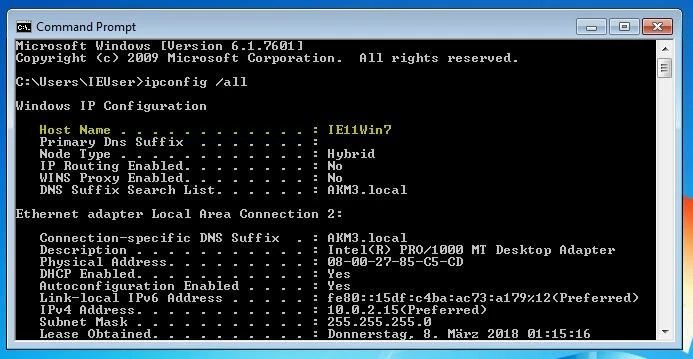
Credit: www.ionos.ca
Frequently Asked Questions
What Is A Hostname In Web Hosting?
A hostname identifies your specific device within a network. It is a unique label that helps route traffic to your host. Hostnames often combine with domain names to specify exact locations on the internet.
How Do I Find My Host’s Domain Name?
You can find your domain name via your hosting provider’s control panel. Alternatively, use online tools like WHOIS lookup. The domain name points to your website’s address on the internet.
Why Is The Hostname Important For My Website?
The hostname directs traffic to your hosting server. It ensures that visitors reach the correct website. Without a proper hostname, your site may be inaccessible or misrouted.
Can The Hostname Differ From The Domain Name?
Yes, the hostname and domain name can differ. The hostname is often a subdomain or server label. The domain name is the main address visible to users.
Conclusion
Knowing your hostname and domain helps you manage your web hosting better. It makes connecting to your server easier and more clear. These details also help with website setup and email configurations. Understanding them can save time and reduce confusion.
Keep this information handy for any future tech tasks. Simple steps bring smooth online management. Stay confident with your hosting knowledge.


