Thinking about creating your own WordPress website but wondering just how hard it really is? You’re not alone.
Many people feel excited yet nervous about building a site from scratch. The good news is, making a WordPress website might be easier than you expect—especially when you know the right steps. By the time you finish reading this, you’ll understand exactly what it takes, so you can move forward with confidence and avoid common mistakes that slow most beginners down.
Ready to see how simple it can be? Let’s dive in.
Credit: elementor.com
Setting Up WordPress
Setting up WordPress is the first big step in creating your website. It might seem tough, but it is actually quite simple. You just need to know the basic parts. This section explains the key steps to get your WordPress site online.
Choosing A Hosting Provider
A hosting provider stores your website files and shows them online. Good hosting makes your site fast and safe. Many providers offer special plans for WordPress sites. Look for one with easy WordPress installation and good support. Price and speed are important too. Pick a host that fits your budget and needs.
Installing WordPress
Installing WordPress is usually quick. Many hosts have one-click WordPress install tools. Just follow the steps, and WordPress is ready in minutes. You can also install it manually by uploading files and creating a database. This takes more time but is not hard. After install, you can log in and start building your site.
Selecting A Domain Name
The domain name is your website address. It should be short and easy to remember. Use words that relate to your site’s topic. Avoid numbers or hard spellings. Check if the name is available before buying. Many hosting providers offer domain registration too. A good domain helps visitors find you online.
Customizing Your Site
Customizing your WordPress site lets you shape it to fit your needs. It changes the look and feel. It also adds new functions. This part can seem tricky at first. But WordPress makes it easy to adjust your site step by step.
Picking The Right Theme
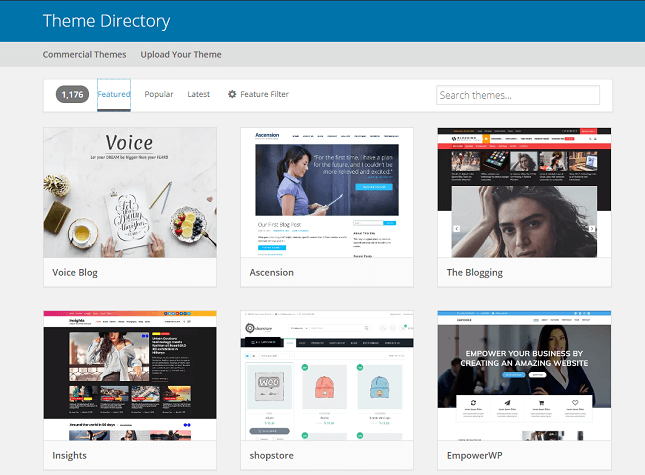
The theme controls your website’s design and layout. It sets colors, fonts, and styles. Choose a theme that matches your site’s purpose. There are free and paid themes. Look for one that is simple and mobile-friendly. Many themes let you change colors and fonts without coding.
Adding Essential Plugins
Plugins add new features to your site. They can improve security, speed, and SEO. Some plugins help with contact forms or social media sharing. Install only the plugins you really need. Too many plugins can slow your site down. Always update plugins to keep your site safe.
Creating Pages And Posts
Pages are for static content like About or Contact. Posts are for blog updates or news. Use the WordPress editor to add text, images, and videos. Organize content with headings and lists. Preview your work before publishing. This keeps your site clear and easy to read.
Design And Functionality
Design and functionality form the core of any WordPress website. They shape how visitors see and use your site. Good design makes your site look clean and professional. Smooth functionality lets users find what they want fast. Both are important for a great user experience. WordPress offers many tools to help with design and functionality. These tools work well even if you are new to web building.
Using The WordPress Block Editor
The WordPress Block Editor makes building pages simple. It uses blocks for text, images, videos, and more. Each block can be moved or styled easily. You can see your changes live on the screen. This editor helps create a custom look without coding. It also keeps your design consistent across pages. The block editor is friendly for beginners and saves time.
Implementing Navigation Menus
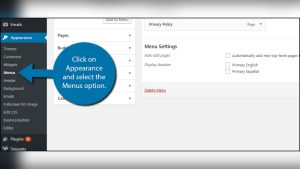
Navigation menus guide visitors through your website. WordPress lets you create menus with a few clicks. You can add links to pages, posts, or external sites. Menus can be placed at the top, side, or footer. Clear menus improve user experience and reduce bounce rates. They make your site easy to explore. Customizing menus helps match your site’s style.
Optimizing For Mobile Devices
Many people use phones to browse websites. Your WordPress site must work well on small screens. Responsive themes adjust design to fit any device. Mobile-friendly sites load faster and are easier to read. WordPress themes often include built-in mobile optimization. Testing your site on phones ensures smooth performance. Good mobile design keeps visitors engaged and improves SEO.
Credit: www.websitebuilderexpert.com
Managing Content And Media
Managing content and media on a WordPress website is simple and user-friendly. It lets you control what visitors see and how they find it. Good management keeps your site organized and helps your audience find information fast.
WordPress offers tools to add images, videos, and other files easily. It also helps sort posts with categories and tags. Scheduling posts is another handy feature to plan your content ahead.
Uploading Images And Videos
Uploading media is quick. Click the “Add Media” button in the post editor. Select files from your computer and upload them. WordPress supports many file types like JPG, PNG, GIF, and MP4.
Once uploaded, you can add titles and descriptions. These help with SEO and accessibility. You can also resize images or choose how they display on your page.
Organizing Content With Categories And Tags
Categories group posts by topics. Tags highlight specific keywords or ideas. Both help visitors and search engines understand your content.
You can create new categories and tags easily from the post editor. Assigning them to posts keeps your website tidy. It improves navigation and boosts SEO performance.
Scheduling Posts
Scheduling lets you set posts to publish later. This keeps your website active even if you don’t post daily. It helps maintain a steady flow of content.
Set the date and time in the post editor’s “Publish” section. WordPress will automatically publish your post at the chosen time. This feature is great for planning campaigns or series.
Ensuring Site Security
Ensuring site security is a key step in building a WordPress website. Without strong protection, your site can face risks. Hackers often target websites with weak security. Protecting your site keeps your data safe and your visitors’ trust intact.
Setting Up Backups
Backups save your website’s data regularly. They help restore your site if anything goes wrong. Use plugins or hosting services that offer automatic backups. Store backups in a safe place outside your main server. This step reduces data loss risks during attacks or errors.
Installing Security Plugins
Security plugins add layers of protection to your site. They scan for malware and block suspicious activity. Many plugins are easy to install and use. Choose trusted plugins with good reviews and regular updates. These tools help prevent unauthorized access and keep your site secure.
Using Strong Passwords
Strong passwords stop hackers from guessing your login details. Use a mix of letters, numbers, and symbols. Avoid common words or easy-to-guess phrases. Change passwords regularly and never share them. Strong passwords create a solid first line of defense for your site.
Credit: www.elegantthemes.com
Optimizing Performance
Optimizing performance is key to a smooth WordPress website. A fast site keeps visitors happy and improves search rankings. Slow websites lose visitors and can hurt your credibility. Performance optimization focuses on making your site load quickly and run efficiently.
Improving Site Speed
Site speed depends on many factors. Choose a reliable hosting provider to reduce server delays. Use a lightweight theme that loads fast. Optimize images by compressing them without losing quality. Limit the use of large files and heavy scripts. Fast loading pages keep users engaged and reduce bounce rates.
Implementing Caching Solutions
Caching saves copies of your site’s pages. This reduces the time to load pages for visitors. Use caching plugins like W3 Total Cache or WP Super Cache. Browser caching stores files on visitors’ devices. It helps repeat visitors load pages faster. Caching reduces server load and improves site speed.
Minimizing Plugin Usage
Too many plugins can slow down your site. Each plugin adds extra code and can cause conflicts. Use only essential plugins that add real value. Regularly update plugins to keep them efficient and secure. Deactivate and delete plugins that you no longer need. Fewer plugins mean a cleaner, faster website.
Troubleshooting Common Issues
Troubleshooting is a key part of building a WordPress website. It helps keep your site running smoothly. Problems can appear at any time. Knowing how to fix common issues saves time and stress. This section covers simple ways to solve frequent WordPress troubles.
Fixing Plugin Conflicts
Plugins add features to your website. Sometimes, two plugins do not work well together. This causes errors or slowdowns. To fix this, turn off all plugins. Then, activate them one by one. This shows which plugin causes trouble. Update plugins regularly to avoid conflicts. Choose plugins from trusted sources only.
Handling Theme Problems
The theme controls your site’s look and feel. A bad theme can break your site. Start by switching to a default WordPress theme. If the problem stops, the theme is the cause. Update your theme to the latest version. Avoid using many customizations that can cause errors. Back up your site before making changes.
Recovering From White Screen Of Death
The White Screen of Death means a blank page on your site. It stops visitors from seeing your content. This usually happens due to errors in code or plugins. Fix it by increasing memory limit in WordPress. Disable plugins and themes one by one. Check for PHP errors in your server logs. Restore your site from a backup if needed.
Scaling Your Website
Scaling your WordPress website means growing its features and ability to handle more visitors. It requires planning and smart choices. A website that scales well can support more users and offer new services without slowing down or breaking.
Adding new features and managing more traffic keeps your site useful and relevant. Small changes today can help avoid big problems later. Below are key steps to scale your WordPress site smoothly.
Adding E-commerce Features
Adding e-commerce lets you sell products or services online. WordPress supports many plugins like WooCommerce. These tools help create product pages, shopping carts, and payment systems. Setting up e-commerce needs some time but many plugins guide you step-by-step. You can start small and add more products later. Secure payment options and clear product details build trust with buyers.
Integrating Social Media
Social media helps bring visitors to your website. Adding social buttons lets users share your content easily. You can show feeds from Facebook, Instagram, or Twitter on your site. This keeps your site active and connected. Many WordPress plugins make social media integration simple. Regular posts and updates increase engagement and repeat visits.
Planning For Traffic Growth
More visitors mean your site needs to work faster and handle more data. Use caching plugins to load pages quickly. Choose a reliable hosting service that can grow with your site. Monitor your traffic and spot trends early. Backup your site often to avoid data loss. Planning for growth keeps your site smooth and ready for more users.
Frequently Asked Questions
How Difficult Is It To Build A WordPress Website?
Building a WordPress website is generally easy for beginners. It requires basic computer skills and following step-by-step guides. With themes and plugins, customization is simple. Advanced features may need some learning or professional help. Overall, WordPress offers a user-friendly platform for website creation.
Do I Need Coding Skills For WordPress Websites?
No, coding skills are not mandatory to create a WordPress site. WordPress uses visual editors and drag-and-drop builders. Basic customization can be done without touching code. However, coding knowledge helps in advanced customization and troubleshooting. Most users can build functional sites without programming.
How Long Does It Take To Make A WordPress Website?
Creating a basic WordPress website can take a few hours to a day. Time depends on site complexity and user experience. Simple blogs or portfolios are faster to build. E-commerce or custom sites need more time for setup and design.
Planning ahead speeds up the process.
Can I Customize A WordPress Website Easily?
Yes, WordPress allows easy customization through themes and plugins. Users can change layouts, colors, and fonts without coding. Thousands of free and premium themes offer diverse designs. Plugins add features like contact forms and SEO tools. For deeper changes, basic coding may be useful.
Conclusion
Creating a WordPress website is easier than many think. Basic setup takes just a few steps. With some practice, anyone can build a simple site. Challenges may arise, but solutions are easy to find online. Free themes and plugins help customize without coding skills.
Patience and curiosity go a long way. Starting small and learning gradually works best. WordPress offers flexibility for personal or business use. The effort you put in reflects your website’s quality. Give it a try, and see how simple it can be.