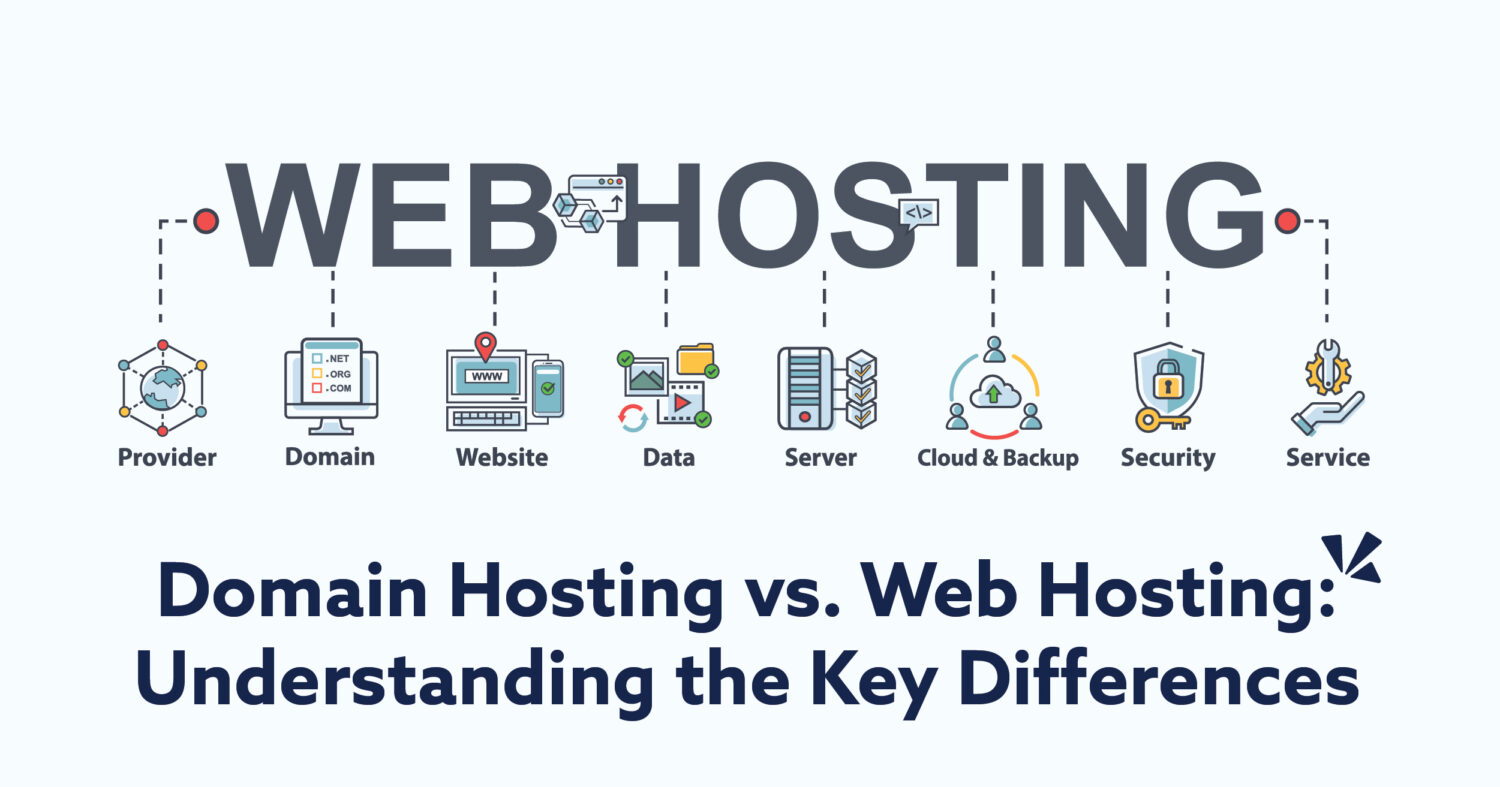
Are you planning to create a website but feel lost when it comes to technical terms like domain hosting service? Understanding this key concept is crucial to getting your site online and running smoothly.
Imagine your website as a house—domain hosting is the land where your house stands. Without it, your website can’t be seen or accessed by anyone. You’ll discover exactly what domain hosting service means, why it matters to you, and how it can make or break your online presence.
Keep reading, and you’ll gain the clarity you need to take the next step with confidence.
Credit: pinnaclemgp.com
Domain Hosting Basics
Understanding domain hosting is important for anyone who wants a website online. It helps connect your website name to the internet. This section breaks down the basics of domain hosting. You will learn what it is, how it works, and the different types available.
What Is Domain Hosting
Domain hosting is a service that links your website name to a server. The server stores all your website files and data. Without hosting, your website cannot be seen on the internet. It acts like a home for your website online.
How Domain Hosting Works
When someone types your website name, domain hosting directs them to your server. The server then shows the website content on their screen. This process happens in seconds. The domain name system (DNS) helps translate your website name into an IP address that computers understand.
Types Of Domain Hosting Services
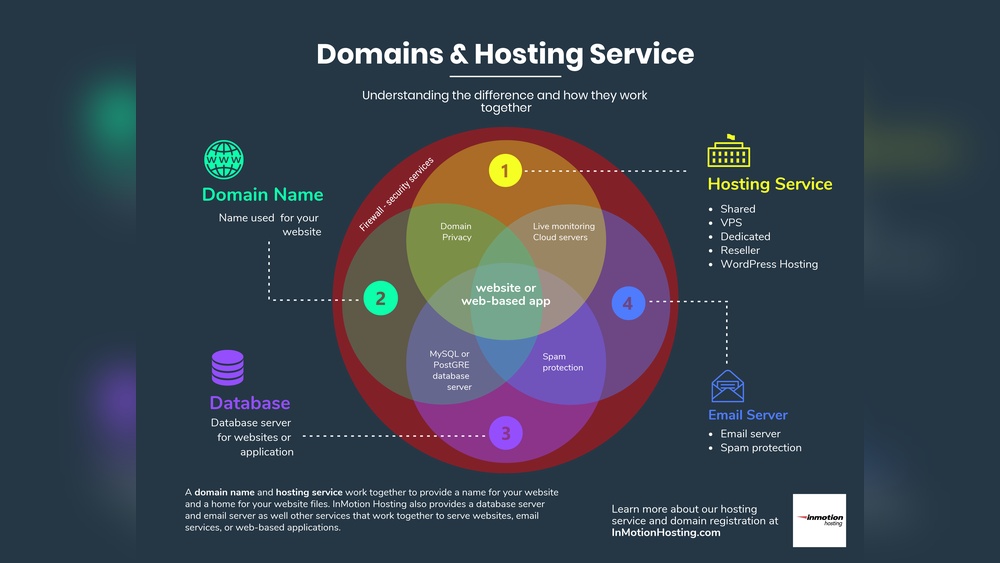
There are several types of domain hosting services. Shared hosting is the most common and affordable. It means many websites share one server. VPS hosting offers more power by giving you a virtual private server. Dedicated hosting gives you a whole server for your website only. Each type fits different needs and budgets.

Credit: arthconsultancyservices.com
Choosing A Domain Hosting Provider
Choosing a domain hosting provider is an important step for your website. It affects your site’s speed, security, and uptime. Picking the right provider helps your site run smoothly and stay online. Many options exist, so knowing what to check helps make a smart choice.
Key Features To Look For
Look for strong uptime guarantees. Your website should stay online without interruptions. Check the speed of servers to avoid slow loading times. Good customer support is a must. It helps solve problems quickly. Also, find out if the provider offers easy domain management tools.
Comparing Popular Providers
Compare providers based on reliability and features. Some offer free domain registration with hosting. Others include website builders or email services. Read reviews from real users. This gives insight into customer satisfaction. Test their customer service by asking questions before buying.
Cost Vs. Value
Cheap hosting might seem attractive but may lack features. Look for a balance between price and what you get. More expensive plans often offer better security and speed. Consider long-term costs, including renewal fees. A good provider offers solid value for your money.
Setting Up Your Domain Hosting
Setting up your domain hosting is the first step to get your website live. It connects your website name to a place on the internet. This process needs some simple actions to make your site accessible to visitors.
Registering A Domain Name
Choose a unique and easy-to-remember domain name. Visit a domain registrar website to check if your name is free. If available, follow the steps to buy and register it. Registration usually lasts one year but can be renewed.
Linking Domain To Hosting
After registering your domain, link it to your hosting account. Hosting stores your website files online. Use your hosting provider’s control panel to add your domain. This step connects your domain name with your website data.
Configuring Dns Settings
DNS settings tell the internet where to find your website. Access your domain registrar’s dashboard to edit DNS records. Update the nameservers to match your hosting provider’s details. This change can take a few hours to spread worldwide.

Credit: www.founderjar.com
Optimizing Website Performance
Optimizing website performance is key to a great user experience. A fast, reliable site keeps visitors happy and engaged. Domain hosting services play a big role in this. They provide the tools and technology to make your website run smoothly. Let’s explore how hosting affects speed, uptime, and security.
Improving Site Speed
Site speed depends on hosting quality. A good host uses fast servers and strong networks. This reduces loading times for your pages. Faster sites rank better on search engines. Visitors stay longer when pages load quickly. Hosting with content delivery networks (CDNs) also helps. CDNs store copies of your site closer to users. This cuts down travel time for data and speeds up access.
Ensuring Uptime And Reliability
Uptime means how often your site is online. Reliable hosting keeps your website available 24/7. Downtime causes lost visitors and sales. Hosting providers use backup systems to prevent failures. They monitor servers constantly to fix issues fast. Choosing a host with high uptime guarantees fewer interruptions. This builds trust with your audience and improves your site’s reputation.
Security Measures For Hosting
Security protects your site from hackers and attacks. Hosting services offer firewalls and malware scanning. They keep your data and visitors safe. SSL certificates encrypt information shared on your site. Good hosting also provides regular backups. These backups restore your site if problems happen. Strong security helps maintain your site’s performance and trustworthiness.
Scaling With Domain Hosting
Scaling with domain hosting means growing your website smoothly. As your site gets more visitors, your hosting must keep up. Good hosting helps your website run fast and stay online without problems. Scaling lets you add more resources and features as you need them. This keeps your site healthy and ready for more traffic.
Upgrading Hosting Plans
Start with a basic hosting plan for small websites. As your site grows, upgrade to plans with more storage and bandwidth. Upgrading gives your site more power and speed. Many providers offer easy upgrades without downtime. This helps your website handle more visitors and data.
Handling Traffic Spikes
Traffic spikes happen when many visitors come at once. Good hosting can handle these spikes without slowing down. Hosting providers use tools to balance the load across servers. This keeps your site fast and available during busy times. It prevents crashes and lost visitors.
Integrating Additional Services
Domain hosting lets you add extra features as you grow. You can integrate email hosting, security tools, and backups. These services protect your website and improve user experience. Adding features is simple and often done through your hosting control panel. It helps your website stay secure and professional.
Troubleshooting Common Issues
Troubleshooting common issues in domain hosting service helps keep your website running smoothly. Problems can arise anytime and affect your site’s availability or email functions. Understanding how to fix these issues saves time and avoids frustration.
Resolving Dns Problems
DNS controls how your domain points to your website. If DNS is misconfigured, your site may not load. Start by checking your DNS records for errors. Ensure the IP address matches your hosting server. Clear your DNS cache to see recent changes. Use online tools to verify DNS propagation across regions. Correct any mismatched or missing entries promptly.
Fixing Downtime
Downtime means your website is not accessible. It can hurt your visitors and business. Check your hosting provider’s status page for outages. Restart your server if you manage it yourself. Review your website’s error logs to find issues. Reduce traffic spikes by using caching or a content delivery network. Contact support if downtime persists beyond simple fixes.
Managing Email Hosting
Email hosting problems often involve sending or receiving errors. Verify your email settings, including SMTP and IMAP details. Check if your domain’s MX records are correct and active. Look for spam filters blocking legitimate emails. Ensure your mailbox storage is not full. Reset passwords and update software to secure your email service.
Frequently Asked Questions
What Is Domain Hosting Service Used For?
Domain hosting service stores your website’s files on a server. It makes your site accessible on the internet 24/7. Without it, users cannot visit your website using your domain name.
How Does Domain Hosting Differ From Web Hosting?
Domain hosting manages your website’s address or domain name. Web hosting stores your website’s files on a server. Both services work together to make your website live online.
Can I Use The Same Provider For Domain And Hosting?
Yes, many providers offer both domain registration and hosting services. Using one provider simplifies management and support, often saving time and money.
Is Domain Hosting Necessary For A Website?
Yes, domain hosting is essential to connect your domain name to your website’s files. It ensures your website is visible and accessible to internet users.
Conclusion
Domain hosting services store your website files online. They make your site visible to visitors 24/7. Choosing the right hosting affects your site’s speed and reliability. Different types of hosting suit different needs and budgets. Understanding hosting helps you run a smooth website.
Good hosting keeps your site safe and always online. Now, you know why domain hosting matters. Start with a plan that fits your goals. Simple, clear, and reliable hosting supports your online presence.