
If you want your WordPress site to stand out in search results, adding meta tags is a simple but powerful step you can’t miss. Meta tags help search engines understand your content better, which means more visitors finding your site.
But if you’re not sure how to add these tags or where to start, don’t worry—you’re in the right place. This guide will walk you through easy, clear steps to add meta tags to your WordPress site, so you can boost your visibility and attract the right audience.
Ready to take control of your site’s SEO? Let’s dive in!
Meta Tags And Seo
Meta tags are small pieces of text that describe a web page’s content. They do not appear on the page itself but help search engines understand what the page is about. Good meta tags can improve your site’s visibility and ranking in search results.
Using the right meta tags in WordPress can make your website more attractive to search engines. This helps your pages show up for the right searches. Proper meta tags also encourage users to click on your links.
Role Of Meta Tags In Seo
Meta tags give search engines important information about your page. They help define the page’s topic and relevance. Search engines use meta tags to show a snippet in search results.
Well-written meta tags improve click-through rates. They provide a clear summary that draws users to your site. Meta tags also help avoid duplicate content issues by specifying page details.
Types Of Meta Tags
The most common meta tags include the title tag, description tag, and keywords tag. The title tag shows the page title in search results. It must be clear and contain main keywords.
The description tag summarizes the page content. It appears under the title in search listings. A good description encourages users to visit your site.
The keywords tag lists relevant words for the page. Search engines pay less attention to keywords now, but they can still help organize content.
Credit: www.youtube.com
Preparing WordPress For Meta Tags
Preparing WordPress for meta tags is a key step in improving your website’s SEO. Meta tags help search engines understand your content better. Before adding meta tags, set up your WordPress site correctly. This ensures meta tags work effectively and boost your site’s visibility.
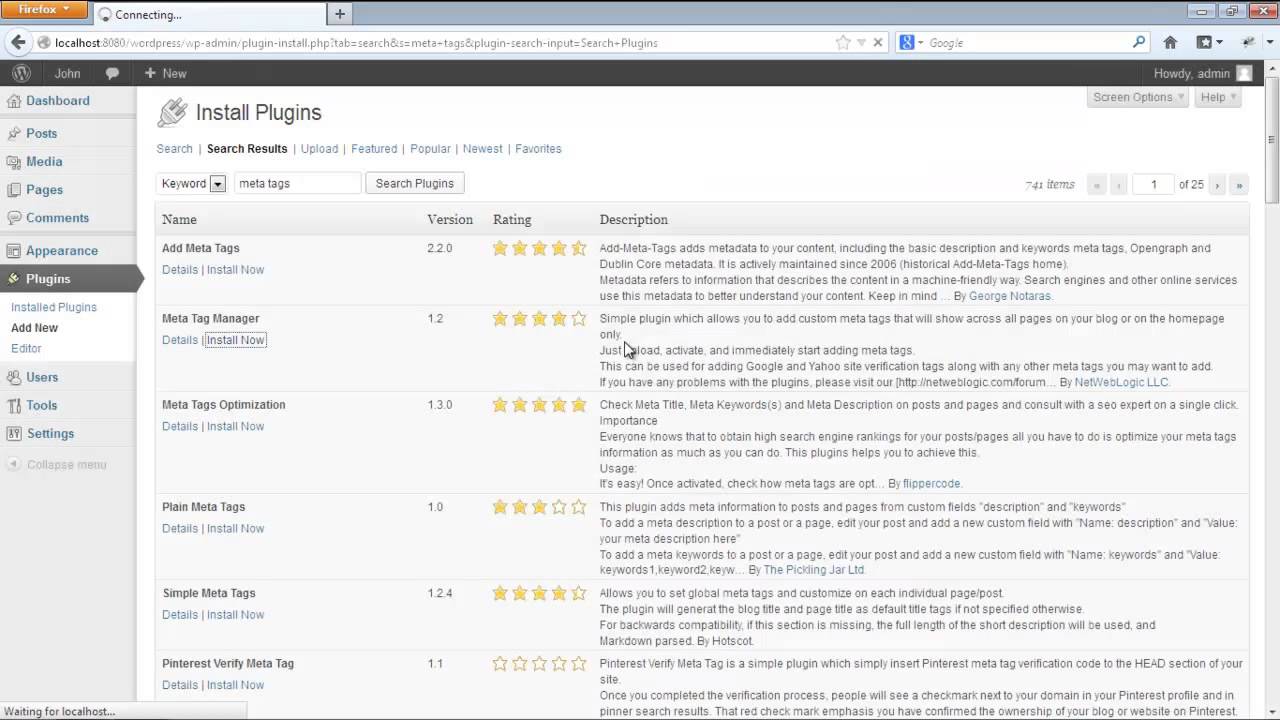
Start by choosing the right theme that supports SEO features. A well-coded theme makes adding and managing meta tags easier. Next, install SEO plugins that simplify the process of adding meta tags. These tools offer user-friendly options and improve your site’s search performance.
Choosing The Right Theme
Select a theme that is lightweight and fast. Speed affects how search engines rank your site. Look for themes with built-in SEO support. These themes often include proper meta tag settings by default. Avoid themes with excessive code that can slow down your site. A clean and simple design helps search engines crawl your pages better.
Installing Seo Plugins
SEO plugins make adding meta tags easy for beginners. Popular plugins let you add titles, descriptions, and keywords without coding. Choose plugins that are updated regularly and have good reviews. These plugins also provide tips to improve your SEO. Install one plugin to avoid conflicts and keep your site running smoothly.
Adding Meta Tags Manually
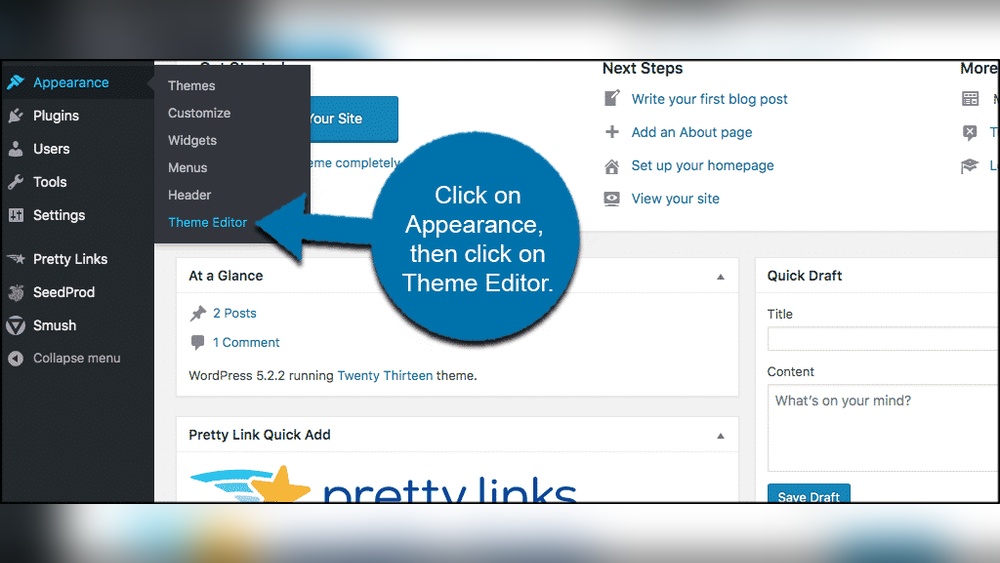
Adding meta tags manually in WordPress gives you full control over your site’s metadata. This helps improve SEO and how your pages appear in search results. You can insert meta tags by editing theme files directly. Two common methods include editing the header.php file and using the functions.php file for custom tags.
Editing Header.php File
The header.php file contains the head section of your WordPress theme. You can add meta tags here to include descriptions, keywords, or author information. Open the file in a code editor through your WordPress dashboard or FTP.
Place your meta tags between the and tags. For example, add:
Save your changes and refresh your website to see the updates. This method is quick but changes may be lost when the theme updates.
Using Functions.php For Custom Tags
The functions.php file allows you to add meta tags without altering the core header file. This keeps your changes safer during theme updates.
Add a custom function that hooks into wp_head. For example:
function add_custom_meta_tags() { echo ''; } add_action('wp_head', 'add_custom_meta_tags'); This code inserts the meta tag within the head section. Edit the content to match your site’s info. Using functions.php offers flexibility and better theme compatibility.
Using Seo Plugins
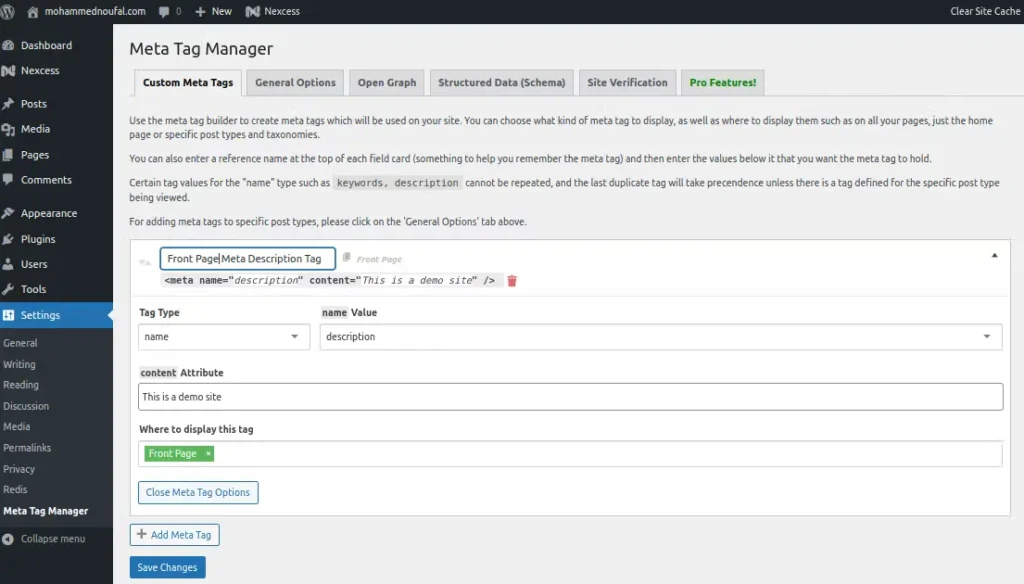
Adding meta tags to your WordPress site is easier with SEO plugins. These tools help you manage meta titles, descriptions, and keywords without coding. Plugins give clear fields to fill in for each page or post. They also show how your meta tags appear in search results. This way, you can improve your site’s visibility and attract more visitors.
Yoast Seo Setup
Yoast SEO is a popular plugin for WordPress. It offers a simple way to add meta tags to every page and post. After installing, go to the post editor. Scroll down to the Yoast section. Enter your focus keyword, meta title, and description. Yoast gives real-time feedback on your SEO quality. It also helps you optimize the readability of your content. The plugin creates XML sitemaps too, which help search engines find your pages.
All In One Seo Pack Features
All in One SEO Pack is another trusted plugin. It lets you set meta titles and descriptions easily. You can control these settings globally or for each post. The plugin supports Google Analytics and social media integration. It automatically generates meta tags based on your content. You can also disable meta tags on specific pages if needed. This plugin is beginner-friendly and requires little setup.
Other Useful Plugins
Several other plugins help with meta tags. Rank Math offers detailed SEO analysis and meta tag controls. SEOPress is lightweight and lets you manage meta titles and descriptions. The Schema plugin adds structured data for better search appearance. These tools provide extra options for more advanced SEO needs. Choose a plugin that fits your skill level and site goals.
Optimizing Meta Tags
Optimizing meta tags is key to improving your WordPress site’s visibility. These tags help search engines understand your content. Good meta tags attract more visitors and increase clicks.
Focus on writing clear and relevant meta titles and descriptions. Use keywords smartly but avoid stuffing. Well-optimized meta tags boost your page ranking and user experience.
Crafting Effective Titles
Create titles that clearly describe your page content. Keep titles under 60 characters to avoid being cut off. Use active words and make them interesting. A strong title grabs attention and improves click rates.
Writing Compelling Descriptions
Write descriptions that summarize your page in 150-160 characters. Use simple language that invites users to read more. Highlight the main benefit or solution your page offers. Descriptions should match the page content closely.
Using Keywords Strategically
Choose keywords that match what users search for. Place keywords naturally in titles and descriptions. Avoid keyword stuffing as it lowers readability and trust. Use related terms to cover more search queries. This helps your page show up for the right searches.
Credit: www.wpzoom.com
Testing And Validating Meta Tags
Testing and validating meta tags is a key step in improving your WordPress site’s SEO. Proper meta tags help search engines understand your content better. They also influence how your site appears in search results. Ensuring your meta tags work correctly can boost your website’s visibility.
Errors in meta tags can cause poor search rankings or incorrect display. Checking them regularly keeps your site healthy and user-friendly. Use tools designed to analyze and verify meta tags for best results.
Using Google Search Console
Google Search Console is a free tool to check your meta tags. It shows how Google reads your site and highlights any issues. Submit your site URL and review the coverage report.
The “Enhancements” section reveals problems with meta descriptions and titles. Fix errors Google finds to improve your site’s search appearance. The tool also tracks your site’s performance over time.
Meta Tag Analyzers
Meta tag analyzers are online tools that scan your web pages. They check if meta tags follow SEO best practices. These tools provide clear feedback on tag length and content.
Simply enter your page URL to get a detailed report. Use the insights to adjust tags for better SEO. Regular checks prevent common mistakes and keep tags up to date.
Common Mistakes To Avoid
Adding meta tags in WordPress can boost your site’s SEO. Avoid common mistakes to get the best results. These errors can harm your ranking or confuse search engines. Fixing them helps your site show up clearly in search results.
Duplicate Meta Tags
Each page needs unique meta tags. Using the same tags on many pages causes confusion. Search engines may not know which page to show. This lowers your site’s ranking. Check your meta titles and descriptions often. Make sure each page has its own tags.
Keyword Stuffing
Do not overload meta tags with keywords. Too many keywords look spammy and hurt your SEO. Write clear and natural meta descriptions. Use keywords wisely and only when they fit. Keep your meta tags readable and helpful for users.
Ignoring Mobile Optimization
Mobile users make up most web traffic now. Meta tags should work well on mobile devices. Avoid long titles or descriptions that get cut off. Test your meta tags on different screen sizes. Mobile-friendly tags improve user experience and SEO ranking.
Credit: www.liquidweb.com
Frequently Asked Questions
What Are Meta Tags In WordPress?
Meta tags are snippets of HTML code that provide information about your webpage to search engines. They help improve SEO by describing content, keywords, and author details. WordPress allows easy addition of meta tags through plugins or theme customization for better site visibility.
How To Add Meta Tags Using WordPress Plugins?
Install SEO plugins like Yoast SEO or All in One SEO. After activation, navigate to the plugin’s settings. Use the provided fields to add meta titles, descriptions, and keywords. Plugins automatically insert meta tags into your WordPress site’s header for improved search rankings.
Can I Add Meta Tags Manually In WordPress?
Yes, you can add meta tags manually by editing your theme’s header.php file. Insert meta tag code between the
tags. However, manual editing requires caution to avoid errors. Using plugins is safer and easier for most users.Why Are Meta Tags Important For WordPress Seo?
Meta tags help search engines understand your webpage content clearly. They improve click-through rates by providing relevant page summaries in search results. Proper meta tags boost your WordPress site’s SEO, driving more organic traffic and improving rankings.
Conclusion
Adding meta tags to your WordPress site helps search engines understand your content. It improves your site’s visibility and attracts more visitors. You can add meta tags easily using plugins or by editing your theme files. Keep your meta tags clear and relevant to your pages.
Regularly update them to match your content changes. This small step can make a big difference in your site’s performance. Start adding meta tags today and watch your WordPress site grow steadily. Simple, effective, and worth the effort.



