
Are you wondering if WordPress supports React? If you want to build a modern, fast website, combining WordPress with React might be just what you need.
But is it really possible? And if so, how can you make the most of these powerful tools together? Keep reading to discover how WordPress and React work hand in hand, and how you can use them to create a stunning website that stands out.
This guide will clear up the confusion and give you practical tips to get started right away.
WordPress And React Compatibility
WordPress and React compatibility opens new doors for website development. These two technologies serve different roles but can work well together. Understanding their compatibility helps developers build dynamic and flexible websites.
WordPress powers millions of websites with ease. React creates fast and interactive user interfaces. Combining them lets you enjoy the best of both worlds.
Core Features Of WordPress
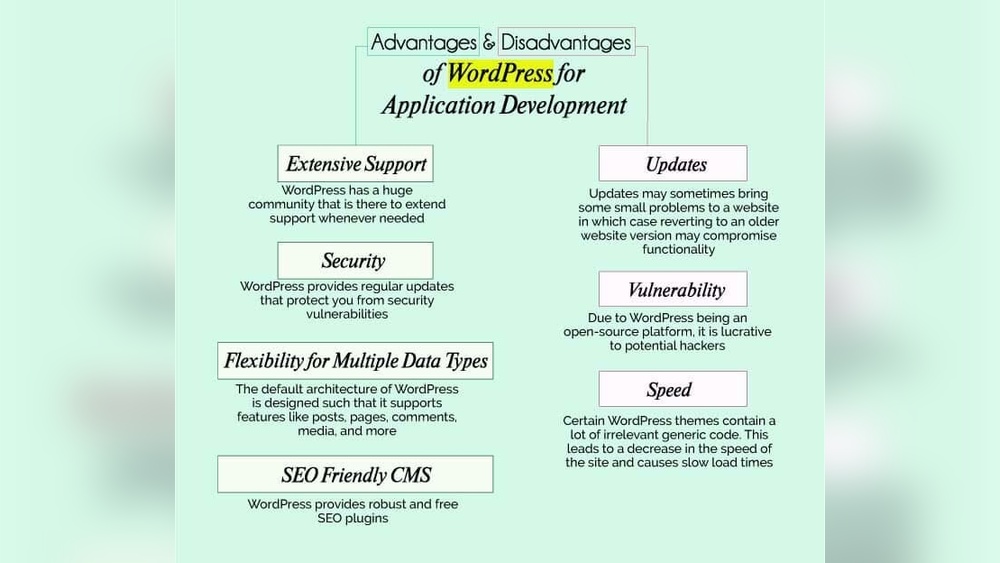
WordPress is a content management system (CMS). It allows users to create and manage websites easily. It supports themes and plugins to extend functionality. WordPress uses PHP and MySQL to run. It offers a user-friendly admin panel for content updates. It works well for blogs, business sites, and online stores.
React Basics
React is a JavaScript library for building interfaces. It focuses on creating reusable UI components. React updates the page quickly without full reloads. It uses a virtual DOM to improve performance. Developers write React code using JSX, a simple syntax. React works on the client side, enhancing user experience.
How They Work Together
React can be added to WordPress to improve the front end. You can build React apps inside WordPress themes or plugins. WordPress provides data through REST API endpoints. React fetches this data and displays it smoothly. This setup allows dynamic content without refreshing the whole page. Developers create modern interfaces while keeping WordPress as the backend.

Credit: kinsta.com
Methods To Integrate React With WordPress
Integrating React with WordPress opens new possibilities for creating dynamic websites. React brings a modern, fast user interface. WordPress offers a powerful content management system. Together, they create flexible and engaging web experiences.
This section explains three common methods to combine React with WordPress. Each method fits different needs and skill levels. Understanding these options helps choose the best approach for your project.
Using Rest Api
The WordPress REST API lets React fetch data easily. React can request posts, pages, and custom content from WordPress. This method keeps WordPress as the backend system. React handles the frontend display dynamically. It offers flexibility without changing WordPress core.
Headless WordPress Approach
Headless WordPress means using WordPress only for content management. React runs separately to build the frontend. This method requires more setup but allows full control over design. Developers use WordPress to create and manage content. React fetches and shows that content independently. It suits sites needing custom interfaces and fast performance.
Embedding React Components
You can embed React components inside WordPress themes or plugins. This method mixes React with traditional WordPress PHP templates. It is easier for small interactive parts, like forms or sliders. React components add dynamic features without rebuilding the whole site. It works well for gradual React integration.
Benefits Of Using React In WordPress
Using React in WordPress brings many benefits for developers and users. It helps build modern websites with smooth interactions. React allows WordPress to handle complex tasks easily. This improves how visitors experience the site. React also makes the site faster and more flexible.
Improved User Experience
React creates dynamic and interactive web pages. Users can see changes without waiting for full page reloads. This makes browsing quick and smooth. It also supports real-time updates, which keeps content fresh. Visitors enjoy easier navigation and faster responses.
Faster Frontend Performance
React uses a virtual DOM to speed up rendering. It updates only parts of the page that change. This reduces load times and saves bandwidth. Faster sites keep users engaged and reduce bounce rates. React’s efficiency helps WordPress sites run well on all devices.
Enhanced Customization Options
React offers flexible components for building unique layouts. Developers can create reusable blocks tailored to specific needs. This leads to more personalized websites. WordPress users get better control over design and features. React makes adding complex functions easier without slowing down the site.
Credit: github.com
Challenges And Limitations
Using React with WordPress can bring some challenges. It is not always easy to combine these two technologies. Understanding these limits helps you plan better and avoid common problems.
Complexity In Setup
Setting up React inside WordPress is not simple. You need to configure build tools like Webpack or Babel. This setup can be hard for beginners. Also, integrating React components with WordPress themes or plugins adds more work. The process requires coding skills and time to debug errors.
Seo Considerations
React apps often load content dynamically. Search engines may not see all content right away. This can hurt your site’s SEO rankings. WordPress is known for good SEO, but React needs extra steps. Server-side rendering or prerendering is needed to improve SEO. This adds complexity to the project.
Maintenance And Updates
Maintaining a WordPress site with React requires effort. Both WordPress and React update frequently. Updates may cause conflicts or break features. You must test the site often after updates. Keeping dependencies up to date is important too. This ongoing work needs attention to keep the site stable.
Popular Tools And Plugins For Integration
Integrating React with WordPress is easier with the right tools and plugins. These tools help connect WordPress content with React apps. They simplify development and improve performance.
Here are some popular tools that help React work smoothly with WordPress.
Wp Rest Api Plugins
The WP REST API allows WordPress to share data with React apps. It sends JSON data from WordPress to React components. Some plugins enhance this API. They add custom endpoints and improve security. Popular plugins include WPGraphQL and JWT Authentication. These plugins help React fetch content easily.
React Starter Themes
Starter themes provide a base for building React with WordPress. They include pre-built code and structure. Themes like Sage and Frontity are common choices. They save time and ensure compatibility. These themes help developers start React projects faster.
Build Tools And Frameworks
Build tools like Webpack and Babel improve React development. They bundle and convert code for browsers. Frameworks like Next.js add features like server-side rendering. These tools make React apps faster and SEO-friendly. Combining them with WordPress creates powerful websites.
Real-world Use Cases
React and WordPress combine well for many real-world projects. This mix brings dynamic features to traditional websites. React adds interactivity, while WordPress manages content easily.
Many developers use React with WordPress across various industries. This section shows practical examples of their use.
E-commerce Sites
React helps create fast, smooth shopping experiences. It updates product details without page reloads. WordPress manages products, orders, and payments securely. Together, they build reliable online stores.
Blogs And Content Platforms
React improves how readers see and interact with content. It loads posts quickly and supports live updates. WordPress keeps content organized and easy to edit. This combo makes blogs more engaging and user-friendly.
Interactive Web Applications
React builds complex interfaces for quizzes, forms, and dashboards. WordPress provides backend content and user management. This pairing allows rich, interactive apps with simple content control.
Best Practices For Seamless Integration
Integrating React with WordPress can enhance your site’s interactivity and user experience. Best practices help avoid common problems and ensure smooth operation. Follow simple steps to keep your React and WordPress setup efficient and secure.
Optimizing Api Calls
Reduce the number of API requests to improve speed. Use caching to store data and avoid repeated calls. Fetch only the data you need to lower load times. Batch requests together to minimize server hits. Monitor API response times to spot issues early.
State Management Strategies
Choose a clear method to handle React state across components. Use tools like Redux or Context API for complex apps. Keep state local when possible to reduce overhead. Sync state with WordPress data carefully to avoid conflicts. Clean up unused state to improve performance.
Security Measures
Protect your API endpoints with authentication. Sanitize all data coming from React before saving to WordPress. Use HTTPS to encrypt data between client and server. Avoid exposing sensitive information in your React code. Regularly update plugins and libraries to fix vulnerabilities.

Credit: themeforest.net
Frequently Asked Questions
Does WordPress Support React Integration?
Yes, WordPress supports React integration. Developers can use React to build interactive front-end components within WordPress themes or plugins. This enables dynamic user experiences while leveraging WordPress’s robust content management system.
Can I Use React For WordPress Theme Development?
Absolutely, React can be used for WordPress theme development. React-based themes offer faster, modern interfaces and improve user engagement by creating smooth, dynamic web pages.
How Does WordPress Rest Api Work With React?
The WordPress REST API provides data endpoints that React apps can consume. This allows React to fetch, display, and update WordPress content dynamically in a decoupled architecture.
Is React Better Than Php For WordPress?
React complements PHP in WordPress development. PHP handles backend logic, while React enhances front-end interactivity. Together, they create powerful, responsive websites.
Conclusion
WordPress supports React in many useful ways. You can build custom blocks and themes using React. It helps create faster and more interactive websites. React works well with WordPress’s REST API for dynamic content. This combination suits developers who want flexibility and control.
Learning to use both can improve your web projects. WordPress and React together offer strong tools for modern sites. It’s a practical choice for many website creators.



