
Are you wondering if you can manage more than one website using WordPress? Maybe you want a blog for your personal life and another site for your business.
Or perhaps you’re thinking about creating multiple sites without the hassle of juggling different platforms. The good news is, WordPress offers solutions that let you do just that. But how exactly does it work, and what should you know before setting up multiple sites?
Keep reading, because understanding this can save you time, money, and a lot of frustration. Your journey to mastering WordPress starts here.
Credit: managewp.com
Multiple Sites On One WordPress Account
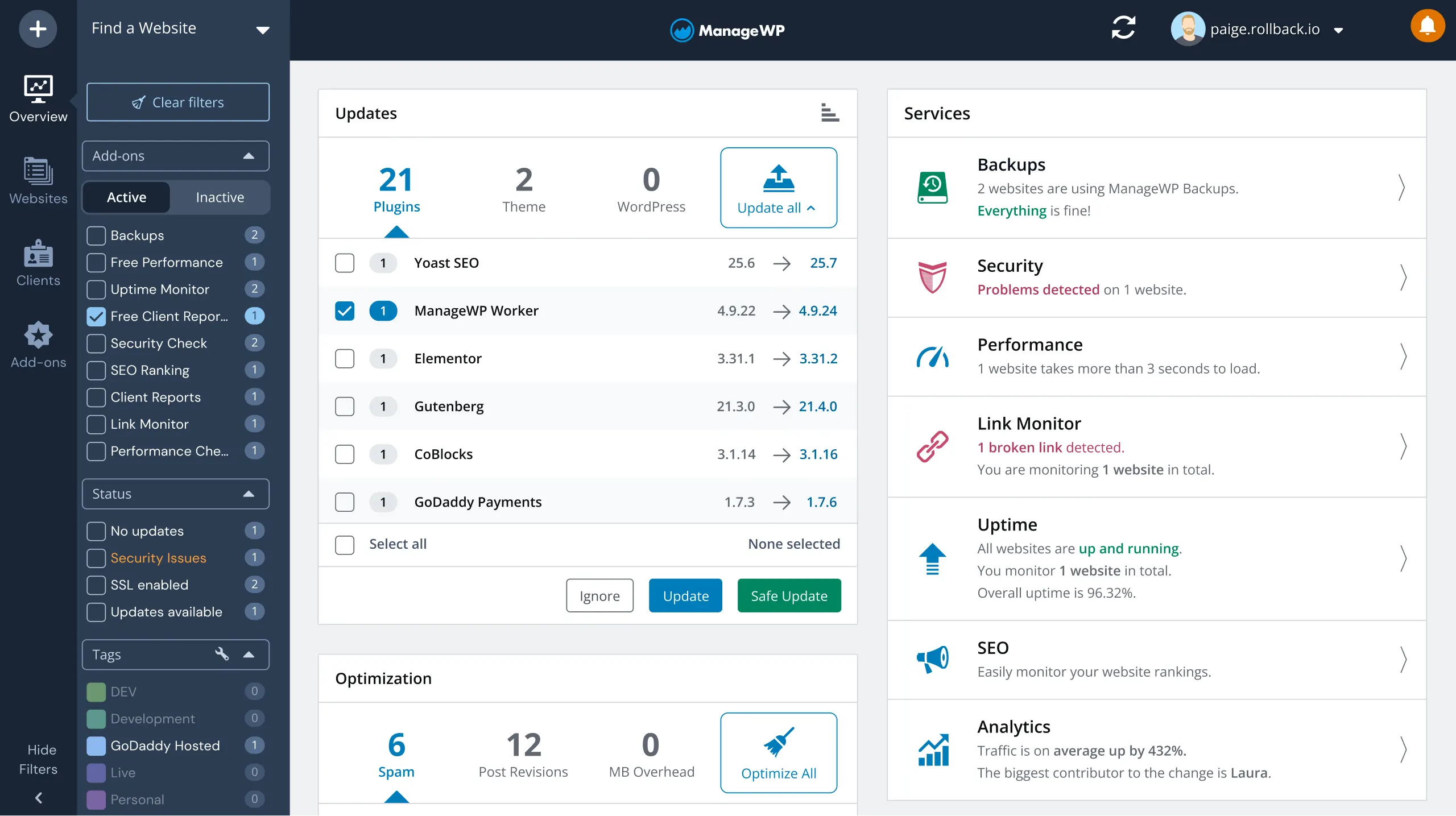
Managing multiple websites on one WordPress account is possible and practical. It saves time and effort by controlling several sites from a single dashboard. This setup suits businesses, bloggers, and developers who need to handle more than one website easily.
WordPress Multisite Feature
WordPress has a built-in feature called Multisite. It allows users to create and run many websites under one WordPress installation. Each site can have its own content, themes, and plugins. Users access all sites with one login, making management simpler.
Benefits Of Using Multisite
Multisite saves hosting space by sharing resources across websites. Updates and backups apply to all sites at once. This feature helps keep sites consistent and secure. It also reduces the need to manage multiple accounts. Users can add new sites quickly without extra installation steps.
Limitations To Consider
Multisite requires more technical knowledge to set up correctly. Some plugins and themes may not work well with Multisite. If one site has a problem, it might affect all sites. It can be harder to move a single site out of the network. Hosting providers may have specific rules for Multisite networks.
Setting Up WordPress Multisite
Setting up WordPress Multisite allows you to manage multiple websites from one WordPress installation. This feature saves time and effort by handling all your sites in one place. It works well for businesses, schools, or anyone managing several sites.
Multisite lets you create new sites quickly. You can share themes and plugins across sites. Each site can have its own users and settings. This setup is flexible and powerful for managing many websites.
Prerequisites For Multisite Installation
Start with a fresh WordPress installation or backup your current site. You need access to your website files and the ability to edit them. Make sure your hosting supports Multisite features. Check that your WordPress version is up to date. Multisite works best with a clean setup.
Step-by-step Activation
Open your wp-config.php file using a file manager or FTP. Add the line define('WP_ALLOW_MULTISITE', true); before the line that says / That's all, stop editing! Happy blogging. /. Save and upload the file back to your server. Log in to your WordPress dashboard. Go to Tools and click on Network Setup. Choose subdomains or subdirectories for your sites. Follow the on-screen instructions carefully to complete activation.
Configuring Network Settings
After activation, you will see a new Network Admin dashboard. Configure your network title and admin email. Set up user registration options if needed. Install themes and plugins for the entire network. Manage sites and users from the Network Admin menu. Keep your network secure by updating WordPress regularly.
Managing Multiple Websites
Managing multiple websites on WordPress can seem tricky at first. It requires good organization and clear control. WordPress offers tools that make it easier to handle many sites from one place. This saves time and effort.
You can add new sites, control who can do what, and manage themes and plugins smoothly. Each part works together to keep your network running well. Let’s explore how to manage multiple websites effectively.
Adding New Sites To The Network
Start by creating a WordPress multisite network. This lets you run many sites under one WordPress installation. Adding new sites is simple. Use the network admin dashboard to add each site quickly. Each site gets its own address and settings. This keeps sites separate but easy to access.
User Roles And Permissions
Assign clear roles to users on each site. Roles control what users can do. For example, admins manage the whole site, editors handle content, and subscribers read content. Set permissions carefully to protect your sites. This stops unwanted changes and keeps your network safe.
Plugin And Theme Management
Manage plugins and themes from the network dashboard. Install plugins once and activate them on sites as needed. This saves space and keeps updates simple. Choose themes that fit your brand and allow customization. Keep plugins and themes updated to ensure security and speed.
Alternatives To Multisite
Managing more than one website on WordPress requires careful attention to performance and security. Each site can affect the others if not handled well. Keeping your sites fast and safe is key to success.
Follow these tips to maintain smooth running and protect your multiple WordPress sites.
Optimizing Site Speed
Fast websites keep visitors happy. Use caching plugins to reduce load times. Compress images before uploading. Choose a reliable hosting service. Limit the number of active plugins. Update themes and plugins regularly. A speedy site improves user experience and SEO rankings.
Securing Multiple Sites
Security is vital for every WordPress site. Use strong, unique passwords for each site. Enable two-factor authentication for better protection. Keep WordPress core, themes, and plugins updated. Install security plugins to monitor threats. Limit login attempts to block hackers. Secure your websites to prevent data loss and attacks.
Backup Strategies
Backups save your websites from unexpected problems. Set up automatic backups for all sites. Store backups in multiple locations, like cloud and local drives. Test backups regularly to ensure they work. Use reliable backup plugins designed for WordPress. Backing up helps you restore sites quickly after issues.
Performance And Security Tips
Managing multiple WordPress websites can bring several challenges. Knowing common problems helps you avoid headaches and saves time. Solutions exist for most issues, making your experience smoother.
This section covers typical challenges and easy fixes for multisite WordPress setups.
Troubleshooting Multisite Issues
Multisite setups can face problems with site creation and domain mapping. Check your server settings first. Incorrect permissions or missing modules often cause errors. Clear your browser cache and cookies to avoid display issues.
Use debug mode in WordPress to find errors quickly. Regular backups keep your data safe during troubleshooting.
Handling Plugin Conflicts
Plugins may clash on multisite networks. Some plugins do not support multisite well. Activate plugins one at a time to spot conflicts. Choose plugins tested for multisite compatibility.
Keep plugins updated to fix bugs. Use network-activated plugins carefully to avoid breaking sites.
Scaling Your Network
As your network grows, performance can drop. Upgrade your hosting plan to handle more traffic. Use caching plugins to speed up your sites.
Monitor site speed and server load regularly. Remove unused themes and plugins to free resources. Optimize images and database for better performance.

Credit: themeforest.net

Credit: www.youtube.com
Frequently Asked Questions
Can I Manage Multiple Websites With One WordPress Account?
Yes, you can manage multiple websites using WordPress Multisite. It allows you to run several sites under one installation efficiently and saves time.
Is It Free To Have More Than One WordPress Website?
WordPress software is free to use for multiple sites. However, hosting costs may increase depending on the number of websites you run.
Do I Need Separate Hosting For Each WordPress Site?
You don’t need separate hosting if you use WordPress Multisite. A single hosting plan can support multiple websites but check your host’s limits.
Can I Use Different Themes For Multiple WordPress Sites?
Yes, WordPress Multisite lets you activate different themes for each website. This keeps each site unique and tailored to its purpose.
Conclusion
WordPress lets you manage more than one website easily. You can use WordPress Multisite or separate installations. Each method has its own benefits and limits. Choose what fits your needs best. Managing multiple sites saves time and effort. Keep your sites updated and secure for best results.
Start small, learn as you go. Multiple websites can help grow your online presence. Simple steps make complex tasks easier. You have the tools; now take control.



