
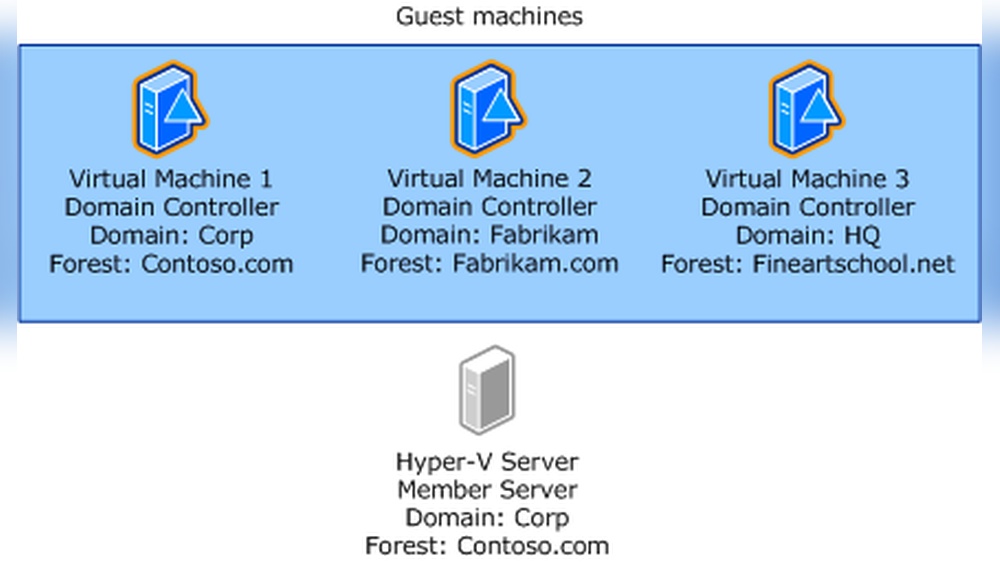
Are you setting up a Hyper-V host and wondering if it should join your domain? This decision might seem simple, but it can have a big impact on your network’s security, management, and overall performance.
Whether you’re managing a small setup or a large virtual environment, knowing the pros and cons will help you avoid costly mistakes. Keep reading to discover exactly when and why your Hyper-V host should—or shouldn’t—join your domain. This insight will save you time and headaches down the road.
Hyper-v Host Domain Join Basics
Understanding the basics of Hyper-V host domain join helps manage virtual environments better. It affects security, access control, and ease of management. Knowing how Hyper-V hosts connect to domains guides setup decisions.
This section explains the core ideas behind domain join and Hyper-V host connections. Clear concepts make it easier to decide if your Hyper-V host should join a domain.
What Is A Domain Join
A domain join connects a computer to a network domain. This domain is controlled by a central server called a domain controller. Joining a domain lets the computer use shared resources securely. It also allows centralized user management and policy control. A domain join helps simplify network administration.
How Hyper-v Hosts Connect
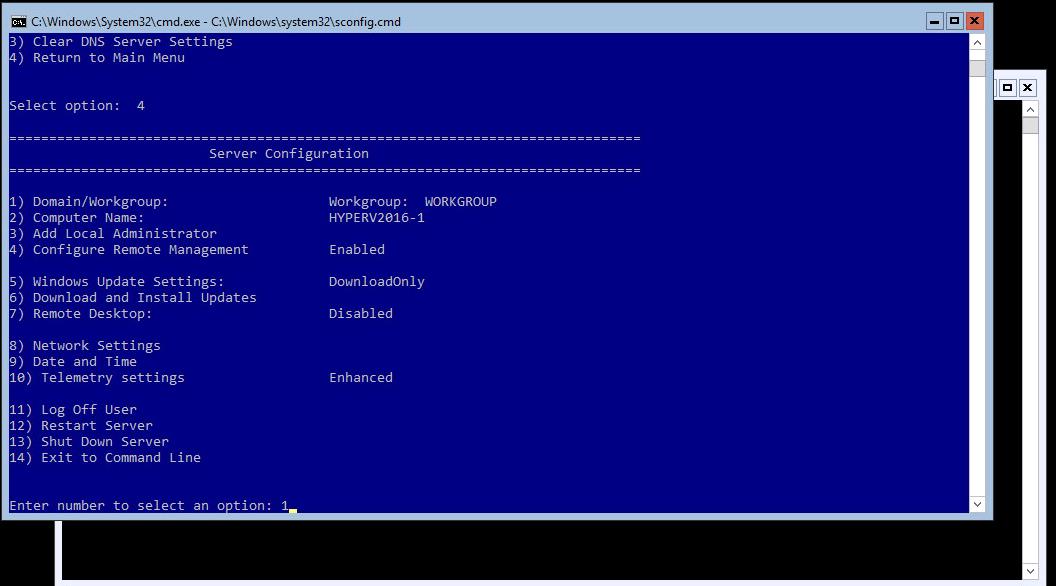
Hyper-V hosts can connect to domains or workgroups. Joining a domain allows hosts to use Active Directory for user authentication. This improves security and access control. Hosts in a domain can be managed with group policies. Workgroup hosts operate independently, with local user accounts only. The choice affects how virtual machines are managed and secured.
Security Improvements
Joining a Hyper-V host to a domain brings strong security benefits. It helps protect your virtual environment and controls who can access the host and its resources.
These security improvements make managing large setups easier and safer. Below are key ways domain joining strengthens Hyper-V host security.
Centralized Authentication
Domain joining lets Hyper-V hosts use centralized authentication. User accounts and passwords are stored in one place, the Active Directory.
This reduces the risk of weak or reused passwords. It also simplifies user management across many hosts.
Administrators can enforce strong password policies and multi-factor authentication easily. This ensures only trusted users access the Hyper-V host.
Enhanced Access Controls
With the host in a domain, access controls become more precise and flexible. You can assign permissions based on user roles and groups.
This limits who can manage virtual machines or change host settings. It reduces chances of unauthorized changes or accidental errors.
Audit logs track user actions, helping spot suspicious behavior quickly. This adds an extra layer of security and accountability.
Management Advantages
Joining a Hyper-V host to a domain offers clear management advantages. It makes the control of servers and virtual machines easier for IT teams. This setup helps keep the environment organized and secure. Tasks that once took time become quicker and less complex.
Simplified Administration
Domain joining lets administrators manage many hosts from one place. It reduces the need to access each server separately. You can use tools like Active Directory to manage users and permissions easily. This helps keep control consistent across all Hyper-V hosts. Routine tasks like updates and monitoring become more efficient. It saves time and reduces errors during management.
Group Policy Application
Group Policy settings apply automatically to domain-joined Hyper-V hosts. This ensures security rules and configurations stay uniform. Policies can control user access, firewall settings, and software installation. It prevents unauthorized changes that could disrupt virtual machines. Applying policies from the domain reduces manual work. This keeps the system stable and compliant with company standards.
Resource Sharing Benefits
Joining a Hyper-V host to a domain offers several benefits in resource sharing. It helps manage resources efficiently. It also allows smoother communication between the host and other systems. This section explains key resource sharing advantages.
Network Resource Access
A domain join allows the Hyper-V host to access network resources easily. It can use domain credentials to connect to printers, file shares, and other devices. This access is secure and controlled by domain policies. Administrators can set permissions to limit or allow access. This setup reduces manual configuration and errors. Network resource access improves productivity and reduces downtime.
Shared Storage Integration
Shared storage is crucial for virtual environments. When a Hyper-V host joins a domain, it can connect to shared storage solutions like SAN or NAS. Domain membership simplifies authentication to storage systems. It also enables better management of storage resources across multiple hosts. Shared storage allows live migration of virtual machines without interruption. This leads to higher availability and efficient resource use.
Performance And Reliability
Performance and reliability are critical for any Hyper-V host. A stable and fast host ensures virtual machines run smoothly. Joining a domain can improve both aspects by enabling better management and security controls. It helps maintain system health and reduces downtime.
Improved Failover Support
Failover is vital to keep services running during hardware or software failures. A domain-joined Hyper-V host can use Active Directory features to better coordinate failover processes. This leads to quicker recovery and less disruption for virtual machines. It also allows centralized control of failover clusters.
Consistent Updates And Patches
Keeping Hyper-V hosts updated is essential for security and performance. Domain membership allows automatic deployment of updates through group policies. This ensures all hosts receive patches on time without manual intervention. Regular updates reduce bugs and improve system reliability over time.
Credit: www.vmwarearena.com
Potential Challenges
Choosing to join a Hyper-V host to a domain brings certain challenges. These issues can affect performance and management. Understanding these challenges helps in making the right decision.
Domain Dependency Risks
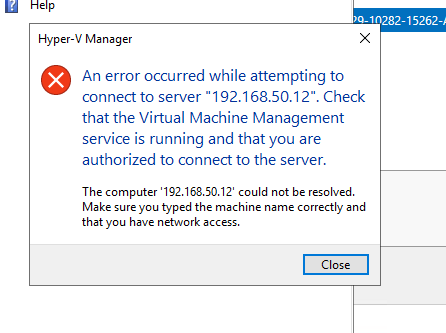
Joining a Hyper-V host to a domain creates a strong link to the domain controller. If the domain controller is down, the host may face login problems. This can delay virtual machine operations. Network issues can also block domain communication. This makes troubleshooting more complex. Security depends heavily on domain policies. A misconfigured policy might restrict access or cause failures. Backup and recovery processes may need domain access too. This dependency can limit standalone operations.
Complexity In Setup
Setting up a Hyper-V host in a domain requires careful planning. You must configure Active Directory and Group Policies correctly. Mistakes can lead to permission errors or security gaps. Managing certificates and trust relationships adds extra steps. Domain setup demands more time compared to workgroup mode. Administrators must have knowledge of domain environments. This setup can be confusing for small teams. Automation and scripting may help but add complexity. Keeping the host updated with domain changes is necessary.
Best Practices For Domain Joining
Joining a Hyper-V host to a domain improves management and security. It allows centralized control over the host and virtual machines. Following best practices ensures smooth domain joining and avoids common problems. Planning before and after joining is essential for a stable environment.
Pre-join Checklist
Check the Hyper-V host’s network settings. Confirm it has a static IP address. Ensure the DNS server points to the domain controller. Verify the host’s name follows your naming rules. Confirm the domain controller is reachable. Check time synchronization between host and domain controller. Backup current configurations before joining. Review user permissions for domain join rights.
Post-join Configuration Tips
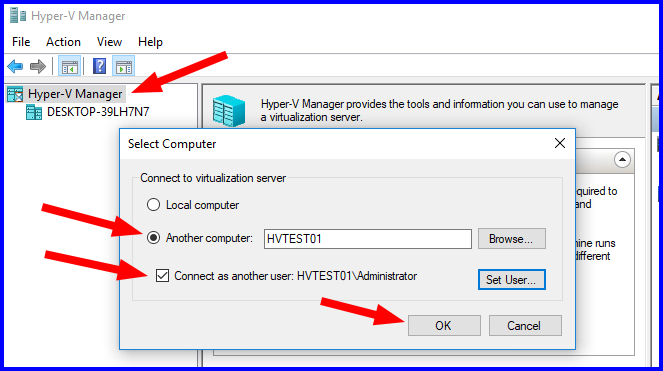
Restart the Hyper-V host after joining the domain. Verify the host appears in the domain’s computer list. Update Group Policy settings if needed. Confirm that domain users can access the host. Test remote management tools like Hyper-V Manager. Monitor security settings and event logs regularly. Keep the host’s system and drivers updated.
Credit: timothygruber.com
Credit: learn.microsoft.com
Frequently Asked Questions
Should A Hyper-v Host Join A Domain?
Joining a Hyper-V host to a domain improves centralized management. It allows easier access control and Group Policy application. Domain membership enhances security and simplifies resource sharing across the network.
What Are The Benefits Of Domain Joining Hyper-v Hosts?
Domain joining enables centralized authentication and policy enforcement. It simplifies user access management and enhances security. It also supports features like live migration and clustered storage for virtual machines.
Can Hyper-v Hosts Operate Without Joining A Domain?
Yes, Hyper-V hosts can run in workgroup mode. However, management and security features are limited. Domain joining is recommended for better control and advanced functionality in production environments.
How Does Domain Joining Affect Hyper-v Security?
Joining a domain strengthens security through Active Directory policies. It enables centralized user authentication and access control. This reduces unauthorized access risks and improves compliance with organizational policies.
Conclusion
Joining a Hyper-V host to a domain has clear benefits for management and security. It makes controlling multiple hosts easier and improves access control. Yet, it adds some complexity and requires careful planning. Think about your network size and needs before deciding.
Small setups may not need domain joining, while larger ones often do. Choose what fits your environment best. Keep your systems safe and simple to manage. This choice impacts your virtualization success.


