
Are you venturing into the world of WordPress and feeling puzzled by the term “directory”? You’re not alone.
Understanding the concept of a directory is crucial for a smooth WordPress installation and effective management of your website. Imagine trying to organize your favorite music collection without knowing where each song is stored. Similarly, knowing what a directory is can help you navigate and organize your WordPress files effortlessly.
In this blog post, we’ll break down the concept of a directory in the simplest terms, demystifying this essential component of your WordPress setup. By the end, you’ll have a clear grasp of how directories work and why they’re vital for your site. Ready to unlock the secrets of your WordPress directory? Let’s dive in!
Credit: wcanvas.com
WordPress Installation Basics
To start with WordPress, a few things are essential. First, a domain name is needed. This is your website’s address. Next, a reliable hosting provider is crucial. Hosting stores your website files and makes them accessible online. Also, ensure you have a stable internet connection. Without it, installation can be challenging. Lastly, a computer with a web browser is necessary. Browsers help in accessing your WordPress site.
Picking a hosting provider is important. Reputation matters. Check reviews before deciding. Cost is another factor. Some are cheap, others are pricey. Consider your budget. Features offered should meet your needs. Check for customer support. Good support can save time. Security is vital. Ensure they offer security features. Speed affects your site performance. Faster sites keep visitors happy.
Understanding Directories
A directory is like a folder on your computer. It holds files and other directories. In computers, directories help us organize data. They keep everything neat and easy to find. Without directories, files would be messy. We might lose important data.
Directories are very important in WordPress. They keep the website files in order. Every WordPress site has a main directory. This main directory holds everything needed for the site. Plugins, themes, and uploads all live here. A well-organized directory helps the site run smoothly. It also makes updates easier. Always check your directories. They are the backbone of your site.
Directory Structure In WordPress
WordPress has important files. These are called core files. They help WordPress run. Some names are wp-config.php and wp-settings.php. These files should not be changed. They are vital for WordPress.
Themes make your site look nice. They are stored in the wp-content/themes folder. Plugins add extra features. You find them in the wp-content/plugins folder. Both make WordPress better. You can add or remove them easily.
All your pictures and files go in the uploads folder. This folder is also inside wp-content. It keeps everything organized. When you add media, it saves here. It’s like a special box for your stuff.

Credit: verpex.com
Setting Up WordPress Directories
A directory is like a folder on your computer. It holds files and data. To create a directory, first open your web server. Look for the right section. Click on “New Directory.” Name your directory wisely. Choose a simple name. Make sure it reflects your website. Now, your directory is ready. You can add files inside.
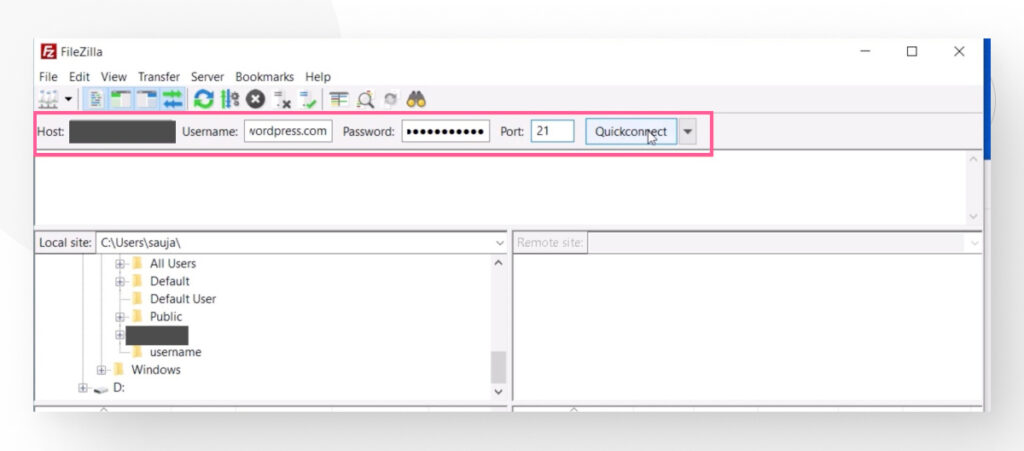
Start by downloading WordPress. Save it to your computer. Next, open your new directory. Use an FTP client to upload files. Select all WordPress files. Drag them to your directory. Wait for the upload to finish. Check if all files are there. You are ready for the next step.
Common Directory Issues
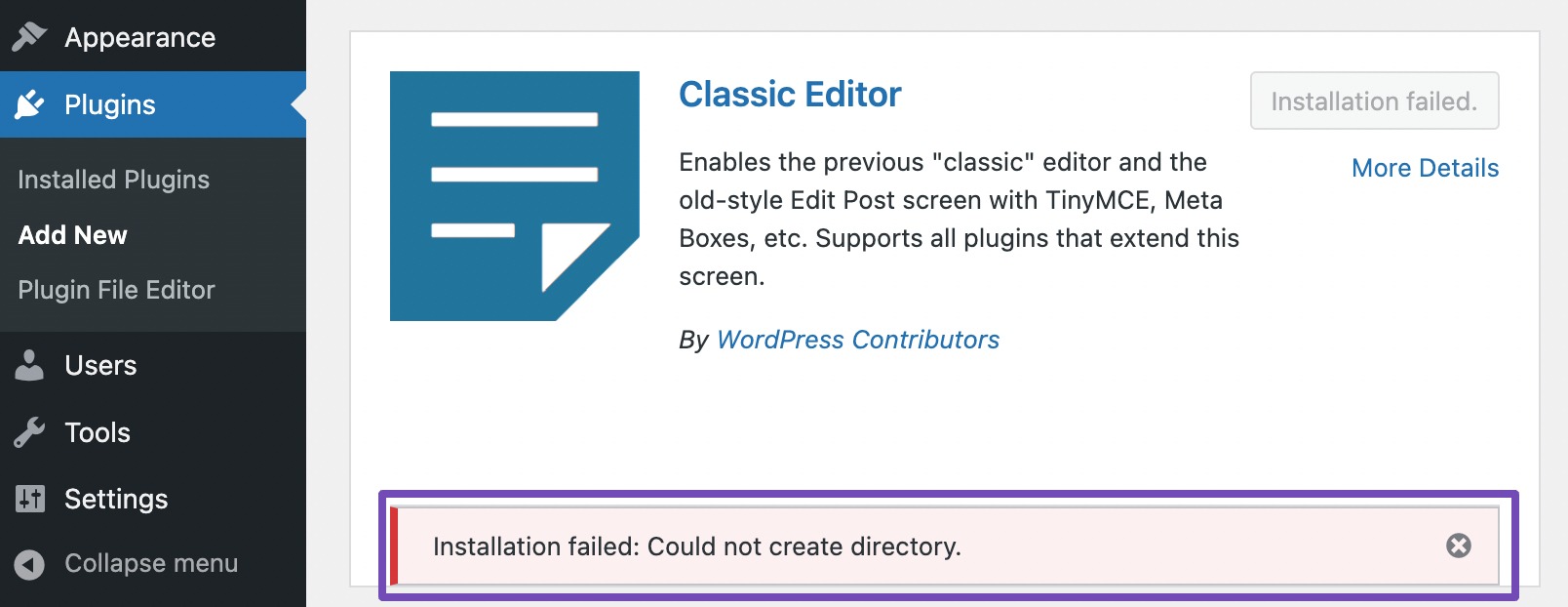
Many face issues with directories during WordPress installation. Directories are folders on your server holding files. Incorrect directory settings can lead to access problems and broken links, disrupting your site. Proper configuration ensures your WordPress runs smoothly, avoiding common errors and ensuring easy access.
File Permissions
File permissions control who can view or change files. Incorrect permissions can cause problems. WordPress needs certain permissions to work well. Files should have permission 644. This means the owner can read and write. Others can only read. Directories should have permission 755. The owner can read, write, and execute. Others can read and execute.
Changing permissions is easy. Use a file manager or FTP client. Right-click on the file or folder. Select “permissions” or “properties.” Enter the correct numbers. Save the changes.
Troubleshooting Errors
Errors can stop WordPress from working. Check your file permissions first. Wrong permissions can cause “permission denied” errors. Fixing permissions might solve the problem. If not, check the error logs. They show what went wrong. Contact your hosting provider if errors continue. They can help find the issue.
Security Best Practices For Directories
Ensuring security in WordPress directories is crucial. A directory organizes files and data in your WordPress installation. Implement strong passwords, regular updates, and backups to protect sensitive information.
Protecting Sensitive Files
Keep sensitive files safe. Use strong passwords. File permissions matter. Always set them correctly. Limit access to critical files. Only trusted users can view them. Encrypt sensitive data. Encryption is key to security. Never share passwords in plain text. Use secure channels.
Regular Backups
Backups protect data. Data loss can happen anytime. Regular backups are essential. Store backups in safe places. Use cloud storage for security. Always test your backups. Make sure they work. Restore files easily when needed. Automated backups save time. Set schedules for backups.
Credit: rankmath.com
Frequently Asked Questions
What Is A Directory In WordPress?
A directory in WordPress is a folder on your web server. It stores files and data necessary for your website. Each directory contains specific files, such as themes, plugins, or media. Proper organization of these directories is crucial for efficient site management and performance.
How Do I Access WordPress Directories?
You can access WordPress directories via FTP or your hosting provider’s file manager. FTP clients like FileZilla help you navigate directories on your server. Alternatively, use cPanel or similar tools provided by your host. Ensure you have the required permissions for access.
Why Is Directory Structure Important?
Directory structure affects website performance and organization. A well-organized structure ensures easy navigation and efficient file management. It helps in troubleshooting and maintaining your site. Proper directory organization also enhances security by limiting unauthorized access to sensitive files.
Can I Customize WordPress Directory Paths?
Yes, you can customize WordPress directory paths for better organization. Modifying wp-config. php allows changes to default paths. Be cautious while editing, as incorrect paths can cause site issues. Always back up your site before making changes to directory structures.
Conclusion
Understanding directories is key for a smooth WordPress installation. They organize files, making your site run efficiently. Proper setup ensures your site is secure and fast. Remember to choose the right directory for your needs. This will help avoid future issues.
With practice, directory management becomes easier. Explore and learn as you go. WordPress can be powerful when directories are correctly set. Keep your site organized for a better user experience. Happy blogging!


