
Are you feeling uneasy about the security of your WordPress site? You’re not alone.
Every day, countless websites face threats from hackers, malware, and other online dangers. But here’s the good news: you have the power to protect your site. By choosing the right security plugins, you can shield your WordPress site from these threats and ensure peace of mind.
We’ll reveal the essential security plugins that every WordPress site should have. You’ll discover how these tools can keep your data safe and your site running smoothly. Stay with us, and you’ll soon feel confident that your website is in safe hands.
Importance Of Security Plugins
Security plugins protect your website from hackers. They keep your data safe from viruses and malware. Without these plugins, your site is at risk. Hackers can steal information easily. A strong plugin acts like a guard. It watches over your site day and night. It alerts you if something is wrong. This keeps your site secure and trustworthy.
Some plugins offer firewalls and backup options. They help restore your site if it crashes. Others scan for vulnerabilities. They fix weak spots in your site. This makes your site stronger. Visitors feel safe when using your site. Trust grows, and your site becomes popular.
Top Security Plugins For WordPress
WordPress security is very important. Good plugins protect your site. Firewalls are key. They block bad traffic. Malware scanning helps find viruses. Login protection stops hackers. Choose plugins with regular updates. This keeps them strong. Backup features are useful too. If something goes wrong, you can fix it.
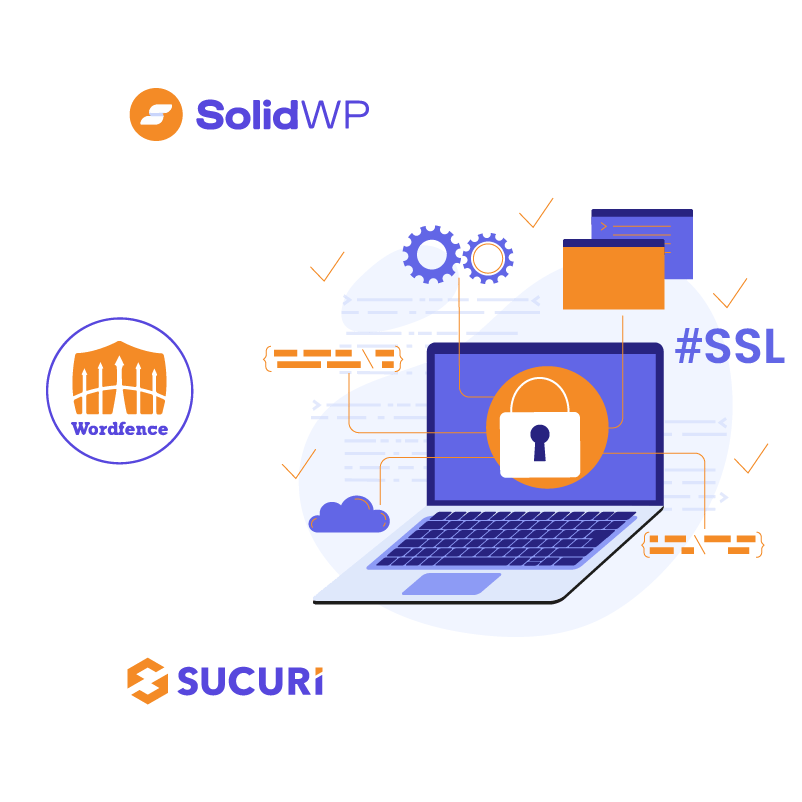
Some plugins are well-known. Wordfence is very popular. It has many features. Sucuri offers great protection too. It works well for many sites. iThemes Security is another choice. It is easy to use. All in One WP Security is a good option. It covers many areas. Each plugin has special tools. Pick the one that fits your needs.
Protecting Against Malware
Real-time scanning helps find malware fast. It checks files and detects threats. This keeps your site safe. Security plugins offer this feature. They scan for malicious codes. They alert you quickly. You can stop attacks. Instant protection is crucial. It helps avoid damage. Many plugins provide this feature. It’s a must-have for websites.
Automatic removal deletes threats quickly. It works after scanning. Plugins remove malware immediately. This keeps your site clean. You don’t need to worry. Less stress for website owners. It saves time. Your site stays healthy. This feature is vital. It protects your site constantly.
Credit: thewhitelabelagency.com
Preventing Brute Force Attacks
Strong passwords help keep your site safe. Use a mix of letters, numbers, and symbols. Change your password often. Never use the same password for different sites. Two-factor authentication adds another layer of safety. It needs a code from your phone. This keeps hackers out.
Set a limit on login tries. This stops hackers after a few wrong passwords. Use plugins to block IPs that try too much. Lock accounts after many tries. This makes it hard for hackers to guess your password.
Enhancing Firewall Protection
Protect your WordPress site with firewall plugins. These plugins block harmful traffic. They keep out hackers and unwanted bots. They make your site safer. A strong firewall is like a shield. It stops bad things from getting in. This keeps your website healthy and secure.
Firewall plugins offer customizable rules. You can set your own rules. This helps tailor security to your needs. You decide what traffic is good or bad. Custom rules make your site more flexible. They provide better protection. Easy to change and manage. Just like making a list of who can enter your home.
Securing User Accounts
Two-factor authentication adds an extra layer of security. It requires a second step to log in. This step could be a code sent to a phone. Or it could be a fingerprint scan. This makes it harder for hackers to access accounts. It ensures only the account owner can log in.
Role-based access control helps manage user permissions. Different roles have different access levels. Admins have full control. Editors can change content. Subscribers can only view content. This limits access to sensitive areas. Protects your site from unauthorized changes. Keeps your site secure.
Monitoring And Alerts
Security plugins keep your website safe. They send real-time notifications. These alerts tell you about security threats. You get informed about any unusual activity. This helps you act quickly. Plugins watch your site all the time. They check for changes and report them. This keeps your data safe. Alerts come to your email or phone. So, you know right away.
Incident response is important for security. If there is a threat, the plugins help. They show you what to do. First, they tell you about the problem. Then, they guide you to fix it. This way, your site stays safe. The response steps are easy to follow. You do not need to be an expert. The plugins make the process simple.
Credit: www.elegantthemes.com
Backup And Recovery
Regular backups save your website from accidents. They protect against hackers too. It’s good to back up often. Some plugins do this automatically. You don’t need to worry about losing data. You can choose daily or weekly backups. This keeps your site safe.
Restoration processes help when things go wrong. You can bring back lost files. This makes fixing problems easy. Some plugins offer one-click restore. This is fast and simple. You don’t need technical skills. Your site is quickly back online. These processes are crucial.
Optimizing Performance With Security
Enhancing WordPress performance requires essential security plugins like Wordfence and Sucuri. They protect against malware and unauthorized access. Regular updates and backups ensure robust security, keeping your site safe and efficient.
Balancing Speed And Security
Adding security plugins can make a site slower. But, keeping your site safe is very important. Some plugins are light and do not slow down a site. Choose plugins that are both secure and fast. These are the best plugins for your site.
The impact on site load times is crucial. A slow site can make visitors leave. Users like sites that load fast. Always check plugin reviews before you install. This helps to know if they slow down a site.
Balancing speed and security needs care. Use caching plugins to help speed up. They store parts of your site to show faster. Keeping plugins updated is also key. Updates fix bugs and improve speed.

Credit: www.temok.com
Frequently Asked Questions
What Are Top WordPress Security Plugins?
WordPress security plugins protect your website from threats. Top choices include Wordfence, Sucuri, and iThemes Security. Each offers features like malware scanning, firewall protection, and login security. Choose based on your site’s needs and budget. Regular updates and monitoring are crucial for optimal security.
How Do Security Plugins Protect WordPress Sites?
Security plugins shield WordPress sites from hackers and malware. They offer features like firewalls, login security, and regular scans. Plugins detect vulnerabilities and provide alerts for suspicious activities. They also help in blocking unauthorized access, ensuring your website remains safe and secure.
Are Free Security Plugins Effective For WordPress?
Free security plugins can be effective but may offer limited features. Wordfence and Sucuri have free versions with basic protections. For comprehensive security, consider premium options. Regular updates and active monitoring are essential. Evaluate your site’s specific needs before relying solely on free plugins.
Do Security Plugins Impact WordPress Performance?
Security plugins may slightly impact performance due to resource usage. Choose lightweight plugins to minimize effects. Regularly update and optimize your plugins for better performance. Balance security features with speed for optimal site functionality. Monitoring plugin activity can help maintain site speed.
Conclusion
Securing your WordPress site is crucial. Essential plugins protect against threats. They offer peace of mind. Choose plugins wisely. Match them to your site’s needs. Regular updates keep security strong. Backup plugins save data from loss. Monitoring tools alert to issues.
Your site’s safety relies on these tools. Don’t ignore security measures. Small efforts make a big difference. Secure your site now for future success. Prioritize safety to ensure smooth operations. A safe site builds trust with users. Protect your investment with reliable plugins.
Your WordPress site deserves the best security.



