
Are you diving into the depths of your WordPress database and wondering just what the WP Options Table is supposed to look like? You’re not alone.
Understanding this crucial part of your WordPress site can seem daunting, especially if you’re not a tech wizard. But don’t worry, we’re here to make it simple. By the end of this article, you’ll not only know what the WP Options Table is but also how it plays a vital role in your website’s performance and customization.
Imagine having the power to tweak your site’s settings at a granular level, optimize performance, and even troubleshoot issues with ease. The WP Options Table holds the key to unlocking these abilities. It’s like having the blueprint to your WordPress site’s core functionalities right at your fingertips. Curious about how this works and eager to ensure your site runs smoothly? Stick around. This could be the game-changer you’ve been looking for.
Credit: kinsta.com
Wp Options Table Basics
The Wp Options Table stores settings for your WordPress site. It keeps important data like plugin options and theme settings. This table helps your site run smoothly. Without it, your site could face issues. The table acts like a control center. It tells WordPress how to behave.
Each entry in the table has a unique name. This name is called an option name. It also has a value. The value holds the settings or data. These entries make up the table. Each entry helps WordPress understand how to work. Without these, settings would be lost.
Credit: 10up.com
Table Structure
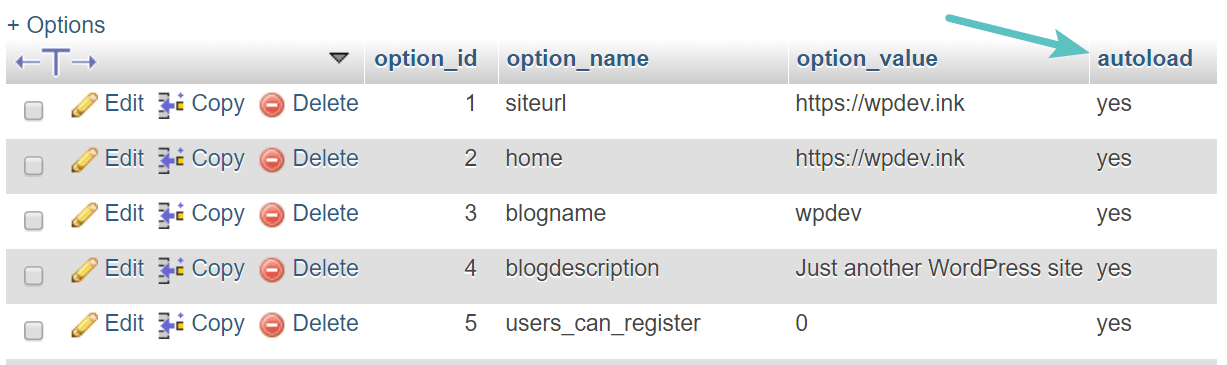
The WordPress options table has four main columns. Each column has a specific role. The first column is option_id. This is an integer type. It stores the unique ID for each option. Next is the option_name column. It is a string type. It holds the name of the option. Then there is the option_value column. This column is longtext type. It keeps the actual value of the option. Lastly, the autoload column is there. It is a string type too. It determines if the option should load automatically.
In WordPress, various options are stored in this table. Some common ones are siteurl and home. These hold the URL of your site. Another is blogname. This stores the site title. Blogdescription saves the site’s tagline. Admin_email keeps the admin’s email address. These options help your WordPress site function smoothly.
Importance Of Clean Options Table
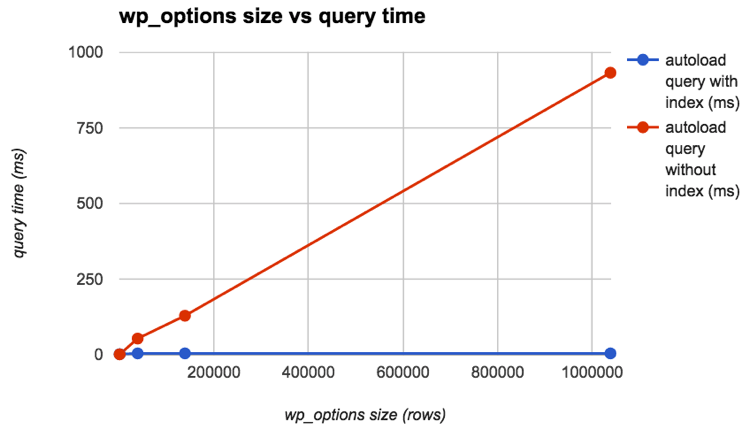
A clean options table keeps your website fast. It stores important settings for your site. Unnecessary data in this table can make your site slow. Your visitors might leave if pages take too long to load. Keeping the options table tidy helps avoid this problem. Only keep what you need in the table. This makes your website run better and faster.
A clean database works efficiently. The options table is a part of this database. It stores settings for your website. Too many entries can clutter your database. This clutter can slow down your website. Removing old or unused data helps. It makes the database faster. Keeping it optimized is key for a healthy website.
Managing Options Table
The WP Options Table stores essential settings for your WordPress site. It should be organized and not cluttered. Keeping it tidy helps the site run smoothly.
Identifying Unused Options
The options table in WordPress stores many settings. Some of these settings are not used. These are called unused options. Find these options to keep your site clean. Use plugins to help you find unused options. They show which options are not needed. Keeping options table clean is important. It helps your site run fast.
Cleaning Up Redundant Data
After finding unused options, you need to remove them. This is called cleaning up redundant data. Removing extra data makes your site faster. Backup your site first. This is very important. You can use plugins to clean up easily. They make the job quick and safe. Clean options table gives you a faster website. It also saves space on your server.
Tools For Table Management
Plugins make table management easy. They help in organizing data well. Some plugins are easy to use. They offer simple layouts for beginners. These plugins save time for users. They often come with customization options. Users can change table colors or styles. Some plugins also help with SEO optimization. This makes your table more visible online.
Plugins For Optimization
Many plugins focus on table speed. They make tables load quickly. Fast loading helps in ranking better on search engines. Plugins also help in reducing errors. A clean table is always better. They often have support for fixing problems. Updates keep these plugins working well. Regular updates improve performance.
Manual Cleanup Techniques
Manual cleanup is often needed. It helps keep tables neat. Removing unused data is important. This makes tables look tidy. Regular checks ensure everything is correct. Mistakes can be fixed easily. Always keep a backup. A backup can save you from loss. Manual cleanup requires attention to detail.
Credit: kinsta.com
Best Practices
Keeping your WordPress site healthy needs regular care. Check plugins and themes for updates. Also, delete unused plugins. They can slow down your site. Regularly scan for malware. This keeps your site safe. Always keep your WordPress version updated. New versions have better security. Also, look at your site performance. Use tools to see how fast it loads. A slow site can lose visitors. Regular backups are key too.
Backups are like safety nets for your site. Have a backup plan. Daily backups are best for active sites. Use plugins for easy backups. Store backups in safe places. Cloud storage is a good option. Also, test your backups. Make sure they can be restored. If your site breaks, a backup saves the day. Keep backups for at least a month. This helps if problems arise later.
Common Issues
Sometimes data in the wp_options table becomes corrupt. This can cause many problems. Your site might be slow. Or it might not work at all. Check if the data looks strange. Look for odd characters. Or missing entries. Fixing these can solve the issue. Use database tools to repair the table.
Too many options can slow down a site. Each plugin adds more options. Some are not needed. Clean up by removing old options. Use plugins to help manage them. This will make the site faster. Reduce clutter in the wp_options table. Keep only necessary options. Regular maintenance is key. A tidy table is a happy table.
Frequently Asked Questions
What Is The Wp Options Table In WordPress?
The WP Options Table is a database table in WordPress. It stores settings and configuration options for your site. This includes plugin settings, theme configurations, and general site preferences. Managing this table efficiently can improve site performance and help maintain a healthy WordPress environment.
How Does Wp Options Table Affect Site Performance?
An overloaded WP Options Table can slow down your site. It may contain unnecessary or outdated data from plugins or themes. Regularly cleaning and optimizing this table can enhance loading times. This boosts overall site performance and user experience, ensuring smoother operation of your WordPress site.
Can I Manually Edit The Wp Options Table?
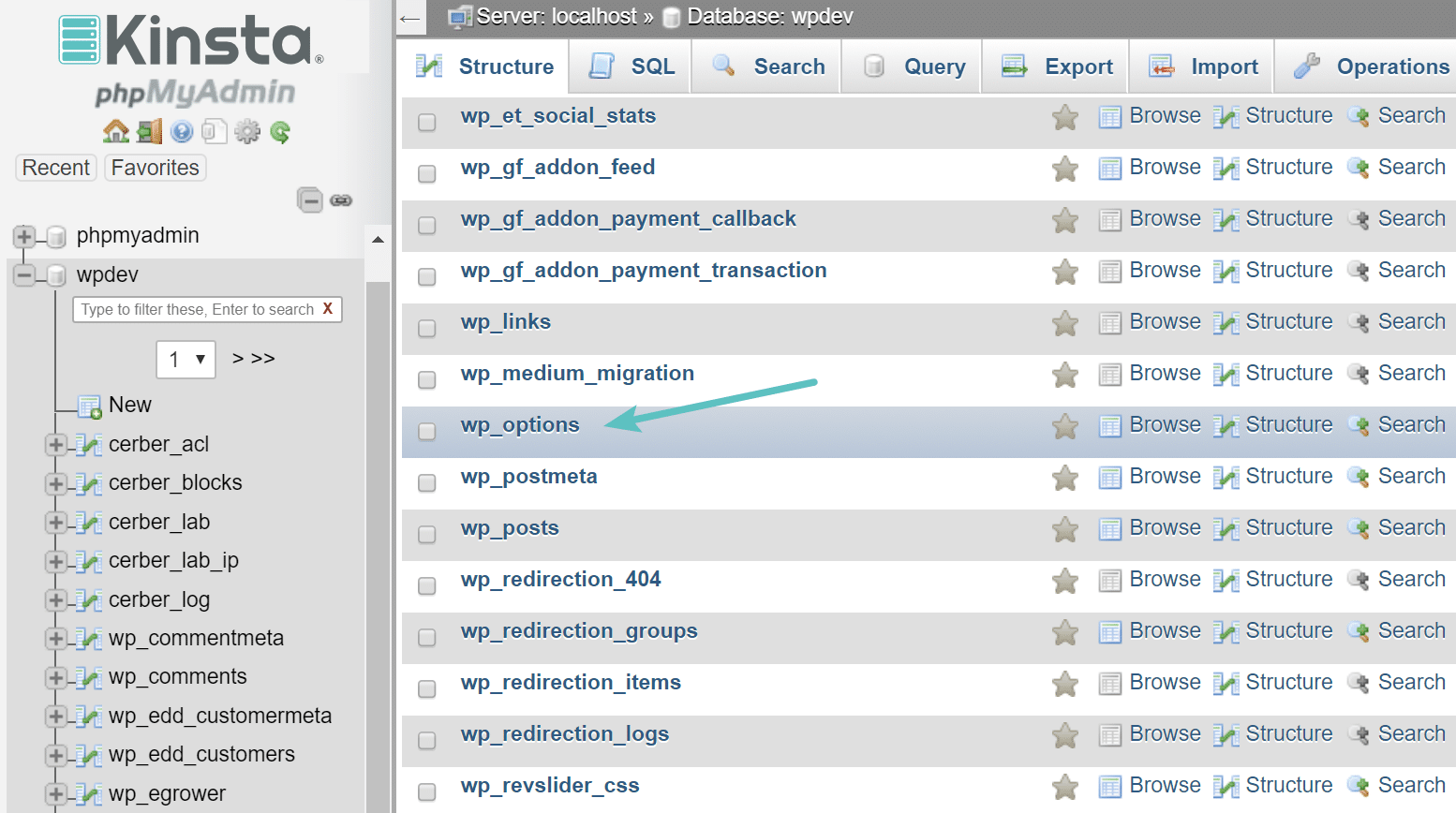
Yes, you can manually edit the WP Options Table using phpMyAdmin. However, it requires caution and knowledge of SQL. Incorrect changes can break your site. It’s advisable to back up your database before making edits. Alternatively, use plugins designed to safely manage and optimize the options table.
How To Optimize The Wp Options Table?
Optimizing the WP Options Table involves cleaning up unused entries. You can use plugins like WP-Optimize to automate this process. Regular maintenance helps improve site speed. Backup your database before optimization to prevent data loss. This ensures your site remains fast and efficient.
Conclusion
Understanding the WordPress options table is crucial. It helps manage site settings. Keep your options table organized and tidy. Regular checks prevent errors and improve performance. A clean table leads to a smoother WordPress experience. Troubleshooting becomes easier too. Pay attention to data types and values.
They must be accurate. Consistency is key for reliable functionality. Always backup before making changes. It saves time in case of mistakes. Mastering the options table enhances your WordPress skills. Build a better, more efficient website. Enjoy the benefits of a well-maintained site.



