
Have you ever been on a website and noticed those neat, expandable sections that reveal more information with just a click? That’s a WordPress accordion!
It’s a clever tool that helps keep web pages organized and interactive. Imagine a way to present tons of information without overwhelming your visitors. Sounds intriguing, right? By using accordions, you can make your content look clean and professional, enhancing your visitors’ experience.
Dive in to discover how this simple feature can transform your website, making it more engaging and user-friendly. Curious to see how it works and why you should use it? Let’s unfold the secrets of WordPress accordions together!
Credit: wordpress.org
WordPress Accordion Basics
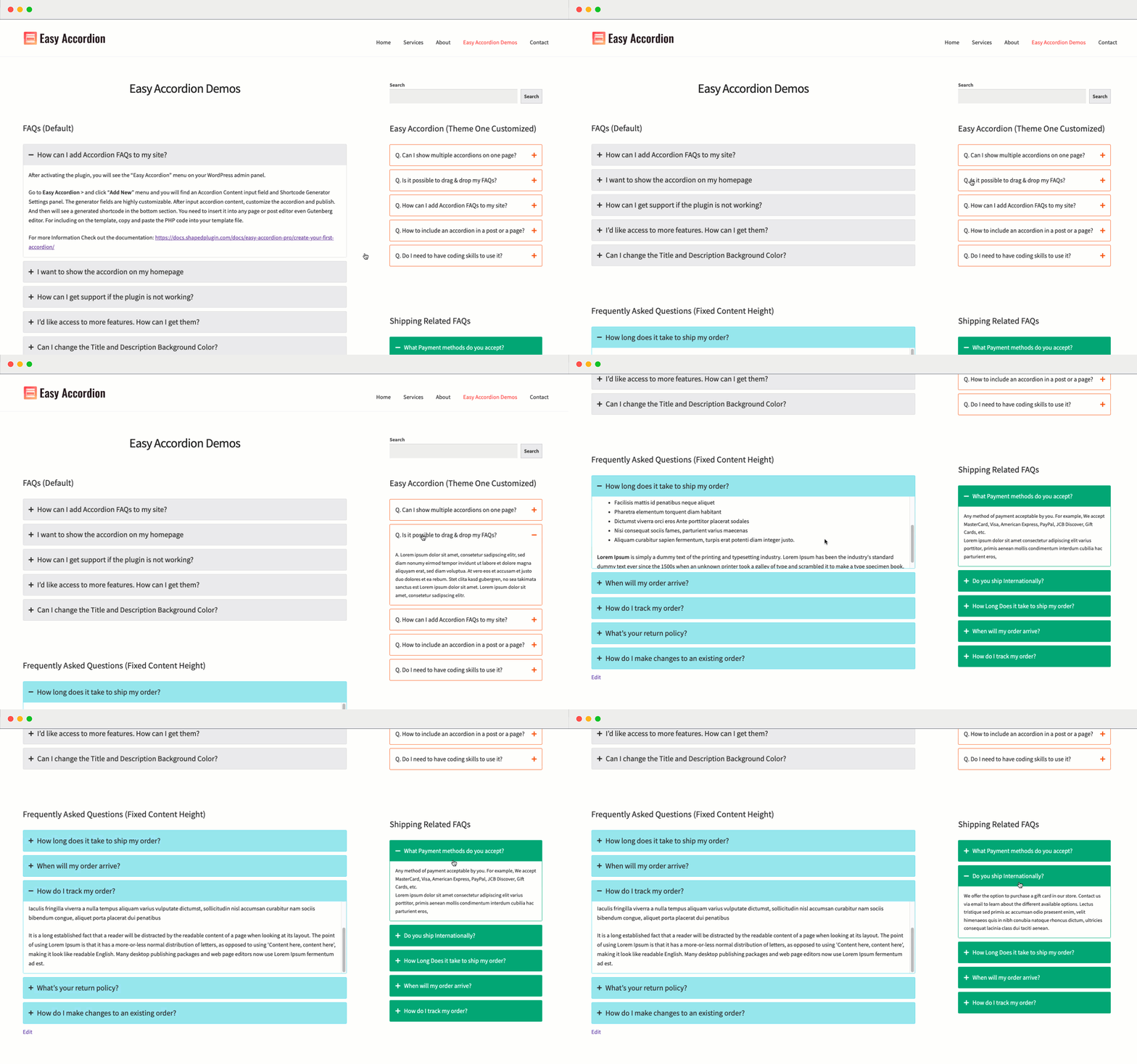
A WordPress Accordion is a tool on websites. It helps to show and hide information. You click on a title to see more details. This makes pages look clean and tidy. Accordions save space on a web page. They keep it organized and easy to read. Users can find what they need quickly.
Accordions are used in FAQs to show questions and answers. They help in showing product details on shopping sites. Users can click to see more info about a product. Accordions are also useful in showing step-by-step guides. This helps users follow along easily. They keep the web page neat and simple.
Benefits Of Using Accordions
Accordions make websites easy to read. They keep things simple. Users find information quickly. No need to scroll a lot. Content stays organized. It’s like opening a book and finding the right page at once. This saves time for everyone.
Accordions are great for saving space. They hide extra information. Web pages look tidy. No clutter. Visitors can choose what to open. This makes a site look clean. Important for small screens too. Mobile users love it. Everything fits well.
Types Of WordPress Accordions
Simple text accordions help in organizing information. They show text only when you click them. Users can click to expand or collapse the text. This makes a webpage clean and tidy. You can add many text sections without making pages long. These accordions are easy to use and understand. They are great for FAQs or details that need hiding. They save space and improve user experience. Many websites use them for better readability.
Multimedia accordions contain more than just text. They can hold images, videos, or audio. Clicking them reveals the hidden content. This makes them very useful for showing complex information. They help in keeping content organized. Websites use them for tutorials, galleries, and presentations. They make the site interactive and engaging. Users enjoy exploring this type of accordion. They are fun and informative.

Credit: www.youtube.com
Creating An Accordion In WordPress
Plugins make adding an accordion easy. Many plugins are free. They are also simple to use. First, install the plugin. Next, activate it. Look for an accordion option in your WordPress dashboard. This is where you can start creating. You can add text, images, or videos. Each accordion section can have different content. You can also customize the look. Many plugins offer styles and colors. This helps match your website design.
Coding an accordion by hand needs some skills. Basic HTML and CSS knowledge is helpful. Start by using `
Popular WordPress Accordion Plugins
Many plugins offer easy customization with simple drag-and-drop options. Some plugins include multiple styles and themes. This helps to match your site’s look. Most plugins are responsive. They work on both mobile and desktop. Free versions are often available. They usually come with basic features. Paid versions add more options. Prices start around $15. Some can be as high as $50.
Users like plugins that are easy to use. They mention good customer support. Many praise the fast loading speed. This is important for keeping visitors. People appreciate clear documentation. It helps them set up quickly. Some users report bugs in free versions. Paid versions usually have fewer issues. Overall, user reviews help in choosing the right plugin.
Best Practices For Accordion Design
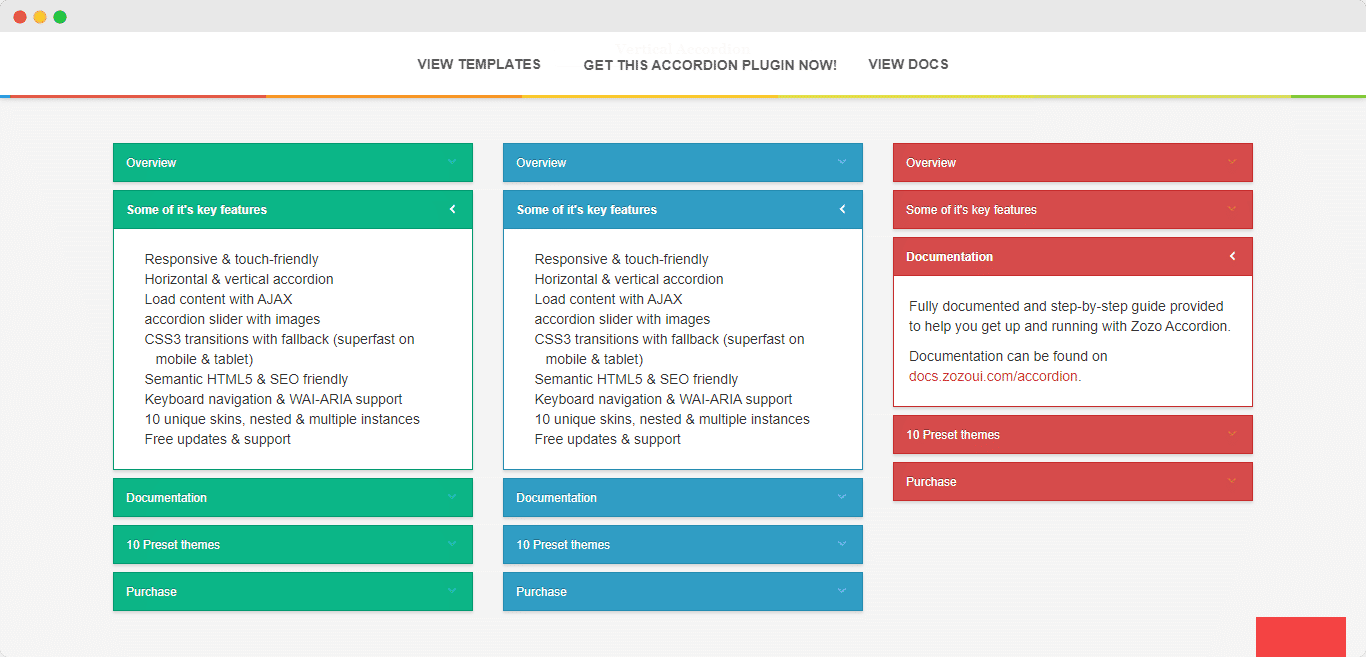
Maintain uniformity in style and colors. This helps users understand and use the accordion easily. Keep the font size consistent throughout. Avoid mixing different styles in one accordion. Users like predictable designs. Use consistent iconography for expand and collapse actions. This helps users know what to do next. If one section uses a plus sign, use it everywhere. Consistency makes interaction simple.
Ensure your accordion is keyboard friendly. Some users navigate using keyboards. Provide clear focus indicators for tabs. Screen readers must announce each tab’s title. Use aria-labels for better understanding. Make sure colors have good contrast. This helps users with vision issues. Accessibility is important for all users. Everyone should enjoy easy access to information.
Troubleshooting Common Issues
Sometimes the accordion does not load correctly. This can be frustrating. First, check your internet connection. A weak connection can cause loading problems. Also, ensure your WordPress and plugins are updated. Outdated versions may have bugs that affect loading. Clear your browser cache too. This helps refresh the page content. If the problem persists, try disabling other plugins. Some plugins may conflict with the accordion.
Styling conflicts can change how the accordion looks. Check your theme settings first. Some themes have their own styles. These styles may override the accordion’s look. Use custom CSS to fix this. Custom CSS lets you control the accordion’s appearance. Also, look for plugin settings. Many plugins have styling options you can tweak. If needed, consult the plugin’s support for guidance.
Credit: essential-blocks.com
Frequently Asked Questions
What Is A WordPress Accordion?
A WordPress accordion is a design element that organizes content into collapsible sections. It enhances user experience by making the webpage more navigable. Users can click on headings to expand or collapse content, saving space and improving readability. It’s often used for FAQs, product features, and detailed descriptions.
How To Add An Accordion In WordPress?
To add an accordion in WordPress, use a plugin like Elementor or WPBakery. These plugins offer drag-and-drop features for easy setup. After installation, create a new section, select the accordion widget, and customize it. You can adjust colors, fonts, and styles to match your website design.
Why Use Accordions On A WordPress Site?
Accordions enhance user experience by organizing content efficiently. They make web pages look cleaner and more professional. Users can easily find information without scrolling through long text. This improves engagement and reduces bounce rates, benefiting both user satisfaction and SEO performance.
Can Accordions Improve Website Seo?
Yes, accordions can improve website SEO by enhancing user engagement. They reduce page clutter, making it easier for visitors to find information. This increases time spent on the page, signaling to search engines that the content is valuable. Improved user experience can lead to better search rankings.
Conclusion
WordPress accordions simplify content display on your site. They help users find information quickly. This tool keeps pages tidy and organized. Visitors enjoy a clean, easy-to-navigate experience. Using accordions enhances user engagement by reducing clutter. They work well for FAQs, tutorials, and product details.
A great choice for improving website interaction. Accordions also boost mobile friendliness. They fit content into smaller screens effortlessly. This ensures a smooth, responsive design. Adopting WordPress accordions is a smart move. It makes your website more efficient and user-friendly.
Start implementing them today for a better online presence.



