
Imagine having complete control over your website, where every design choice, plugin installation, and content update is entirely in your hands. That’s the magic of the self-hosted WordPress.org dashboard.
As you delve into the world of WordPress. org, you’ll discover a powerful platform that offers you unparalleled flexibility and customization options. This isn’t just about building a website; it’s about crafting an online presence that truly reflects your vision and goals.
But what makes WordPress. org stand out from the crowd? How does its dashboard empower you to create a stunning, functional website that captivates your audience? We’ll explore the ins and outs of the self-hosted WordPress. org dashboard, unraveling its features and benefits. Get ready to unlock the secrets to optimizing your site and enhancing user experience, all while keeping costs manageable and design options limitless. Stay with us, and you’ll soon understand why WordPress. org is the go-to choice for savvy website creators like you. Whether you’re a seasoned developer or just starting out, this guide will equip you with the knowledge to navigate WordPress. org with confidence and creativity. Let’s dive into the world of self-hosted WordPress and transform your digital dreams into reality.
Self-hosted WordPress.org Overview
The WordPress.org dashboard is a place for your website. It helps you manage everything. You can add new posts and edit pages. You can also change your website’s look with themes. Themes make your site look cool.
There are plugins too. Plugins add new features to your site. Some plugins help with SEO. Others help with social media sharing. You can find many plugins and themes. Some are free, others cost money.
The dashboard is your control center. It keeps everything in one place. You can see site stats and visitor numbers. You can also see recent comments. Keeping track is easy with the dashboard.
Credit: wordpress.org
Installation Process
To start, get a domain name and web hosting. These are your website’s home. Next, download the WordPress.org files. You find them on the official website. Upload these files to your hosting server. Use an FTP client like FileZilla. This may sound tricky, but it’s easy. Create a MySQL database on your hosting account. Your website will store data here. Now, run the installation script. Open your website in a browser. Follow the steps shown on screen. Fill in the necessary details. These include site title and admin credentials. Once done, you can log in. Use your new username and password. Now, you can see the WordPress dashboard. You are ready to create amazing content.
Dashboard Features
The Admin Panel is the heart of your WordPress site. Here, you can manage all parts of your site. Create new posts and pages with ease. Adjust settings to make your site just right. It’s your control center.
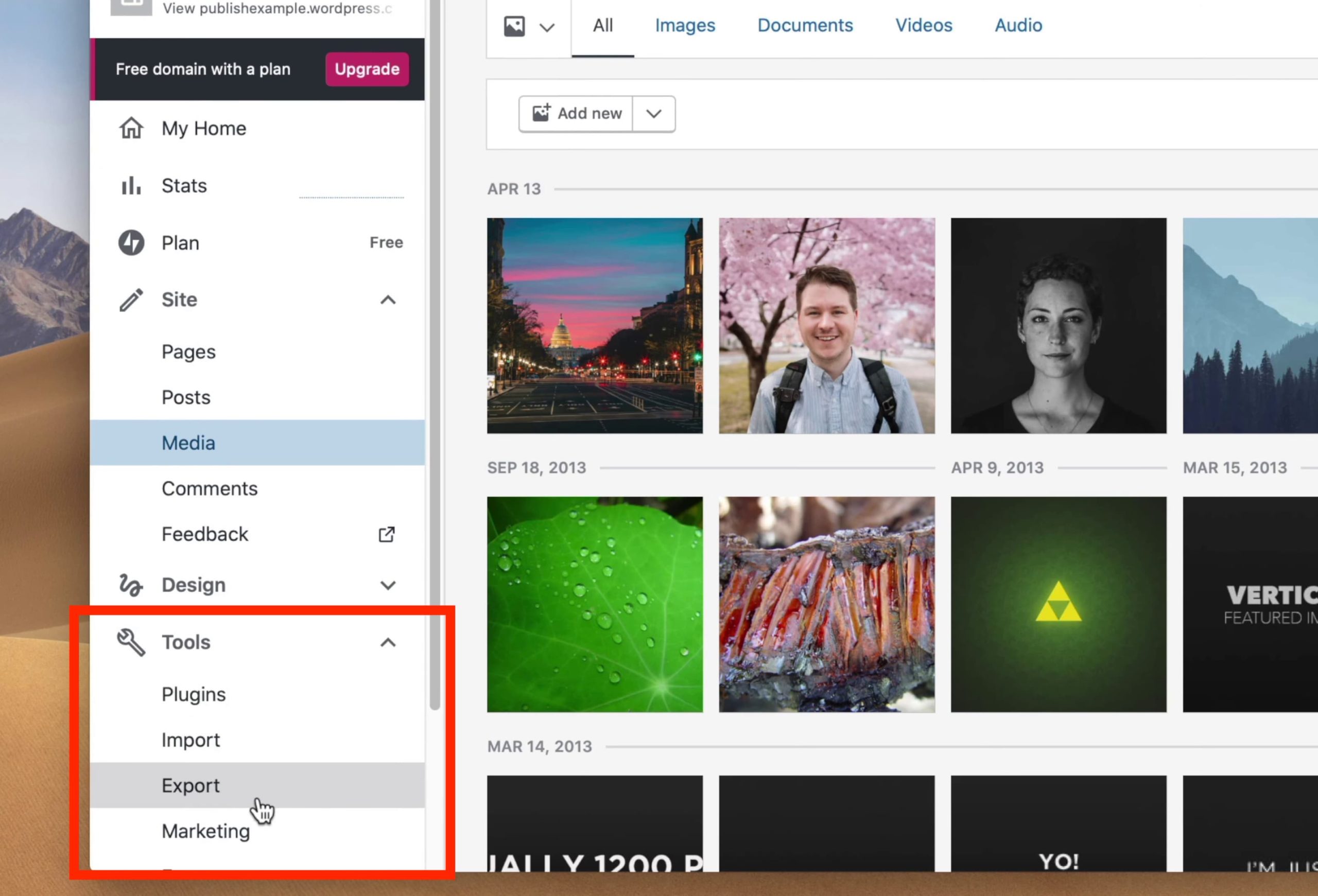
Uploading and organizing images is simple. The Media Library helps you manage pictures, videos, and files. You can easily add media to your posts. Just drag and drop files to upload them. Editing images is also possible.
Enhance your site with plugins. They add extra features and functionality. Search and install plugins from the dashboard. There are thousands to choose from. Plugins help with SEO, security, and more.
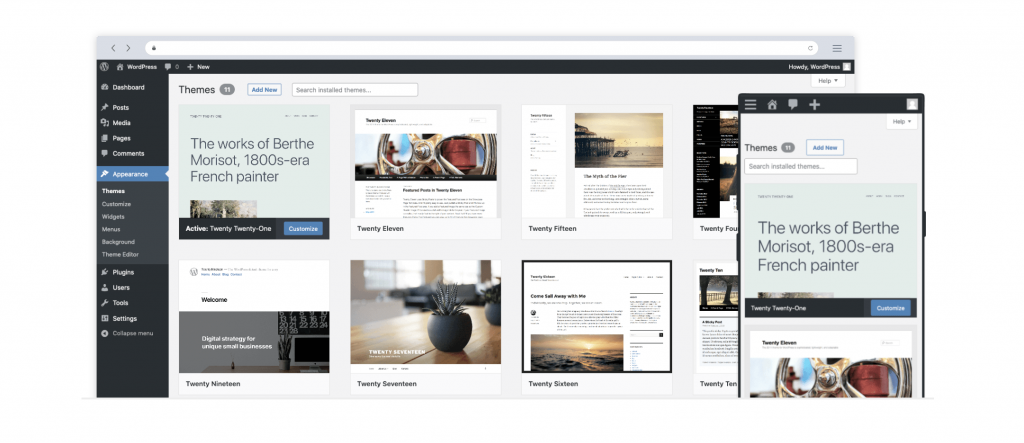
Change how your site looks with themes. The dashboard lets you customize your theme. Change colors, fonts, and layouts. Make your site unique and visually appealing. It’s easy and fun to do.
User Management
Users can have different roles. Each role has its own permissions. Some users can edit content. Others can only view it. Admins have the most power. They can change settings. Authors can write and publish posts. Editors can change other people’s posts. Subscribers can only read and comment.
Adding users is easy. Go to the Users section. Click on Add New. Fill in the details. Choose a role for the new user. Click Save to add them. The new user gets an email. They need to set up their password.
Each user has a profile. You can edit profiles. Change names, emails, or roles. Go to the Users section. Click on Edit next to a user. Make changes and click Update. Users can also update their own profiles. They can change their passwords.
Content Creation
Posts are short pieces of content. They can be articles, news, or stories. Posts are easy to make. Just click ‘Add New’ in the dashboard. Write your words in the box. You can add pictures too. Adding tags helps people find your post.
Pages are different from posts. They are for long-lasting content. Examples are About Us or Contact pages. Pages need a title and content. Use the Add New Page button. Choose a template if you want. Templates make your page look nice.
The block editor helps you make pages and posts. Each part of your page is a block. Text, images, and videos are blocks. You can move blocks around. This makes editing easy. Drag and drop to place blocks. Try different blocks to see what works.
Credit: elementor.com
Seo Tools
Self-hosted WordPress.org offers many ways to optimize content. Use tools to pick the best keywords. Write clear and simple text. Make sure images have alt text. This helps search engines find your site. Headings should have keywords too. Good content brings more visitors.
SEO plugins are very helpful. They guide you to improve your pages. Plugins suggest changes for better SEO. They help with titles and meta descriptions. Some plugins even check for broken links. Yoast and All in One SEO are popular choices. They make your site better for search engines.
Analytics tools are key for tracking visitors. They show how people use your site. Google Analytics is a popular choice. It tells you which pages are most popular. You can see where visitors come from. This helps you improve your site. More data means better decisions.
Security Measures
The Self Hosted WordPress. Org Dashboard offers various security measures to protect your website. It provides tools for monitoring activity, managing user roles, and installing security plugins. These features help in safeguarding your site against unauthorized access and potential threats.
Regular Updates
Keeping your WordPress dashboard updated is very important. Updates fix bugs and improve security. Developers release new versions often. Always check for updates. Install them as soon as possible. This keeps your site safe from hackers.
Backup Solutions
Backups are like safety nets. They protect your data. Use backup solutions to save your site content. Do this often. If something goes wrong, you can restore your site. Many plugins offer easy backup options. Choose one that fits your needs.
Security Plugins
Security plugins add extra protection. They guard your site against threats. Some popular plugins are Wordfence and Sucuri. These tools scan for malware and block unwanted access. Install a security plugin and regularly check its settings.
Performance Optimization
Caching can make websites faster. It stores data temporarily. This helps in reducing load times. Fast websites keep users happy. Plugins like WP Super Cache can help. They store static files. These files load quickly.
Large images slow websites down. Optimized images are smaller. They load faster. Tools like TinyPNG can help. They reduce image size. This improves performance. Users enjoy a smooth experience.
Databases store website data. Clean databases work better. Remove old data regularly. Use plugins like WP-Optimize. They clean databases. This keeps websites efficient. Fast databases improve user experience.
Monetization Options
Affiliate marketing is like sharing links. You get paid when people buy. Many bloggers use this to earn money. It’s simple. Find a product you like. Share the link on your blog. If someone clicks and buys, you earn a commission. Brands love it too. They get more customers. Bloggers can pick from many products. This makes it easy to start earning. Just keep sharing links and writing good posts. It’s a win-win for bloggers and brands.
Ad networks help bloggers earn money. They place ads on your site. Each click or view can earn you cash. Google AdSense is popular. It’s easy to use. Sign up and add ads to your site. More visitors mean more money. Ads can be banners or videos. Pick ones that fit your site. Make sure ads are not too many. Readers should enjoy your content. Ads need to be balanced with posts. This keeps your site nice and clean.
Selling products on your blog is smart. You can sell digital items. E-books or courses work well. Physical products like crafts are great too. Set up a shop on your site. Use tools like WooCommerce. It makes selling easy. Talk about your products in your posts. Show why they are great. Good pictures help. Make sure to write clear descriptions. Readers will want to buy if they trust you. Selling products can grow your blog and earnings.
Credit: smartwp.com
Community And Support
Many people share their WordPress experiences online. Forums are a great place to ask questions. Users help each other solve problems. They share tips and tricks. You can find answers quickly. It’s like a big team helping you. Joining these forums is easy. Just sign up and start asking questions.
Developers have a lot of tools. Resources help them make better websites. They can use plugins and themes. There are guides for coding. These resources are free. Developers can learn from each other. They share code and ideas. This makes websites work well. Everyone can build a great site with these tools.
Sometimes things go wrong. Troubleshooting guides help fix issues. They are easy to follow. You can find them on the WordPress website. These guides have step-by-step solutions. You don’t need to be an expert to use them. They help with common problems. Read them to keep your site running smoothly.
Frequently Asked Questions
What Is The WordPress.org Dashboard?
The WordPress. org dashboard is the backend interface for managing a self-hosted WordPress site. It allows users to control website settings, create content, and install plugins. The dashboard is user-friendly and provides various tools for website customization and optimization.
How Do I Access My WordPress.org Dashboard?
To access your WordPress. org dashboard, log in with your credentials at yoursite. com/wp-admin. This URL directs you to the admin login page. Once logged in, you can manage all aspects of your website from the dashboard.
What Features Does The WordPress.org Dashboard Offer?
The WordPress. org dashboard offers features for content creation, website customization, and plugin management. It includes tools for SEO, themes, and user administration. The dashboard’s flexibility allows users to tailor their websites to specific needs and preferences.
How Can I Customize My WordPress.org Dashboard?
You can customize your WordPress. org dashboard by using themes, plugins, and widgets. Themes change the appearance, while plugins add functionality. Widgets allow for easy content management. Customization helps create a unique and user-friendly experience for your website visitors.
Conclusion
The self-hosted WordPress. org dashboard is a powerful tool for website management. It offers flexibility and customization to suit various needs. Users can easily manage content, plugins, and themes. The interface is intuitive, making tasks straightforward. Beginners and experts alike can navigate it with ease.
Regular updates ensure security and new features. It’s a solid choice for those wanting control over their sites. With WordPress. org, you build a unique online presence. Explore its features and see how it fits your goals. Remember, a well-managed site can enhance your online experience.



