
Are you looking to manage multiple websites with ease? Imagine having the power to control all your WordPress sites from a single dashboard.
Sounds like a dream, right? This is where the concept of Multi Site in WordPress comes into play. Whether you’re a blogger with diverse niches, a business owner wanting separate sites for different products, or a developer handling multiple clients, understanding WordPress Multi Site could revolutionize your digital management.
You’ll discover how this feature can save you time, reduce hassle, and give you the freedom to expand your online presence effortlessly. Stick around to learn how to harness this powerful tool and transform the way you manage your websites.

Credit: wishdesk.com
WordPress Multisite Basics
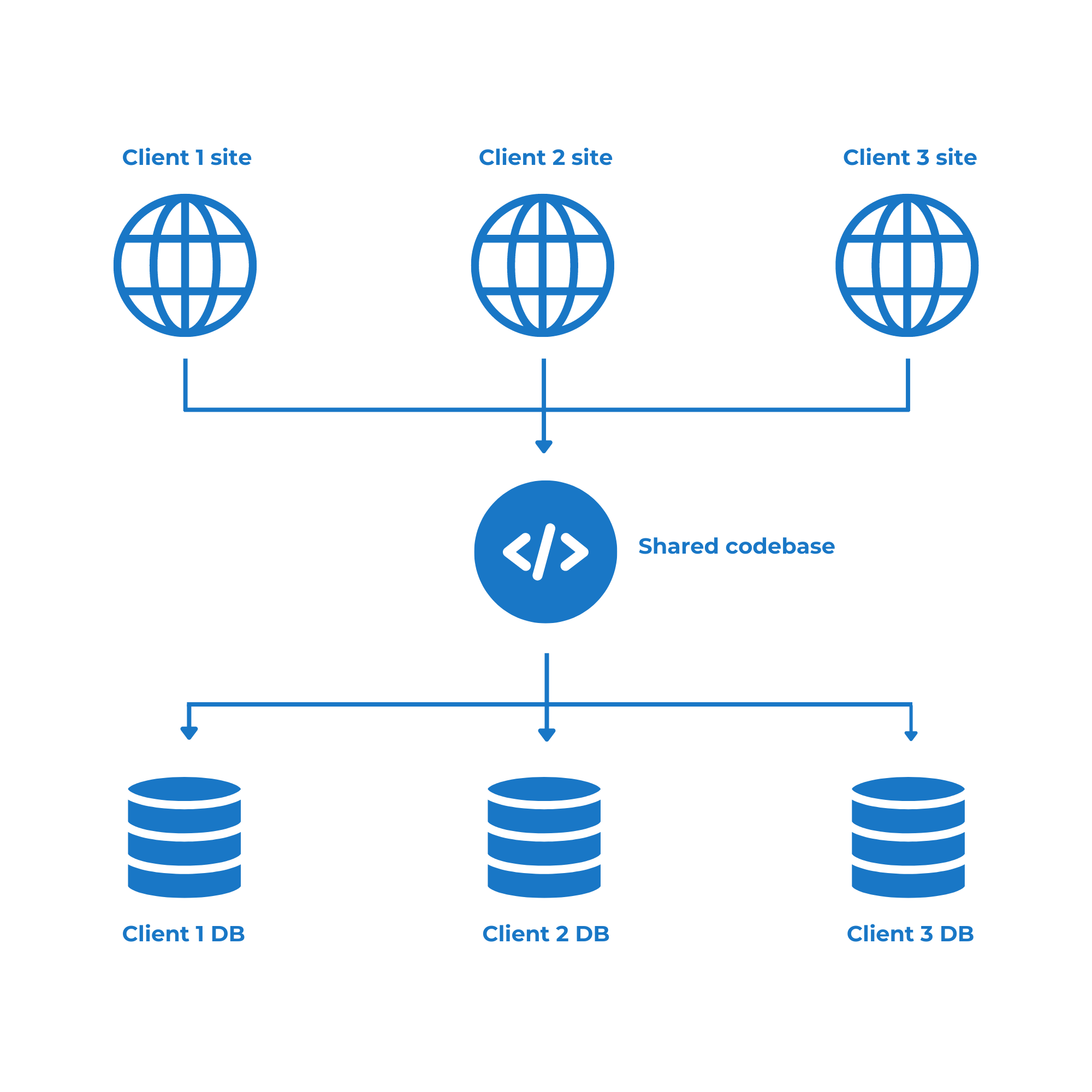
WordPress Multisite helps you create many sites with one installation. It’s like a network of websites. All sites share one database. This makes managing them easier. You can control everything from one dashboard. It saves time and effort. Each site can have its own theme. But they all share the same plugins. This is useful for schools or businesses. They often need separate sites for different groups.
Managing updates is simple. You update once, and all sites are updated. This keeps your sites secure. You can add new sites quickly. No need to install WordPress again. It saves space on your server. This is good if you have limited resources. Multisite is also great for blogs with different topics. Each site can have its own look. But all are part of the same network.
Credit: wpfrontendadmin.com
Setting Up Multisite
Multisite lets you manage multiple websites using one WordPress install. Each site shares the same plugins and themes. Start by enabling multisite in your wp-config.php file. Add a special line of code. Access your dashboard and follow the setup steps. Choose subdomains or subdirectories for your sites. Decide on site names and addresses. Configure your network settings.
Create sites from your network admin. Add users to each site. Assign roles to users. Share plugins and themes across sites. Update settings in the network admin. Keep everything simple. Multisite makes managing many sites easy. Follow these steps to get started.
Multisite Vs. Single Site
WordPress has two site options. Multisite and Single Site. Single Site is for one website. Multisite lets you manage many sites. It’s great for schools and big companies. Multisite uses one WordPress dashboard. This makes work easy. All sites share plugins and themes.
Single Site is simpler. It is good for small projects. It is less confusing. Multisite needs more setup. It can be tricky for beginners. Multisite can save time. It helps keep everything together. It is best for many sites.
Network Administration
The Network Dashboard is the main control panel. It lets you see all sites in the network. You can check site updates and settings here. It’s easy to use and shows all the important information. A simple dashboard helps manage multiple sites without confusion.
Managing sites is simple. You can add or remove sites easily. Each site can have its own settings and themes. This helps keep things organized. You can also update themes and plugins from one place. This saves time and makes work easy.
Assigning user roles is important. Each user can have different permissions. Some can edit sites, while others can only view. This keeps sites safe and secure. Giving the right permissions is crucial. It ensures each user does only what they need to do.
Themes And Plugins
Network Activation means using themes or plugins for all sites. You can choose one theme for every site. Or let each site have its own theme. Plugins can be shared with all. This makes management easy. Admins can control what to use. This helps in big networks.
Each site can have its own settings. Themes and plugins can be different. This allows for unique looks. Every site can be special. Admins can allow site owners to choose. This gives freedom to each site. It’s like having many small websites in one. Simple and fun.
Benefits Of Using Multisite
Multisite helps manage many sites easily. It uses a single dashboard for all sites. This saves time and effort. You don’t need separate logins for each site. Updates are done once for all sites. This keeps every site safe and current. Plugins and themes can be shared across sites. This helps to keep everything consistent.
Users have different roles on each site. This lets admins control who does what. Multisite helps manage network users efficiently. It makes adding sites quick and simple. Each site can have its own domain name. This offers flexibility for branding. Multisite is perfect for schools, companies, and blogs.
Potential Challenges
Managing multiple sites on WordPress can be challenging. Administrators often face issues with updates, plugin compatibility, and user permissions. Coordinating these elements requires careful oversight to ensure smooth operation across all sites.
Performance Issues
Managing multiple sites can slow things down. Each site uses resources. More sites mean more resources used. This can affect loading times. Visitors may experience delays. These delays can lead to frustration. Some plugins may not work well with many sites. This can cause conflicts and errors. Regular checks help keep sites running smoothly.
Security Considerations
Security is very important. Many sites can increase risks. If one site gets hacked, others may be at risk too. A single breach can affect all sites. Strong passwords are essential for safety. Updates are needed to keep everything secure. Using plugins can help protect sites. Choose plugins that have good reviews. Regular backups are very important. Backups help restore sites if something goes wrong.
Use Cases For Multisite
WordPress Multisite helps you create many sites. It is all in one WordPress setup. Schools use multisite for student blogs. Companies manage different brands with it. Easy management is key.
Multisite saves time. One admin can handle many sites. This makes updates simple. Choose which plugins to use. Themes can be shared across sites. Uniform design is possible.
Blog networks use multisite. Each blog can have its own author. They share the same platform. This makes their work easier. News sites can run different city editions. They use one system. This is cost-effective.
Multisite benefits are clear. It is perfect for managing many sites. It helps keep the system simple. Large sites find it useful. It reduces work and saves time. Multisite is a smart choice.
Troubleshooting Common Issues
Multisite in WordPress lets you run many sites with one setup. Sometimes, problems pop up. Sites may not load well. Plugins might not work right. Themes can have errors. Fixing these is key.
Start by checking the network settings. Ensure each site has the right address. DNS settings matter too. Wrong ones can stop sites from working.
Look at your server limits. Multisite needs more resources. Adjust memory and upload limits if needed.
Sometimes, user permissions cause trouble. Make sure users have the right roles. This helps avoid access issues.
Use the debug mode in WordPress. This shows where errors happen. It’s helpful for finding what’s wrong.
Backup your sites often. If things go wrong, backups can save you. Regular checks keep sites running smoothly.

Credit: www.solwininfotech.com
Frequently Asked Questions
What Is WordPress Multisite Used For?
WordPress Multisite allows multiple websites to be managed from one installation. It’s ideal for networks of sites, like universities or businesses. Users can create new sites easily without separate installs. It streamlines maintenance and updates, ensuring consistent management and security across all sites.
How Do I Enable Multisite In WordPress?
To enable Multisite, access wp-config. php via FTP. Add the line `define(‘WP_ALLOW_MULTISITE’, true);`. Then, go to the WordPress dashboard under Tools > Network Setup. Follow the instructions to configure Multisite, including domain and site settings. Backup your site before proceeding.
Can Multisite Handle Different Themes For Each Site?
Yes, WordPress Multisite allows each site to use different themes. Administrators can install themes network-wide and allow individual sites to activate them. This flexibility helps tailor each site’s appearance to specific needs. Ensure themes are compatible with Multisite for optimal performance.
Is WordPress Multisite Suitable For Large Organizations?
WordPress Multisite is ideal for large organizations needing centralized management. It simplifies the maintenance of multiple sites, ensuring consistency and security. Organizations can quickly deploy new sites, manage users, and apply global updates, making it efficient and scalable for extensive networks.
Conclusion
Exploring WordPress Multi Site can simplify managing multiple websites. It offers centralized control and easier maintenance. This feature saves time and effort for website administrators. Managing themes and plugins becomes streamlined. You can share resources across sites without duplication. Multi Site is ideal for businesses with diverse web needs.
It can enhance your website management experience. Always ensure you have proper backups before starting. Consider Multi Site if you oversee several WordPress sites. It could be your solution for effective site management. Enjoy the benefits it brings to your WordPress environment.



