
Are you looking to supercharge your WordPress site without getting tangled in a web of complicated plugins? Meet the Jetpack Plugin, your all-in-one solution for enhancing your website’s performance, security, and design.
Imagine having a Swiss Army knife for your WordPress site—Jetpack is just that. It offers a suite of features that can transform your website from mundane to extraordinary with just a few clicks. But what exactly does Jetpack do, and why should it be your go-to plugin?
Stick around, and you’ll discover how Jetpack can simplify your life, boost your site’s efficiency, and keep your audience coming back for more. Whether you’re a seasoned WordPress user or just starting out, understanding the power of Jetpack could be the game-changer you’ve been searching for.

Credit: wptavern.com
Jetpack Plugin Basics
Jetpack is like a toolbox for your WordPress site. It has many features. Security is one of them. It keeps your site safe from bad guys. Backups are easy with Jetpack. You won’t lose your work. Site performance gets better too. Images load faster. People like fast sites. Jetpack helps you with SEO too. It brings more visitors. You can also share posts on social media. All from one place.
Jetpack works well with most WordPress sites. It is easy to set up. You don’t need coding skills. Even a beginner can use it. It updates itself. So, no worries about new features. Jetpack supports many themes. You can change your site’s look. It won’t break your site. Plugins work with Jetpack too. This makes it a good choice for everyone. Your site will be better with it.
Enhancing Site Performance
Jetpack Plugin helps your site load fast. Site speed is crucial. Users want quick access. Jetpack uses tools to improve speed. It reduces image sizes. Smaller images load faster. Jetpack also optimizes files. This means less data to process. Faster load times keep visitors happy. Happy visitors return often.
Jetpack offers tools for images and videos. It provides a content delivery network. This network speeds up media. Photos and videos load quickly. Users enjoy smooth viewing. Jetpack also provides lazy loading. Media loads only when needed. This saves bandwidth. It makes your site efficient. Efficiency attracts more visitors.
Security Features
Threat protection is very important for your website. Jetpack helps by blocking unwanted attacks. It keeps your site safe from bad guys. They stop malicious login attempts and other threats. Your website stays secure with their help. You can relax knowing your site is protected.
Backup and restore are also essential. Jetpack makes saving your work easy. If something goes wrong, you can restore your site. It’s like a time machine for your website. You won’t lose important data or posts. Everything is safe with Jetpack’s backup feature.
Traffic Growth Tools
Jetpack Plugin helps make websites better for search engines. It offers tools to make your site load faster. Search engines like fast sites. The plugin also helps with keywords. This makes it easier for people to find your site. It gives suggestions for better content. This can help get more visitors. It is easy to use and very helpful.
Sharing content on social media is simple with Jetpack. It connects your site to Facebook, Twitter, and more. This means you can share posts with one click. It saves time and effort. When you post something new, it can go to social media. This helps more people see your site. It’s a smart way to grow your audience.
Design And Customization
Theme Enhancement is a key feature of the Jetpack plugin. It allows you to make your site look better. You can add extra styles. This gives your theme a fresh look. The plugin helps you change fonts easily. You can also adjust colors. This makes your site unique.
Widget and Sidebar Options are also part of Jetpack. These options let you add more content to your site. You can place widgets in sidebars. This makes your website more functional. The plugin offers ready-made widgets. You can add text, images, or lists. It’s simple and quick.

Credit: jetpack.com
Monetization Options
Jetpack Plugin offers tools to help make money from blogs. These tools are easy to use. They fit well with other WordPress features. Users can add ads to their site with a few clicks. This helps generate income while keeping the site neat and tidy.
Advertising Tools
With Jetpack, advertising becomes simple. You can choose where ads appear. This means control over ad placement. Ads can be on the side, top, or bottom of pages. You get to decide. This helps in making money smartly.
E-commerce Integration
For those selling products, Jetpack makes it simple. It works well with e-commerce plugins. Users can sell items directly from their site. This saves time and effort. The setup is smooth and fast.
User Experience Improvements
Jetpack makes it easy to manage comments. It has a simple interface. You can approve or delete comments quickly. Spam comments are filtered out. This helps keep your blog clean. Readers can comment with one click. They don’t need to sign up. This makes commenting fast.
Jetpack helps your site look good on phones. It adjusts the layout to fit small screens. Images resize automatically. Text is easy to read. This makes your site user-friendly. Visitors can navigate without trouble. No pinching or zooming needed. Everyone can enjoy your content everywhere.
Pricing And Plans
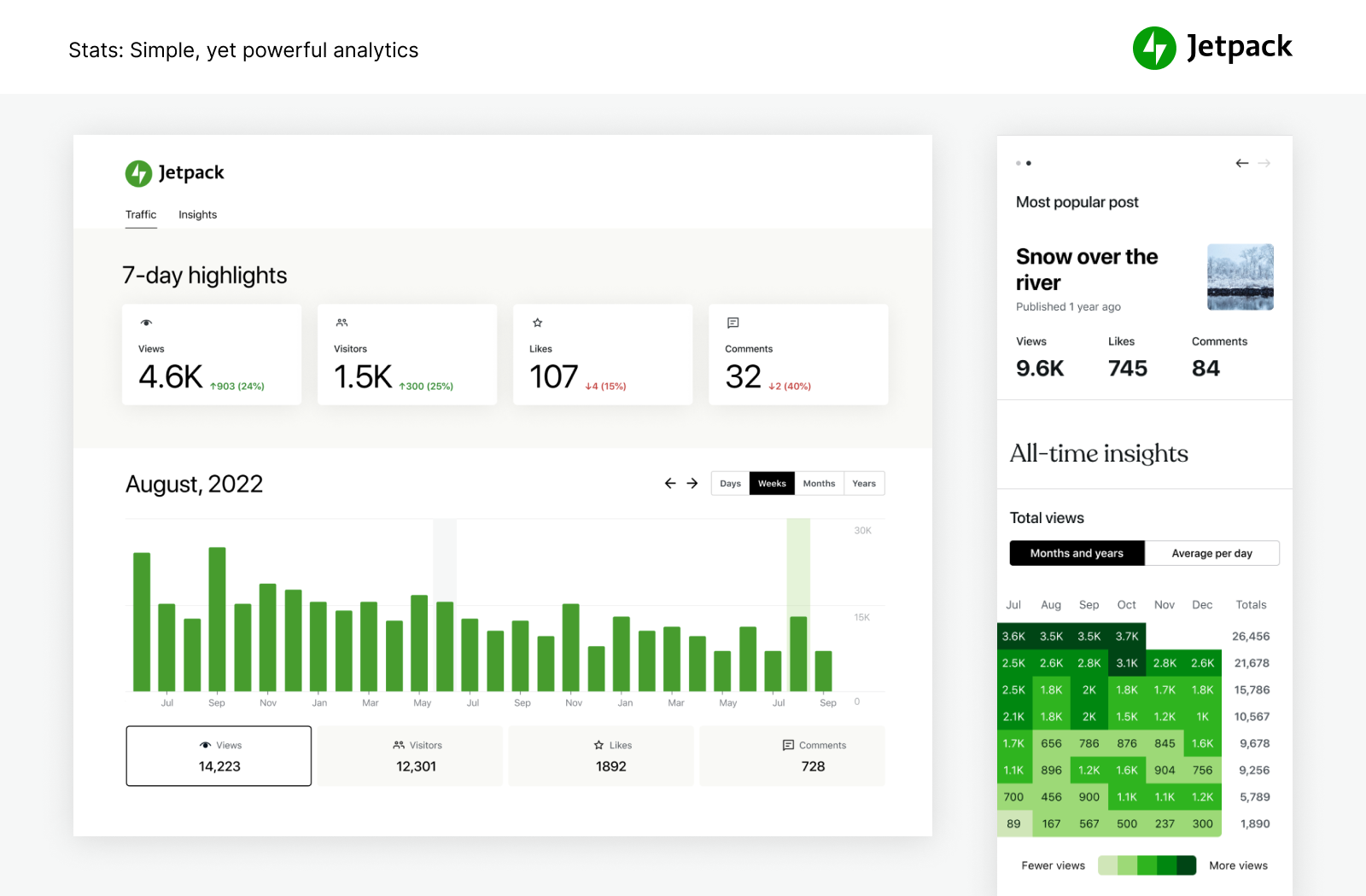
The Jetpack Plugin offers both Free and Premium plans. The Free plan includes basic features. These features help with security and performance. It is good for beginners. The Premium plan has advanced options. It provides extra security and tools. Suitable for larger sites.
| Feature | Free Plan | Premium Plan |
|---|---|---|
| Site Stats | Basic | Advanced |
| Security | Basic | Enhanced |
| Backup | Not Included | Daily |
| Support | Community | Priority |
The choice depends on your site needs. Small sites may find Free enough. Larger sites benefit from Premium. Choose wisely for best results.
Installing And Setting Up
Jetpack is a popular plugin. It enhances WordPress sites. Install it from the dashboard. Go to Plugins. Select Add New. Search for Jetpack. Click Install Now. Wait for it to install. Then click Activate.
After activation, a setup screen appears. Connect to WordPress.com. Sign in with your account. Click Approve. Choose features you need. Options like Site Stats, Security, and Performance are available. Save your settings. Now Jetpack is ready.
Common Issues And Solutions
Jetpack Plugin on WordPress enhances site security, performance, and marketing. Common issues include slow loading and feature conflicts. Solutions involve disabling unused modules and updating settings for improved compatibility.
Troubleshooting Tips
Jetpack might not work due to plugin conflicts. Deactivate other plugins one by one. Check if Jetpack starts to work. Another issue is connection problems. Ensure your website can connect to WordPress.com. Use the debug tool in the Jetpack settings. Sometimes, site visibility can cause problems. Ensure your site is public. Check this in the settings. If things are still not working, consider reaching out to support.
Support Resources
Jetpack offers a lot of support resources. The Jetpack support page is very helpful. It has FAQs and guides. You can also find a community forum. Many users share their tips there. For direct help, use the contact form. Explain your problem clearly. This helps support give the best advice.
Credit: wordpress.org
Frequently Asked Questions
What Does Jetpack Plugin Do In WordPress?
Jetpack Plugin enhances your WordPress site with powerful features. It offers security, performance optimization, and design tools. Users can access site stats, automatic backups, and malware scanning. It simplifies social media sharing and enables advanced site customization. Jetpack is essential for managing and improving WordPress functionality.
Is Jetpack Plugin Free To Use?
Jetpack offers both free and premium versions. The free version includes basic features like site stats and security. Premium plans provide advanced functionalities like automated backups, SEO tools, and priority support. Users can choose a plan based on their needs.
How To Install Jetpack Plugin On WordPress?
To install Jetpack, go to your WordPress dashboard. Click “Plugins” and select “Add New. ” Search for Jetpack and click “Install Now. ” After installation, activate the plugin. Follow the setup wizard to connect Jetpack to your WordPress. com account.
Enjoy enhanced features.
Does Jetpack Slow Down My Website?
Jetpack is designed to optimize performance, not slow it down. It includes features like lazy loading images and CDN support. Proper configuration ensures your site runs efficiently. Regular updates and monitoring can help maintain optimal speed and performance.
Conclusion
Jetpack Plugin on WordPress offers many tools for website growth. It enhances security, optimizes performance, and simplifies site management. Users find it helpful for social media sharing and site analytics. With its features, Jetpack supports both beginners and experts. It streamlines tasks, reducing time spent on maintenance.
This plugin can improve user experience and site efficiency. Consider Jetpack for your WordPress needs. It’s practical and user-friendly. Many website owners trust it for seamless site functionality. Whether for security or speed, Jetpack provides reliable solutions. A solid choice for enhancing your WordPress site.



