
Are you looking to enhance the visual appeal of your WordPress website? Meet Essential Grid, a powerful tool that can transform your site’s layout into a captivating visual experience.
Imagine effortlessly displaying your content in a stunning grid format, capturing your audience’s attention at first glance. Essential Grid is more than just a plugin; it’s your secret weapon for creating dynamic, engaging, and visually appealing web pages. With this tool, you can showcase your blog posts, portfolios, galleries, and products in a way that truly stands out.
Ready to learn how Essential Grid can elevate your WordPress site? Let’s dive into the details and unlock the potential of your website together.

Credit: www.youtube.com
Introduction To Essential Grid
Essential Grid is a popular tool for WordPress websites. It helps create beautiful galleries. You can show images, videos, or even posts. This tool is very flexible and easy to use. It offers many design options. You can choose from various layouts and styles. Customization is simple. Users have full control over the grid’s look and feel.
Many website owners love Essential Grid for its features. It makes websites look professional. Even beginners can use it without trouble. Plus, it integrates well with WordPress themes. Essential Grid is a great choice for anyone wanting a creative website display.
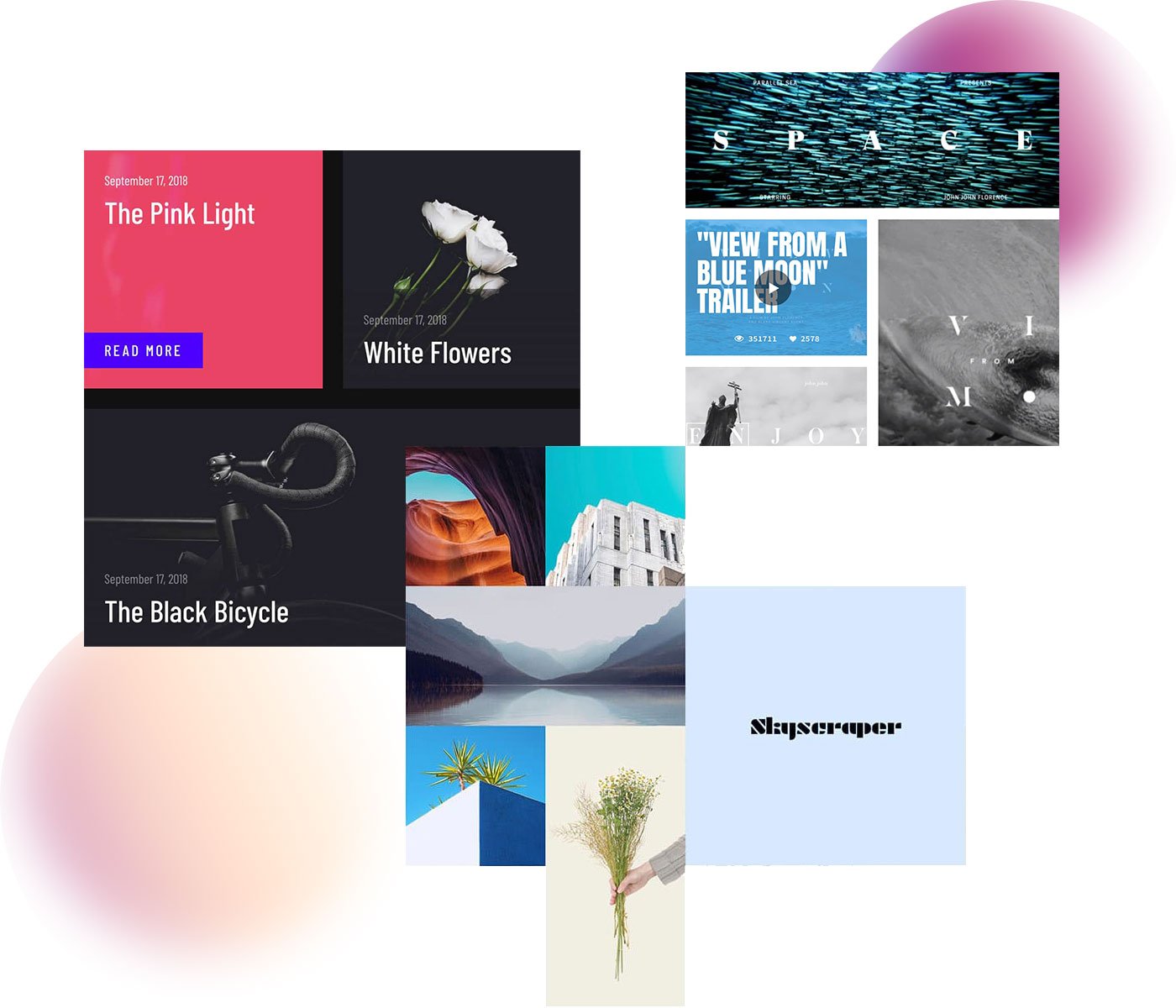
Credit: www.essential-grid.com
Features Of Essential Grid
Essential Grid offers a variety of customization options. Users can change colors, fonts, and layouts. Create unique designs with ease. Adjust settings to fit any style. This flexibility makes it user-friendly. Beginners and experts can both enjoy these features.
Essential Grid ensures responsive design. Grids look great on all devices. Whether on a phone or desktop, the display is perfect. Users do not need to worry about resizing. The grid adapts automatically. This feature improves user experience.
Essential Grid includes pre-built templates. These templates make setup quick and easy. No need to start from scratch. Choose from a wide range of designs. Templates can be customized to fit any need. Save time while creating beautiful layouts.
Benefits Of Using Essential Grid
Essential Grid makes websites look better. It adds beautiful layouts and designs. Photos and videos can be shown in a grid style. This makes everything look neat and tidy. Your visitors will enjoy the clean look and stay longer on your site.
Essential Grid helps users find things easily. It keeps everything organized. This makes websites easy to use. Visitors will feel happy and find what they need fast. Happy visitors come back again.
Essential Grid lets you show different types of content. Text, images, and videos can all be used. This tool is flexible. You can get creative and try new ideas. Your site will always feel fresh and new.
How To Install Essential Grid
First, go to the WordPress dashboard. Find the Plugins section on the left. Click Add New. Use the search bar and type Essential Grid. The plugin will appear. Click on the Install Now button. Wait for the installation to finish.
After downloading, click on Activate. This will enable the plugin. The plugin setup menu will appear. Follow the on-screen instructions. This makes sure the plugin works properly.
Open the Essential Grid settings. Configure the settings as needed. Use the Setup Wizard for help. Create your first grid easily. Add images or videos. Save changes to finish. Now your grid is ready to use.
Creating A Grid With Essential Grid
Essential Grid offers many layout choices for grids. These include masonry, cobbles, and rows. Each layout changes how the content looks. A masonry layout stacks items in a neat way. A cobbles layout arranges items like stones. Rows line up items side by side. Pick a layout that fits your site. Make it easy for users to see your content.
Add images, videos, and text to your grid. Use the content source setting. It helps you add from your library. You can also add from social media. Make sure content is clear and neat. Add only the best images. Use text that tells a story. Videos should play well. Test to see if everything shows right.
Change colors and fonts to match your site’s style. Use the appearance settings. Adjust the grid size and spacing. Make it look nice on phones and computers. Try different colors to see what works. Choose a font that is easy to read. Make sure the grid looks good for everyone. Customize until you are happy with the look.
Common Use Cases
Essential Grid helps display beautiful portfolios. Artists and photographers love it. They can show their best work easily. Each piece looks neat and organized. Users can click to see more details. They enjoy the smooth experience. It makes portfolios look professional and engaging.
Bloggers use Essential Grid for cool layouts. It makes blogs look stylish. Posts are arranged neatly. Readers find it easy to navigate. They can see popular posts quickly. Blogs look more attractive and fun to read.
Essential Grid is perfect for online stores. Products are displayed in a tidy grid. Shoppers find items quickly. Stores look modern and organized. Customers enjoy the easy browsing. It helps boost sales by showing items clearly.
Tips For Optimizing Essential Grid
Fast loading is very important. Compress all images for quicker loads. Minimize the use of heavy scripts. Keep the grid light and efficient. Use a reliable caching plugin. Reduce server requests. This helps in improving the speed.
Add alt text to every image. Ensure titles are clear and relevant. Use keywords naturally in descriptions. Avoid keyword stuffing. Keep the grid organized and easy to navigate. This improves SEO and user experience.
Ensure grids adjust to different screen sizes. Test grids on phones and tablets. Use flexible layouts. Make sure buttons are easy to tap. This ensures a good experience for mobile users.
Troubleshooting Common Issues
Sometimes, the grid might not show correctly. Check if the images are the right size. Also, ensure the theme is compatible. Use the right CSS settings to fix layout issues. If items overlap, adjust the grid settings.
Some themes or plugins can cause conflicts. Update WordPress and Essential Grid to the latest versions. Disable other plugins to see if they cause issues. Choose themes known to work well with Essential Grid.
To improve speed, optimize images. Use a cache plugin to store pages. This helps them load faster. Minimize the use of animations. They can slow down the site. Regular updates keep your grid running smoothly.

Credit: www.youtube.com
Frequently Asked Questions
What Is Essential Grid In WordPress?
Essential Grid is a premium WordPress plugin that allows you to create stunning grid-based content layouts. It provides a flexible and responsive way to showcase your posts, images, videos, and other custom content types. With its powerful features, you can easily design and customize grids to enhance your website’s visual appeal.
How Does Essential Grid Work?
Essential Grid works by offering a user-friendly interface to create customizable grids for your WordPress site. You can select from various pre-made templates or design your own. It integrates smoothly with WordPress, offering options to filter and display content dynamically.
This enhances user experience and improves site aesthetics.
Can Essential Grid Improve Site Design?
Yes, Essential Grid can significantly improve your site design. It provides visually appealing grid layouts that enhance content presentation. By customizing grids, you can make your site look more professional and engaging. It also ensures responsive design, which adapts to different devices, improving user experience and accessibility.
Is Essential Grid Easy To Use?
Essential Grid is designed to be user-friendly, even for beginners. It offers an intuitive drag-and-drop interface to create and customize grids effortlessly. The plugin provides extensive documentation and support to help users navigate its features. Its simplicity and flexibility make it accessible for users with varying levels of expertise.
Conclusion
Essential Grid offers an easy way to design WordPress layouts. It helps create responsive galleries, blogs, and portfolios. Users enjoy its user-friendly interface. Customization options are plentiful, enhancing creativity. Beginners and experts alike find it beneficial. Compatibility with various themes adds to its appeal.
Its flexibility supports diverse website needs. Essential Grid makes design tasks more efficient. Try it to improve your WordPress site. Engage your audience with visually appealing content. Enjoy the convenience it brings to your design process.



