
Have you ever noticed how some websites load faster than others? In the fast-paced digital world, every second counts, and a slow website can frustrate you and turn visitors away.
That’s where “Expires Headers” in WordPress come into play. Imagine if you could speed up your site effortlessly, keeping your audience engaged and coming back for more. Curious to know how? Understanding the role of Expires Headers can be your secret weapon.
This simple yet powerful tool tells your browser when to fetch fresh content and when to use cached files, making your website a speed demon. Dive into this article to discover how you can harness the power of Expires Headers in WordPress to enhance your site’s performance and keep your visitors satisfied.
Understanding Expires Headers
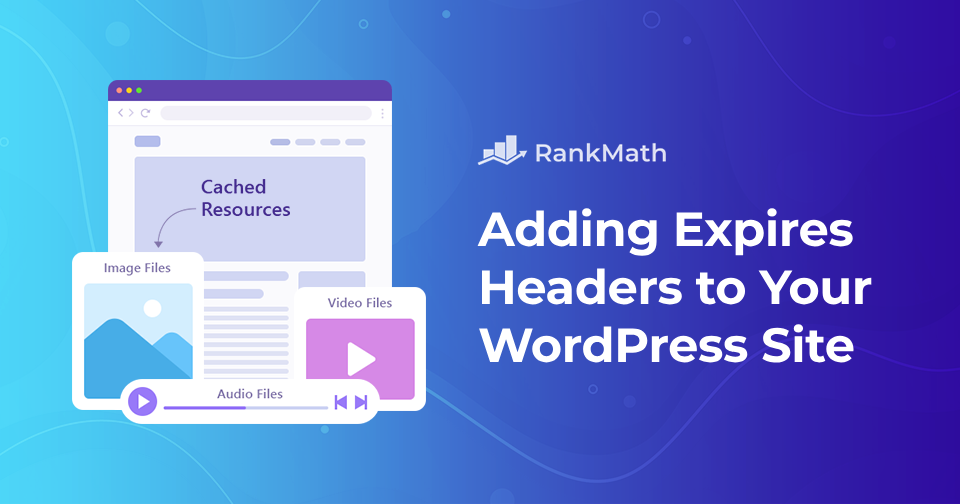
Expires headers tell your browser how long to keep files. These files include images, scripts, and stylesheets. Browsers save these files on your computer. This means your site loads faster next time. Expires headers help reduce server load. They make the user’s experience better.
Using Expires headers saves bandwidth. It makes your website faster. Visitors get happy. Faster websites get more visits. Google likes fast sites. They rank better. This helps your site get more traffic.
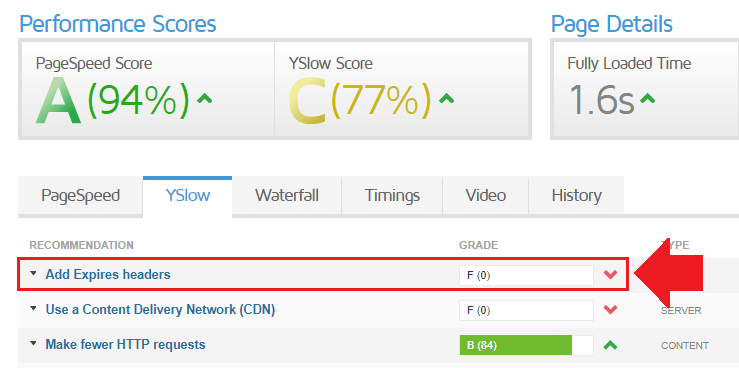
You can add Expires headers in WordPress easily. Use a plugin like W3 Total Cache. It is simple to install. Go to your WordPress dashboard. Click on “Plugins”. Search for W3 Total Cache. Install and activate it. Go to the “Browser Cache” section. Enable Expires headers. Now your site is faster!

Credit: kinsta.com
Importance For Website Performance
Expire headers help in making websites load faster. They tell the browser to store files for a set time. This means fewer requests to the server, making pages load quickly. Faster loading improves user experience. Visitors stay longer on your site. Also, search engines like Google rank fast sites better. This can bring more visitors to your site. Reducing server load is another benefit. With less traffic to the server, your site performs well even during peak times. By setting expire headers, you ensure a smoother experience. This is vital for website performance. It keeps both users and search engines happy.
How Expires Headers Work
Expires headers tell the browser when to get new files. They help cache files like images and scripts. This means the browser saves them for later. So, the next time you visit a site, it loads faster. No need to download the same files again.
Browser interaction is key. The browser checks the expiration date of files. If the date is not passed, it uses the saved files. This makes browsing the web quicker. It also saves data. Less downloading means less data use. Everyone wants a faster web.
Setting Up Expires Headers In WordPress
Plugins make setting up Expires Headers easy in WordPress. Many plugins exist for this task. One popular option is W3 Total Cache. This plugin helps manage cache settings. Another choice is WP Super Cache. Both are user-friendly and effective. Install the plugin from the WordPress dashboard. Go to the settings and find the cache options. Enable Expires Headers to improve site speed. Remember, faster websites make users happy.
Adding code manually requires editing the .htaccess file. This file is in your website’s root directory. Access it through the hosting file manager or an FTP client. Add code to set expiration times for files. Common file types include images, CSS, and JavaScript. Set a longer time for static files. This helps reduce server load and speeds up the site. Always back up your files before making changes. Mistakes can break the website. Be careful while editing.
Best Practices
Expires headers in WordPress help improve site speed by telling browsers how long to store images, scripts, and stylesheets. This reduces server load and speeds up page loading times. Implementing expires headers can enhance user experience and boost your site’s SEO performance.
Choosing Expiration Time
Pick a good expiration time for files. Images and scripts need longer times. Your site will load faster. Short times for changing content. This keeps data fresh. Users see new updates often. Balance is key. Too long means old data. Too short means slow loading. Find the sweet spot.
Regular Updates And Maintenance
Always check your files. Update them regularly. This helps users see the latest content. Maintenance is important. It keeps your site healthy. Fix any issues quickly. Keep an eye on performance. Happy users mean more visits. More visits mean better site success. Regular checks are vital.
Credit: rankmath.com
Common Challenges And Solutions
Expires headers in WordPress manage how long web resources are stored in a browser’s cache. Common challenges include incorrect configuration, leading to slow website speed. Solutions involve setting appropriate cache expiration times to enhance user experience and improve site performance.
Compatibility Issues
Sometimes, themes or plugins can cause problems. Some plugins don’t work well with expires headers. This can slow down your site. Check plugin documentation for compatibility. It’s a good idea to update plugins. This might solve the problem. Test your site after updates. See if the speed improves.
Troubleshooting Tips
Clear your cache often. It helps see changes faster. Use browser tools to check errors. They show what is wrong. Disable plugins one by one. This helps find the bad plugin. Re-enable them once you find the issue. Seek help if you can’t fix it. There are forums and experts available. They can offer guidance. Backup your site before making changes. This keeps your data safe.
Benefits For Seo And User Experience
Expires Headers tell browsers how long to keep files. This helps in loading pages faster. Faster websites make users happy. They don’t want to wait. Search engines like Google love fast sites. They rank them better. Faster sites can get more visitors. More visitors mean more chances to grow.
Using Expires Headers saves bandwidth. It reduces server load. This means less work for your server. Your site can handle more visitors. This is good for big events or sales. Servers stay strong and don’t crash. Users get a smooth experience. They like to come back.
Credit: www.onepagezen.com
Frequently Asked Questions
What Are Expires Headers In WordPress?
Expires headers in WordPress are HTTP headers that specify the expiration date for cached resources. By setting these headers, you can reduce server load and improve page load times. They help browsers determine when to request fresh content, enhancing user experience and SEO performance.
How Do Expires Headers Improve Website Speed?
Expires headers improve website speed by reducing the need for repeated requests to the server. They allow browsers to cache resources, decreasing page load time. This optimization leads to faster browsing experiences, better SEO rankings, and lower bandwidth usage, especially for returning visitors.
How Can I Set Expires Headers In WordPress?
You can set expires headers in WordPress by modifying the. htaccess file or using plugins. The. htaccess method involves adding specific code to your file. Plugins like W3 Total Cache can automate this process, making it easier to manage cache settings without manual coding.
Why Are Expires Headers Important For Seo?
Expires headers are important for SEO because they enhance website speed, a critical ranking factor. Fast-loading pages improve user experience and reduce bounce rates. Search engines favor sites with efficient load times, potentially boosting your site’s visibility and ranking on search engine results pages.
Conclusion
Expires headers in WordPress boost website speed. They reduce server requests. This enhances user experience and satisfaction. Faster sites lead to more engagement. Setting expires headers is simple. Use plugins or manual methods. Both options work effectively. Improved speed can help SEO rankings.
Search engines favor fast sites. So, optimize your WordPress now. It benefits both users and search engines. Keep your site smooth and efficient. Speed matters. Users notice. Search engines notice. Expires headers make a difference. Try implementing them today. Your website deserves it.



