
Imagine transforming your WordPress website into a dynamic, interactive community hub. You might be wondering how that’s possible.
Enter BuddyPress, a powerful WordPress plugin designed to bring social networking capabilities right to your fingertips. Whether you’re looking to create a niche forum, a social media platform for your business, or a vibrant online community, BuddyPress offers you the tools to make it happen.
But what exactly is BuddyPress, and how can it enhance your website? This article will unravel the mysteries of BuddyPress, exploring its features, benefits, and why it could be the perfect addition to your site. By the end, you’ll understand how BuddyPress can help you foster engagement, build connections, and create an interactive space that keeps your audience coming back for more. Are you ready to discover the potential of BuddyPress? Let’s dive in!
Credit: buddypress.org
Introduction To Buddypress
BuddyPress is a WordPress plugin that helps you create a social network. It is like Facebook but for your own site. Users can make profiles and connect with friends. They can send messages and join groups. BuddyPress is free and easy to use. Many people like it because it brings people together. You can add more features with extra plugins. It works with most WordPress themes. This makes it simple to set up and start using. BuddyPress helps your site become a community. You can manage everything from your WordPress dashboard. This makes it a useful tool for anyone wanting a social site.
Core Features
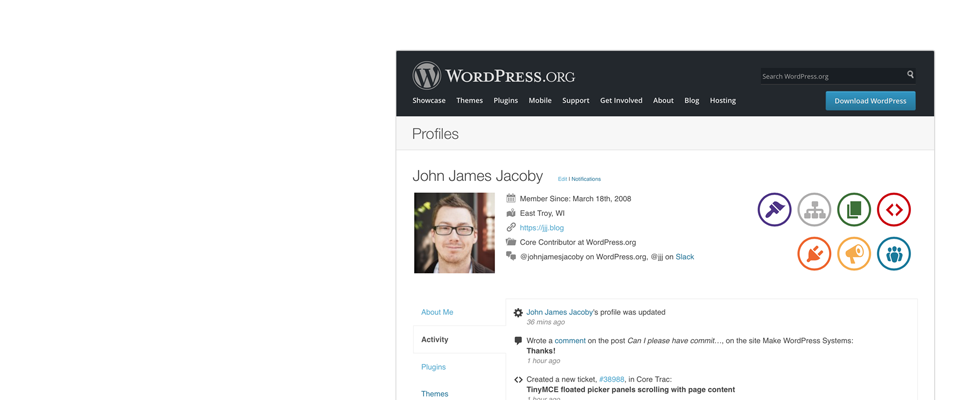
Every user gets their own profile. They can add information about themselves. This includes photos and contact details. Profiles help users know each other better.
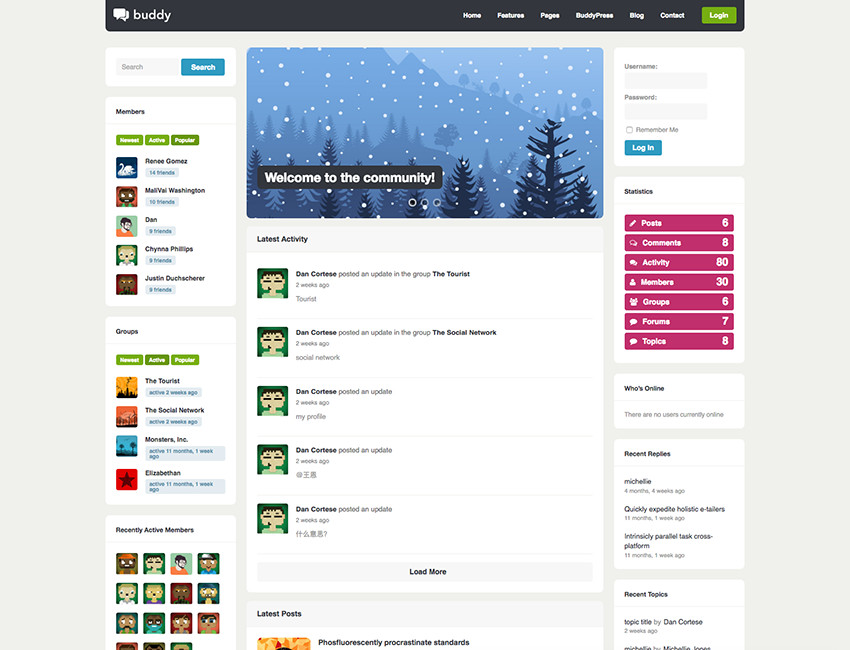
See what everyone is doing in real-time. Friends can like and comment on activities. It keeps the community active and fun. You can see updates all the time.
Users can join or create groups on topics they like. Groups have their own forums for discussions. This helps people with similar interests connect. Everyone can share and learn.
Send private messages to friends. These messages are not public. It’s like sending a note to a friend. This feature helps keep conversations private.
Installation Process
Buddypress needs WordPress version 5.0 or higher. Your server must have PHP 7.2 or later. Ensure MySQL 5.6 or newer is installed. A modern web browser is best. Regular updates help keep everything smooth and secure.
Go to your WordPress dashboard. Click on Plugins. Then, select Add New. Search for “Buddypress”. Click Install Now. After installation, hit the Activate button. It’s quick and simple!
Once activated, go to Settings. Click on Buddypress. Choose the features you need. Save your changes. Visit the Pages tab. Assign pages to BuddyPress components. Finally, check the Options tab. Adjust settings to fit your needs.
Customization Options
BuddyPress works with many WordPress themes. Some themes are made just for BuddyPress. These themes make your website look great. They also work smoothly with all BuddyPress features. Using the right theme can help users enjoy their time on your site. Always choose themes that are updated often. This keeps your site safe and fast.
BuddyPress has many custom components. These help make your website special. You can add groups, forums, and private messaging. Each component has its own settings. Choose what fits your community best. Always check for new components. They bring fresh features to your site. Customize these to meet your site’s needs.
Extensions and add-ons give BuddyPress more power. They add new features to your site. Some add-ons help with security. Others make your site fun. Choose add-ons that match your site goals. Always update them to keep your site running well. Look for add-ons with good reviews. This helps find the best ones.
Integration With Other Plugins
Buddypress works well with many other plugins. This creates a more powerful website. Users love how it connects with tools they already use. This makes their sites better and more interactive.
Popular Integrations
Some plugins work especially well with Buddypress. WooCommerce helps users sell products online. Yoast SEO improves site visibility on search engines. bbPress adds forums for community discussions. These integrations make Buddypress even more useful.
Enhancing Functionality
Using extra plugins boosts Buddypress features. Users can create events with Events Manager. WPML allows language translations for global reach. Gravity Forms helps in creating custom forms. Adding these plugins enriches user experience.
Use Cases And Applications
BuddyPress helps build online communities. Users can create profiles and join groups. They can also send messages. This makes sharing easy. People can connect with others who share the same interests. A strong community can grow around shared goals or hobbies. It’s like having a special online clubhouse.
Schools use BuddyPress for online learning. Students and teachers interact easily. They can share study materials and discuss topics. This makes learning fun and engaging. Everyone stays connected. Even when far apart. Teachers can create groups for each class. This helps keep everything organized.
BuddyPress is great for business networking. Professionals can connect and share ideas. They can join groups related to their industry. It’s a place to find new opportunities. Networking helps businesses grow. People can find partners or clients. It’s like having a big business meeting online.
Tips For Optimizing Performance
The BuddyPress WordPress plugin helps create social networks on websites. To boost its performance, keep plugins updated. Regularly check for compatibility issues. Optimize images and use a reliable hosting service for faster loading times.
Speed Improvements
Improving speed is important for a good user experience. Use a lightweight theme to make your site faster. Minimize the number of plugins you use. Too many plugins can slow down your site. Use a caching plugin to help pages load quickly. Optimize images to reduce their size without losing quality. Choose fast hosting. A good server means quicker loading times.
Security Best Practices
Keeping your site secure is essential. Always keep your WordPress and BuddyPress updated. Updates fix bugs and security issues. Use strong passwords for all user accounts. Enable two-factor authentication for extra security. Regularly back up your site. If something goes wrong, you can restore it easily. Limit login attempts to protect against brute force attacks.
Credit: www.wpexplorer.com
Common Issues And Solutions
Users sometimes face login issues. Check if the username and password are correct. If not, reset them. Profile picture problems can occur too. Ensure the image is the right size. Updates may cause plugin conflicts. Deactivate other plugins to find the problem. Page loading can be slow. Clean your browser cache and optimize images. Follow these steps to fix common issues.
The Buddypress community is a helpful place. You can ask questions. Use the Buddypress forums for support. Look for answers in the WordPress Codex. Many users share tips there. Online tutorials can also be helpful. They show step-by-step solutions. These resources provide great help.
Future Developments
Buddypress is getting new features soon. These will make it better. Users can expect more customization options. There will be easier ways to connect with friends. Security improvements are also on the list. These changes will make Buddypress more secure and fun.
The community helps Buddypress grow. Many people share their ideas. They work together to fix problems. Some create new plugins for Buddypress. These plugins add more features. Everyone can use them. This makes Buddypress better for all users.

Credit: wordpress.org
Frequently Asked Questions
What Is Buddypress Used For In WordPress?
BuddyPress is used to create social networking sites within WordPress. It allows users to build profiles, create groups, and interact. It enhances community engagement by adding social features. It’s an ideal choice for businesses, educational institutions, and niche communities wanting to foster user interaction.
How Do I Install Buddypress?
To install BuddyPress, navigate to your WordPress dashboard. Go to Plugins > Add New, then search for “BuddyPress. ” Click “Install Now,” and then “Activate. ” Once activated, configure the settings to suit your community’s needs. It’s simple and integrates seamlessly with WordPress themes.
Is Buddypress Free To Use?
Yes, BuddyPress is completely free to use. It’s an open-source plugin maintained by a dedicated community. You can download and install it without any cost. However, certain premium themes or extensions may require a purchase for added functionality.
Can Buddypress Work With Any WordPress Theme?
BuddyPress is compatible with most WordPress themes. However, using a BuddyPress-compatible theme ensures optimal functionality. Some themes are specifically designed for BuddyPress, enhancing the user experience. Always check for compatibility to ensure seamless integration and performance.
Conclusion
Buddypress enhances WordPress with powerful community features. It allows users to create profiles, join groups, and interact easily. Perfect for building an online community. Simple setup and flexible options make it accessible. Connect members and foster engagement with Buddypress. A valuable tool for any website wanting social interaction.
Explore its features and see how it fits your needs. Whether starting small or aiming for growth, Buddypress offers the right tools. Engage your audience with the community-focused WordPress plugin. A straightforward solution for building connections online.



