
Have you ever wondered how to make your WordPress site more organized and user-friendly? If you’re diving into the world of WordPress, you might have come across terms like “tag” and “slug.”
These simple elements play a crucial role in structuring your content, enhancing your site’s SEO, and improving the user experience. Understanding what a tag slug is and how to use it effectively can be the key to unlocking a streamlined, professional-looking website that keeps your visitors engaged.
Imagine effortlessly guiding your readers through a maze of content, ensuring they find exactly what they’re looking for. With tag slugs, you’re not just improving navigation; you’re paving the way for better visibility on search engines. This means more eyes on your content, more interaction, and ultimately, more success for your site. So, what exactly is a tag slug in WordPress? And why should you care? Stick around, because you’re about to discover how this small but mighty tool can transform your website into a well-oiled machine.

Credit: www.hostinger.com
Tag Slug Definition
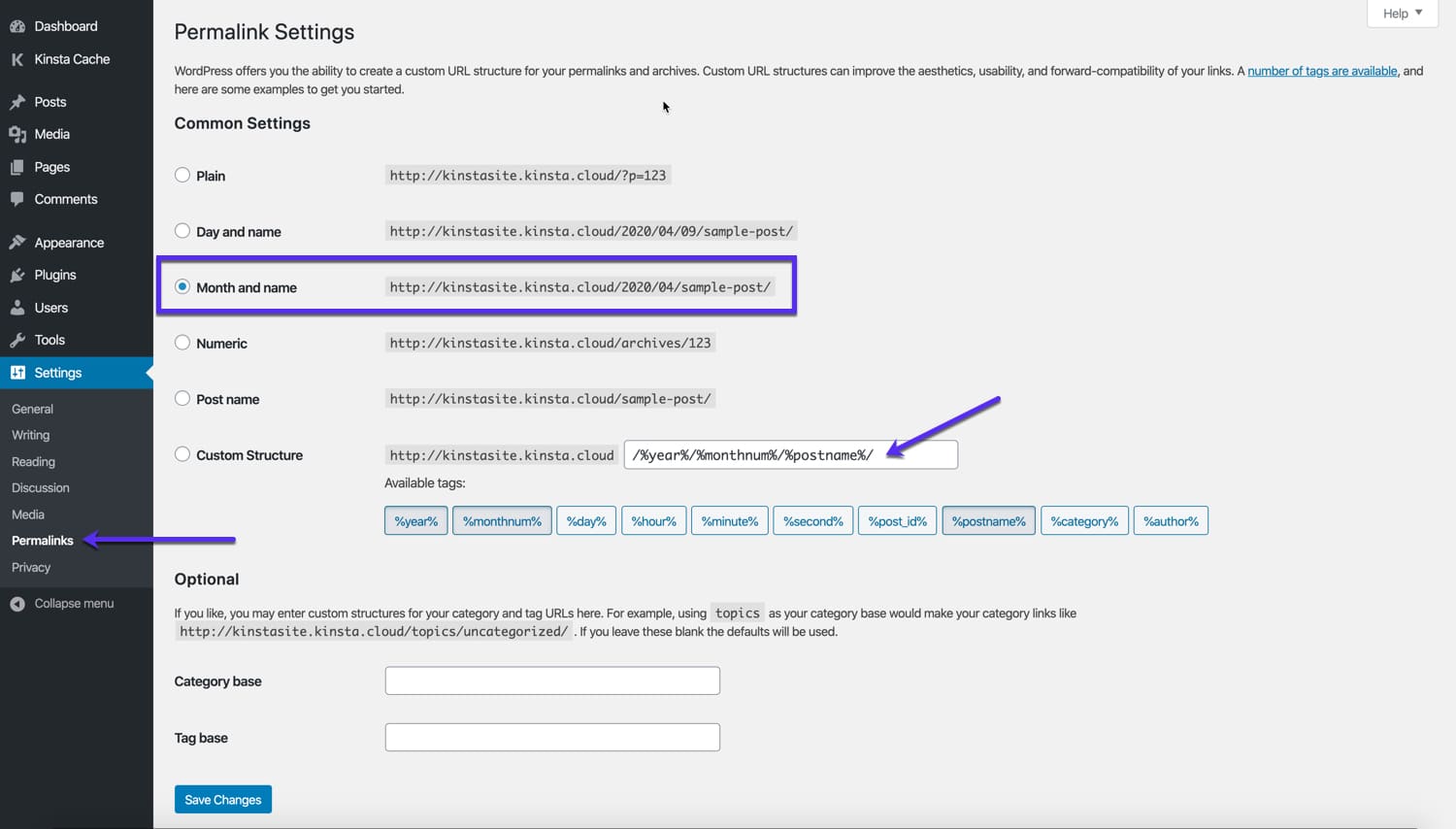
A tag slug is the short name for a tag in WordPress. It helps in organizing posts. Slugs are usually lowercase and use hyphens. They are important for URL structure. Users see them when browsing your site. Slugs make URLs easy to read and understand. For example, if the tag is “WordPress Tips,” the slug might be “wordpress-tips”. This helps search engines find content better. It also helps people remember URLs. Choose slugs carefully for better site navigation. A good slug is simple and clear. Avoid long or confusing words. Use slugs to improve your site’s performance.
Credit: kinsta.com
Role In Seo
A tag slug is a part of a URL. It helps users find content. Short and clear slugs are best. Search engines use slugs to index pages. This affects your site’s SEO ranking. Good slugs make content easy to find. They improve user experience. Use keywords in slugs. Keywords help search engines. They understand what your page is about. Avoid long and confusing slugs. Keep them simple. This helps users and search engines.
Creating Tag Slugs
First, open your WordPress dashboard. Find the “Tags” option under “Posts”. Click to view all tags. To create a new tag, click “Add New Tag”. Enter the tag name. In the slug box, type a short, simple word. This word describes your tag.
Avoid spaces in the slug. Use dashes instead. For example, use “my-tag” instead of “my tag”. Keep slugs short. They should be easy to remember. After entering, click “Add New Tag”. Your tag and slug are now ready.
Use keywords in your slugs. This helps with SEO. Keep slugs consistent. This aids user understanding. Avoid using special characters. They can confuse users. Stick to lowercase letters. It looks clean and simple. Regularly review your slugs. Ensure they are still relevant.
Editing Existing Tag Slugs
Many make errors while changing tag slugs. Forgetting to update old links is a big mistake. This causes broken links. Also, some might choose a slug that’s too long. Short and simple slugs are best. Using special characters can confuse the system. Stick to letters and numbers only. Avoid spaces in slugs. Use hyphens instead. Hyphens help in reading and searching. These mistakes can hurt your site’s SEO performance.
Always check for broken links after edits. Use tools to find them. Keep slugs short and clear. One or two words is ideal. Use descriptive words in slugs. This helps users and search engines. Update your internal links right away. This prevents broken links. Regularly review slugs for better SEO results. Doing these small things can make a big difference.
Tag Slugs Vs. Tag Names
Tag slugs and tag names are important in WordPress. A tag name is what you see. It’s the word or phrase you use. A tag slug is different. It is a unique text used in URLs. It helps in organizing content better. Slugs use lowercase letters and dashes. Spaces are not allowed.
Tag names can be long. They can have special characters. But slugs must be short and simple. They help search engines find your content. Always check slugs before publishing. Make sure they are clear. This helps visitors too. They can find your posts easily.
Impact On User Experience
The tag slug in WordPress helps users find content easily. It acts like a label for blog posts. Users can click on a tag to see related posts. This makes navigation simple and quick. When users find content fast, they enjoy your site more. Happy users stay longer and read more posts.
Search engines also like clear tag slugs. They help in understanding the content better. This can improve your site’s visibility. More visibility means more visitors. Tags should be short and clear. They must make sense to everyone. This way, even young users can find what they need.
Troubleshooting Tag Slugs
Tag slugs can sometimes cause headaches. They may not work right. This is common. Often, slugs are duplicates. This means two tags have the same name. WordPress gets confused. It does not know which tag you want.
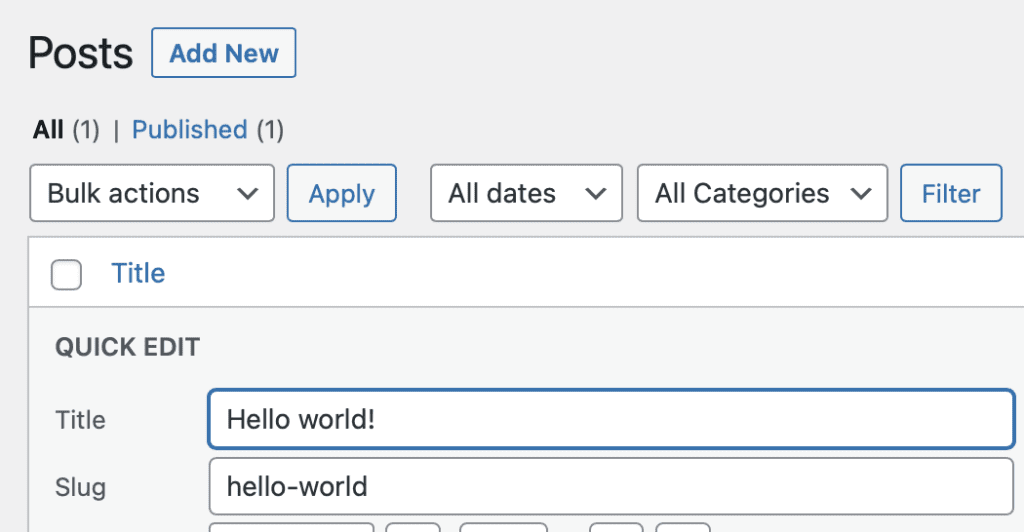
Fixing tag slugs is easy. First, check for duplicate slugs. Change one to be unique. Next, make sure slugs are short and clear. Long slugs can break things. Lastly, check for special characters. Tags should only have letters and numbers. Avoid symbols.
Credit: taxopress.com
Frequently Asked Questions
What Is A Tag Slug In WordPress?
A tag slug in WordPress is the URL-friendly version of a tag name. It is automatically generated based on the tag title. Slugs replace spaces with dashes and convert text to lowercase. They help create readable and SEO-friendly URLs, making it easier for search engines to index your content.
How To Change Tag Slug In WordPress?
To change a tag slug, go to the Tags section under Posts in your WordPress dashboard. Click on the tag you want to edit, modify the slug field, and save changes. A custom slug can improve readability and SEO, ensuring your content is well-optimized for search engines.
Why Are Tag Slugs Important For Seo?
Tag slugs are vital for SEO because they form part of your site’s URL structure. They help search engines understand the content of your page, boosting its visibility. Well-optimized slugs improve readability for users and ensure better indexing by search engines, enhancing your site’s overall ranking.
Can Tag Slugs Affect Website Traffic?
Yes, tag slugs can impact website traffic by improving search engine visibility. SEO-friendly slugs help users find relevant content easily, increasing click-through rates. When slugs are optimized, they contribute to better indexing, which can lead to more organic traffic and a higher ranking on search engines.
Conclusion
Understanding tag slugs in WordPress is crucial. They simplify URL structures. A clean URL enhances user experience. It also boosts SEO performance. Tag slugs organize content efficiently. This makes navigation easier for visitors. Simple URLs are also easier to share.
Remember to keep them short and relevant. Avoid unnecessary words in slugs. Consistency is key in managing slugs. This helps maintain a professional site structure. Regular updates ensure slugs remain effective. With careful attention, tag slugs can greatly benefit your WordPress site.
They contribute to both user satisfaction and search engine ranking.



