
Have you ever wondered what makes your WordPress website tick? You might have heard the term “script” being tossed around, but what exactly is it?
Understanding scripts is crucial for anyone looking to enhance their website’s functionality or performance. Scripts are the hidden gems that power your site’s features, enabling everything from dynamic content to interactive elements. By grasping the concept of scripts, you can unlock new possibilities for customization and optimization.
So, why settle for a standard website when you can elevate it to the next level? Dive in to discover how scripts can transform your WordPress experience and give your site the edge it needs.
Understanding Scripts In WordPress
Scripts are pieces of code. They make websites work better. They can be simple or complex. JavaScript is a common script. It adds cool features to sites.
Scripts help websites do more things. They improve user experience. They make pages interactive. Users can click buttons or see animations. Scripts can also load content faster.
WordPress allows adding scripts easily. Use plugins for this task. Plugins simplify the process. Themes can also have scripts. Make sure scripts are safe. Check for updates regularly.
| Practice | Why |
|---|---|
| Use trusted plugins | Ensures safety |
| Keep scripts updated | Fixes bugs |
| Test scripts | Avoids errors |
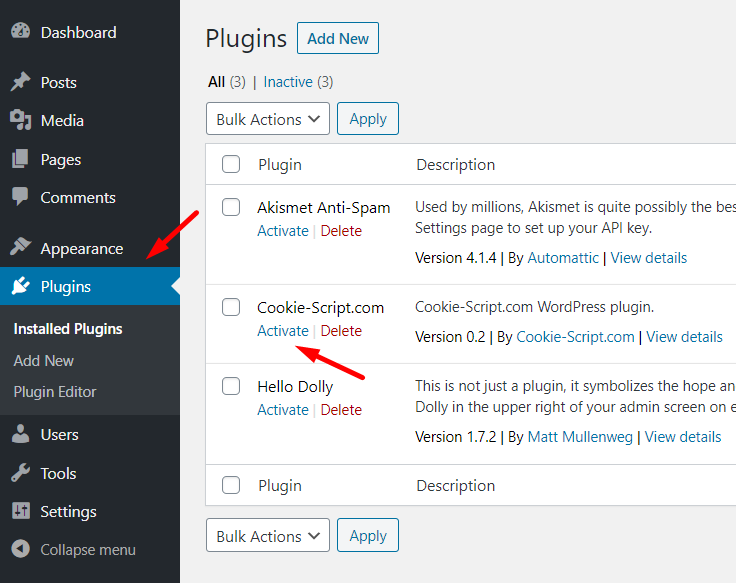
Credit: cookie-script.com
Types Of Scripts
JavaScript makes websites interactive. It helps with animations, slideshows, and more. This script runs in the browser. Users can see changes without refreshing the page. JavaScript can load new content fast. It adds fun effects to a site.
PHP runs on the server side. It manages data and connects to databases. PHP powers WordPress. It creates dynamic pages. The server processes PHP code before sending it to the browser. This makes pages flexible.
CSS styles the appearance of web pages. It controls colors, fonts, and layout. CSS makes a site look pretty. It works with HTML to enhance design. CSS ensures that a page is attractive and easy to read.
Role Of Scripts In WordPress
Scripts make a website do more. They add features like forms or sliders. This helps make the website more useful. A site without scripts may look plain. But with scripts, it can do many things. Scripts are like magic tools. They bring websites to life.
A good website is easy to use. Scripts help with this. They make buttons work right. They load pages faster. Users enjoy websites that work well. Happy users stay longer. They like to come back. Scripts help make this happen.
Every website is different. Scripts help make each one unique. They change how things look. They change how things work. You can add special effects. Or make things move. This makes your website stand out. Scripts give you many choices.
Credit: journeymv.zendesk.com
Adding Scripts To WordPress
The functions.php file is like a helper. It helps add scripts. You need to open this file in your theme folder. Add your script code inside it. This makes the script work on your site. Be careful, wrong codes can break the site.
Enqueuing scripts is a safe way. It helps load scripts correctly. Use wp_enqueue_script() function. This method prevents script conflicts. Scripts load only when needed. This keeps the site fast and clean.
Plugins make adding scripts easy. Many plugins have built-in options. You can add scripts without coding. Just install a plugin and follow steps. Popular plugins handle scripts well.
Common Script Errors
Scripts can sometimes cause errors on WordPress sites. These errors might make the site behave strangely. Some common script errors include syntax errors and missing files. A syntax error happens when there’s a mistake in the script’s code. Missing files mean that a script is trying to find something that isn’t there.
Conflicts occur when two scripts don’t get along. This can break features on your site. One way to fix this is by using debugging techniques. Start by disabling plugins one by one. Check if the error disappears. Another method is to use a staging site. Test scripts there to avoid breaking the live site.
Best Practices For Script Management
Scripts can slow down your site. It’s important to keep them light. Use only the scripts you need. Remove unused ones. This helps your site load faster. A fast site keeps visitors happy.
Scripts must work well with your theme. Check if they are compatible. Test them with your plugins too. This prevents errors on your site. A smooth site is easy to use.
Scripts need updates. Always use the latest version. This fixes bugs and adds new features. Updated scripts also improve security. Your site stays safe this way.
Tools For Script Optimization
Caching plugins help load pages faster. They store parts of the site. This means the site shows quicker next time. Popular caching plugins include WP Super Cache and W3 Total Cache. They are easy to use. You install them and they start working. They help the site run smoothly.
Minification tools make scripts smaller. They remove extra spaces and lines. This makes scripts load faster. Tools like Autoptimize and Fast Velocity Minify are popular. They make code clean and light. Users see pages faster. It improves site speed.
Performance testing checks how fast a site is. It shows where the site slows down. Tools like GTmetrix and Pingdom help test speed. They give a score. They show what needs fixing. Testing is important. It keeps sites quick and users happy.

Credit: medium.com
Frequently Asked Questions
What Is A Script In WordPress?
A script in WordPress is a piece of code that enhances functionality. It can add features like sliders, forms, or interactive elements. Scripts are usually written in JavaScript or PHP and are essential for customizing and extending your website’s capabilities.
They improve user experience and site performance.
How Do Scripts Affect WordPress Websites?
Scripts can significantly impact a WordPress website’s functionality and performance. They enhance interactivity and features but may also slow down loading times. Properly optimized scripts can improve user engagement and experience. Ensuring scripts are correctly implemented is crucial for maintaining site speed and efficiency.
Why Use Scripts In WordPress?
Scripts are used in WordPress to add dynamic features and improve interactivity. They allow for customization, enabling unique functionalities like animations and responsive design. Using scripts can enhance user experience, making your website more engaging and efficient. They are essential for creating a modern and interactive site.
Can Scripts Slow Down WordPress Sites?
Yes, scripts can slow down WordPress sites if not optimized. Excessive or poorly coded scripts increase loading times, affecting performance. Proper script management and optimization are crucial. Minimizing and consolidating scripts can help maintain site speed and ensure a smooth user experience.
Conclusion
Scripts play a vital role in enhancing WordPress sites. They bring dynamic features, making your site interactive. From adding forms to enabling animations, scripts offer endless possibilities. Understanding their use can improve your website’s functionality. Learning how to use scripts effectively can elevate your site’s appeal.
It’s essential to know what each script does. This helps you make informed choices. Experiment with different scripts to find what fits your needs. Start exploring today. Your WordPress site can become more engaging and user-friendly with the right scripts.



