
Imagine landing on a website and immediately feeling lost, unsure where to start or what to click. Frustrating, right?
That’s where a well-designed header in WordPress can make all the difference. If you’re building or managing a website, understanding the power of a WordPress header is crucial. It’s the first thing visitors see, and it sets the tone for their entire experience.
But what exactly is a header in WordPress, and why should you care? Dive into this article to discover how mastering your WordPress header can transform your website’s first impression, guide your visitors effortlessly, and boost your site’s performance. You’ll learn practical tips, uncover hidden features, and see how a simple tweak can lead to more engagement and success. Ready to unlock the potential of your WordPress site with a standout header? Let’s get started!
Header Definition
A header in WordPress is the top part of a website. It usually has the site’s name or logo. Headers help users know what site they are on. They can show menus or navigation links. This helps users move around the site easily. Headers might also have search bars. Sometimes, they show contact information. Headers are important for a good user experience.
Some headers stay at the top as you scroll. These are called sticky headers. They make navigation easier. Headers can be customized in WordPress. You can change the color, font, or background. This helps make the site unique. Headers are important for branding. They help visitors remember the site.

Credit: wordpress.com
Importance Of Headers
Headers are like the titles of different sections. They help readers know what each part is about. Headers also make a website look organized and clean. People can find information faster with headers. They are like signposts on a road. Search engines love headers too. They use headers to understand what the page is about. This can help your page show up in search results. Using the right words in headers is important. It tells both people and search engines about the topic.
Components Of A WordPress Header
The logo is the face of your site. It shows who you are. Every WordPress header needs a clear logo. This makes your brand easy to spot. Place it on the top left corner. This is where people look first. Make sure it is clear and simple. Your logo should be easy to read. People should know it at a glance.
The navigation menu helps visitors find their way. It should be easy to use. Keep the menu simple and organized. Use clear words for each section. People should know where each link goes. Too many links can confuse users. Keep it short and to the point.
A search bar lets users find things fast. It is very helpful. People can type in what they want to see. Place it on the top right. This is where people expect it. Make sure it is easy to see. Use a magnifying glass icon. Everyone knows this icon. It helps them find the search bar quickly.
A call to action button tells visitors what to do next. It should stand out. Use bright colors to grab attention. Keep the text short and clear. Words like “Join” or “Buy” work well. Make sure it is easy to click. Place it where people can see it easily. This helps guide users through your site.
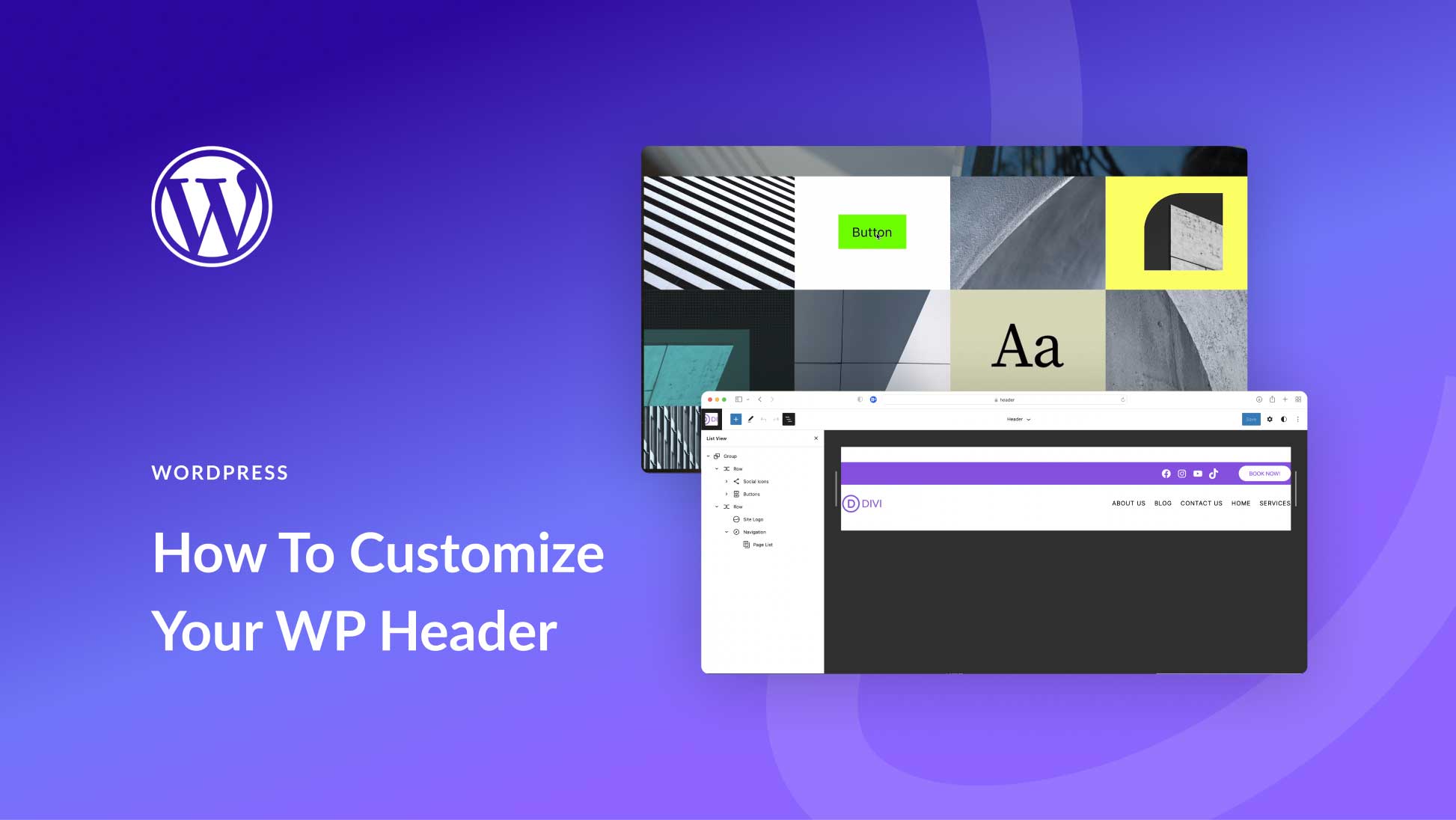
Credit: www.elegantthemes.com
Customizing WordPress Headers
Themes make headers look unique. Choose a theme that fits your style. Some themes offer easy options. Drag and drop features are common. Look for themes with header settings. These settings change the header’s look. Explore themes to find the best fit.
Images make headers stand out. Many themes let you add images. Upload your favorite photo. Adjust its size if needed. Some themes offer cropping tools. Use them to fit the image perfectly. A good image catches the eye. It makes your site memorable.
Colors and fonts change a site’s feel. Many themes have color pickers. Choose colors that match your brand. Fonts add personality to headers. Some themes offer font libraries. Select a font that is easy to read. Experiment with different styles. Find what works best for your site.
Plugins For Header Enhancement
Many plugins can make your WordPress header better. Some popular ones include Elementor, Header Footer Builder, and WP Custom Header. These plugins let you add cool designs and features to your header. You can make your site look nice and be easy to use.
Installing a plugin is very easy. First, go to your WordPress dashboard. Then, click on “Plugins” and choose “Add New”. Search for the plugin name. Click “Install Now”, then “Activate”. Setup is usually simple. Follow the plugin guide to configure it. Your header will look better in minutes.
Responsive Design Considerations
Headers in WordPress must be flexible for all devices. A well-designed header looks good on phones, tablets, and desktops. This means using responsive design techniques. Images should resize automatically. Text should adjust to the screen size. The layout should remain intact and clear.
Many themes offer built-in options for responsive headers. It’s important to test the header on different devices. A good header ensures easy navigation. Visitors should find information quickly. This keeps them on the site longer. A slow or messy header can cause users to leave. Make sure your header is fast and clean.
Seo And Headers
Headers in WordPress are important for SEO. They help organize content. Headers tell search engines about your page. They can improve your ranking. Use headers to make text easy to read.
Headers come in different sizes. The biggest is H1. This is the main title. Smaller ones like H2 and H3 show sections. Use them wisely. They guide readers through your content.
Search engines like clear headers. They understand your topics better. This is good for SEO. Well-structured headers can attract more visitors. Use simple words in your headers.
Make sure they match the content. This helps both readers and search engines. It’s a simple but effective trick. Your site will be better.
Troubleshooting Common Issues
Headers are important for your website. They show the name and logo. Sometimes, the header might not display. This can be due to wrong settings. Check if the header file is missing. Ensure the theme is active and working. Update the theme if needed.
Alignment makes your site look neat. If the header is not aligned, it seems messy. Use the theme’s customization options. Adjust margins and padding for the header. This helps in fixing alignment. Test on different devices to ensure it looks good everywhere.
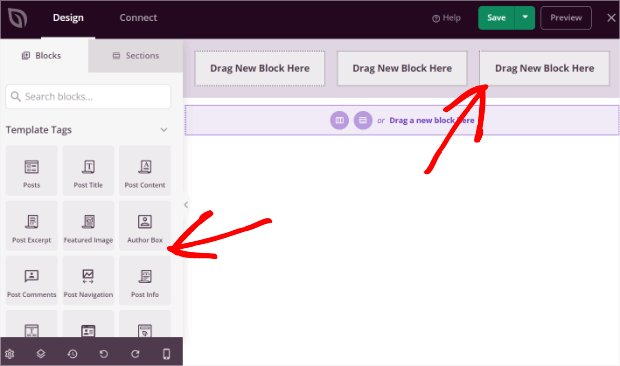
Credit: optinmonster.com
Frequently Asked Questions
What Is A Header In WordPress?
A header in WordPress is the top section of a webpage. It typically contains the site logo, navigation menu, and sometimes contact information. Headers are crucial for branding and user navigation, enhancing user experience. Customizing headers can improve website aesthetics and functionality.
How Do I Customize WordPress Headers?
Customizing WordPress headers can be done via the theme customizer. Navigate to Appearance > Customize to access header settings. Options vary by theme but often include logo upload, menu arrangement, and color changes. Plugins can offer additional customization features for advanced header designs.
Why Is A WordPress Header Important?
A WordPress header is important for branding and user navigation. It houses essential elements like logos and menus, guiding users through your site. A well-designed header can enhance user experience, improve accessibility, and convey professionalism, impacting overall website effectiveness and engagement.
Can I Add A Logo To My Header?
Yes, you can easily add a logo to your WordPress header. Most themes support logo uploads via the customizer under Appearance > Customize. Ensure your logo is clear and fits well within the header dimensions for optimal display and branding.
Conclusion
Headers in WordPress offer essential tools for website design. They shape the first impression visitors get. Easy customization allows for unique branding. Headers enhance navigation, guiding users smoothly across pages. They provide structure and aesthetic appeal. Choosing the right header boosts user experience and website performance.
Simplified settings make it accessible for all skill levels. Understanding header functions empowers better site management. Whether for a blog or business, headers serve crucial roles. Explore and experiment with styles to find the best fit. Create engaging and functional web spaces efficiently with WordPress headers.



