
Navigating the intricacies of managing a WordPress project on GitHub can sometimes feel like walking through a maze. One of the key aspects you need to master is understanding which files to ignore in your repository.
Ignoring the wrong files can lead to security risks, clutter, and unnecessary complications. But here’s the good news: mastering this aspect can streamline your workflow, enhance security, and keep your repository clean and efficient. Imagine having a GitHub repository that’s optimized, free from clutter, and perfectly organized.
Sounds ideal, right? By the end of this article, you’ll have a clear roadmap for determining exactly which files to ignore in a WordPress GitHub repository. You’ll learn the secrets that seasoned developers use to keep their repositories pristine and functional. Stay with me, and you’ll discover how to protect your sensitive information, improve your project’s performance, and make collaboration with others a breeze. Let’s dive in and transform the way you manage your WordPress projects on GitHub.

Credit: www.geeksforgeeks.org
Importance Of Ignoring Files
Ignoring files in a WordPress Github repository is very important. Not all files need to be shared. Some files can be harmful if shared. Like configuration files, they can expose sensitive data. Also, unnecessary files make the repository cluttered. This clutter can confuse others. It can slow down the process of understanding the project. Some files are just backups. These are not needed in the repository. Others are large media files. They can take up too much space. Space in a repository is limited. Keeping only necessary files makes the repository neat. This helps everyone work better. It also makes the project safer.
Core WordPress Files
WordPress has many important files. Some files should not be in your repository. The wp-admin and wp-includes directories are examples. These files are part of WordPress core. They change often with updates. Keeping them in the repository can cause issues. The repository should have custom files only.
Another set of files to ignore are default themes and plugins. These are themes and plugins that come with WordPress. They are not needed in the repository. They can be downloaded again anytime. Include only custom themes and plugins. This keeps the repository clean and easy to manage.
Configuration Files
The wp-config.php file is very important. It holds your database details. It has your site’s secret keys. Never share this file on Github. Keep it safe. This file should be ignored in your repository. Protect your site from hackers. Always make sure it is secure.
The .htaccess file controls website settings. It manages permalink structures. This file can also block certain IPs. Like wp-config.php, it should be kept private. Ensure it is not visible on Github. Protect your site’s security. Always check this file is safe.
Uploads And Media Files
The wp-content/uploads directory stores media files. Images, videos, and audio are all kept here. These files are large. They take up space. It is wise to ignore them. Why? They are not code files. They change often. Large files can slow down your repository. This is bad for speed. Keep only code in your repository. Media files can be uploaded again. They are not lost. This keeps your repository clean and light.
Cache And Backup Files
Cache directories store temporary files. These files speed up site loading. They change often. Keeping them in a repository is not useful. It increases the size of the repository. This makes it harder to manage. Ignoring these files can help keep the repository clean. Developers often use .gitignore files. These files specify which files or directories to ignore. Add cache directories to these files.
Backup files save the website’s state. They are large. They contain the same data as the database. These files are not needed in the repository. They can cause clutter. It is better to store them elsewhere. Developers use cloud storage or external drives. This saves space in the WordPress Github Repository. Backup files are important but should be stored securely. Regularly check backup locations.
Credit: nira.com
Environment-specific Files
Developers create many files on their local systems. These files help in building and testing. But they are not needed on GitHub. Such files include node_modules and vendor directories. These folders can become very large. Uploading them to GitHub is not good. It makes the repository heavy. Also, configuration files like .env are local. They hold sensitive data. Avoid sharing them.
Some files are for certain servers only. These files should not be in the repository. Examples are wp-config.php and .htaccess. These files have server settings. They might contain database passwords. Keeping them out of GitHub is safe. It prevents unwanted access. Use templates instead. This practice keeps your repository clean.
Temporary And Log Files
Temporary directories store files only for a short time. These files are not needed for your final code. Keeping them in your repository can cause clutter. It’s best to exclude them. This will make your repository cleaner.
Log files are records of events. They help track what happened. They are useful for debugging. But they are not necessary in your repository. These files can grow very large. They can slow down your repository. So, it’s good to ignore them. This keeps your repository efficient.
Security Considerations
Some files hold sensitive information. These files should stay private. Examples include wp-config.php and database credentials. Keeping these out of public view is crucial. This helps protect your site from attacks. Always check for files with passwords or keys. Such files need extra care.
Security plugins keep your site safe. Examples are Wordfence and iThemes Security. These plugins should not be shared publicly. They hold settings that protect your site. Sharing them can expose your site to risks. Always update these plugins for best protection.
Best Practices For .gitignore
Ignoring certain files in a WordPress Github repository is smart. It keeps the repo clean and efficient. Start by ignoring the wp-config.php file. This file holds sensitive data. Next, ignore the wp-content/uploads/ directory. It can get large with images and media. Also, ignore the node_modules/ directory. It contains lots of files not needed in the repo.
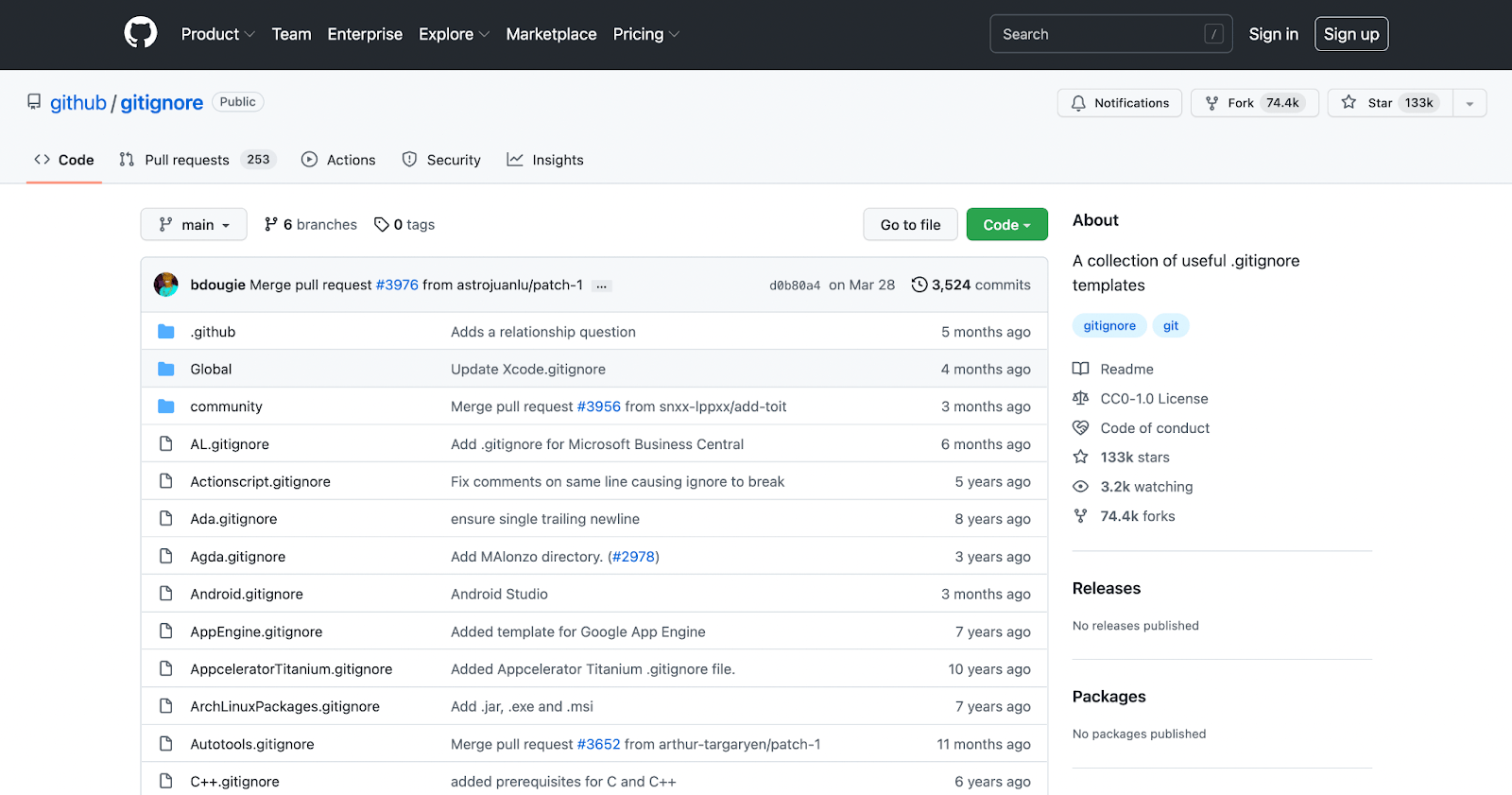
Exclude .env files too. They store environment settings. Ignore log files and error files. They aren’t needed in the repo. Backup files should be ignored as well.
Each project is different. Adjust the .gitignore file to fit your needs. Consider project-specific files. Add them to the ignore list. Think about temporary files. They should not be in the repository. Consider ignoring cache files. They can take up space.
Review the list often. Keep it up-to-date. This ensures only essential files are tracked. This helps maintain a clean and efficient repository.

Credit: www.wetory.eu
Frequently Asked Questions
What Files Should Be Ignored In WordPress Github?
In a WordPress GitHub repository, ignore `wp-config. php`, `node_modules`, and `vendor` directories. These files contain sensitive information and dependencies that can be installed via Composer or npm. Ignoring them ensures security and reduces clutter, making it easier to manage your repository effectively.
Why Ignore Wp-content/uploads In Github?
Ignoring `wp-content/uploads` prevents versioning of large media files, reducing repository size. These files are user-generated and can be managed separately. This approach streamlines repository management and ensures only essential code changes are tracked, enhancing efficiency and organization.
Should I Ignore .htaccess In WordPress Github?
Yes, ignore `. htaccess` to prevent exposing server configurations. This file contains sensitive information that can lead to security vulnerabilities if shared publicly. By ignoring `. htaccess`, you protect your server settings while keeping your WordPress GitHub repository secure and streamlined.
How To Manage Ignored Files In Github?
Use a `. gitignore` file to specify files and directories to ignore. This ensures they are not tracked by Git. Regularly update the `. gitignore` to reflect changes in your project structure, maintaining an efficient and clutter-free repository.
Conclusion
Choosing files to ignore in a WordPress Github repository is crucial. It helps keep your project clean and efficient. Ignoring unnecessary files saves space and time. This practice also boosts your site’s performance. Focus on ignoring files like configuration logs and cache data.
Keep your repository organized and clutter-free. This makes collaboration easier for developers. A tidy repository enhances the workflow. Remember, clear documentation is key for team success. Regularly review ignored files list for better results. Maintain a streamlined and professional approach to WordPress development.
Your project will benefit greatly.



