
Ever visited a website and wondered how to reach out to its owner? That’s where a contact form comes in handy.
If you’re using WordPress, you might be curious about what a contact form is and why it’s essential for your site. Imagine having a direct line to your visitors, a tool that lets them ask questions, share feedback, or express interest in your services without the hassle of sending an email.
It’s more than just a convenience; it’s a bridge between you and your audience. By understanding the role of a contact form, you can enhance user experience and boost engagement on your site. But why stop there? Discover how this simple tool can transform visitor interactions into meaningful connections. Ready to unlock the potential of your WordPress site? Let’s dive in and explore the wonders of contact forms.
Credit: www.paralleldevs.com
Contact Form Basics
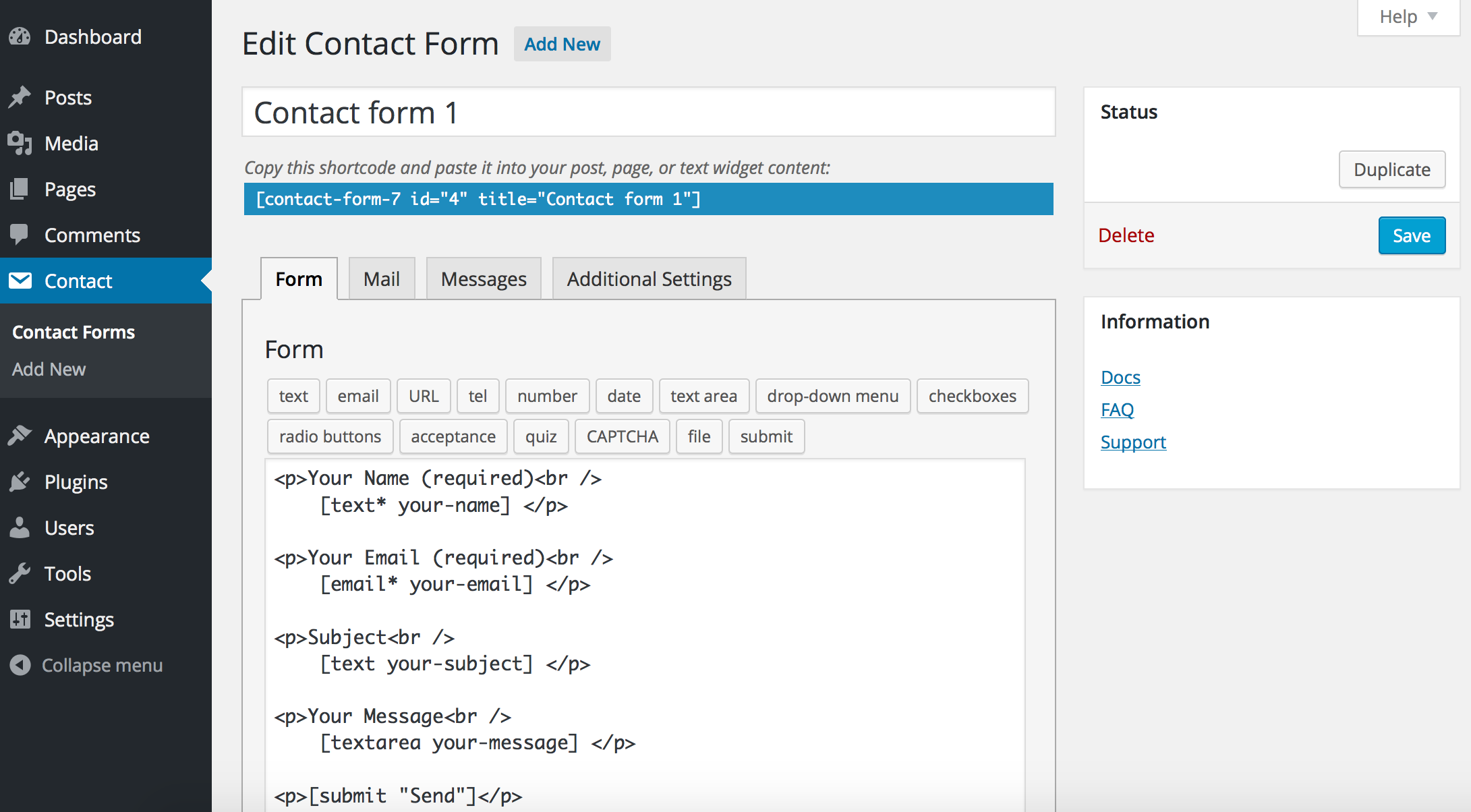
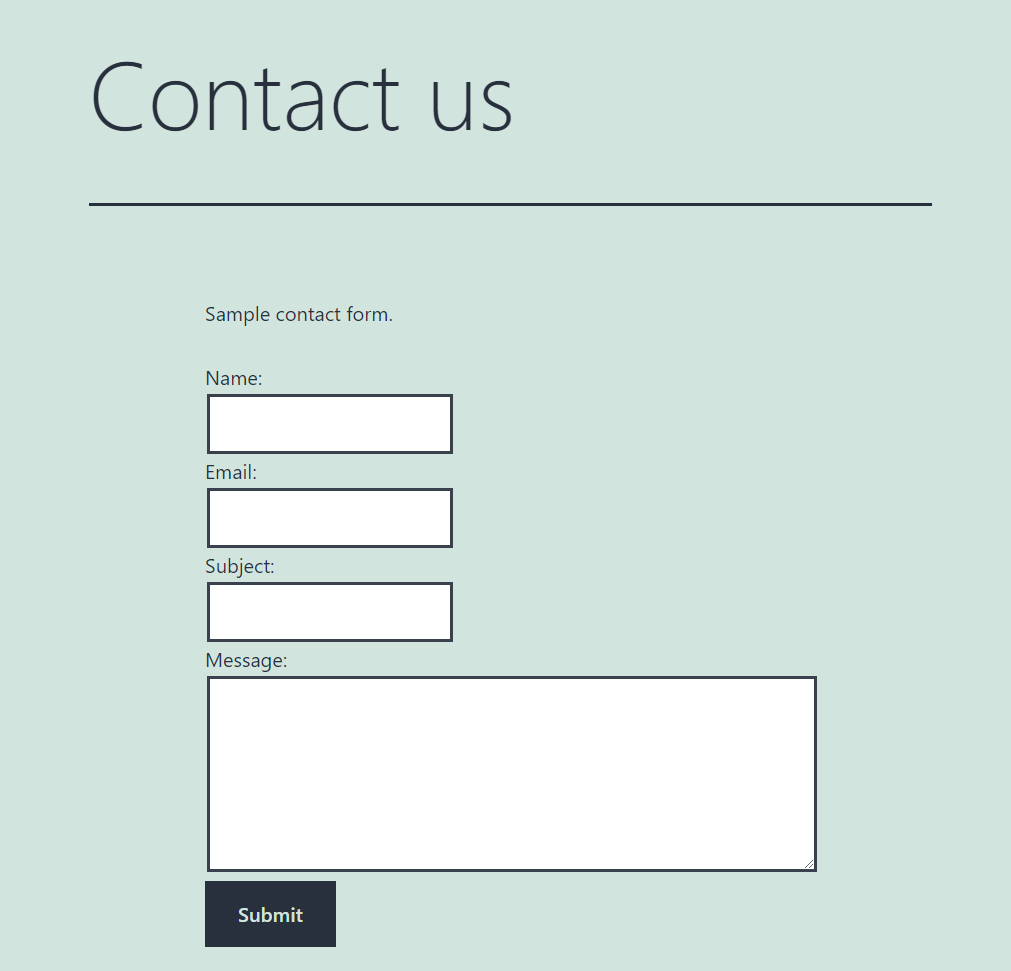
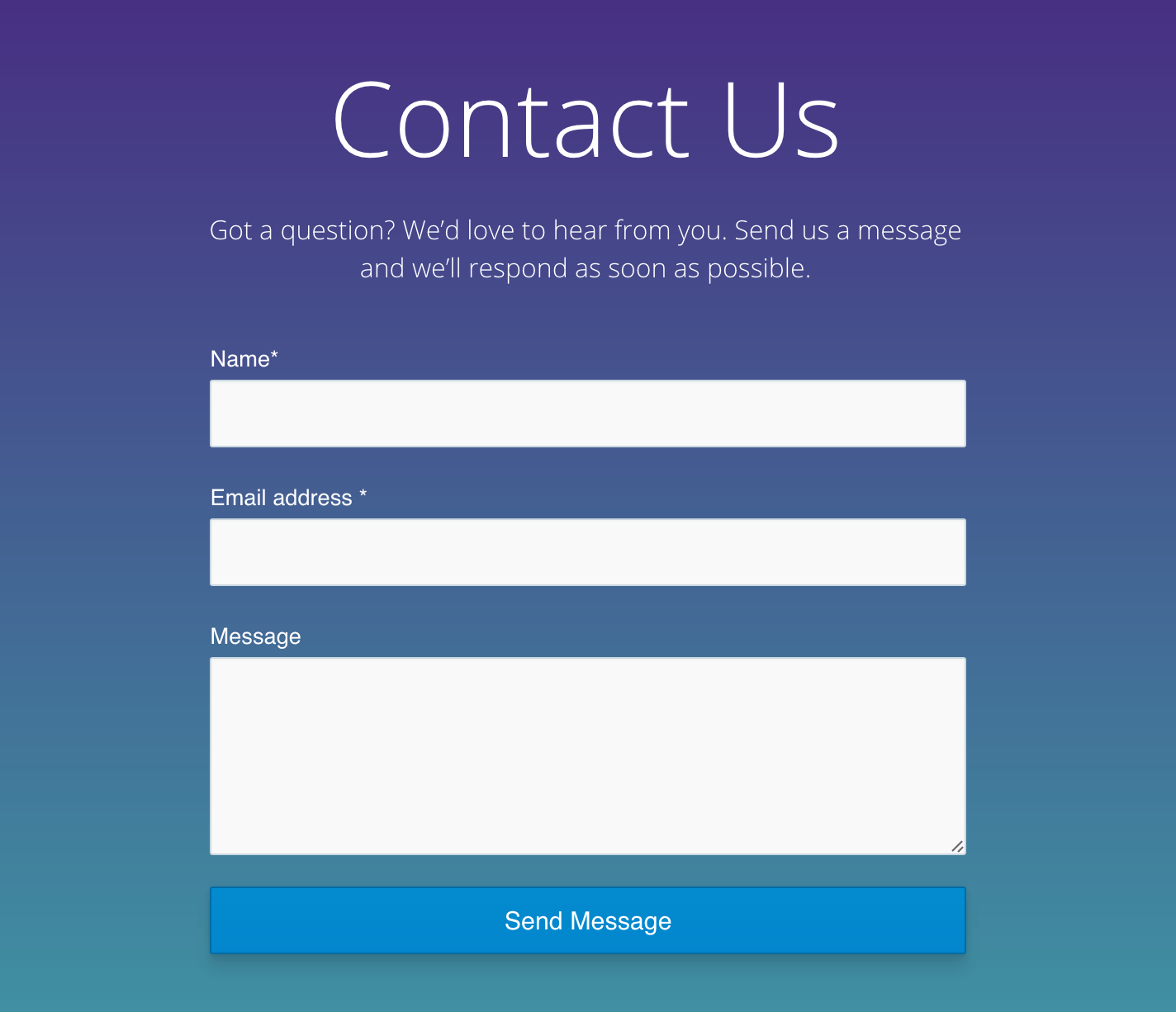
A contact form lets users send messages to website owners. It is a simple form. Users fill in their name, email, and message. This helps the site owner connect with users easily.
Contact forms help make websites user-friendly. They give people a way to ask questions. No need to open email programs. Forms are quick and simple. Users stay on the site longer.
Choosing A Plugin
Many plugins help you make contact forms. Some popular ones are WPForms, Contact Form 7, and Ninja Forms. WPForms is easy to use. Contact Form 7 is very flexible. Ninja Forms offers great templates.
Think about what you need. Do you want a simple form? Or a form with many fields? Ease of use is important. Make sure the plugin is easy to set up. Customization options are another thing. Can you change colors or fonts? Security is also key. Ensure the plugin keeps your data safe.
Customizing Your Form
A contact form in WordPress collects visitor information, enabling communication and feedback. Customization enhances functionality and design, tailoring forms to specific needs.
Design Options
Contact forms can look unique. Colors and fonts make a big difference. Choose a style that fits your website. Some like simple designs. Others prefer bright colors. Try different styles to see what works. You can add your logo too. It makes your form look professional. Make sure the form is easy to read. People should find it clear and simple.
Field Customization
Fields are parts of the form. They ask for information. You can have a name field. An email field is also common. Some forms ask for a phone number. Add as many fields as you need. But don’t make it too long. People like simple forms. Use drop-down menus for choices. Checkboxes are also helpful. They make forms easy to fill out.
Integrating With Email
A contact form in WordPress collects visitor information like names and emails. It helps users send messages directly from a website. This tool simplifies communication and keeps messages organized, enhancing user interaction.
Email Notifications
Email notifications are important for contact forms in WordPress. They inform you about new messages from users. Each time someone fills out the form, you get an email. This keeps you updated without checking the website often. The email includes the user’s name, message, and contact details.
Setting up email notifications is simple. Choose a plugin to help with this task. Many plugins offer easy setup options. You can customize the email subject and body. This makes it easy to organize and respond to messages.
Autoresponders
Autoresponders send automatic replies to users who fill out your form. This lets them know you received their message. It’s polite and professional. You can customize the auto-reply message. Add a thank you note or expected response time. This helps build trust with your users.
Autoresponders are easy to set up with plugins. Look for plugins that offer this feature. They often have templates for quick setup.
Enhancing Security
Contact forms in WordPress help enhance website security by preventing spam and unauthorized access. They act as a barrier, ensuring only legitimate inquiries reach the site owner. By using these forms, sensitive information is kept safe, minimizing the risk of cyber threats.
Spam Protection
Contact forms help block unwanted messages. They stop spammers from filling your inbox. Forms use CAPTCHA to test if users are real. CAPTCHA asks users to type letters or numbers. This stops bots from sending spam. Forms also have filters to catch spam words. These filters keep messages clean and safe. Anti-spam plugins can be added for extra safety. Plugins scan messages for spam. They delete spam before reaching your inbox.
Data Encryption
Encryption keeps user data safe. It changes information into secret code. Only the right key can read this code. This protects names, emails, and messages. Forms use SSL certificates for encryption. SSL makes sure data stays private. Hackers can’t read encrypted data. Users feel safe sending information. Websites show a padlock icon when encrypted. This icon means user data is protected.
Credit: phppot.com
Analyzing Form Data
Tracking submissions helps you understand user interactions. This involves collecting data from each form entry. Use this data to see how users engage with your site. Patterns can show which forms get the most responses. You can identify popular pages this way. This helps in making data-driven decisions.
Improving conversions is the goal for many site owners. Small changes can make a big impact. Shorter forms often lead to more submissions. Users like forms that are easy to fill out. Offering incentives can also increase form submissions. Clear instructions help users complete forms faster. Always test different form designs. Find what works best for your audience.
Troubleshooting Common Issues
A contact form in WordPress helps users send messages directly from your website. It collects visitor information, making communication easy. Troubleshooting common issues ensures smooth operation for better user experience.
Form Not Sending
Forms sometimes won’t send due to wrong settings. Always check your email settings first. Ensure the recipient email is correct. Spam filters can also block messages. Add form emails to the safe list. A plugin update might help too. Outdated plugins often cause issues.
Next, check the SMTP settings. SMTP ensures emails send correctly. Use a reliable SMTP plugin. This ensures form emails deliver successfully. Test the form after changes. Still not sending? Contact your web host. They might have the solution.
Display Problems
Forms may not show up due to theme conflicts. Check if your theme is updated. Updates often fix display issues. Sometimes, a plugin conflict is the cause. Disable other plugins one by one. This helps find the problem plugin.
Another common issue is CSS styling. Custom CSS might hide forms. Check your CSS settings. Remove or adjust any custom code. Use browser tools to inspect elements. This helps find display errors. If forms still don’t show, try a different theme. Sometimes, a simple theme change solves everything.
Credit: visualmodo.com
Frequently Asked Questions
How Do I Add A Contact Form In WordPress?
To add a contact form in WordPress, use a plugin like WPForms or Contact Form 7. Install and activate the plugin, then create a new form using the provided template. Customize the form fields, save your changes, and insert the form shortcode into your desired page or post.
Why Use A Contact Form On WordPress?
Contact forms enhance user interaction by simplifying communication. They help collect user information in an organized manner. Forms also protect emails from spam. They can be customized to suit different needs, such as feedback or inquiries, improving user engagement and conversion rates.
Are WordPress Contact Forms Secure?
WordPress contact forms are generally secure, especially when using reputable plugins. These plugins offer security features like CAPTCHA and honeypot to prevent spam. Regular updates and secure hosting further enhance security. Always ensure your site is updated and use SSL encryption for added protection.
Can I Customize WordPress Contact Forms?
Yes, WordPress contact forms are highly customizable. Most plugins offer drag-and-drop builders, allowing you to easily add or remove fields. You can tailor the design to match your site’s theme. Advanced customization options include conditional logic and multi-step forms, enhancing user experience.
Conclusion
A contact form in WordPress simplifies communication. It connects users with you directly. No need for email apps or phone calls. Easy setup makes it accessible for everyone. Users fill out basic details, hit send, and you’re notified. Efficient and straightforward.
Keeps conversations organized. Perfect for questions, feedback, or inquiries. Enhances user experience on your site. Makes interaction smoother and more personal. Essential for any WordPress site today. Helps build trust and engagement. Make sure yours is user-friendly and functional. Remember, a good contact form is key to effective communication.



