
Imagine capturing a breathtaking sunset or a candid moment at a wedding and wanting to share it with the world. A WordPress photography site is your gateway to showcasing your talent and creativity.
But what exactly do you need to set up a stunning photography site that captivates your audience and keeps them coming back for more? You might think it’s as simple as uploading your best shots, but there’s more to it than meets the eye.
From choosing the right theme to optimizing your images for speed, every detail plays a crucial role in your site’s success. You wouldn’t want your masterpiece to be hidden behind slow loading times or a cluttered design, right? Stick around to discover the essentials that will make your WordPress photography site not just another page on the web but a true work of art. Your dream of sharing your vision with the world is closer than you think, and with a few simple steps, you can turn your site into a visual feast that leaves a lasting impression.
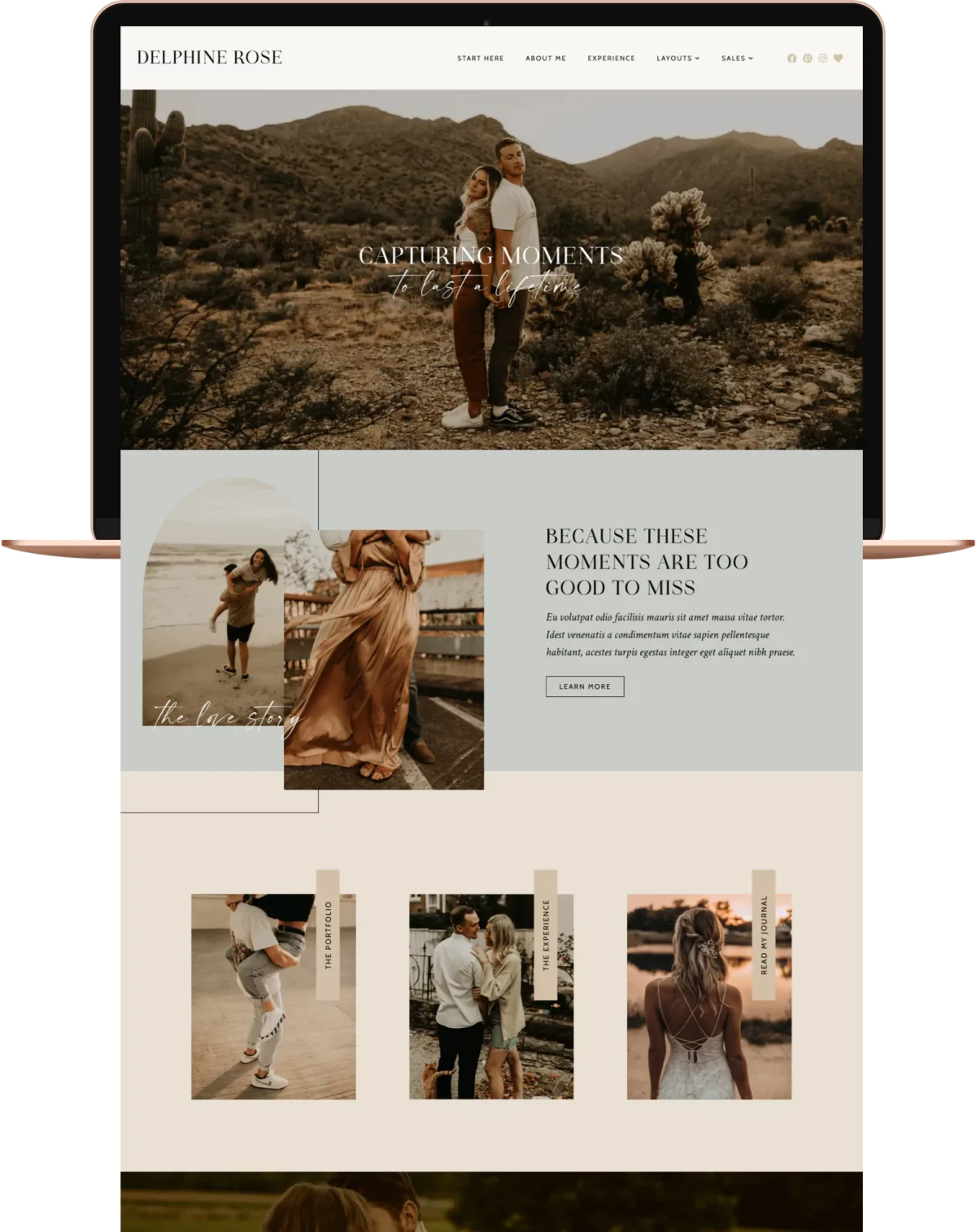
Credit: www.pixandhue.com
Choosing The Right Hosting
Shared hosting is cheaper. Many websites use one server. This can slow down your site. Dedicated hosting is faster. Your site gets its own server. It costs more money. But it is better for big sites.
Speed is key for a photography site. Pictures need to load fast. Slow sites lose visitors. Reliable hosting keeps your site online. No one likes a site that goes offline. Choose hosting that is fast and reliable. It will help your site grow.
Selecting A Suitable Theme
Responsive design is very important for a photography site. Photos must look good on phones and computers. Visitors use different devices. The site should adjust to all screen sizes. This helps in keeping users happy.
Customization options allow you to change the site easily. You can choose colors, fonts, and layouts. This makes your site unique. Many themes offer these options. Pick one that suits your style.
Some themes have photography-specific features. These include galleries and sliders. You can showcase your photos in the best way. Look for themes with these features. They enhance the visual appeal of your site.
Essential Plugins
Photos can be large. Large photos make sites slow. Use image optimization plugins. They make photos smaller. This helps your site load faster. People like fast sites. Search engines like them too.
Good SEO helps people find your site. Use SEO plugins. They help with keywords. They fix broken links. They also improve meta tags. This makes your site easier to find.
Photos need to look nice. Use gallery and slideshow plugins. They make photos look good. Users can see many photos at once. Slideshows tell a story. Galleries make browsing fun.
Your site must be safe. Security plugins protect it. They stop hackers. They also keep your data safe. A secure site keeps visitors happy.

Credit: onlinemediamasters.com
Organizing Your Portfolio
Using galleries helps in displaying multiple photos. A gallery organizes photos neatly. Visitors can see many photos at once. It’s easy to create galleries in WordPress. Simply upload photos. Then arrange them in order. Name the gallery for easy recognition. Galleries make your site look professional.
Categories and tags help organize photos. They make searching easy. Group similar photos under one category. Use tags for specific details. For example, tag with places or events. This helps visitors find photos quickly. Proper organization attracts more visitors.
Show your best work first. Highlighting draws attention. Choose your top photos. Make them big and bold. Use them on your homepage. Featured photos should tell a story. They should impress visitors. Good featured work makes them stay longer.
Optimizing For Performance
For a successful WordPress photography site, focus on performance optimization. Use fast-loading themes and image compression tools. Implement caching plugins to speed up page load times, enhancing user experience.
Image Compression Techniques
Large images slow down your site. Compress images to save space. Use tools like TinyPNG. Smaller images load faster. Faster sites keep visitors happy. Happy visitors stay longer. Longer stays mean better engagement.
Caching Solutions
Caching stores data for quick access. Use plugins like WP Super Cache. Cached data speeds up loading times. Faster loading means better user experience. Better experience leads to more views. More views can improve rankings.
Reducing Load Times
Slow sites lose visitors. Reduce load times by optimizing content. Minimize CSS and JavaScript files. Smaller files help pages load faster. Fast pages attract more visitors. More visitors improve your site’s visibility.
Enhancing User Experience
A good website needs easy navigation. Users find what they need fast. Use clear menus and labels. Simple design is best. Keep it tidy and neat. Visitors like that.
Many people use phones to browse. Make sure your site is mobile-friendly. Text must be easy to read. Buttons should be big enough. Pictures should load fast. This helps users enjoy the site more.
Add fun things like photo galleries. Let users click and zoom. Use slideshows to show more pictures. Keep users engaged. They will stay longer. This makes your site better.
Building An Online Store
E-commerce plugins help sell photos online. Popular choices include WooCommerce and Easy Digital Downloads. These tools are easy to use. They help manage online sales. Choose a plugin that fits your needs.
Accepting payments is essential. Payment gateways like PayPal and Stripe are common. They are safe and trusted. These options make it simple for buyers. Ensure your gateway supports your country. Check transaction fees before choosing.
Displaying photos well is key. Use high-quality images to attract buyers. Organize photos into categories. Create clear product descriptions. Use a clean and simple layout. This helps visitors find what they like. A good display boosts sales.
Implementing Seo Strategies
Use words that people search for a lot. These are called keywords. Put them in your page title. Also, use them in your content. This helps people find your site. Don’t use too many. Just a few in each part. This makes your text natural.
Write short, clear meta descriptions. They tell what your page is about. People see them in search results. Use your main keyword here. Keep it under 160 characters. This makes it easy to read.
Get links from other websites. These are called backlinks. They show that your site is trusted. Ask friends to link to you. Share your site on social media. This helps you get more links.
Ensuring Security
Regular backups are crucial for your photography site. They keep your data safe. If anything goes wrong, you can restore your site easily. Many tools help with automatic backups. Choose one that suits your needs.
Protect your site with a firewall. It blocks harmful traffic. Malware protection is important too. It scans and removes threats. Keep both updated regularly. This prevents hackers from accessing your site.
SSL certificates secure your website. They encrypt data between your site and visitors. This keeps information private. SSL also boosts trust with your audience. Most hosts offer SSL for free or at a low cost.
Credit: www.gravityforms.com
Integrating Social Media
Social sharing buttons are essential for a photography site. They make it easy for visitors to share photos. Sharing spreads your work to a wider audience. More people see your photos. Simple buttons attract more shares. Choose buttons that are easy to use. Make them visible on your site. This helps in building your online presence.
Embedding social media feeds keeps your site dynamic. It shows your latest photos. Visitors see new content without leaving the site. This keeps them engaged. More engagement means more followers. Use plugins to embed feeds easily. They update automatically. Your site stays fresh and lively.
Connecting with followers builds a strong community. Reply to comments on your photos. Engage with visitors regularly. This makes them feel valued. Strong connections lead to loyal followers. They are likely to share your work. Use social media to interact with them. Social platforms help you reach more people.
Frequently Asked Questions
What Essential Plugins Do I Need For A Photography Site?
For a photography site, essential plugins include image optimization, gallery management, and SEO tools. Consider plugins like Smush for image compression, NextGEN Gallery for managing galleries, and Yoast SEO for optimizing your content. These tools help enhance site performance and visibility.
How Can I Optimize Images For WordPress?
To optimize images, use plugins like Smush or ShortPixel. They compress images without losing quality, improving load times. Also, use the correct image format, such as JPEG for photographs. Optimizing images enhances site speed and user experience, which is crucial for retaining visitors.
What Themes Are Best For Photography Websites?
Choose themes like Astra, Divi, or Photocrati for photography sites. These themes are visually appealing and customizable. They offer features tailored for photographers, such as portfolio layouts and image galleries. Selecting the right theme enhances the visual impact and user engagement of your site.
How Do I Create A Portfolio In WordPress?
Create a portfolio using plugins like NextGEN Gallery or Envira Gallery. These tools allow you to showcase your work professionally. Select a theme that supports portfolio layouts to enhance presentation. A well-organized portfolio attracts potential clients and highlights your photography skills effectively.
Conclusion
Creating a WordPress photography site requires careful planning. Begin with a reliable hosting service. Choose a photography-friendly theme. Install essential plugins for functionality. Optimize images for fast loading. Ensure your site is mobile-friendly. Keep your portfolio updated. Use clear and simple navigation.
Secure your site with proper measures. Engage your audience with a blog. Promote your site on social media. Monitor your site’s performance regularly. With these steps, your photography site can shine. Happy photographing!



