
Imagine this: You’re working on your WordPress site, everything seems to be going smoothly, and then, out of nowhere, you encounter an error message that reads “Invalid Page.” Frustrating, right?
You’re not alone. Many website owners face this puzzling issue, and it can leave you feeling stuck and unsure about what to do next. But don’t worry – solving this mystery is easier than you might think. Whether you’re a seasoned WordPress user or just starting out, understanding what it means when your WordPress page is invalid can save you time, headaches, and even potential losses in traffic or sales.
By the end of this article, you’ll not only know why this happens but also how to fix it and prevent it from occurring again. So, let’s dive in and get your WordPress site back on track!

Credit: crocoblock.com
Common Causes Of Invalid Pages
Plugins can cause problems. Some may not work well together. This can make a page invalid. Always check for updates. Disable plugins one by one. Find the one causing the issue.
A theme might be broken. It can make your page not load. Try switching to a default theme. See if the problem goes away. Keep your theme updated to avoid errors.
Servers can cause page issues. They might be down or slow. This can make a page invalid. Check your server status. Contact your host if needed. They can help fix server problems.
A bad URL can break a page. This happens with wrong settings. Check your URLs carefully. Ensure they are correct. Use tools to help spot mistakes.
Detecting Invalid Pages
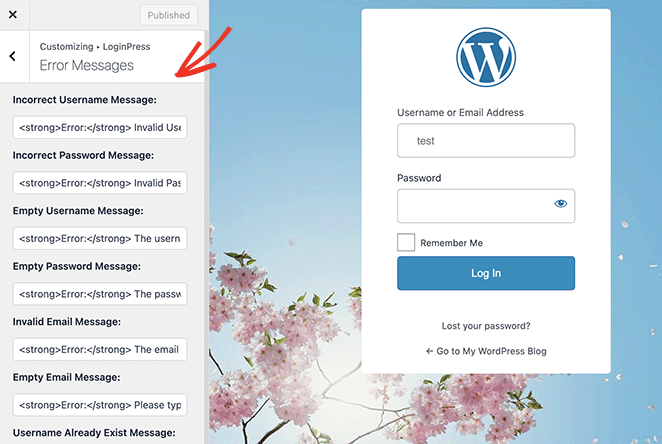
WordPress sometimes shows error messages. These messages tell us there’s a problem. They can be confusing. But they help find what’s wrong. Fixing them makes the page work again.
Broken links can cause issues. A link might point to a page that doesn’t exist. This makes the page invalid. Check all links. Ensure they go to the right place.
The “Page Not Found” error is common. It means the page is missing. Sometimes, the page is deleted. Other times, the URL is wrong. Checking URLs can solve this.
Troubleshooting Steps
Sometimes, plugins can cause issues. First, go to the WordPress dashboard. Click on the “Plugins” section. Deactivate all plugins. Check if the page now works. If yes, one plugin was the problem. Activate each plugin one by one. Find which plugin breaks the page. Keep it deactivated or find an alternative.
Themes might also cause problems. Change to a default WordPress theme. Themes like “Twenty Twenty-Three” are good options. Check if the page problem is solved. If the page works, your theme might be the cause. Update the theme or contact theme support.
Server settings might affect the page. Go to your hosting control panel. Look for error logs. Contact your hosting provider if you see errors. They can help fix server issues. Ensure your server has the latest PHP version. This can solve many problems.
Incorrect URLs can make pages invalid. Check the WordPress settings. Go to “Settings” then “Permalinks”. Make sure URLs are correct. Save changes even if they look right. This can refresh URL settings. Try accessing the page again. It might solve the problem.
Credit: www.seedprod.com
Preventive Measures
Keeping your WordPress updated is very important. Updates fix bugs and improve security. Always check for new updates regularly. This keeps your site running smoothly. Outdated plugins can cause errors. So, update them too. Regular updates prevent many problems.
Backups are like safety nets for your site. Make backups often. Use tools that automate this task. Store backups in a safe place. If something goes wrong, you can restore your site. Backups save time and headaches. They are your site’s best friend.
A testing environment is a practice area for changes. Test new plugins here first. Ensure everything works well before going live. This prevents site errors. It keeps your main site safe. A testing environment is like a safety shield.
Seeking Professional Help
Your WordPress page might show as invalid. This can cause confusion. It’s smart to ask for help. Experts know how to fix things. They can save you time and worry. Don’t wait too long. Getting help early is best. Experts are good at solving problems. They have the tools needed. You can find experts online. Many are ready to help. Just reach out to them.
A developer can fix your WordPress issues. They are skilled and trained. Developers understand code. They can find what is wrong. This makes them helpful. Hiring one can make things easy. Make sure they know WordPress well. Check their reviews and work history. This ensures they are good at their job. A good developer can save you money and time.
Credit: help.zoho.com
Frequently Asked Questions
Why Is My WordPress Page Invalid?
An invalid WordPress page often indicates issues with the theme, plugins, or settings. It can happen due to improper code, outdated plugins, or theme conflicts. Ensuring all components are updated and compatible can help resolve this issue.
How To Fix An Invalid WordPress Page?
To fix an invalid WordPress page, check for plugin or theme conflicts. Update all components and clear the cache. If the issue persists, consider restoring from a backup or contacting support for further assistance.
Can Plugins Cause WordPress Page Invalidity?
Yes, plugins can cause WordPress page invalidity if they are outdated or conflict with other plugins or themes. Regularly updating and reviewing plugin compatibility can help prevent this problem.
Does Invalid Page Affect Seo?
An invalid WordPress page can negatively impact SEO. It can lead to broken links, reduced user experience, and decreased search engine rankings. Fixing invalid pages promptly can help maintain SEO performance.
Conclusion
Understanding an invalid WordPress page helps you fix issues faster. Regular checks ensure your site stays healthy and functional. Use troubleshooting tips to identify problems early. Tools like plugins can assist in maintaining page validity. A valid WordPress page enhances user experience and boosts site performance.
Remember, a well-functioning site attracts more visitors and builds trust. Keep learning about WordPress to improve your skills. Stay proactive in managing your website for optimal results. Simple steps can make a big difference in maintaining your site’s success. Happy blogging!



