
Are you curious about how to create a stunning website without being a tech wizard? Imagine having a digital canvas where you can easily bring your ideas to life.
That’s exactly what WordPress software offers you. It’s a tool that empowers you to build and manage your own website with ease, even if you’re not a coding expert. Whether you want to start a blog, launch an online store, or showcase your portfolio, WordPress has got you covered.
As you read on, you’ll discover the magic behind this powerful software and how it can transform your online presence. Get ready to unlock the secrets of WordPress, and see how it can simplify your digital journey.
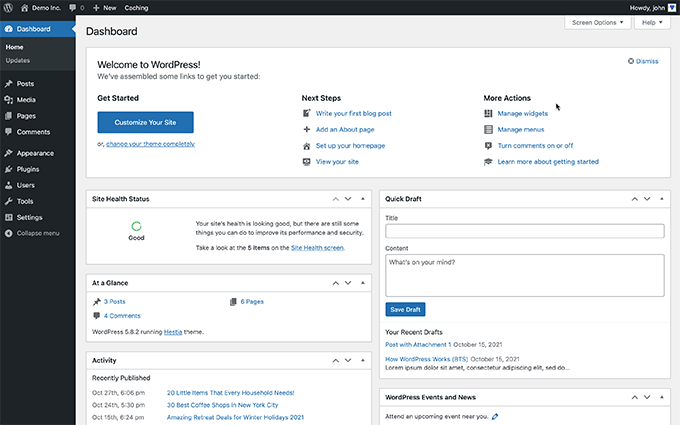
Credit: www.wpbeginner.com
WordPress Basics
WordPress started as a simple blog tool. It was launched in 2003. Matt Mullenweg and Mike Little created it. They wanted to help people share stories online. Over the years, WordPress has grown a lot. Today, it is a full content management system. This means you can build any website with it. Many people use WordPress now. It is free and open-source. Anyone can change its code. This makes it very popular and flexible. Developers worldwide help improve it.
WordPress offers many features to its users. It is easy to use, even for beginners. You can choose from many themes. These change how your website looks. Plugins add more functions. They are like small apps for your site. WordPress is SEO-friendly. This helps your site show up in search results. With WordPress, you can create posts and pages easily. You can add pictures, videos, and more. It also supports multiple users. This means many people can work on the site together.
Content Management
WordPress makes it easy to create and edit web pages. Users can add text, images, and links without coding. The platform has a simple visual editor. This helps users see changes in real time. Templates make design easy. Choose a style, then customize. Adding new pages is quick. Just click the add page button. Editing is just as simple. Select a page, then make changes. Save when done. Mistakes are easy to fix. Use the revision history to go back. WordPress is great for beginners. Easy to learn. Easy to use.
Media management is simple with WordPress. Users can upload photos, videos, and audio files. The media library keeps everything organized. Find files fast with search. Add media to posts easily. Click add media, then choose a file. Files can be edited in WordPress. Crop images or change size. Use media in different places. Reuse without uploading again. Media management saves time. Keeps websites looking good. Plugins can add more features. Enhance media use. Keep it simple, keep it neat.
Themes And Customization
Choosing a theme is fun. Many options exist. Some are simple, some are fancy. Each theme gives a different look. One theme might be colorful. Another might be plain. Themes help make your website unique. Picking the right theme is important. It shows your style. It shows your ideas. Themes can be changed later. So choose wisely.
Make your site special with customization. You can change colors. You can change fonts. Add your own pictures. Add your own text. Widgets can be moved. Menus can be changed. This makes your site personal. It makes your site unique. Customization is easy. It is like painting a picture. Your site, your rules.

Credit: instapage.com
Plugins And Extensions
WordPress software helps create websites with ease. Plugins and extensions add extra features like contact forms or galleries. Customize your site without coding skills, making it perfect for beginners and professionals alike.
Installing Plugins
Plugins add features to WordPress. They are like apps for your phone. Installing plugins is easy and quick. Start by going to your WordPress dashboard. Find the “Plugins” tab. Click “Add New”. Search for the plugin you want. Once found, click “Install Now”. After installation, click “Activate”. Your plugin is ready to use. Always install plugins from trusted sources. This keeps your site safe.
Essential Plugins
Many plugins are available. Some are very important. Security plugins protect your site from threats. Backup plugins save your data regularly. SEO plugins help your site rank better on search engines. Contact form plugins make it easy for visitors to reach you. Analytics plugins track your site’s performance. Choose plugins wisely. Make sure they meet your needs. Avoid too many plugins. They can slow down your site.
Seo And Marketing Tools
WordPress offers a range of SEO plugins. These plugins help boost website visibility. They make your site more search engine friendly. Popular options include Yoast and All in One SEO. They guide users in optimizing content. These tools are easy to use. They improve meta tags, keywords, and site speed.
WordPress supports various marketing strategies. Users can integrate email marketing tools. This helps in reaching a wider audience. Social media plugins connect your site to platforms. This increases online presence. Analytics plugins provide insights. They help track website performance. These strategies are vital for growth. They enhance user engagement.
E-commerce Capabilities
WordPress offers tools to create online stores easily. The WooCommerce plugin is popular for this. It helps make product pages and manage inventory. Users can display products beautifully. Simple navigation guides customers through shopping. Secure checkout options ensure safety. Stores look professional and attract buyers.
WordPress supports many payment gateways. PayPal, Stripe, and Square are common choices. These gateways make transactions smooth and safe. Customers can pay with credit cards or other methods. Setting up payments is straightforward. Plugins help add more payment options. Secure payments boost customer trust. Easy payments encourage more sales.
Community And Support
WordPress software helps create websites and blogs with ease. It offers tools for design and content management. Users benefit from a supportive community for guidance and troubleshooting.
User Forums
WordPress has a big community. People share ideas and help each other. User forums are popular. They solve problems fast. Many users join these forums. They ask questions. Others give answers. It’s like a support group. Beginners get help. Experts share tips. Everyone learns together. Forums are friendly. They are open to everyone.
Professional Support
Sometimes users need more help. Professional support is available. Experts offer paid services. They fix issues. They provide guidance. It’s a reliable option. Professionals know WordPress well. They work quickly. They help with updates. They help with security. Many businesses use professional support. It saves time. It ensures quality work.
Security Features
WordPress software is widely used for creating websites with robust security features. It offers regular updates, protecting against vulnerabilities. Users can enhance security by using plugins and setting strong passwords, ensuring data protection.
Built-in Security Measures
WordPress software comes with several built-in security measures to protect your site. These features help to keep your website safe from hackers. Automatic updates keep the software up-to-date with the latest security patches. Password protection for your admin area ensures only you can access it. The software also offers two-factor authentication for added safety. You can also limit login attempts to prevent unauthorized access. Regular backups make sure your data is safe even if something goes wrong. These measures help provide a secure environment for your website.
Enhancing Security
To further enhance security, use strong, unique passwords. Avoid sharing passwords with others. Update plugins regularly to fix any vulnerabilities. Install a reputable security plugin to add extra layers of protection. Always choose reliable themes and plugins from trusted sources. Limit user access to only those who need it. Keep an eye on your website activity for any suspicious actions. These actions help keep your WordPress site secure.
Future Of WordPress
WordPress is always getting better. Developers are adding new features. These features help people make websites easily. Soon, there will be more block patterns. This makes building pages faster. Drag and drop will be more fun. There will be smart design tools. These tools help to make beautiful sites. WordPress will support more languages too. People from all over the world can use it.
WordPress developers follow new trends. They use the best tools. More sites now use block themes. These themes are easy to change. Developers want faster websites. They work on improving speed. Speed helps users stay happy. Security is also important. Developers add more security features. This keeps sites safe.
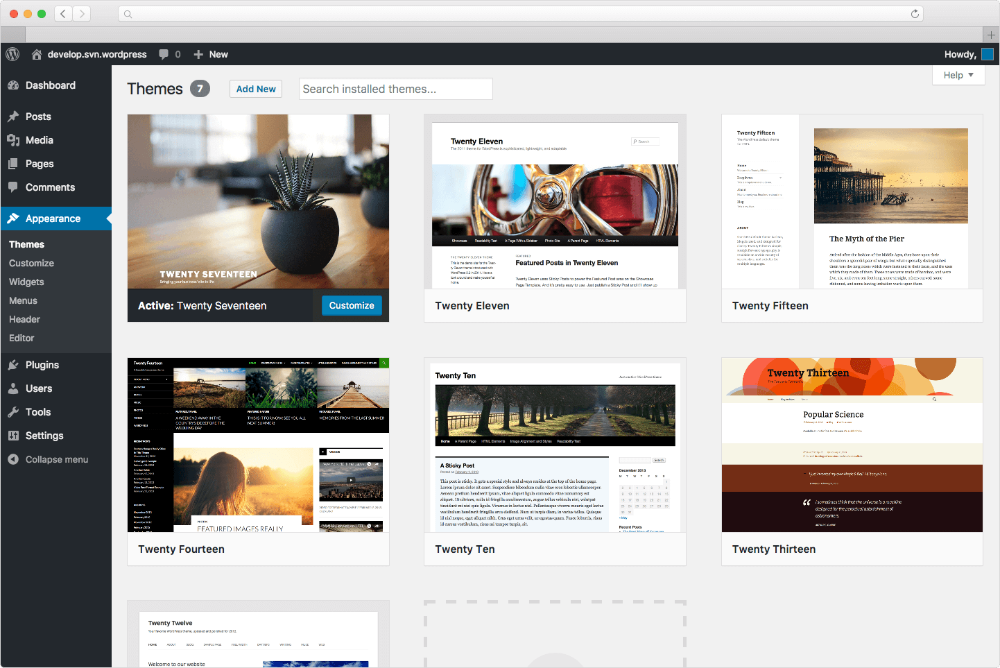
Credit: docs.presscustomizr.com
Frequently Asked Questions
What Is WordPress Software Used For?
WordPress is a versatile platform for creating websites and blogs. It’s popular for its user-friendly interface and extensive customization options. Businesses, bloggers, and developers use WordPress to build sites with ease. Its vast plugin ecosystem enhances functionality, catering to diverse needs, from e-commerce to personal portfolios.
Is WordPress Suitable For Beginners?
Yes, WordPress is beginner-friendly with an intuitive interface. It requires no coding knowledge, making website creation accessible. Tutorials and community support further simplify the learning process. Many themes and plugins offer drag-and-drop features, perfect for newcomers. Beginners can quickly launch professional-looking sites with minimal effort.
Can WordPress Be Used For E-commerce?
Absolutely, WordPress powers many e-commerce sites. With plugins like WooCommerce, it supports online stores effectively. These plugins offer features like product listings, payments, and inventory management. WordPress’s flexibility and customization options make it ideal for e-commerce. It provides an affordable, scalable solution for businesses of all sizes.
Why Choose WordPress Over Other Platforms?
WordPress offers unparalleled flexibility and ease of use. Its vast library of themes and plugins allows for extensive customization. It’s SEO-friendly, enhancing site visibility. The platform’s open-source nature means constant updates and improvements. A robust community provides support, making WordPress a reliable choice for diverse web projects.
Conclusion
WordPress offers a flexible platform for creating various types of websites. From blogs to business sites, it caters to diverse needs. Its user-friendly interface simplifies website management. No need for deep technical skills. Thousands of themes and plugins enhance functionality.
Customization becomes easy and accessible. WordPress supports SEO efforts, making sites visible. It powers millions of websites globally. This shows its reliability and popularity. Whether for personal or professional use, WordPress is a trusted choice. Ideal for both beginners and experienced users.
A solid option for building a strong online presence.



