
Are you looking to transform your WordPress website into a vibrant online community? BuddyPress might just be the tool you need.
Imagine having the power to connect people, foster discussions, and build a network—all seamlessly integrated into your existing site. But how do you ensure that this integration is smooth and effective? This guide will walk you through the process of using BuddyPress with a WordPress theme, empowering you to create an engaging and interactive platform.
You’ll discover simple steps to unlock the full potential of your website, making it not just a place to visit, but a community to join. Dive in and learn how to captivate your audience with a dynamic, user-friendly experience.
Credit: www.cloudways.com
Getting Started With Buddypress
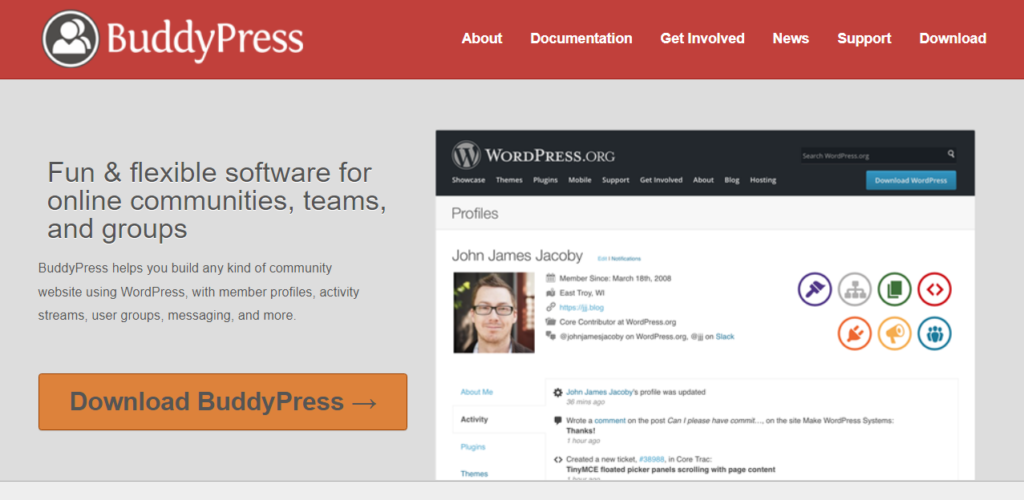
BuddyPress is a plugin for WordPress. It helps you build a social network. Users can create profiles and connect with each other. It is like Facebook but on your own site. Members can send messages and join groups. It is easy to install and use. BuddyPress makes your site interactive and fun. Many websites use BuddyPress today.
BuddyPress adds many features to your site. It makes your site more social. Users can create groups and forums. They can have private conversations. This increases user engagement. People stay longer on your site. BuddyPress is flexible. You can customize it to fit your needs. It is free to use. Try BuddyPress to make your website better.
Choosing The Right WordPress Theme
Compatibility is vital for a smooth experience. Ensure your theme supports Buddypress. Some themes have built-in support. Others need extra plugins. Check the theme’s description for Buddypress compatibility. Reviews can also help. Look for user comments about Buddypress. This can save time and problems later.
A responsive design adjusts to different screens. This makes your site look good on phones and computers. Test the theme on various devices. Check if it loads fast. A user-friendly design is simple to navigate. Users find what they need easily. Choose themes with clear menus. This helps visitors stay on your site longer.
Installing Buddypress On WordPress
First, go to the WordPress dashboard. Click on Plugins then Add New. In the search box, type BuddyPress. Find BuddyPress and click on Install Now. Wait for the installation to finish. Then, click on Activate. Now BuddyPress is ready for use. Look for BuddyPress settings in the dashboard. Set up options as needed. Always remember to save changes.
Visit the BuddyPress settings page. Here, you can choose features. Enable or disable options. For example, you might need activity streams. Or, maybe you want member profiles. Toggle these on or off. Check each setting carefully. Make sure features fit your website. Settings affect how users interact. Test changes to see results. Adjust settings if needed.
Configuring Buddypress Settings
User profiles are where users share their details. Each user can have a unique profile. Admins can decide which fields are mandatory. Users can upload a profile picture. They can also add a short bio. This helps others know them better.
Activity streams show what users do. They post updates, comments, and more. Admins can control who sees these activities. Private groups can have private streams. Public streams can be seen by everyone. This keeps the community engaged.
Notifications tell users about important events. They alert users about new messages or comments. Admins can choose which notifications are sent. Users can turn off unwanted alerts. This way, notifications stay helpful and not annoying.
Integrating Buddypress With Your Theme
BuddyPress works well with many WordPress themes. Checking if your theme supports BuddyPress is important. Some themes may not be ready for BuddyPress features. These themes might break or look odd. Always check your theme’s compatibility with BuddyPress before starting. You can find this info in the theme’s documentation. If your theme supports BuddyPress, install the plugin. After installation, activate it. BuddyPress will add social features to your site. This makes your site more engaging.
Ensuring Theme Compatibility
Not all themes work with BuddyPress. Test your theme first. Check if it supports BuddyPress features. If not, try another theme. Or use a BuddyPress-ready theme. This ensures a smooth user experience. You can also ask your theme developer for help. They might give you solutions or updates. A compatible theme improves site performance. It enhances user interaction and satisfaction.
Adjusting Theme Layouts For Buddypress
Customizing layouts is easy. Use WordPress tools to adjust your theme. You can move elements around. Add or remove sections. This makes your site look better. BuddyPress has many features. Make sure they fit your site’s design. Adjust them as needed. This helps users navigate easily. Keep your site simple and clean. A good layout improves user experience. It keeps visitors happy and engaged.
Enhancing Your Community Experience
Custom widgets make your site special. They add fun features. BuddyPress works well with WordPress themes. You can add widgets easily. Drag the widget to the sidebar. It’s like moving a picture. Your community will see the new widget. Widgets can show member lists. They can show activity streams too. This helps users connect. It makes the site lively and interactive. Don’t forget to save changes. Your widgets will then appear live. Use widgets to boost engagement.
Add-ons bring new tools. They add great features to your site. Each add-on has a special job. Some add-ons improve profiles. Others help with messaging. Add-ons are easy to install. Find the add-on you like. Click to install it. It takes just a few minutes. Add-ons make your community better. They add fun and useful elements. Users can enjoy more activities. Always check for updates. This keeps your add-ons working well. Explore different add-ons for a unique site.
Troubleshooting Common Issues
Integrating Buddypress with a WordPress theme can pose challenges. Users may face compatibility issues, affecting site functionality. Ensure theme and plugin updates are current to resolve common problems.
Resolving Plugin Conflicts
Plugins can sometimes cause problems. Deactivate all plugins except BuddyPress. Check if the issue persists. Reactivate plugins one by one. Find which plugin causes the problem. Contact the plugin developer for help. Keep all plugins updated. Updates fix many issues. Regular maintenance is important.
Fixing Layout And Design Problems
Layout issues can occur with themes. Switch to a default theme like Twenty Twenty-Three. See if the problem goes away. If fixed, the issue is with your theme. Check theme settings for layout options. Adjust as needed. Use a custom CSS plugin to fix minor issues. Consult your theme’s support for help. Make sure your theme is BuddyPress compatible. Compatibility ensures fewer problems.

Credit: athemes.com
Best Practices For Managing A Buddypress Community
Always check user posts for bad words. Make sure to remove spam quickly. Use filters to catch unwanted content. Let users report bad behavior. This helps keep the space safe. Set clear rules for everyone. This way, users know what is allowed. Encourage respect in all interactions.
Ask questions to start conversations. Make users feel welcome. Create fun polls or quizzes. Celebrate user achievements to motivate them. Share updates often. This keeps users informed and interested. Offer rewards for active participation. This boosts community spirit.

Credit: www.wpbeginner.com
Frequently Asked Questions
What Is Buddypress Used For In WordPress?
BuddyPress is a powerful plugin that adds social networking features to WordPress sites. It enables user profiles, activity streams, and groups. This enhances community interaction on your site. Perfect for creating social networks, BuddyPress integrates seamlessly with many WordPress themes.
It’s ideal for building interactive and engaging websites.
How Do I Install Buddypress On WordPress?
To install BuddyPress, navigate to your WordPress dashboard. Go to Plugins > Add New, then search for BuddyPress. Click Install, then activate the plugin. After activation, configure the settings under the BuddyPress menu. Customize features like member profiles, activity streams, and notifications to suit your site’s needs.
Can I Use Buddypress With Any Theme?
Yes, BuddyPress is compatible with most WordPress themes. However, themes specifically designed for BuddyPress offer better integration and design. They ensure optimal user experience and functionality. Always check theme compatibility before installation to avoid any issues with layout or features.
Many themes offer BuddyPress support for seamless integration.
How Does Buddypress Enhance User Engagement?
BuddyPress enhances user engagement by offering interactive features like user profiles, activity streams, and private messaging. Users can create groups and participate in discussions. This fosters community interaction and increases site activity. By encouraging social interaction, BuddyPress helps build a loyal user base and boosts site traffic.
Conclusion
Buddypress easily integrates with WordPress themes. Enhance your site’s community features. Following simple steps helps you get started. Customize your theme to match your style. Engage users with interactive elements. Regular updates ensure smooth operation. Troubleshooting common issues is essential.
Support forums offer valuable help. Embrace Buddypress to build an active community. Enjoy connecting people on your WordPress site.



