
Do you ever feel overwhelmed by cluttered websites with endless pages and confusing navigation? You’re not alone.
Imagine a website where everything you need is beautifully laid out on a single page. This is the magic of a one-page layout in WordPress. It’s sleek, simple, and designed to keep your attention from start to finish. What if your website could tell a compelling story without forcing visitors to click through multiple pages?
With a one-page layout, you can create a seamless experience that guides visitors through your content effortlessly. Whether you’re showcasing a portfolio, promoting a product, or sharing your personal story, a one-page layout can make your message clearer and more engaging. You might wonder how this minimalist approach can benefit your website. Stick around to discover why a one-page layout could be the game-changer you’ve been looking for. We’ll explore how it enhances user experience, improves mobile compatibility, and even boosts your site’s SEO. Ready to transform your website into a focused, engaging, and effective online presence? Let’s dive in and uncover the potential of a one-page layout in WordPress.
One-page Layout Concept
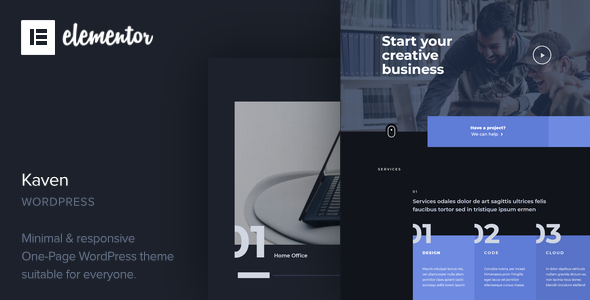
A one-page layout is like a digital poster. It shows all important stuff on a single page. Everything is here: text, images, and links. Visitors can scroll down to see more. This layout is neat and simple. No jumping between pages. Just smooth scrolling.
Designers love it for its clean look. Businesses use it to show key info fast. A one-page layout can have nice animations. They make scrolling fun. It keeps users engaged. Easy navigation is a big plus. Users find what they need quickly.
Some sites use menus at the top. Clicking them jumps to sections below. This is handy for long pages. One-page layouts are mobile-friendly. Perfect for phones and tablets. They load quickly and look good on screens.
Credit: themeforest.net
Benefits Of Single Page Design
A single-page design keeps everything on one page. Users do not need to click around. It makes the site feel smooth and easy. Visitors find what they need fast. This makes them happy.
Phones and tablets use small screens. A one-page layout works great on these devices. Users scroll instead of clicking. This is easier on small screens. It helps everyone see the content clearly.
Loading time is important. A single-page site loads faster. This is because there is less to load. Fast sites keep users from leaving. People do not like to wait.
Design Elements Of One-page Layouts
Parallax scrolling makes the background move slower. This gives a cool 3D effect. It keeps users on the page longer. It’s fun and interactive. Images and text pop out more. This effect makes the site look modern. It’s easy to use and pleasing to the eye.
Anchored navigation helps users move quickly. You click, and it jumps to a section. It saves time and keeps pages tidy. Users find what they need fast. It organizes content neatly. This makes the page user-friendly and simple. Visitors don’t get lost. They stay longer and enjoy browsing.
Visual storytelling uses images and videos. It tells a story without words. Pictures can explain a lot. It captures attention and keeps interest. Kids and adults love stories. This makes the site lively and fun. It helps messages stick in the mind. A picture is worth a thousand words. It makes learning easy and quick.

Credit: wordpress.com
Popular Use Cases
A one-page layout is great for showing off your work. Artists, photographers, and designers love it. Everything is on one page. Visitors see your talent right away. No need to click around. Easy to view and navigate. This layout keeps things simple and clean. Your work gets the spotlight it deserves.
Planning a big event? Use a one-page layout. All details are in one place. People find everything they need quickly. Date, time, location, and activities. Simple and direct. No extra pages to confuse them. It’s a smart way to share your event with the world.
Launching a new product? A one-page layout works well. Describe the product, show its benefits, and list features. All on one page. This keeps potential customers focused. They can make quick decisions. It’s all about simplicity and impact. Your product shines.
Creating A One-page Layout In WordPress
A theme is very important for your WordPress site. It decides how your site looks. Pick a theme that supports one-page design. Many themes have features for this. Check reviews before choosing a theme. Good themes make your site look nice. They also help with speed.
Page builders are tools for creating web pages. They make design easy. Use a builder that supports drag-and-drop. This feature is user-friendly. It lets you move elements with ease. Popular builders include Elementor and Beaver Builder. These tools offer many widgets. Widgets are small parts of a page. You can add text, images, and buttons.
SEO helps your site rank higher in search results. Use keywords in headings. This helps search engines understand your content. Meta descriptions are important too. They summarize your page for search engines. Use alt text for images. It describes images for search engines. Fast loading speeds are crucial. They improve user experience and SEO.

Credit: www.famethemes.com
Challenges And Limitations
One-page layouts can suffer from content overload. All information sits on one page. Too much data makes it hard to focus. Users may feel overwhelmed. Important details may get missed. Balancing content is crucial. Less is often more. Keep it clean and simple.
SEO can be tough with a one-page layout. Multiple pages help with keyword ranking. A single page limits SEO flexibility. Targeting many keywords becomes a challenge. This can affect search visibility. Good SEO needs careful planning. Keyword focus is key.
One-page sites face scalability issues. Adding new sections is hard. Content growth becomes limited. Expanding the site can mess up design. It’s not easy to adapt to new needs. Planning for future growth helps. Make sure your design allows changes.
Successful Examples
One-page WordPress layouts combine all content on a single page, enhancing user experience with smooth scrolling. Businesses like startups and portfolios benefit, showcasing information clearly and quickly. This layout is popular for its simplicity and ease of navigation.
Inspirational Designs
Many websites use a one-page layout to show their best work. These designs grab attention quickly. They tell a story without extra clicks. With smooth scrolling, users see everything at once. Colors and images make the page lively. Text is short but meaningful. Each section has a clear purpose. Navigation is simple. People find information fast. Some sites use animations and videos creatively. This keeps users engaged longer. Many companies use this layout for portfolios. It highlights their achievements effectively. Businesses love its simplicity and focus. Users enjoy the ease of use. It’s popular for showcasing creative work.
Case Studies
Companies share stories on one-page sites. They show how they solved problems. Each story is clear and concise. This layout presents key points quickly. Readers understand the main idea fast. The design emphasizes results. It highlights success. Graphics and numbers add credibility. This builds trust with readers. Facts are easy to find. Companies use bold headings for emphasis. Photos tell stories visually. Success is displayed neatly. Businesses often showcase testimonials. Clients’ words add value. This layout is effective for sharing success stories. It engages readers and encourages exploration.
Frequently Asked Questions
What Is A One-page Layout In WordPress?
A one-page layout in WordPress presents all content on a single page. It uses sections to organize information. This design is ideal for storytelling and easy navigation. It often includes smooth scrolling and anchor links for a seamless user experience.
It’s a popular choice for portfolios and small business websites.
How Do I Create A One-page Website In WordPress?
To create a one-page website in WordPress, start by choosing a suitable theme. Use a page builder like Elementor or Gutenberg. Add sections for different content areas. Include anchor links for easy navigation. Customize each section with images, text, and calls to action.
Publish your site once satisfied.
Why Choose A One-page Layout For My Site?
A one-page layout offers a streamlined user experience. It’s perfect for showcasing concise content without overwhelming visitors. This design can boost engagement by guiding users through a narrative. It’s also mobile-friendly and loads quickly, enhancing SEO. Ideal for small businesses, portfolios, or personal brands.
Can A One-page Site Improve Seo?
Yes, a one-page site can improve SEO if optimized correctly. It provides a focused experience, reducing bounce rates. Ensure fast loading times and mobile responsiveness. Use keywords strategically in headings and sections. Quality content and internal links enhance search engine visibility.
Regular updates keep the site relevant and engaging.
Conclusion
A one-page layout simplifies web design. It enhances user experience. Easy navigation keeps visitors engaged. They find information quickly. This layout suits businesses with concise content. It’s mobile-friendly and loads faster. Perfect for showcasing products or portfolios. No need for complex structures.
A clean design stands out. It can boost user interaction. Consider your content needs before choosing. A one-page layout isn’t for everyone. But it offers significant benefits. Especially for small businesses and startups. Understand your audience and goals. Choose what aligns best with them.
Explore this option for a sleek, effective website.



