
Navigating the world of WordPress can feel like learning a new language. You might have come across terms like “post” and “page” and wondered what they really mean.
Are they interchangeable? Do they serve different purposes? Understanding the difference between a post and a page is crucial for anyone looking to make the most out of their WordPress site. Imagine having the power to organize your content perfectly and enhance your site’s performance with just a few clicks.
By the end of this article, you’ll not only grasp the distinction between posts and pages, but you’ll also feel confident in utilizing them to captivate your audience and boost your website’s effectiveness. So, let’s dive in and unlock the potential of your WordPress site!
Post Vs Page
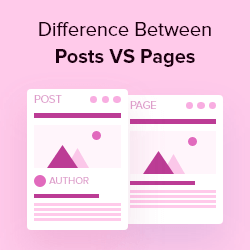
Posts are dynamic content. They appear in a blog format. Pages are static content. They are meant for timeless information. Posts often have a published date. Pages do not. Posts show up in reverse chronological order. Pages are not part of this order. Posts can be grouped by categories and tags. Pages cannot. Pages are used for About Us or Contact information.
Posts are for news updates. They are used for regular content. Pages are for important details. They are used for permanent content. Posts encourage interaction. Users can comment. Pages do not encourage this. Posts help with SEO. They improve site visibility. Pages help with site navigation. They guide users easily. Posts keep the site active. Pages keep the site organized.
Content Organization
Posts appear in a timeline. New posts show at the top. Older ones move down. This order helps readers see fresh updates first. Posts are great for news or blog content. They are like a diary. Each entry is a new date.
Pages do not follow a timeline. They stay in the same place. Pages are good for important info. Like “About Us” or “Contact” pages. These pages do not change often. They are not part of a blog timeline. Pages are more like book chapters. Each chapter stays the same.
Visibility And Accessibility
Posts and Pages in WordPress have different visibility settings. You can set them to be public or private. If a post or page is public, everyone can see it. A private post or page is visible only to certain users. This helps keep some content hidden.
You can use the password protection option. This feature lets you set a password. Only users with the password can view the content. It adds an extra layer of security.
Hierarchy And Navigation
Pages in WordPress are organized in a parent-child hierarchy. This structure makes it easy to create a menu. You can arrange pages as parent and child. This helps in better navigation. It helps users find related pages easily.
Posts are listed by date. They don’t have a parent-child structure. They appear in reverse chronological order. This means the newest post appears first. It is useful for blogs and news sites.

Credit: media-studies.com
Seo Considerations
Posts and pages affect search rankings differently. Posts are dynamic. They often update. Search engines love fresh content. This can improve rankings. Pages are static. They rarely change. Pages are great for stable information.
Search engines index posts faster. Posts can gain quick visibility. They appear in feeds. Pages don’t. Pages stay hidden. But pages have a long-term value. They provide authority. Both have unique roles in SEO.
Keyword Optimization
Using keywords wisely is crucial. Posts need trending keywords. They catch attention. Pages should use evergreen keywords. These are timeless. Keywords must fit naturally. Too many can harm ranking. Quality over quantity is key.
Both posts and pages must focus on relevant keywords. This helps search engines understand content. Strong keywords improve visibility. They drive traffic. Careful planning is essential.
Customization Features
Themes and Templates in WordPress make websites look nice. Pages use templates to keep the look the same. Posts can change themes often. Themes help with design. Templates give a structure. This makes pages look neat.
With posts, users can choose different themes. This helps posts stand out. Many themes are free. Some cost money. Users like to try new themes. This keeps things fresh.
Plugins and Widgets add special features to sites. Plugins do many things. They help with SEO. They make sharing easy. Widgets add fun to the sidebar. Pages use widgets to show extra info. Posts use plugins to add videos. Both are easy to use.
Plugins make sites better. They are easy to install. Widgets make sites lively. Both help users enjoy the site. They add cool stuff to pages and posts.

Credit: samomblogs.co.za
Management And Maintenance
Scheduling helps in organizing tasks. Posts can be scheduled for future dates. Pages don’t usually have this feature. Updates are frequent for posts. Pages need fewer updates.
Posts are part of a timeline. They get regular updates. Pages are static. They stay the same for long periods. Posts need constant attention. Pages require less care.
Scheduling And Updates
Content Revision is essential for posts. Posts often change. Pages change less often. Posts need fresh content. Pages have evergreen content.
Posts are dynamic. They are lively and full of updates. Pages are calm. They do not change much. Posts grow with time. Pages stay the same.
Credit: www.wpbeginner.com
Frequently Asked Questions
What Is A WordPress Post?
A WordPress post is a dynamic content type used for blogging. Posts are listed in reverse chronological order. They are typically categorized, tagged, and shared in RSS feeds. This makes them ideal for time-sensitive content like news updates or personal blog entries.
What Is A WordPress Page?
A WordPress page is static content used for non-chronological information. Pages are not listed by date and do not use tags or categories. They are ideal for timeless content like “About Us” or “Contact” pages. Pages form the backbone of your site’s structure.
How Do Posts Differ From Pages?
Posts differ from pages in several ways. Posts are time-stamped and organized into categories. Pages are static and hierarchical. Posts are for timely content, while pages are for permanent information. Understanding these differences helps in organizing your WordPress site effectively.
Can Posts And Pages Use The Same Themes?
Yes, posts and pages can use the same themes. WordPress themes apply to the entire site, affecting both posts and pages. Themes manage the site’s appearance and layout. They ensure consistency in design across all types of content, enhancing user experience.
Conclusion
Choosing between a post and a page in WordPress can be simple. Posts are for timely content. Think news or blog entries. Pages suit static content. Like “About Us” or “Contact”. Both are important but serve different purposes. Posts boost engagement with comments.
Pages keep your site organized. Understanding these differences helps manage your site better. Knowing when to use each one enhances user experience. It also improves your site’s navigation. Remember, it’s all about providing value. Consider your goals and audience needs.
Then decide which option fits best. Happy blogging!



